
Airtable vs. NativeScript vs. Ninox
Airtable vs. NativeScript vs. Ninox
| Product | Rating | Most Used By | Product Summary | Starting Price |
|---|---|---|---|---|
 Airtable | N/A | Airtable is a project management and collaboration platform designed to enable content pipelines, product management, events planning, user research, and more. It combines spreadsheet,database, calendar, and kanban functionality within one platform. | $24 per month per seat | |
 NativeScript | N/A | NativeScript is an open source framework that allows you to create native iOS and Android apps, with one codebase, using the web skills you already have (JavaScript and CSS) and the libraries you already love. | N/A | |
 Ninox | N/A | Ninox is a codeless app building platform available via the cloud or on-premise for Mac, from Ninox Software headquartered in Berlin. | $10 per month |
| Airtable | NativeScript | Ninox | ||||||||||||||||||||||
|---|---|---|---|---|---|---|---|---|---|---|---|---|---|---|---|---|---|---|---|---|---|---|---|---|
| Editions & Modules |
| No answers on this topic |
| |||||||||||||||||||||
| Offerings |
| |||||||||||||||||||||||
| Entry-level Setup Fee | No setup fee | No setup fee | No setup fee | |||||||||||||||||||||
| Additional Details | — | The NativeScript framework and CLI are completely free and open source. NativeScript Sidekick is a free download to improve developer productivity with optional paid tiers for power users. | — | |||||||||||||||||||||
| More Pricing Information | ||||||||||||||||||||||||
| Airtable | NativeScript | Ninox |
|---|
| Airtable | NativeScript | Ninox | |||||||||||||||||||||||||||||||||||||||||||||||||||||||||||
|---|---|---|---|---|---|---|---|---|---|---|---|---|---|---|---|---|---|---|---|---|---|---|---|---|---|---|---|---|---|---|---|---|---|---|---|---|---|---|---|---|---|---|---|---|---|---|---|---|---|---|---|---|---|---|---|---|---|---|---|---|---|
| Project Management |
|
| Airtable | NativeScript | Ninox | |
|---|---|---|---|
| Small Businesses |  Stackby Score 8.9 out of 10 |  Visual Studio Score 8.8 out of 10 | Visual Studio Score 8.8 out of 10 |
| Medium-sized Companies |  InEight Score 8.4 out of 10 | Visual Studio Score 8.8 out of 10 | Visual Studio Score 8.8 out of 10 |
| Enterprises | InEight Score 8.4 out of 10 | Visual Studio Score 8.8 out of 10 | Visual Studio Score 8.8 out of 10 |
| All Alternatives | View all alternatives | View all alternatives | View all alternatives |
| Airtable | NativeScript | Ninox | |
|---|---|---|---|
| Likelihood to Recommend | 8.8 (239 ratings) | 4.8 (13 ratings) | - (0 ratings) |
| Likelihood to Renew | 9.5 (5 ratings) | 8.0 (1 ratings) | - (0 ratings) |
| Usability | 8.0 (36 ratings) | - (0 ratings) | - (0 ratings) |
| Availability | 10.0 (2 ratings) | - (0 ratings) | - (0 ratings) |
| Performance | 9.0 (1 ratings) | - (0 ratings) | - (0 ratings) |
| Support Rating | 9.0 (30 ratings) | 1.0 (2 ratings) | - (0 ratings) |
| In-Person Training | 8.0 (1 ratings) | - (0 ratings) | - (0 ratings) |
| Online Training | 9.0 (1 ratings) | - (0 ratings) | - (0 ratings) |
| Implementation Rating | 9.0 (2 ratings) | - (0 ratings) | - (0 ratings) |
| Configurability | 10.0 (2 ratings) | - (0 ratings) | - (0 ratings) |
| Contract Terms and Pricing Model | 5.0 (1 ratings) | - (0 ratings) | - (0 ratings) |
| Ease of integration | 8.0 (2 ratings) | - (0 ratings) | - (0 ratings) |
| Product Scalability | 9.0 (2 ratings) | - (0 ratings) | - (0 ratings) |
| Vendor post-sale | 8.0 (1 ratings) | - (0 ratings) | - (0 ratings) |
| Vendor pre-sale | 8.0 (1 ratings) | - (0 ratings) | - (0 ratings) |
| Airtable | NativeScript | Ninox | |
|---|---|---|---|
| Likelihood to Recommend | Airtable
| Progress Software Corporation
 Balázs Kiss IT Consultant |  Ninox Software GmbH No answers on this topic |
| Pros | Airtable
| Progress Software Corporation
 Tiago Alves Senior Software Engineer | Ninox Software GmbH No answers on this topic |
| Cons | Airtable
 Kaley White Data and Systems Analyst | Progress Software Corporation
| Ninox Software GmbH No answers on this topic |
| Likelihood to Renew | Airtable
| Progress Software Corporation
 victor pease solano General Manager | Ninox Software GmbH No answers on this topic |
| Usability | Airtable
| Progress Software Corporation No answers on this topic | Ninox Software GmbH No answers on this topic |
| Reliability and Availability | Airtable
| Progress Software Corporation No answers on this topic | Ninox Software GmbH No answers on this topic |
| Performance | Airtable
| Progress Software Corporation No answers on this topic | Ninox Software GmbH No answers on this topic |
| Support Rating | Airtable
| Progress Software Corporation
 Shiva Prasad K Lead Software Developer | Ninox Software GmbH No answers on this topic |
| In-Person Training | Airtable
| Progress Software Corporation No answers on this topic | Ninox Software GmbH No answers on this topic |
| Online Training | Airtable
| Progress Software Corporation No answers on this topic | Ninox Software GmbH No answers on this topic |
| Implementation Rating | Airtable
| Progress Software Corporation No answers on this topic | Ninox Software GmbH No answers on this topic |
| Alternatives Considered | Airtable
 Matt Aldridge Knowledge Lead | Progress Software Corporation
 Evan Payne Senior Front-end Software Engineer | Ninox Software GmbH No answers on this topic |
| Contract Terms and Pricing Model | Airtable
Kaley White Data and Systems Analyst | Progress Software Corporation No answers on this topic | Ninox Software GmbH No answers on this topic |
| Scalability | Airtable
| Progress Software Corporation No answers on this topic | Ninox Software GmbH No answers on this topic |
| Return on Investment | Airtable
 Ryan Dury Senior Manager Strategic Accounts & Sales Support | Progress Software Corporation
 Eric Bewley CEO | Ninox Software GmbH No answers on this topic |
| ScreenShots | Airtable Screenshots     | NativeScript Screenshots  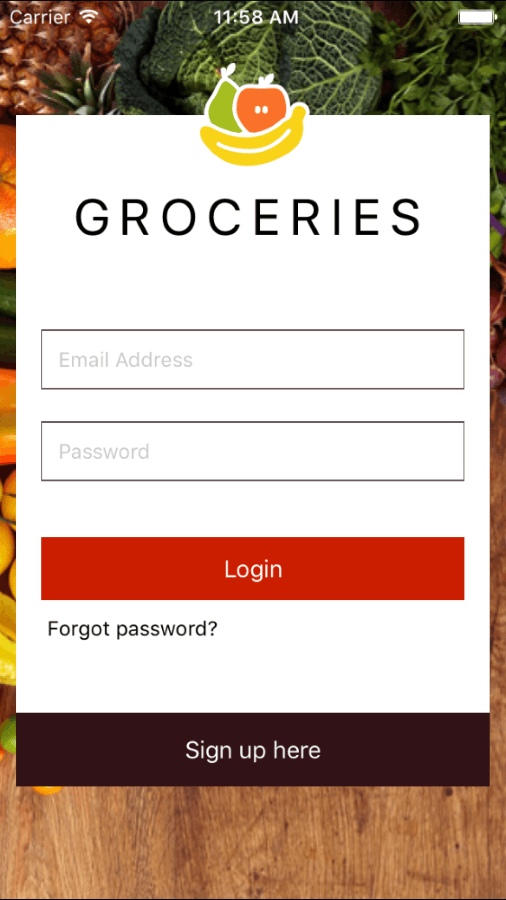  |