TrustRadius: an HG Insights company

Altair Inspire vs. Altium Develop vs. PTC Windchill

Save this comparison

Save this comparison

Contact about Altium Develop

Please fill out the form below to get in touch.

Altium

Connect with Altium

What are you interested in?

Already have an account?

You hereby consent to have TrustRadius share the information supplied on this form with Altium so that Altium and TrustRadius may contact you in regard to the information requested.

Add Product

Recommended Comparisons

    Overview
    ProductRatingMost Used ByProduct SummaryStarting Price

    Altair Inspire

    Score8.4 out of 10
    N/AAltair Inspire, developed by SolidThinking which was acquired by Altair, is software for Generative Design/Topology Optimization, and rapid simulation solution for design engineers. It is designed to enhance the concept development process by enabling simulation-driven design to increase a product’s efficiency, strength and manufacturability. This can lead to reduced costs, development time, material consumption, and product weight.N/A

    Altium Develop

    Score8.7 out of 10
    N/AAltium Develop is a platform that unifies multidisciplinary teams across engineering, sourcing, and manufacturing to support seamless co-creation. It provides real-time visibility into designs, requirements, and supply chain data, enabling contributors to work together concurrently rather than in silos.

    $1,990

    per year

    PTC Windchill

    Score7.1 out of 10
    N/APTC offers Windchill, the company's Product Lifecycle Management (PLM) platform that includes BOM (a digital bill of materials) for cost and product quality control via parts-centric source of truth, dynamic and updated product change and configuration management to ensure up-to-date product information, industry standards and requirements validation and control, and role-based data access among other features.N/A
    Pricing
    Altair InspireAltium DevelopPTC Windchill
    Editions & Modules
    No answers on this topic
    No answers on this topic
    No answers on this topic
    Offerings
    Pricing Offerings
    Altair InspireAltium DevelopPTC Windchill
    Free Trial
    NoYesNo
    Free/Freemium Version
    NoNoNo
    Premium Consulting/Integration Services
    NoNoNo
    Entry-level Setup FeeNo setup feeNo setup feeNo setup fee
    Additional Details—Altium Develop is offered as an annual subscription starting at $1,990 per year, which includes one Altium Designer ECAD Design Author and a shared workspace for projects, libraries, and collaboration. The subscription provides unlimited workspace users at no additional cost, enabling broad participation in reviews, commenting, task management, BOM access, and change workflows. Teams can add up to four additional Altium Designer ECAD Design Authors for $995 per Author per year, allowing organizations to scale active design capacity while keeping contributors and collaborators included at no extra charge.—
    More Pricing Information
    Community Pulse
    Altair InspireAltium DevelopPTC Windchill
    Considered Multiple Products
    Altair Engineering, Inc.
    No answer on this topic
    Altium
    No answer on this topic
    PTC
    No answer on this topic
    Key User Insights
    Would buy again
    No answers on this topic
    96%
    Would buy again
    92 Answers
    80%
    Would buy again
    4 Answers
    Delivers good value for the price
    No answers on this topic
    94%
    Delivers good value for the price
    73 Answers
    80%
    Delivers good value for the price
    4 Answers
    Happy with the feature set
    No answers on this topic
    90%
    Happy with the feature set
    86 Answers
    80%
    Happy with the feature set
    4 Answers
    Lived up to sales and marketing promises
    No answers on this topic
    88%
    Lived up to sales and marketing promises
    68 Answers
    No answers on this topic
    Implementation went as expected
    No answers on this topic
    83%
    Implementation went as expected
    73 Answers
    No answers on this topic
    Best Alternatives
    Altair InspireAltium DevelopPTC Windchill
    Small Businesses
    Onshape
    Score6.4 out of 10
    No answers on this topic
    No answers on this topic
    Medium-sized Companies
    Onshape
    Score6.4 out of 10
    No answers on this topic
    Arena PLM and QMS
    Score8.5 out of 10
    Enterprises
    PTC Creo
    Score7.6 out of 10
    No answers on this topic
    SAP Integrated Product Development
    Score9 out of 10
    All AlternativesView all alternativesView all alternativesView all alternatives
    User Ratings
    Altair InspireAltium DevelopPTC Windchill
    Likelihood to Recommend
    9.0
    (2 ratings)
    9.1
    (97 ratings)
    1.0
    (6 ratings)
    Likelihood to Renew
    -
    (0 ratings)
    7.0
    (6 ratings)
    -
    (0 ratings)
    Usability
    -
    (0 ratings)
    8.2
    (94 ratings)
    1.0
    (1 ratings)
    Availability
    -
    (0 ratings)
    6.4
    (1 ratings)
    -
    (0 ratings)
    Performance
    -
    (0 ratings)
    7.3
    (1 ratings)
    -
    (0 ratings)
    Support Rating
    10.0
    (1 ratings)
    4.5
    (5 ratings)
    -
    (0 ratings)
    Online Training
    -
    (0 ratings)
    9.1
    (1 ratings)
    -
    (0 ratings)
    Implementation Rating
    -
    (0 ratings)
    7.2
    (2 ratings)
    -
    (0 ratings)
    Product Scalability
    -
    (0 ratings)
    2.7
    (1 ratings)
    -
    (0 ratings)
    User Testimonials
    Altair InspireAltium DevelopPTC Windchill
    Likelihood to Recommend
    Altair Engineering, Inc.
    This software is incredibly intuitive and really does provide a great finished product. The software runs relatively quickly and will usually throw an error right away, which is a nice feature. I didn't use the geometry editing parts of the software, but it looks promising to be able to edit files directly in the program.
    Incentivized
    Read full review
    Altium
    AD is perfectly suited for the company's needs. We design a few boards per year, and having one seat is enough for us. The software offers all the tools required to design, lay out, and send manufacturing files over to the PCB manufacturers. The version control feature is very useful for tracking changes, especially during the development and certification stages.
    Incentivized
    Read full review
    PTC
    This product is perhaps typical of something that seems as though it was conceived in the 90's and has seen various appendages since, none of which do their job particularly well. Nothing in this system is efficient and all its processes demand a huge, close to maximum possible level of human effort. No doubt many companies, such as my own are spend huge amounts of money for the debateable privilege of tripling their employees workload and making them as inefficient as possible to make the administration of the system seem more important than it actually is.
    Read full review
    Pros
    Altair Engineering, Inc.
    • Defining the actuators, pin joints, sliding joints is very easy.
    • Defining a motion sequence is straightforward.
    • The UI tends to make you follow a sequence of steps to be successful in doing a motion simulation and finite element analysis study on a design.
    • The motion simulation results are automatically transferred to the FEA solver.
    Incentivized
    Read full review
    Altium
    • Extremely straightforward and easy to use
    • Easy to find all tools, including laying traces, adding net labels, etc.
    • Great training documents and videos, very using friendly; especially for first time users
    • 3D models of the PCB are excellent
    • Easy to generate files; including schematics, BOMs, Gerber files, etc.
    Incentivized
    Read full review
    PTC
    • It is compatible with all devices and operating systems such as web-based, Android, and iOS.
    • It allows user to customize its interface based on their requirement.
    • It provides a digital part list with all required data like Part Name, Part No., Weight, Material, etc.
    • Searching data is so facile that one can get data without any trouble.
    Read full review
    Cons
    Altair Engineering, Inc.
    • I think the tools to create CAD are a bit difficult to use. Consequently, it is now easier to develop the part in other software, which is bad since we need to use more than one tool at a time.
    Incentivized
    Read full review
    Altium
    • The move to constraint management vs. design rules is half-baked. requiring saving separate constraints to schematics vs. PCBs results in constraints being overwritten constantly when pushing updates.
    • Forcing subscriptions - removing the option for perpetual licenses.
    • Integrated simulation is still un-intuitive and difficult to use.
    • Requirements management feels completely separate, and I forget it's even part of Altium.
    • No easy way to manage or layout schematics with "generic components" - every item is forced to be a manufacturer part at design time, slowing down initial schematic capture.
    Read full review
    PTC
    • Extract partlist should be directly in Excel because everyone time we have to convert it to Excel.
    • ECN report formatting need improvement.
    • Many times part no doesn't go to ERP even after ERP released state.
    Read full review
    Likelihood to Renew
    Altair Engineering, Inc.
    No answers on this topic
    Altium
    ALTIUM DESIGNER is the reference tool in the electronic circuit design sector, its use is widespread worldwide. Although there are other alternatives, some of them free do not rival ALTIUM DESIGNER in terms of features and reliability. It is also very practical to request quotes with ALTIUM DESIGNER BOM reports since all suppliers are accustomed to using the tool.
    Incentivized
    Read full review
    PTC
    No answers on this topic
    Usability
    Altair Engineering, Inc.
    No answers on this topic
    Altium
    The schematic editor is easy to use for simple designs within a couple weeks of training, but can also handle complex designs and multi-board designs with no formal training needed. The addition of the wire harness designer offers a great way to allow for the electrical engineers to control the designs without the need of additional CAD software.
    Incentivized
    Read full review
    PTC
    Windchill is an extremely verbose and unintuitive system, with masses of unnecessary duplication of fields, convoluted workflows, unclear roles and terrible search capabilities. It is one of the worst software products I have ever seen to propose solving something that is actually factors quicker to do with manual writing and paper work
    Read full review
    Reliability and Availability
    Altair Engineering, Inc.
    No answers on this topic
    Altium
    Not very stable. Sudden lack of functionality when the license expires is not indicated clearly and can lead to loss of work.
    Incentivized
    Read full review
    PTC
    No answers on this topic
    Support Rating
    Altair Engineering, Inc.
    When I needed clarification on how do use a feature or best way to define the constraints for a design problem, the response was quick and solved my needs.
    Incentivized
    Read full review
    Altium
    Long process for solving problems. Problem solved after multiple emails, but not explained what was the solution, just "it is solved now"
    Incentivized
    Read full review
    PTC
    No answers on this topic
    Online Training
    Altair Engineering, Inc.
    No answers on this topic
    Altium
    easy to follow, Good technical materials. good videos The platform is easy to use.
    Incentivized
    Read full review
    PTC
    No answers on this topic
    Implementation Rating
    Altair Engineering, Inc.
    No answers on this topic
    Altium
    Some times it is slow down PC due to polygons
    Incentivized
    Read full review
    PTC
    No answers on this topic
    Alternatives Considered
    Altair Engineering, Inc.
    Working Model, MathCad, Dynamic Designer, Algor, and Mathlab had poor UI's and poor ways to define actuator and motor motion profiles. The force results and vectors were not easy to input into the FEA software. SOLIDWORKS Motion does not have an excellent way to define a linear actuator or its motion profile. Altair provides a UI that guides you through defining your linear actuator or motor's motion profile quickly.
    Incentivized
    Read full review
    Altium
    Altium Develop gave the most cohesive experience compared to other platforms. Most others feel like several pieces of software kludged together (and often are). Altium Develop was clearly a unified system and felt like a much more modern piece of software. At the time it was competitively priced while having features open-source alternatives couldn't match.
    Incentivized
    Read full review
    PTC
    Windchill is having a great market share & its UI is simple & neat, integration with Creo & ERP system. These are the main reasons of considering Windchill by our organization.
    Incentivized
    Read full review
    Scalability
    Altair Engineering, Inc.
    No answers on this topic
    Altium
    Because, in my opinion, usage for small organization is poor, it is difficult to set up initial configuration to support scaling.
    Incentivized
    Read full review
    PTC
    No answers on this topic
    Return on Investment
    Altair Engineering, Inc.
    • In my personal opinion, we think that this product does not have any negative aspect that makes us feel very uncomfortable.
    Incentivized
    Read full review
    Altium
    • Allowed our team to turn out PCB designs as early as 2 months before our deadlines
    • Better team retention as Altium 365 is not frustrating to use
    • Mitigated costs through reliably accurate DRC reports, avoiding bad PCB designs to be sent for fabrication
    Incentivized
    Read full review
    PTC
    • Saves time as all of our drawings and business instructions and procedures are housed in a central location with check-in/out capability and version control.
    Incentivized
    Read full review
    ScreenShots

    Altium Develop Screenshots

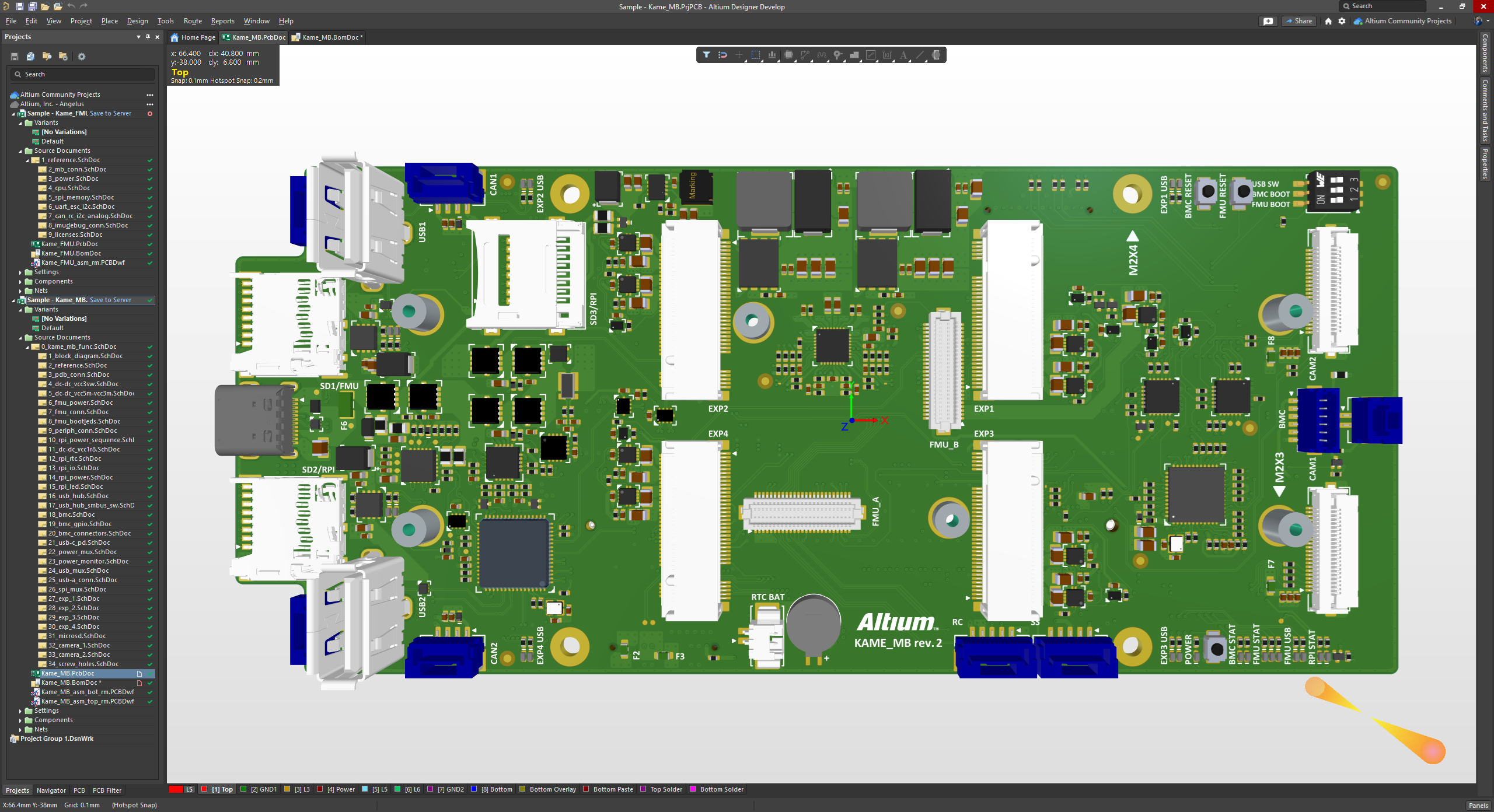
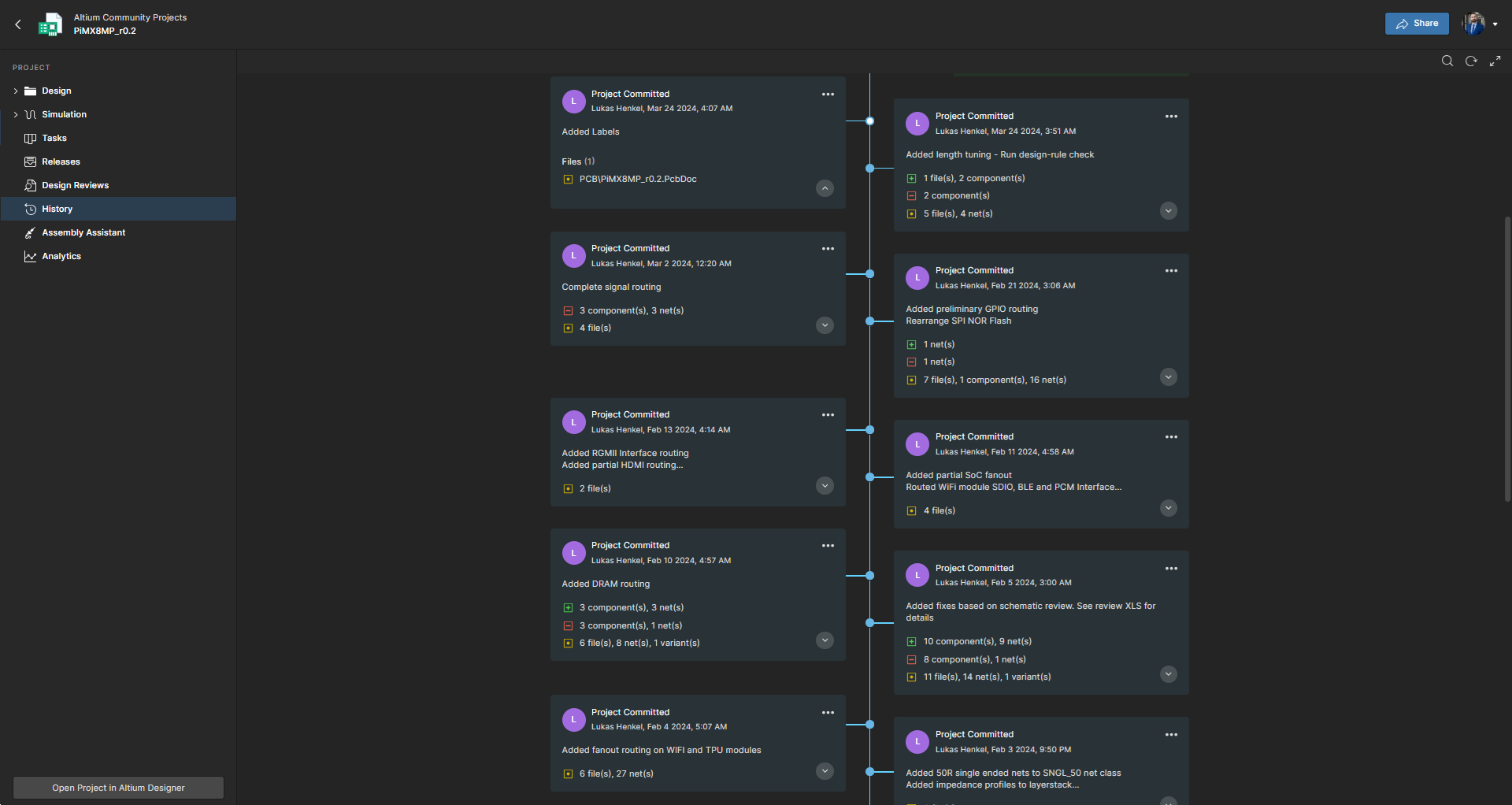
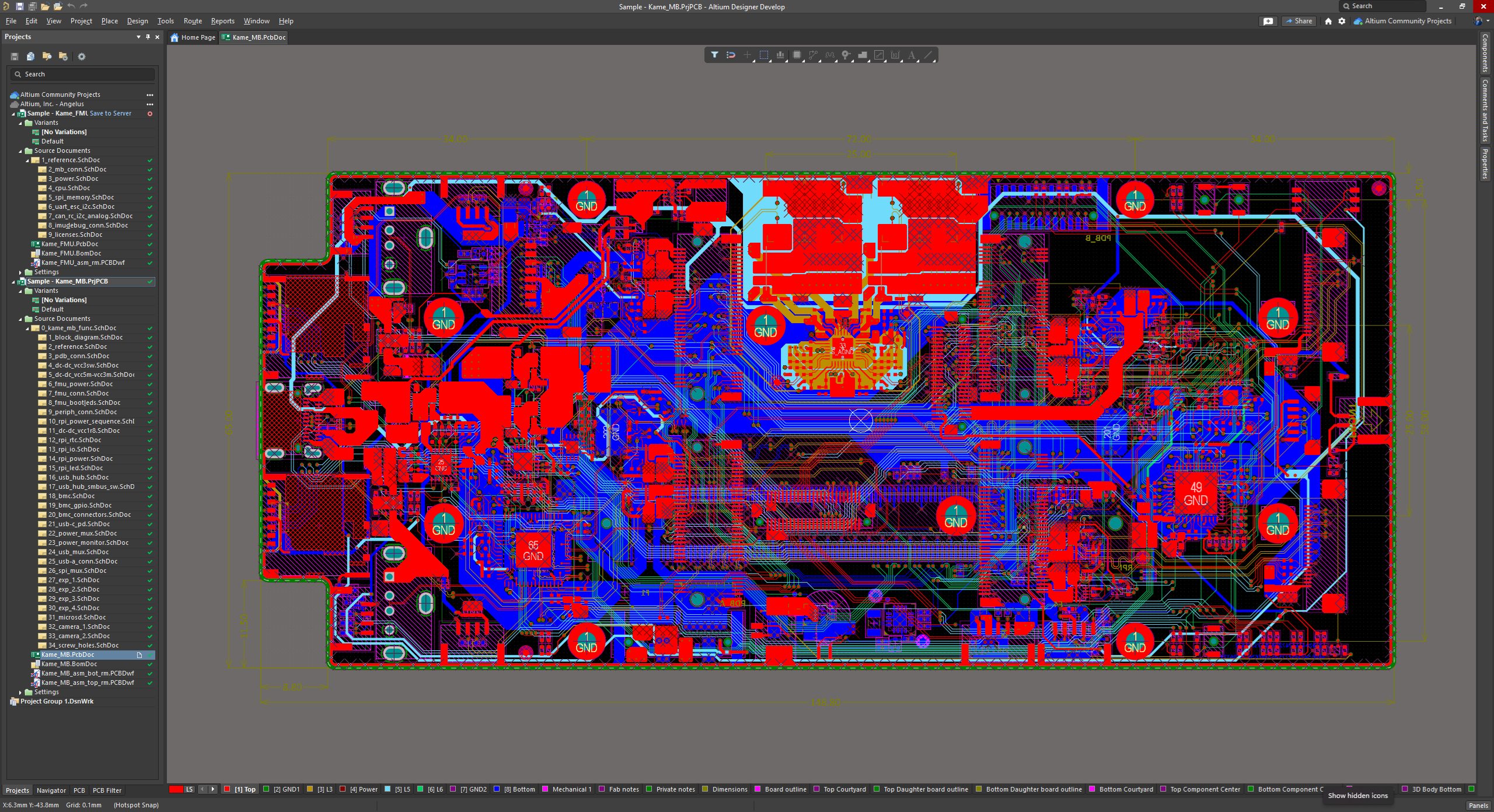
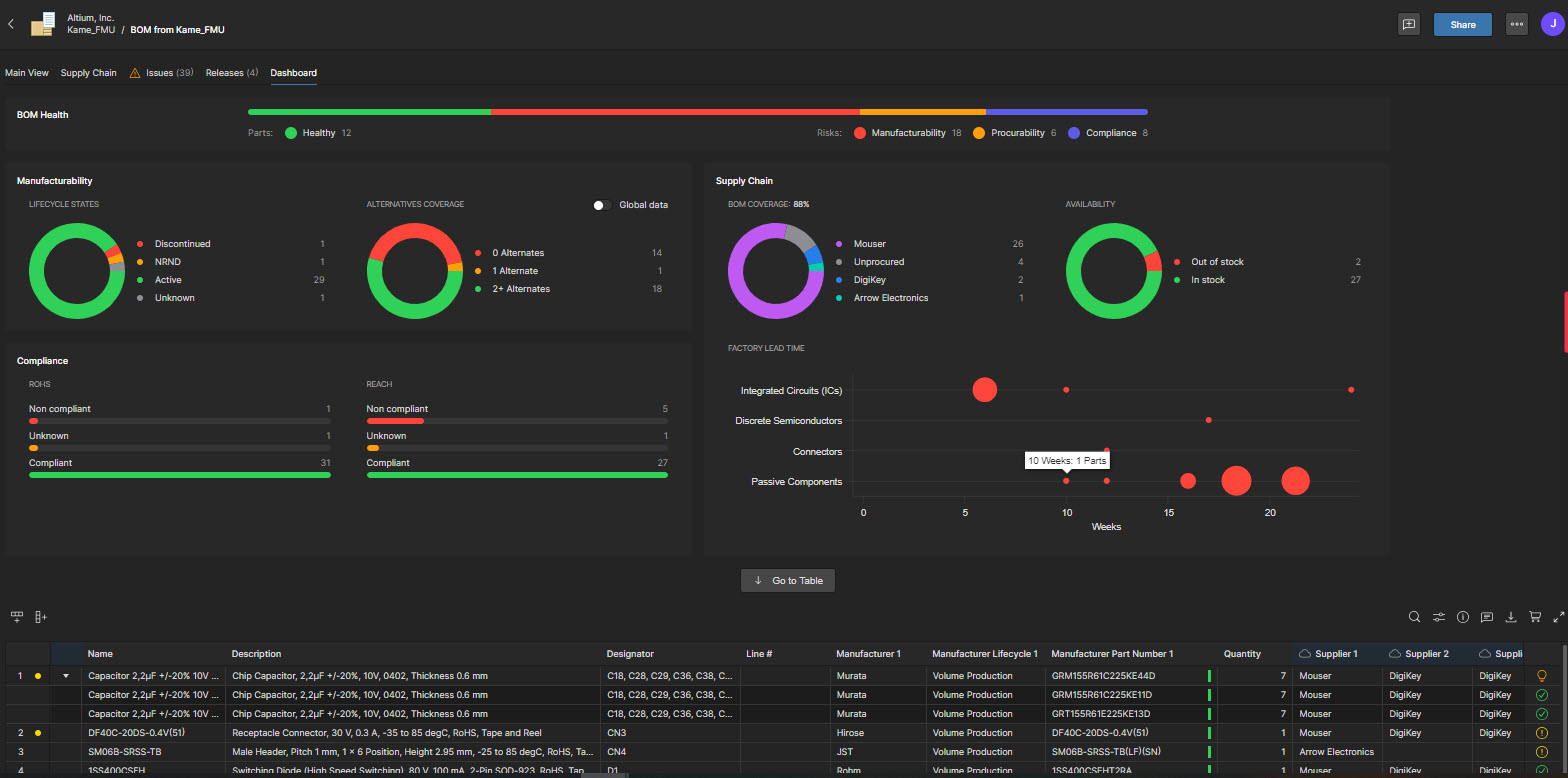
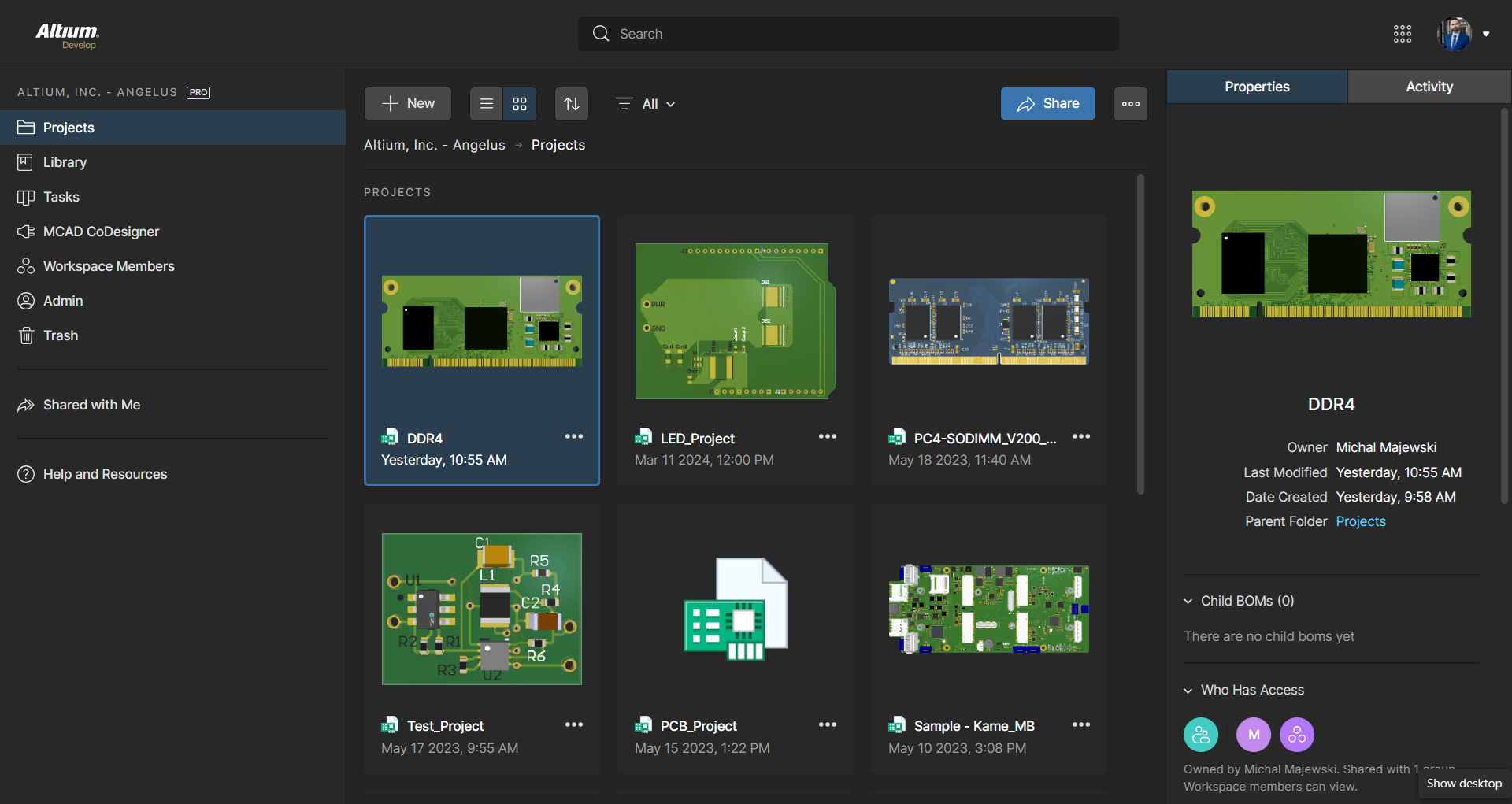
    Screenshot of The 3D View Editor in Altium Develop that transforms the standard 2D PCB workspace into a fully interactive, three‑dimensional design environment. Users can toggle between 2D and 3D modes, then zoom, pan, and rotate the board freely using tools like a directional sphere for precise pivot control and adjust display settings (such as transparency or coloring) via the View Configuration panel to visually explore and inspect PCB layouts in realistic detail.Screenshot of Project History in Altium Develop, which provides a browser-based, visually chronological timeline of a project's key events such as: creation, commits, releases, clones, and MCAD exchanges offering version control transparency directly within workspace.Screenshot of Altium Develop's unified design environment built on a single data model. From schematic capture to PCB layout, routing, and assembly preparation, every step flows seamlessly. Smart placement and routing features make complex designs faster, easier, and more reliable.Screenshot of ActiveBOM, which is a dynamic, table-based Bill of Materials (BOM) editor integrated into Altium Develop that elevates component management to a real-time, design-aware process. It automatically aggregates supply chain data such as pricing, stock, lifecycle status, and lead times - from sources like Octopart and IHS Markit, enabling parts selection, alternates, cost calculation, rule-based verification, and traceability - within the same environment as the schematic and PCB design.Screenshot of BOM Portal, which is a cloud-native, procurement-focused tool within Altium Develop that transforms traditional Excel-like Bill of Materials (BOM) workflows by integrating live supply chain, compliance, and pricing data. It enables collaboration between engineering and procurement, helps identify supply risks like obsolescence or shortages, supports BOM consolidation and alternates, and ensures thorough version control and traceability bridging design to manufacturing with real-time visibility and control.Screenshot of Workspace Projects, which provide a cloud-native, version-controlled hub within Altium Develop that simplifies electronic project management with centralized storage, collaboration, and built-in Git-based version control. This interface enables real-time design navigation (including schematic, 2D/3D PCB, BOM, and Draftsman views), task tracking, release and manufacturing management, historical timeline review, and sharing.