Amplenote vs. Hugo - Meeting Notes Software

Overview
ProductRatingMost Used ByProduct SummaryStarting Price
Amplenote
Score 0.0 out of 10
N/A
Amplenote is a productivity app combining note-taking, task management, and calendar planning. It is used to capture ideas, organize them with tags and folders, and turn them into actionable plans using its "Task Score" system to prioritize tasks by importance.
$70.08
per year per user
Hugo - Meeting Notes Software
Score 8.1 out of 10
N/A
Hugo was a connected meeting note-taking, management, and sharing app that Calendly acquired. The product is no longer available for sale.
$8
per month per user
Pricing
AmplenoteHugo - Meeting Notes Software
Editions & Modules
Pro
$5.84
per month, billed annually per user
Unlimited
$10
per month, billed annually per user
Founder
$20
per month, billed annually per user
Basic
$0 forever
Pro
$8
per month per user
Business
Get a demo
Offerings
Pricing Offerings
AmplenoteHugo - Meeting Notes Software
Free Trial
YesYes
Free/Freemium Version
YesYes
Premium Consulting/Integration Services
NoNo
Entry-level Setup FeeNo setup feeNo setup fee
Additional DetailsSave 25% when paid annually. Try all features with unlimited users for 21 days. Free forever up to 10 users.
More Pricing Information
Community Pulse
AmplenoteHugo - Meeting Notes Software
Best Alternatives
AmplenoteHugo - Meeting Notes Software
Small Businesses
Notion
Notion
Score 8.7 out of 10
Notion
Notion
Score 8.7 out of 10
Medium-sized Companies
Notion
Notion
Score 8.7 out of 10
Notion
Notion
Score 8.7 out of 10
Enterprises
Google Keep
Google Keep
Score 9.2 out of 10
Google Keep
Google Keep
Score 9.2 out of 10
All AlternativesView all alternativesView all alternatives
User Ratings
AmplenoteHugo - Meeting Notes Software
Likelihood to Recommend
-
(0 ratings)
8.1
(7 ratings)
User Testimonials
AmplenoteHugo - Meeting Notes Software
Likelihood to Recommend
Amplenote
No answers on this topic
Discontinued Products
I think it's important to understand that software recommendations do not come up casually during conversations with your friends so recommending it with no agenda is off the table. However, if someone asks me for tips on note-taking during calls my first priority would be OneNote because it just has more functionality and is usually built-in, meaning you don't have to search for anything online. The second priority would be Hugo though.
Read full review
Pros
Amplenote
No answers on this topic
Discontinued Products
  • Hugo - Meeting Notes Software removes ambiguity and uncertainty from discussions.
  • Participants from both inside and outside the organization can work together on agendas and minutes before and after the meeting.
  • The Hugo extension for Google Calendar may be used to arrange and follow up on meetings, both online and offline, as part of your Google calendar.
Read full review
Cons
Amplenote
No answers on this topic
Discontinued Products
  • Platform is pretty simple and we use basic; there are probably many features we have not yet realized exist
  • I don't think many other firms are using it, so can't use across the profession
Read full review
Alternatives Considered
Amplenote
No answers on this topic
Discontinued Products
The quality of support is better with Hugo. Ease of use is also good with Hugo than when compared to Coda. Hugo met our requirements, so decided to choose it over Coda. It is easier to set up Hugo when compared to Coda and it saves a lot of time.
Read full review
Return on Investment
Amplenote
No answers on this topic
Discontinued Products
  • Closing acton logs to set clearer paths to business goals
  • Serves as good reference tool for important conversations that impact business objectives
  • Fosters easy collaboration within the organization
Read full review
ScreenShots

Amplenote Screenshots

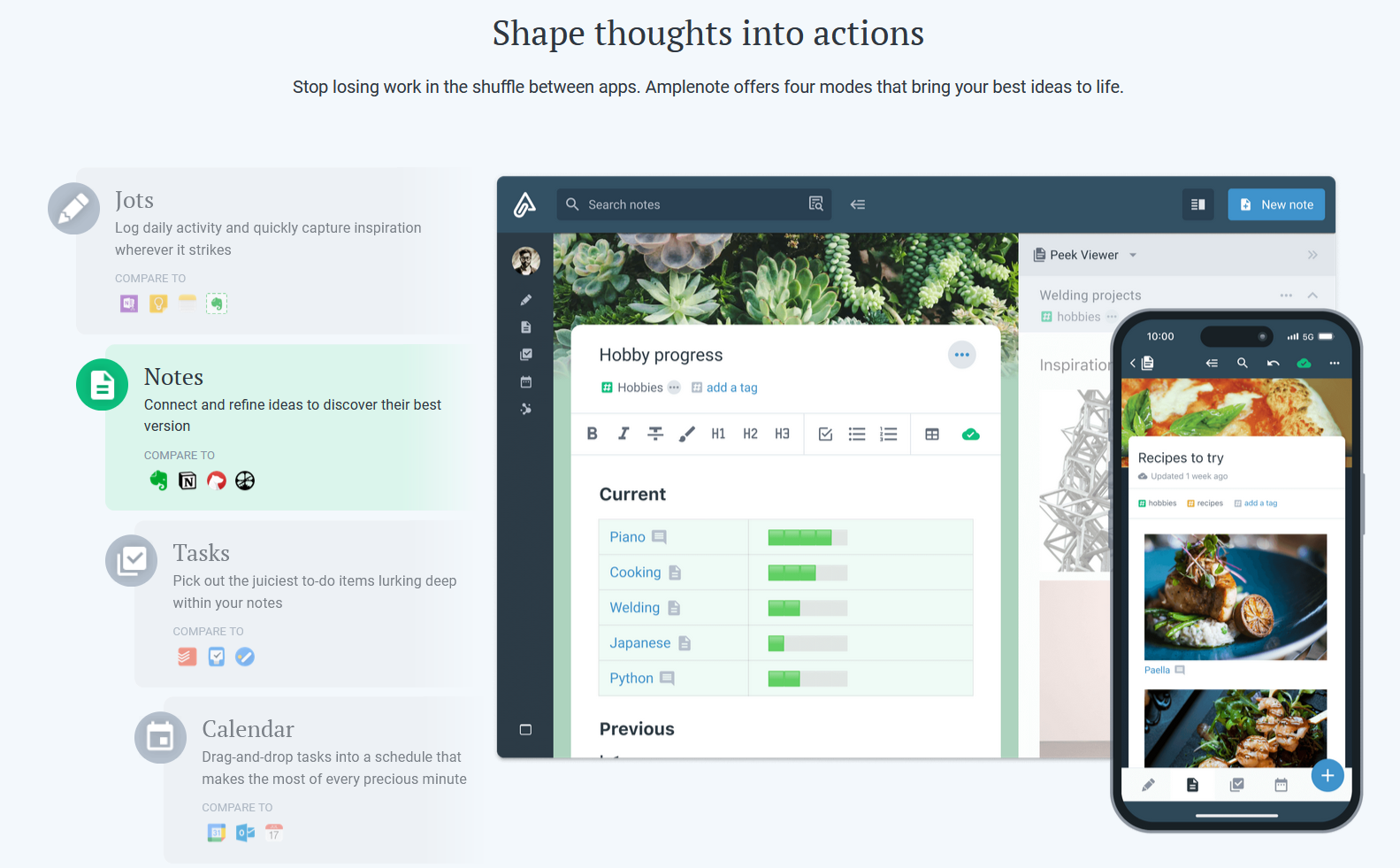
Screenshot of Jots Mode, a tool to capture ideas. Jots mode can be used for daily notes and capture ideas into a centralized, distraction-free place.Screenshot of Notes Mode, consolidates ideas. Notes can be shared for collaboration or published to the web in under 3 clicks.Screenshot of Tasks Mode turns ideas into actions. The task scoring algorithm suggests what to work on next. The task widget visualizes these tasks.Screenshot of the calendar mode, with task details.Screenshot of the graph view. This visualize linked notes and their relationships with one another.Screenshot of Notes Mode, where the user can categorize notes using hierarchical tagging.