Amplenote vs. Things

Overview
ProductRatingMost Used ByProduct SummaryStarting Price
Amplenote
Score 0.0 out of 10
N/A
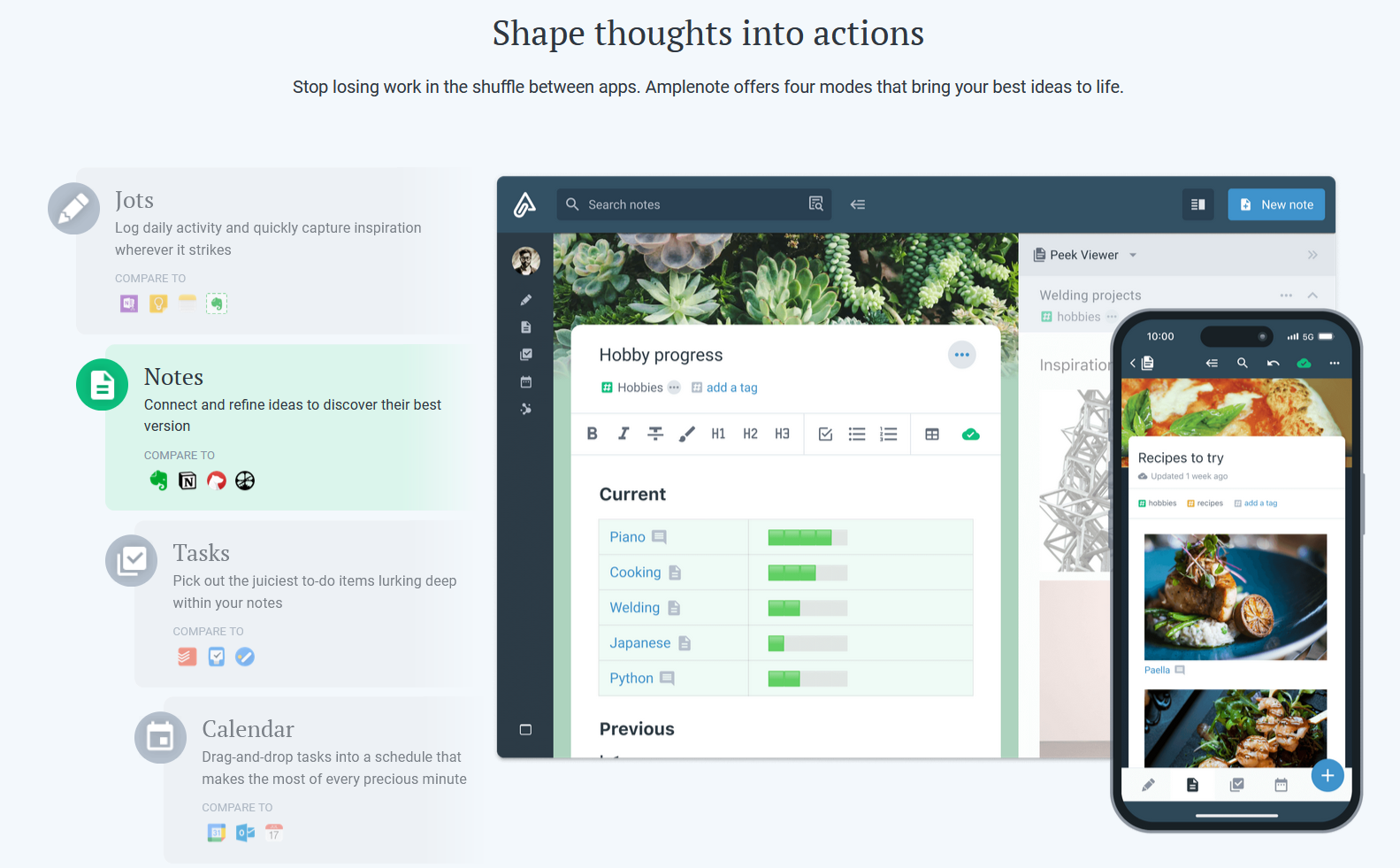
Amplenote is a productivity app combining note-taking, task management, and calendar planning. It is used to capture ideas, organize them with tags and folders, and turn them into actionable plans using its "Task Score" system to prioritize tasks by importance.
$70.08
per year per user
Things
Score 8.7 out of 10
N/A
N/A
$9.99
one-time fee
Pricing
AmplenoteThings
Editions & Modules
Pro
$5.84
per month, billed annually per user
Unlimited
$10
per month, billed annually per user
Founder
$20
per month, billed annually per user
For iPhone & Watch
$9.99
one-time fee
For iPad
$19.99
one-time fee
For Mac
$49.99
one-time fee
Offerings
Pricing Offerings
AmplenoteThings
Free Trial
YesYes
Free/Freemium Version
YesNo
Premium Consulting/Integration Services
NoNo
Entry-level Setup FeeNo setup feeNo setup fee
Additional Details
More Pricing Information
Best Alternatives
AmplenoteThings
Small Businesses
7shifts
7shifts
Score 9.9 out of 10
7shifts
7shifts
Score 9.9 out of 10
Medium-sized Companies
Todoist
Todoist
Score 9.2 out of 10
Todoist
Todoist
Score 9.2 out of 10
Enterprises
Notion
Notion
Score 8.8 out of 10
Notion
Notion
Score 8.8 out of 10
All AlternativesView all alternativesView all alternatives
User Ratings
AmplenoteThings
Likelihood to Recommend
-
(0 ratings)
9.0
(1 ratings)
Usability
-
(0 ratings)
10.0
(1 ratings)
User Testimonials
AmplenoteThings
Likelihood to Recommend
Amplenote
No answers on this topic
Cultured Code
It's great for everyday use, whether you adhere to the GTD regimen fully or just need a way to quickly capture and sort your tasks. However, it may be less suited if you're looking for a task manager that lets you collaborate with others or if you want to visualize your tasks in other ways, like a Gantt chart.
Read full review
Pros
Amplenote
No answers on this topic
Cultured Code
  • Keeps track of my daily priorities.
  • Collects my work tasks.
  • Let's me sort and prioritize tasks.
  • Organize my tasks.
Read full review
Cons
Amplenote
No answers on this topic
Cultured Code
  • Shortcut for moving tasks to areas.
Read full review
Usability
Amplenote
No answers on this topic
Cultured Code
The interface of Things was good 10 years ago, and has been refined ever since. It's lightweight, while still being readable and showing just the information you need to see. Also, something I haven't seen in any other (of my) app(s) is the keyboard shortcut/launcher, where you start typing a letter, and a dropdown menu lets you quickly jump to a view.
Read full review
Alternatives Considered
Amplenote
No answers on this topic
Cultured Code
I've tried numerous to-do apps, some that never even go out of beta. But I kept returning to Things, mostly for the user experience. It's unobtrusive and fast to use, and it looks fantastic, which is more important than I first realized. To become more organized, my app of choice needs to look organized. Also, many competing solutions are trying to force you into one way of using their app, while Things feels more open to letting you define your way of working with task management.
Read full review
Return on Investment
Amplenote
No answers on this topic
Cultured Code
  • Working fewer nights, because I'm more organized.
  • Getting that admin done, that you'd rather avoid if possible.
  • Getting back to people in time more generally.
Read full review
ScreenShots

Amplenote Screenshots

Screenshot of Jots Mode, a tool to capture ideas. Jots mode can be used for daily notes and capture ideas into a centralized, distraction-free place.Screenshot of Notes Mode, consolidates ideas. Notes can be shared for collaboration or published to the web in under 3 clicks.Screenshot of Tasks Mode turns ideas into actions. The task scoring algorithm suggests what to work on next. The task widget visualizes these tasks.Screenshot of the calendar mode, with task details.Screenshot of the graph view. This visualize linked notes and their relationships with one another.Screenshot of Notes Mode, where the user can categorize notes using hierarchical tagging.