Chose Anaconda
I am using both; when it comes to application deployment on the server, I use Docker, and sometimes, I use Docker with conda image for deployment when it comes to ML/DL apps.

| Product | Rating | Most Used By | Product Summary | Starting Price |
|---|---|---|---|---|
 Anaconda | N/A | Anaconda is an enterprise Python platform that provides access to open-source Python and R packages used in AI, data science, and machine learning. These enterprise-grade solutions are used by corporate, research, and academic institutions for competitive advantage and research. | $0 per month | |
 Posit | N/A | Posit, formerly RStudio, is a modular data science platform, combining open source and commercial products. | N/A | |
 Shiny | N/A | Shiny allows users to create data visualization apps, and is designed to be easy to write with. These apps let users interact with data and analyses with R or Python. | N/A |
| Anaconda | Posit | Shiny | ||||||||||||||||||||||
|---|---|---|---|---|---|---|---|---|---|---|---|---|---|---|---|---|---|---|---|---|---|---|---|---|
| Editions & Modules |
| No answers on this topic | No answers on this topic | |||||||||||||||||||||
| Offerings |
| |||||||||||||||||||||||
| Entry-level Setup Fee | No setup fee | Optional | No setup fee | |||||||||||||||||||||
| Additional Details | Users within organizations with 200+ employees/contractors (including Affiliates) require a paid Business license. Academic and non-profit research institutions may qualify for exemptions. | — | — | |||||||||||||||||||||
| More Pricing Information | ||||||||||||||||||||||||
| Anaconda | Posit | Shiny | |
|---|---|---|---|
| Considered Multiple Products |  Anaconda  Ammar Aboalrub Freelancer Chose Anaconda There are several reasons why Anaconda is better to use for me including that it is much easier to use than Baycharm. Also, the user interface is not as complicated as that of Baycharm. Even Anaconda does not slow down my device, using PaySharm slowed down my device in an …  Zayed Rais Program Analyst Chose Anaconda In Anaconda, [it is easy] to find and install the required libraries. Here, we can work on multiple projects with different sets of the environment. [It is] easy to create the notebook for developing the ML model and deployment. Right now, it is the best data science version …  Jay Thakkar Student Chose Anaconda I have used many other tools for coding purposes. But for python programming, the best fit tool is Anaconda. Memory management is best in Anaconda.  Gabriel Krahn Analista de Suporte de Sistemas Chose Anaconda It is almost dishonest to compare Anaconda with PyCharm as they do different things in their basic forms unless you spend a lot of time configuring plugins on your PyCharm environment. Anaconda has a lot of things ready and you just need to install your libs and dependencies.  Dilip Jain Senior Database Administrator Chose Anaconda On top of all the software that I have used, Anaconda is the best because in Anaconda we have built-in packages that provide no headache to install packages and we can design a separate environment for different projects. Anaconda has versions made for special use cases. …  Fernanda Ministerio Specialist Chose Anaconda Some analyzed tools, such as Pycharm and Spyder, are simpler to use but still do not have all the libraries needed for those starting out in data science--or in institutions that need to grow in that direction. Anaconda is more robust but stable, more complete, and the …  Tigran Petrosyan Risk Management Specialist Chose Anaconda I know that Pycharm is a IDE and Anaconda is a distribution. However I use Anaconda largely due to Jupyter Notebook, which more or less does the same job as Pycharm. 1 year ago I decided to use Anaconda (Jupiyer Notebook) as it is easier to use it as a beginner(at least my …  Juande Santander-Vela Software Development Lead / Product Manager at Solution Level Chose Anaconda Anaconda has 64-bit support in the community edition, and package management is more in line with the way we think.  Ryan McGarry Vice President of Research, Neuroscientist Chose Anaconda MATLAB is more of a pay-as-you-go alternative, which not only does not use Python but is also more bloated and costly. MATLAB takes longer to install, setup, and configure for new users who may require specific packages - such as the Classification Learner (machine learning), …  Xiaotong Song Business Analyst Chose Anaconda Compare Anaconda to Unix coding system. You can use PIP to install and create requirement.txt to replace environment.yml to avoid using Anaconda. However, Anaconda is such an excellent tool to maintain your environment and check the version of your package and update the …  Matthew Deakyne Academic Services Manager Chose Anaconda I prefer Anaconda due to the control I have at every level over the data and the visualizations. Power BI does a better job at guessing what graphics to use, but these usually aren't the most helpful. Anaconda and the slew of Python extensions that add incredible functionality, … |  Posit  Samrit Pramanik Data Scientist Chose Posit Posit is far better than Jupyter Notebook and Minitab in this regard that Posit is actually capable of doing all kind of analytical stuffs like data pre-processing, wrangling, validation and visualization. On the other hand, Jupyter Notebook can be used for python programming …  Akshat Garg Data Science Consultant Chose Posit RStudio works really well compared to competitors such as Jupyter Notebook where there is no environment to visualize variables. RStudio on the other hand is much easier to use and provides the right set of environments for users.  Andrew Choens Data Science and Engineering Leader Chose Posit RStudio is more than a home for a dashboard. It is a content management system for data science. It hosts models, APIs, runs scripts, AND hosts dashboards.  Jim Gruman Senior Program Manager Chose Posit Rstudio is easier to set up and customize for statistical work.  Bobbi Woods Graduate Research Assistant Chose Posit Personally, I would prefer SPSS over RStudio and SAS, but the cost for licenses for SPSS deters me from continuing to go with IBM's statistics software. RStudio has the advantage in that it is low cost and there are a lot of available resources on YouTube available for users …  Prashast Vaish Decision Scientist Chose Posit RStudio is as good as any software available in the market and is better off than some as it is free. Since it is open source it is improving day by day. I would prefer RStudio over any other tool any day. I would recommend every data analyst to give RStudio a try.  Jacob Benzaquen Customer Support Associate Chose Posit Much better GUI and customizability than BlueSky. I am able to do a variety of tasks at a much quicker pace.  Paul Pulley UX Research Manager Chose Posit I understand the Jupyter notebook is supposed to be good like RStudio, and I've been exposed to it a little bit. But my experience using it has been very little.  Suryaprakash Mishra Senior Data Analyst, Research, Insights and Evaluation, Road Safety Division Chose Posit Amazon Quicksight, Power bi, SAS EG, Tableau, Salesforce (TREVI) - Victoria, SharePoint.  Kenton Woods Graduate Research Assistant Chose Posit I prefer SPSS to RStudio, but RStudio is very cheap in comparison to the cost of SPSS. IBM's SPSS does a better job holding the hands of users, but it does come at a very expensive license cost. RStudio is a little bit more difficult to use but is cheap.  Chris Beeley Senior Analyst Chose Posit There are loads of people in the BI (Business Intelligence) space, of course... but I wouldn't touch any of them because none of them offer anything like the R and Python support that RStudio does. RStudio publishes open-source, they're a public benefit corporation, and they … | Shiny Kenton Woods Research Assistant Chose Shiny Shiny is much cheaper to use than Tableau Desktop and Microsoft Power BI. It's not as fancy, and maybe not as effective, but you save lots of money by using Shiny over the previously listed alternatives. The graphs and charts you can make in Shiny are very good for … |
| Anaconda | Posit | Shiny | |||||||||||||||||||
|---|---|---|---|---|---|---|---|---|---|---|---|---|---|---|---|---|---|---|---|---|---|
| Platform Connectivity |
| ||||||||||||||||||||
| Data Exploration |
| ||||||||||||||||||||
| Data Preparation |
| ||||||||||||||||||||
| Platform Data Modeling |
| ||||||||||||||||||||
| Model Deployment |
|
| Anaconda | Posit | Shiny | |
|---|---|---|---|
| Small Businesses |  Jupyter Notebook Score 8.4 out of 10 | Jupyter Notebook Score 8.4 out of 10 |  Supermetrics Score 9.8 out of 10 |
| Medium-sized Companies | Posit Score 10.0 out of 10 |  Mathematica Score 7.0 out of 10 | Supermetrics Score 9.8 out of 10 |
| Enterprises | Posit Score 10.0 out of 10 |  Dataiku Score 8.5 out of 10 |  IBM Analytics Engine Score 7.1 out of 10 |
| All Alternatives | View all alternatives | View all alternatives | View all alternatives |
| Anaconda | Posit | Shiny | |
|---|---|---|---|
| Likelihood to Recommend | 10.0 (0 ratings) | 10.0 (0 ratings) | 8.0 (0 ratings) |
| Likelihood to Renew | 7.0 (0 ratings) | 9.7 (0 ratings) | - (0 ratings) |
| Usability | 9.0 (0 ratings) | 8.0 (0 ratings) | - (0 ratings) |
| Availability | - (0 ratings) | 9.4 (0 ratings) | - (0 ratings) |
| Support Rating | 8.9 (0 ratings) | 8.9 (0 ratings) | - (0 ratings) |
| Implementation Rating | - (0 ratings) | 9.3 (0 ratings) | - (0 ratings) |
| Configurability | - (0 ratings) | 10.0 (0 ratings) | - (0 ratings) |
| Product Scalability | - (0 ratings) | 8.2 (0 ratings) | - (0 ratings) |
| Anaconda | Posit | Shiny | |
|---|---|---|---|
| Likelihood to Recommend |
|
|
|
| Pros |
 Maike Holthuijzen Ph.D student |
|
Kenton Woods Research Assistant |
| Cons |
|
|
|
| Likelihood to Renew |
Matthew Deakyne Academic Services Manager |
Chris Beeley Senior Analyst | No answers on this topic |
| Usability |
|
| No answers on this topic |
| Reliability and Availability | No answers on this topic |
Kenton Woods Graduate Research Assistant | No answers on this topic |
| Support Rating |
Ryan McGarry Vice President of Research, Neuroscientist |
Xiaotong Song Business Analyst | No answers on this topic |
| Implementation Rating | No answers on this topic |
| No answers on this topic |
| Alternatives Considered |
|
|
|
| Scalability | No answers on this topic |
Kenton Woods Graduate Research Assistant | No answers on this topic |
| Return on Investment |
|
 Flavio Leccese Group Data Scientist |
|
| ScreenShots | Posit Screenshots  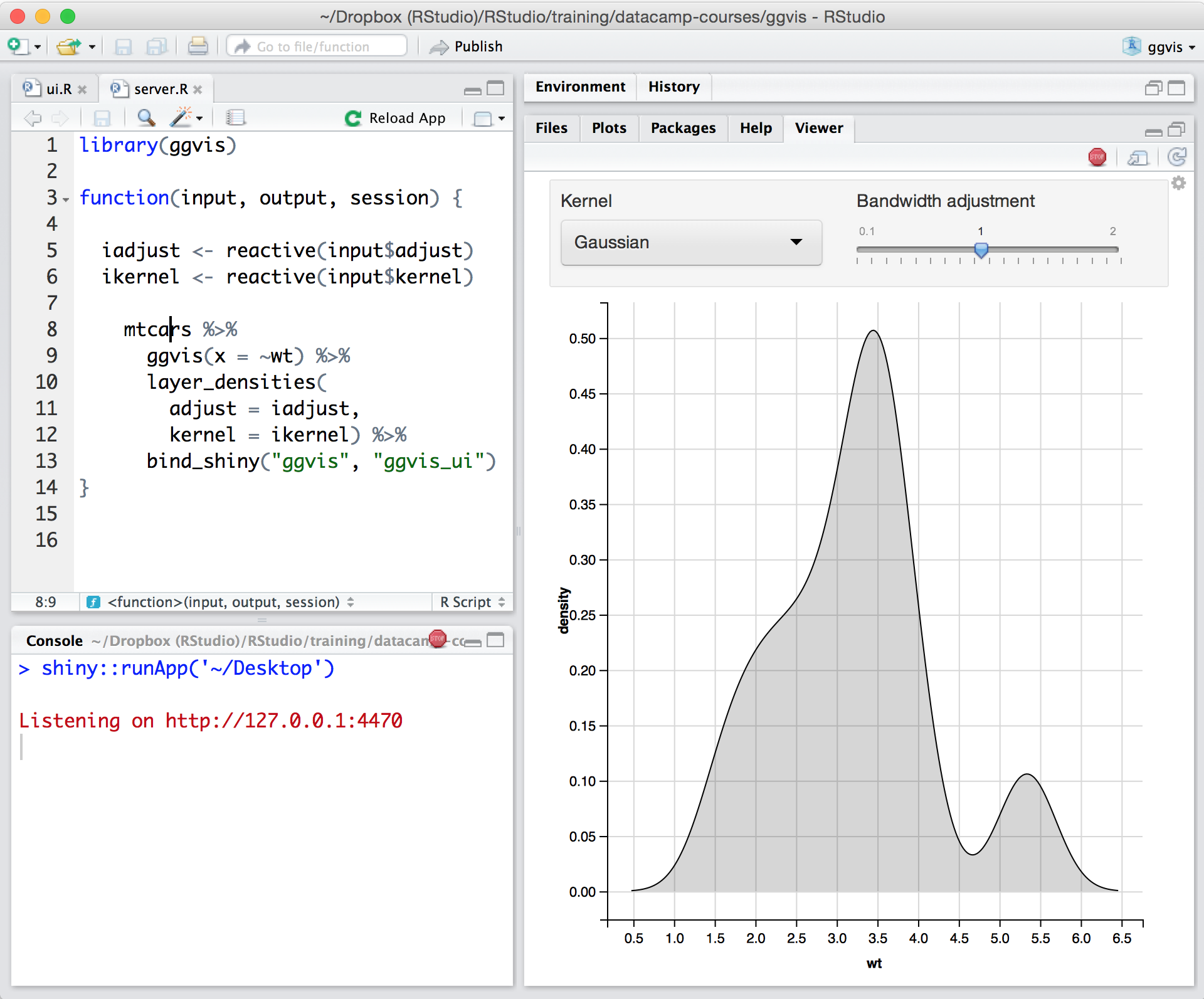    |