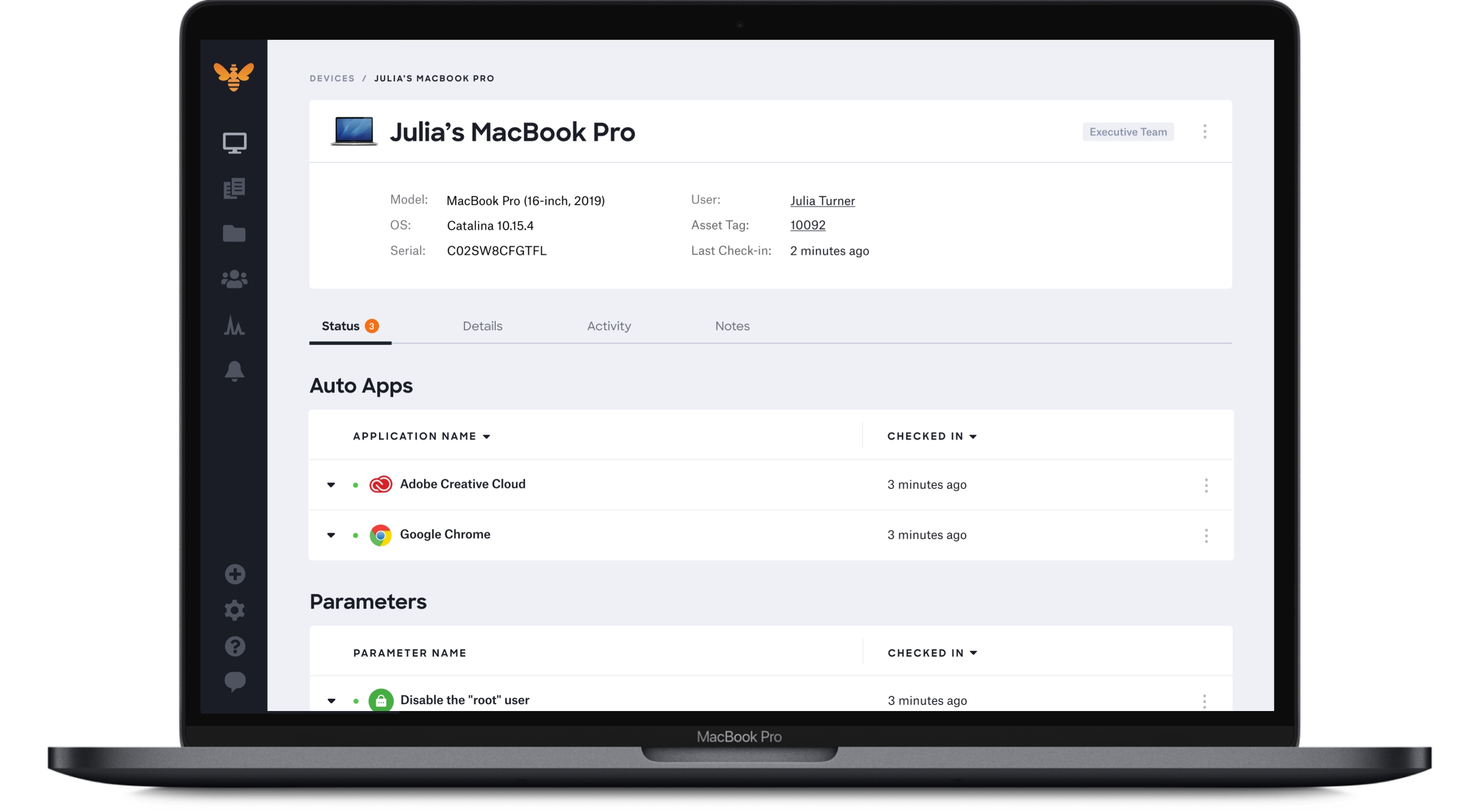
Apple Business Essentials is a subscription service that brings together device management, 24/7 support, and cloud storage. It enables small business to manage every iPhone, iPad, Mac, and Apple TVs throughout the business.
$8.25
per device, per month
Kandji
Score8.9 out of 10
Mid-Size Companies (51-1,000 employees)
Kandji is an Apple device management software solution for macOS, iOS, iPadOS, and tvOS, from the company of the same name in San Diego.
N/A
Pricing
Apple Business Essentials
Kandji
Editions & Modules
Fleetsmith Managed
$8.25
per device, per month
No answers on this topic
Offerings
Pricing Offerings
Apple Business Essentials
Kandji
Free Trial
Yes
Yes
Free/Freemium Version
Yes
No
Premium Consulting/Integration Services
No
No
Entry-level Setup Fee
No setup fee
No setup fee
Additional Details
Free unlimited trial for up to 10 devices
Device Intelligence free for unlimited devices
iOS/tvOS devices free during beta period
I would recommend Apple Business Essentials manager to any organization that orders and uses iPads or iPhones on a large scale and wishes to manage them. Even if you do not intend on applying an MDM to your corporate Apple devices, it is nice for asset management and corporate application purchasing from a central location. If you do not care about any of those features, this functionality is not for you.
A de minimis incentive was given to thank the reviewer for their time. The incentive was not used to bias or drive a particular response, nor was the incentive contingent on a positive endorsement. More Info
Kandji is well-suited for the following: - Onboarding remote employees (we are a remote company). Kandji offers zero-touch deployment via Apple Business Manager, making it incredibly easy to configure our Macs. -Maintaining security and compliance for Apple devices -Managing a fleet of iOS devices in the field. Where it's less appropriate: -When there is a mixed OS environment -If you have a highly custom or script-heavy environment.
A de minimis incentive was given to thank the reviewer for their time. The incentive was not used to bias or drive a particular response, nor was the incentive contingent on a positive endorsement. More Info
Ease of use to manage. Some other solutions can be a little hard to navigate. Fleetsmith is intuitive.
DEP Enrollment is really nice. If you are shipping a laptop out to the user you can set their password and when they turn on their computer they will have access.
Adding software to be pushed out. Pretty easy to do.
A de minimis incentive was given to thank the reviewer for their time. The incentive was not used to bias or drive a particular response, nor was the incentive contingent on a positive endorsement. More Info
A de minimis incentive was given to thank the reviewer for their time. The incentive was not used to bias or drive a particular response, nor was the incentive contingent on a positive endorsement. More Info
We were told that this was in the works and it would be implemented at the beginning of the year 2019. That has still not happened and whenever we ask about this functionality we cannot get a good answer.
Management of devices that are already in the field—we were told that in order to use Fleetsmith as we would like (pushing apps to devices) we would have to get each device and set them up from a Mac.
Problem after problem after problem with employees getting locked out of their laptops, (which was the whole reason we switched to Kandji - to prevent that from happening), employees ultimately having to factory reset their laptops to get back in, pop-ups that never go away, and continuous password sync issues.
A de minimis incentive was given to thank the reviewer for their time. The incentive was not used to bias or drive a particular response, nor was the incentive contingent on a positive endorsement. More Info
The installation steps are very easy and the UI for admin panel is user-friendly. Enrolment all based on Gmail accounts and the import function is there to fetch the user accounts. Navigating in Fleetsmith admin panel is simple and clean.
A de minimis incentive was given to thank the reviewer for their time. The incentive was not used to bias or drive a particular response, nor was the incentive contingent on a positive endorsement. More Info
I gave it an 8/10 because overall, it offers a spotless and intuitive interface that makes routine device management easy. Features such as onboarding, app deployment, and compliance enforcement are handy, thanks to the various blueprints we can set up. The only reason I didn't give it a 10 is that it lacks some advanced configurations, and the reporting aspect is not as customizable.
A de minimis incentive was given to thank the reviewer for their time. The incentive was not used to bias or drive a particular response, nor was the incentive contingent on a positive endorsement. More Info
Fantastic support. I have had a few queries on how to go about doing things in the best way and the support at Fleetsmith was always very quick to reply and with excellent advice and detail to solve the problem and lead is into our best use of their product.
The primary products we checked out were Mosyle, JAMF, and SimpleMDM. In the end it really came down to the simplicity of our needs and the simplicity of Fleetsmith's approach being in tight harmony. We kicked the tires, hard, for about a month and then dove all the way in.
A de minimis incentive was given to thank the reviewer for their time. The incentive was not used to bias or drive a particular response, nor was the incentive contingent on a positive endorsement. TR verified that a representative sample of customers was invited. More Info
With Intune, they aren’t friendly with Macs. We had to add each app individually and constantly update the packages for updates. Even when we do everything right, it still doesn’t work all the time
A de minimis incentive was given to thank the reviewer for their time. The incentive was not used to bias or drive a particular response, nor was the incentive contingent on a positive endorsement. More Info
Lesser cost for managing device, instead of getting more manpower to do it manually.
Lesser security threats (which will cause financial damage) as all devices are configured according the the company security policies, such as firewalls, media management, app security updates.
A de minimis incentive was given to thank the reviewer for their time. The incentive was not used to bias or drive a particular response, nor was the incentive contingent on a positive endorsement. More Info
They promised us we could add devices as needed. I even had that written in an email. However, they rescinded that promise and required us to add devices in buckets of 50. That means, since we had 55 users, we had to pay for 100 licenses.
Password issues were made much worse by using Kandji instead of our old MDM (Hexnode).
Overall, Kandji created major headaches with laptop instead of improving.
A de minimis incentive was given to thank the reviewer for their time. The incentive was not used to bias or drive a particular response, nor was the incentive contingent on a positive endorsement. More Info