
AppsAnywhere vs. Microsoft System Center vs. RedShelf
AppsAnywhere vs. Microsoft System Center vs. RedShelf
| Product | Rating | Most Used By | Product Summary | Starting Price |
|---|---|---|---|---|
 AppsAnywhere | Enterprise companies (1,001+ employees) | AppsAnywhere is a software delivery platform that gives students and staff access to the software they need to get their work done wherever they are, both on and off campus. Boasting more than 2 million students at over 200 universities and colleges worldwide, the vendor states AppsAnywhere improves student outcomes by making software available on any device, including BYOD, thanks to their unique approach to virtualization. Used by higher ed institutions, including University… | N/A | |
 Microsoft System Center | N/A | Microsoft System Center Suite is a family of IT management software for network monitoring, updating and patching, endpoint protection with anti-malware, data protection and backup, ITIL- structured IT service management, remote administration and more. It is available in two editions: standard and datacenter. Datacenter provides unlimited virtualization for high density private clouds, while standard is for lightly or non-virtualized private cloud workloads. | $1,323 per month | |
 RedShelf | N/A | RedShelf is an eTextbook platform. For Publishers, RedShelf offers a content distribution network and market intelligence; for schools, it offers a digital content platform campus bookstores can use to provide affordable, accessible texts, with reporting and analytics for instructors to track student usage; for students, RedShelf provides an online eReader with collaboration tools to read, highlight, and take notes on eTextbooks. | N/A |
| AppsAnywhere | Microsoft System Center | RedShelf | ||||||||||||||||||||||
|---|---|---|---|---|---|---|---|---|---|---|---|---|---|---|---|---|---|---|---|---|---|---|---|---|
| Editions & Modules | No answers on this topic |
| No answers on this topic | |||||||||||||||||||||
| Offerings |
| |||||||||||||||||||||||
| Entry-level Setup Fee | Required | No setup fee | No setup fee | |||||||||||||||||||||
| Additional Details | — | — | — | |||||||||||||||||||||
| More Pricing Information | ||||||||||||||||||||||||
| AppsAnywhere | Microsoft System Center | RedShelf |
|---|
| AppsAnywhere | Microsoft System Center | RedShelf | |||||||||||||||||||||||
|---|---|---|---|---|---|---|---|---|---|---|---|---|---|---|---|---|---|---|---|---|---|---|---|---|---|
| Application Virtualization |
|
| AppsAnywhere | Microsoft System Center | RedShelf | |
|---|---|---|---|
| Small Businesses |  Parallels RAS Score 9.3 out of 10 | No answers on this topic | No answers on this topic |
| Medium-sized Companies |  Nutanix AHV Score 9.1 out of 10 | No answers on this topic |  Ellucian Banner Score 6.1 out of 10 |
| Enterprises | Nutanix AHV Score 9.1 out of 10 | No answers on this topic |  PeopleAdmin Higher Ed Platform, from Powerschool Score 7.0 out of 10 |
| All Alternatives | View all alternatives | View all alternatives | View all alternatives |
| AppsAnywhere | Microsoft System Center | RedShelf | |
|---|---|---|---|
| Likelihood to Recommend | 8.2 (6 ratings) | 9.0 (21 ratings) | 9.4 (3 ratings) |
| Usability | 8.0 (1 ratings) | 9.0 (2 ratings) | - (0 ratings) |
| Support Rating | - (0 ratings) | 8.0 (1 ratings) | - (0 ratings) |
| AppsAnywhere | Microsoft System Center | RedShelf | |
|---|---|---|---|
| Likelihood to Recommend | Software2
 Mike Koolwijk Onlinemarketing consulent |  Microsoft
|  RedShelf
 John Bayerl LMS Administrator & Trainer |
| Pros | Software2
| Microsoft
| RedShelf
 Ikki Penta Lead Data Scientist |
| Cons | Software2
| Microsoft
| RedShelf
 Meredith Schreiber Director Bookstore and Auxiliary Services |
| Usability | Software2
| Microsoft
| RedShelf No answers on this topic |
| Support Rating | Software2 No answers on this topic | Microsoft
| RedShelf No answers on this topic |
| Alternatives Considered | Software2
| Microsoft
| RedShelf
John Bayerl LMS Administrator & Trainer |
| Return on Investment | Software2
Mike Koolwijk Onlinemarketing consulent | Microsoft
 Mark Fitzgerald Adjunct Professor | RedShelf
Ikki Penta Lead Data Scientist |
| ScreenShots | AppsAnywhere Screenshots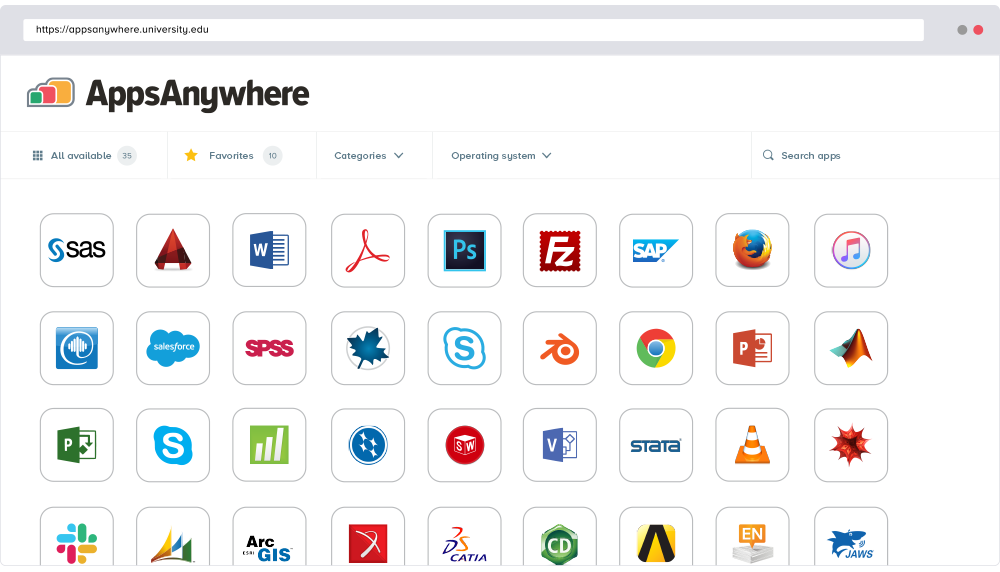 |