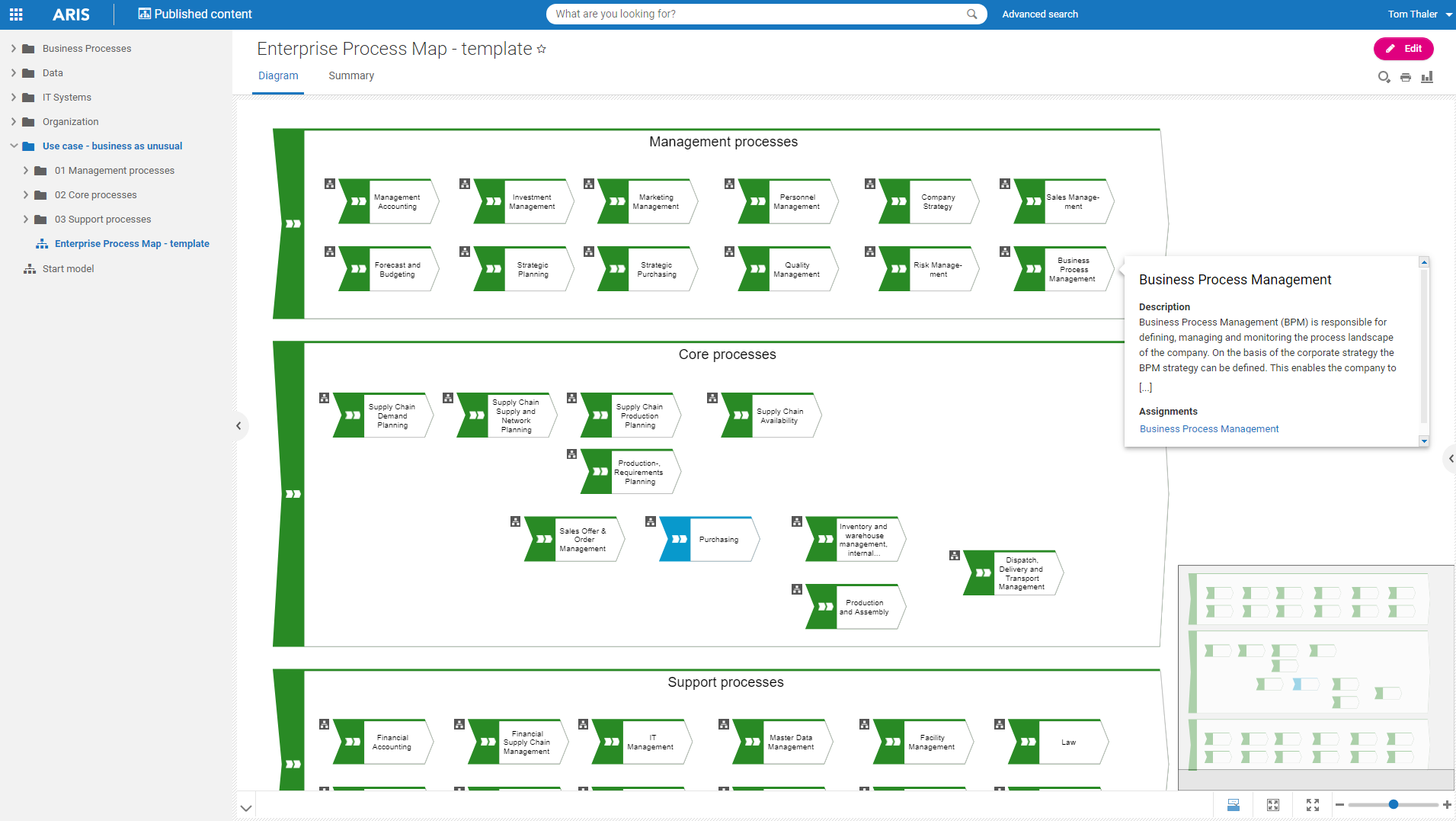
Software AG's Business Process Analysis Platform, ARIS, uses robust architecture and process management / analysis capability to drive integrations with the existing business processes along with information technology and SAP systems.
$100
designer
KNIME Analytics Platform
Score 7.8 out of 10
N/A
KNIME enables users to analyze, upskill, and scale data science without any coding. The platform that lets users blend, transform, model and visualize data, deploy and monitor analytical models, and share insights organization-wide with data apps and services.
$0
per month
Pricing
ARIS
KNIME Analytics Platform
Editions & Modules
ARIS Elements
$100
designer
ARIS Advanced
$200
designer
ARIS Enterprise
contact us
ARIS Enterprise
contact us
KNIME Community Hub Personal Plan
$0
KNIME Analytics Platform
$0
KNIME Community Hub Team Plan
€99
per month 3 users
KNIME Business Hub
From €35,000
per year
Offerings
Pricing Offerings
ARIS
KNIME Analytics Platform
Free Trial
Yes
No
Free/Freemium Version
Yes
Yes
Premium Consulting/Integration Services
Yes
No
Entry-level Setup Fee
No setup fee
No setup fee
Additional Details
—
—
More Pricing Information
Community Pulse
ARIS
KNIME Analytics Platform
Features
ARIS
KNIME Analytics Platform
Reporting & Analytics
Comparison of Reporting & Analytics features of Product A and Product B
ARIS
9.1
6 Ratings
16% above category average
KNIME Analytics Platform
-
Ratings
Dashboards
7.96 Ratings
00 Ratings
Standard reports
9.76 Ratings
00 Ratings
Custom reports
9.86 Ratings
00 Ratings
Process Engine
Comparison of Process Engine features of Product A and Product B
ARIS
7.4
6 Ratings
12% below category average
KNIME Analytics Platform
-
Ratings
Process designer
8.26 Ratings
00 Ratings
Process simulation
8.66 Ratings
00 Ratings
Business rules engine
6.46 Ratings
00 Ratings
SOA support
7.55 Ratings
00 Ratings
Process player
6.02 Ratings
00 Ratings
Support for modeling languages
9.16 Ratings
00 Ratings
Form builder
7.06 Ratings
00 Ratings
Model execution
6.82 Ratings
00 Ratings
Collaboration
Comparison of Collaboration features of Product A and Product B
ARIS
8.4
6 Ratings
1% above category average
KNIME Analytics Platform
-
Ratings
Social collaboration tools
8.46 Ratings
00 Ratings
Content Management Capabilties
Comparison of Content Management Capabilties features of Product A and Product B
ARIS
9.3
6 Ratings
14% above category average
KNIME Analytics Platform
-
Ratings
Content management
9.36 Ratings
00 Ratings
Platform Connectivity
Comparison of Platform Connectivity features of Product A and Product B
ARIS
-
Ratings
KNIME Analytics Platform
9.2
19 Ratings
10% above category average
Connect to Multiple Data Sources
00 Ratings
9.619 Ratings
Extend Existing Data Sources
00 Ratings
10.010 Ratings
Automatic Data Format Detection
00 Ratings
9.119 Ratings
MDM Integration
00 Ratings
7.98 Ratings
Data Exploration
Comparison of Data Exploration features of Product A and Product B
ARIS
-
Ratings
KNIME Analytics Platform
8.1
18 Ratings
4% below category average
Visualization
00 Ratings
8.018 Ratings
Interactive Data Analysis
00 Ratings
8.118 Ratings
Data Preparation
Comparison of Data Preparation features of Product A and Product B
ARIS
-
Ratings
KNIME Analytics Platform
8.3
19 Ratings
2% above category average
Interactive Data Cleaning and Enrichment
00 Ratings
9.019 Ratings
Data Transformations
00 Ratings
9.519 Ratings
Data Encryption
00 Ratings
7.47 Ratings
Built-in Processors
00 Ratings
7.48 Ratings
Platform Data Modeling
Comparison of Platform Data Modeling features of Product A and Product B
ARIS
-
Ratings
KNIME Analytics Platform
8.0
18 Ratings
5% below category average
Multiple Model Development Languages and Tools
00 Ratings
9.517 Ratings
Automated Machine Learning
00 Ratings
8.217 Ratings
Single platform for multiple model development
00 Ratings
9.318 Ratings
Self-Service Model Delivery
00 Ratings
5.08 Ratings
Model Deployment
Comparison of Model Deployment features of Product A and Product B
Well suited for enterprise architecture modeling where the intent to document elements beyond processes as well, such as risks and controls, KPIs, systems, org charts, etc. It also has the excellent capability of creating custom reports, hence if looking for various views right from summary to detailed, this is a great tool. It is less appropriate for implementing the processes as it is not very strong in BPMN.
KNIME Analytics Platform is excellent for people who are finding Excel frustrating, this can be due to errors creeping in due to manual changes or simply that there are too many calculations which causes the system to slow down and crash. This is especially true for regular reporting where a KNIME Analytics Platform workflow can pull in the most recent data, process it and provide the necessary output in one click. I find KNIME Analytics Platform especially useful when talking with audiences who are intimidated by code. KNIME Analytics Platform allows us to discuss exactly how data is processed and an analysis takes place at an abstracted level where non-technical users are happy to think and communicate which is often essential when they are subject matter experts whom you need for guidance. For experienced programmers KNIME Analytics Platform is a double-edged sword. Often programmers wish to write their own code because they are more efficient working that way and are constrained by having to think and implement work in nodes. However, those constraints forcing development in a "KNIME way" are useful when working in teams and for maintenance compared to some programmers' idiosyncratic styles.
We are happy with Knime product and their support. Knime AP is versatile product and even can execute Python scripts if needed. It also supports R execution as well; however, it is not being used at our end
I am a BPM and Enterprise Architect Consultant and hence have been using different BPM and EA tools for consulting practice. Until now I have used Opentext Provision EA,Sparx EA, MS Visio and IBM Blueworks. All of the tools used are good and have their own unique features and capabilities. ARIS BPA is widely used by my current organization for different projects.
KNIME Analytics Platform offers a great tradeoff between intuitiveness and simplicity of the user interface and almost limitless flexibility. There are tools that are even easier to adopt by someone new to analytics, but none that would provide the scalability of KNIME when the user skills and application complexity grows
It has good, even complex functionality that is provided by its library and ability to create relations between items, yet it is not hard to use. Anyone can use it in a short time. It provides reporting abilities and good documentation with the availability of exporting options. The only drawback I have seen was user management/login issues.
KNIME's HQ is in Europe, which makes it hard for US companies to get customer service in time and on time. Their customer service also takes on average 1 to 2 weeks to follow up with your request. KNIME's documentation is also helpful but it does not provide you all the answers you need some of the time.
KNIME Analytics Platform is easy to install on any Windows, Mac or Linux machine. The KNIME Server product that is currently being replaced by the KNIME Business Hub comes as multiple layers of software and it took us some time to set up the system right for stability. This was made harder by KNIME staff's deeper expertise in setting up the Server in Linux rather than Windows environment. The KNIME Business Hub promises to have a simpler architecture, although currently there is no visibility of a Windows version of the product.
The Service area, they have been very useful. ARIS suite is covering number of applications. ARIS engine is very powerful and robust. The tool can be configured in many ways which can be beneficial but can be a curse at the same time. As a user, you need to apply this flexibility with care.
Having used both the Alteryx and [KNIME Analytics] I can definitely feel the ease of using the software of Alteryx. The [KNIME Analytics] on the other hand isn't that great but is 90% of what Alteryx can do along with how much ease it can do. Having said that, the 90% functionality and UI at no cost would be enough for me to quit using Alteryx and move towards [KNIME Analytics].
It is suited for data mining or machine learning work but If we're looking for advanced stat methods such as mixed effects linear/logistics models, that needs to be run through an R node.
Thinking of our peers with an advanced visualization techniques requirement, it is a lagging product.