
Astrato Analytics vs. Tableau Public
Astrato Analytics vs. Tableau Public
| Product | Rating | Most Used By | Product Summary | Starting Price |
|---|---|---|---|---|
 Astrato Analytics | N/A | A self-service BI solution, Astrato puts analytics in the hands of every user, enabling them to build their own reports and answer data questions without IT help. Astrato accelerates adoption, speeds up decision-making, and unifies analytics, embedded analytics, data input, and data apps in one platform. With Astrato, Self-Service business users can see and understand data that resides in the Data Cloud (Snowflake, Databricks, BigQuery, Redshift, Dremio,… | $12 per month per user | |
 Tableau Public | N/A | Tableau Public is a free edition of the Desktop product. With this edition, data can only be published to the Tableau public website and does not allow work to be saved or exported locally. | $0 per month |
| Astrato Analytics | Tableau Public | |||||||||||||||
|---|---|---|---|---|---|---|---|---|---|---|---|---|---|---|---|---|
| Editions & Modules | No answers on this topic | No answers on this topic | ||||||||||||||
| Offerings |
| |||||||||||||||
| Entry-level Setup Fee | Optional | No setup fee | ||||||||||||||
| Additional Details | — | — | ||||||||||||||
| More Pricing Information | ||||||||||||||||
| Astrato Analytics | Tableau Public |
|---|
| Astrato Analytics | Tableau Public | ||||||||||||||||||
|---|---|---|---|---|---|---|---|---|---|---|---|---|---|---|---|---|---|---|---|
| BI Standard Reporting |
| ||||||||||||||||||
| Ad-hoc Reporting |
| ||||||||||||||||||
| Report Output and Scheduling |
| ||||||||||||||||||
| Data Discovery and Visualization |
| ||||||||||||||||||
| Access Control and Security |
| ||||||||||||||||||
| Mobile Capabilities |
| ||||||||||||||||||
| Application Program Interfaces (APIs) / Embedding |
|
| Astrato Analytics | Tableau Public | |
|---|---|---|
| Small Businesses |  Yellowfin Score 8.7 out of 10 |  Supermetrics Score 9.7 out of 10 |
| Medium-sized Companies |  Reveal Score 10.0 out of 10 | Supermetrics Score 9.7 out of 10 |
| Enterprises |  Kyvos Semantic Layer Score 9.5 out of 10 |  IBM Analytics Engine Score 7.2 out of 10 |
| All Alternatives | View all alternatives | View all alternatives |
| Astrato Analytics | Tableau Public | |
|---|---|---|
| Likelihood to Recommend | 8.5 (5 ratings) | 8.5 (14 ratings) |
| Likelihood to Renew | - (0 ratings) | 9.1 (2 ratings) |
| Usability | 8.0 (4 ratings) | 10.0 (5 ratings) |
| Support Rating | 9.0 (1 ratings) | 9.6 (6 ratings) |
| Online Training | - (0 ratings) | 9.0 (1 ratings) |
| Implementation Rating | - (0 ratings) | 9.1 (2 ratings) |
| Astrato Analytics | Tableau Public | |
|---|---|---|
| Likelihood to Recommend | Astrato Analytics LTD.
|  Tableau
|
| Pros | Astrato Analytics LTD.
 Christopher Adams Founder | Tableau
 Leah Jakaitis Senior Data Analyst |
| Cons | Astrato Analytics LTD.
 Beau Dobbs Director of Operations and Data Analytics | Tableau
 Steven Bohlender Executive Vice President |
| Likelihood to Renew | Astrato Analytics LTD. No answers on this topic | Tableau
 Bonnie Holub Honeywell Endowed Chair in Global Technology Management |
| Usability | Astrato Analytics LTD.
 Christian Gesú De Andrade Trillo Freela de mídia e conteúdo | Tableau |
| Support Rating | Astrato Analytics LTD.
 Angel Monjarás Manager - Business Analytics | Tableau
|
| Online Training | Astrato Analytics LTD. No answers on this topic | Tableau
Bonnie Holub Honeywell Endowed Chair in Global Technology Management |
| Implementation Rating | Astrato Analytics LTD. No answers on this topic | Tableau
Steven Bohlender Executive Vice President |
| Alternatives Considered | Astrato Analytics LTD.
| Tableau
|
| Return on Investment | Astrato Analytics LTD.
Christopher Adams Founder | Tableau
 Christopher Penn Chief Data Scientist |
| ScreenShots | Astrato Analytics Screenshots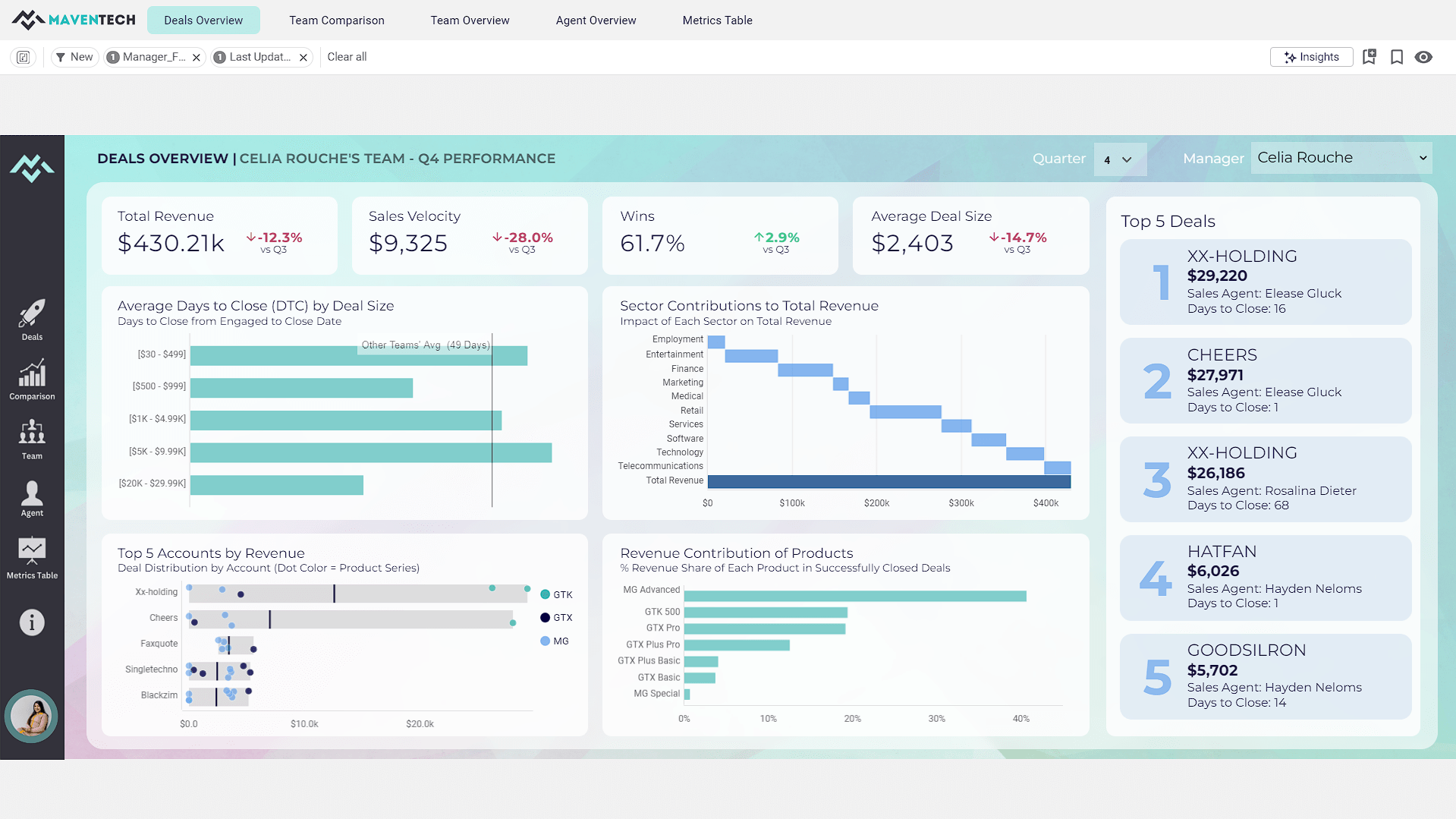  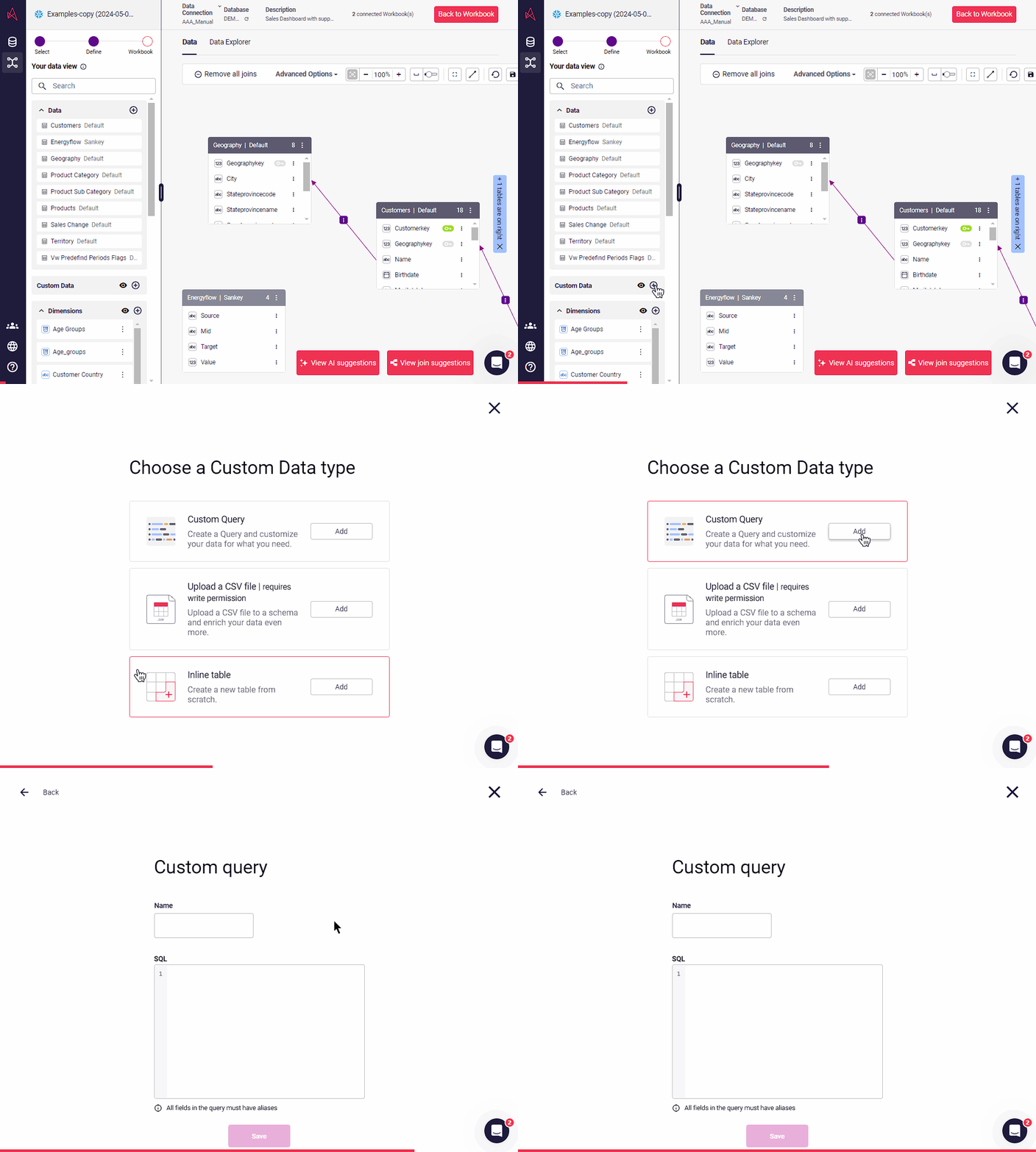 |