Autodesk Fusion is a cloud-based 3D CAD, CAM, and CAE tool which integrates design, modeling, and simulation capabilities.
$70
per month
Arena PLM and QMS
Score8.5 out of 10
N/A
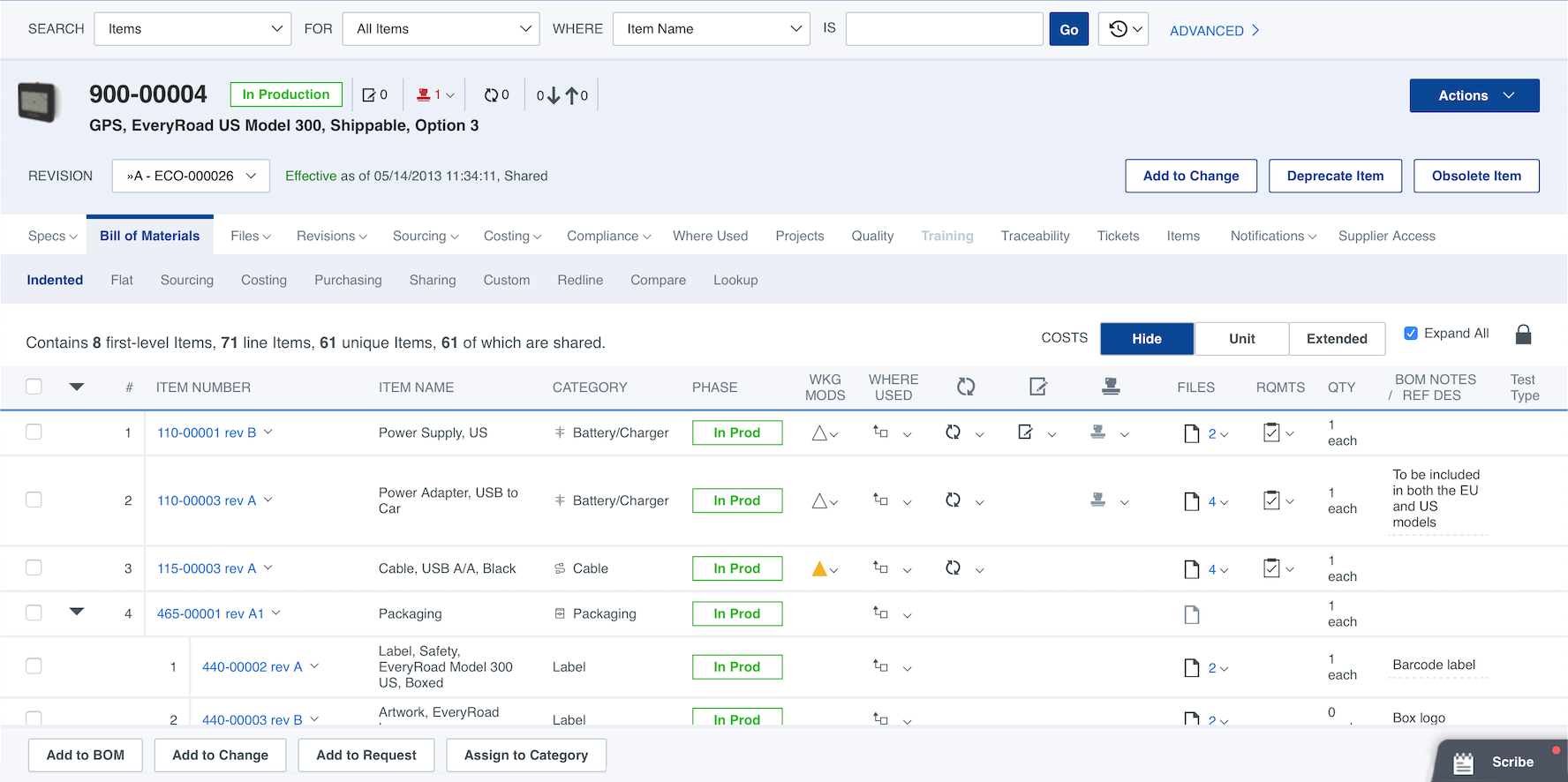
Arena by PTC is a cloud-based PLM and QMS platform. Arena helps product companies that rely on distributed teams and global supply chains to develop products, ensure regulatory compliance, and respond to customer demands.
N/A
Pricing
Autodesk Fusion
Arena PLM and QMS
Editions & Modules
Fusion 360 - Paid Monthly
$70
per month per user
Fusion 360 - Paid Annually
$545
per year per user
Fusion 360 - 3 Years
$1635
3 years per user
Arena PLM Launch
Contact Sales
Arena PLM Enterprise
Contact Sales
Arena QMS
Contact Sales
Arena QMS Enterprise
Contact Sales
Offerings
Pricing Offerings
Autodesk Fusion
Arena PLM and QMS
Free Trial
Yes
Yes
Free/Freemium Version
Yes
No
Premium Consulting/Integration Services
No
Yes
Entry-level Setup Fee
No setup fee
Required
Additional Details
—
Arena's cloud-based PLM and QMS solutions include role-based subscriptions to meet diverse team needs. Their fixed-fee QuickStart™ implementations supports rapid deployment.
More Pricing Information
Community Pulse
Autodesk Fusion
Arena PLM and QMS
Considered Both Products
Autodesk
No answer on this topic
Arena by PTC
Verified User
Chose Arena PLM and QMS
Arena has all the functionality the company needs (all the PLM systems reviewed had the same basic functionality) and was a better price. It also offers great support after implementation at no additional cost. It was also great to work directly with Arena, rather than …
A de minimis incentive was given to thank the reviewer for their time. The incentive was not used to bias or drive a particular response, nor was the incentive contingent on a positive endorsement. More Info
This software has been so easy to use from day one! I couldn't be more thrilled with it. Being an SME, it is offered on an annual basis free of charge. My network of engineers are amazed I am able to accomplish what I have using this software when the companies they come from are paying thousands for licensing. I also would like to note that Autodesk offer an incredible specialization to really round out your skills via Coursera.
A de minimis incentive was given to thank the reviewer for their time. The incentive was not used to bias or drive a particular response, nor was the incentive contingent on a positive endorsement. More Info
Arena PLM is well suited for part number, BOM and file management. Processing changes (ECNs, ACOs, DCO's, etc.) in Arena is very easy to do and provides great visibility on the status of submitted requests. The ability to communicate with Suppliers and grant them access to files in Arena is extremely helpful. Arena does not appear to be the best suited system for managing software
A de minimis incentive was given to thank the reviewer for their time. The incentive was not used to bias or drive a particular response, nor was the incentive contingent on a positive endorsement. TR verified that a representative sample of customers was invited. More Info
The first PRO of Fusion 360 that always comes to mind is how versatile it is. Fusion 360 is the first CAD/CAM software that also includes other key features that CAD programs of this size don't have.
Fusion 360 has a generous licensing structure that gives those just starting out a place to start with a professional level CAD program. As a result, this has helped build up a huge community and user base around Fusion 360.
Fusion 360 is updated on a monthly basis. This has proven to be a huge advantage over Solidworks (something else I use) which is only updated once a year. The nice thing about monthly updates, other than regular bug fixes, is that the team can adapt quickly and no one is taken by storm with a big overhaul of the UI or features at the beginning of the year.
A de minimis incentive was given to thank the reviewer for their time. The incentive was not used to bias or drive a particular response, nor was the incentive contingent on a positive endorsement. More Info
It provides easy, 'login-anywhere' internet cloud-based access to fundamental PLM functions.
It provides secure access control for employees & vendors (but you pay per person for access licenses).
Data is effectively 'always backed up' in the internet-cloud.
There is an option to attach thumbnail graphics representative of each item and create a Bill of Materials view that also displays the graphics to help provide item recognition for BOM readers.
Fusion 360 is a very simple program, so once you begin to draw more complex 3D models, the software gets sluggish and loses its fluidity.
It would be really nice if Fusion 360 could output a model as a SolidWorks file so I can begin to draw something out in Fusion 360 and then pick it up in SolidWorks when I need to do some more advanced functions.
Because Fusion 360 is a simpler program, there are a few functions such as 3D sketches that are not intuitive like all the rest of the functions are.
A de minimis incentive was given to thank the reviewer for their time. The incentive was not used to bias or drive a particular response, nor was the incentive contingent on a positive endorsement. More Info
In my opinion, the Help Pages clearly do not realize that a picture is worth a 1,000 words; need illustrations and screenshots!
I think the 'Save' button when editing Quality Processes needs to "float" on the active page, not lurking at the bottom.
In my experience, the Arena PLM and QMS Training programs need to be revamped to include "real-world" examples and working through examples, not simply reading through a training manual.
A de minimis incentive was given to thank the reviewer for their time. The incentive was not used to bias or drive a particular response, nor was the incentive contingent on a positive endorsement. TR verified that a representative sample of customers was invited. More Info
A de minimis incentive was given to thank the reviewer for their time. The incentive was not used to bias or drive a particular response, nor was the incentive contingent on a positive endorsement. More Info
We have so much time and effort invested into Arena. The history of approvals, revisions, etc. are necessary for many of our customers. We also have entire device histories recorded. Having to re-create that on another platform would be a feat requiring years of effort. But mostly, Arena just works. It's transformed our business into a much more streamlined system, resulting in a massive cost and time savings.
A de minimis incentive was given to thank the reviewer for their time. The incentive was not used to bias or drive a particular response, nor was the incentive contingent on a positive endorsement. TR verified that a representative sample of customers was invited. More Info
Because the tool is very useful and easy to access, it provides very basic and useful tools to start in the modeling part despite being basic processing aspects. It is also very easy to get a free, temporary, or student license, which makes it a very good CAD tool.
Arena has improved their UI over the years that I've used it to make it more user friendly. Additionally, there is a lot of redundancy within Arena (multiple ways to achieve the same end), which makes it easier to learn.
A de minimis incentive was given to thank the reviewer for their time. The incentive was not used to bias or drive a particular response, nor was the incentive contingent on a positive endorsement. More Info
A de minimis incentive was given to thank the reviewer for their time. The incentive was not used to bias or drive a particular response, nor was the incentive contingent on a positive endorsement. More Info
Seems like when I need to access our workspace for an emergency situation, this is when maintenance is scheduled, just the luck of the draw, I guess, and I just wait until the maintenance is complete, and then can proceed
A de minimis incentive was given to thank the reviewer for their time. The incentive was not used to bias or drive a particular response, nor was the incentive contingent on a positive endorsement. More Info
A de minimis incentive was given to thank the reviewer for their time. The incentive was not used to bias or drive a particular response, nor was the incentive contingent on a positive endorsement. More Info
A de minimis incentive was given to thank the reviewer for their time. The incentive was not used to bias or drive a particular response, nor was the incentive contingent on a positive endorsement. TR verified that a representative sample of customers was invited. More Info
Support is conducted via internet Q&A boards; newcomers to 3D modeling may find that articulating their questions in the language of CAD software is the tricky part — once they find the right technical term for what they're trying to accomplish, answers come quickly. Autodesk also provides a large library of educational tutorial videos that make the initial process of learning Fusion 360's interface much easier.
A de minimis incentive was given to thank the reviewer for their time. The incentive was not used to bias or drive a particular response, nor was the incentive contingent on a positive endorsement. More Info
Upon initial observation, Arena Solution appears to possess a rather intricate nature, yet this complexity was effectively navigated during the initial configuration phase with the invaluable assistance of an expert well-versed in Arena, a factor that greatly contributed to our comprehensive mastery and autonomous handling of Arena Solutions thereafter.
A de minimis incentive was given to thank the reviewer for their time. The incentive was not used to bias or drive a particular response, nor was the incentive contingent on a positive endorsement. TR verified that a representative sample of customers was invited. More Info
The On line training was easy to understand and was very efficient for most of our users. We used the training tools to make sure we use all of the features to their fullest and correctly! After a few weeks mos of our users were very proficient with ARENA PLM and were able to work on their own and use mos of the sections and PLM capablilities.
A de minimis incentive was given to thank the reviewer for their time. The incentive was not used to bias or drive a particular response, nor was the incentive contingent on a positive endorsement. TR verified that a representative sample of customers was invited. More Info
A de minimis incentive was given to thank the reviewer for their time. The incentive was not used to bias or drive a particular response, nor was the incentive contingent on a positive endorsement. More Info
A de minimis incentive was given to thank the reviewer for their time. The incentive was not used to bias or drive a particular response, nor was the incentive contingent on a positive endorsement. More Info
Autodesk Inventor excels at daily core engineering tasks. When integrated with Vault management systems and part libraries, Autodesk Inventor is tough to beat when you need a mechanical design solution. When Inventor and Vault are setup properly it allows for a very efficient design workflow. I think it would be difficult to achieve the same amount of workflow efficiency with Autodesk Fusion 360, that said, Autodesk Fusion 360 offers a very good toolset at a much lower cost. I can maintain a yearly subscription of Autodesk Fusion 360 and get about 85% of the functionality that is available via the Inventor design suite for the cost of about 2 months of an Inventor subscription. I then also get access to manufacturing plugins with Autodesk Fusion 360 but lose a lot in the drawing environment. Inventor beats Autodesk Fusion 360 hands down when it comes to documentation.
A de minimis incentive was given to thank the reviewer for their time. The incentive was not used to bias or drive a particular response, nor was the incentive contingent on a positive endorsement. More Info
Arena is much better than QAD in terms of BOMs and ECOs and Revision Control. We use Arena concurrently with SAP and they integrate very well together, which is nice. The integration team was really helpful in making sure that the SAP to Arena functionality runs smoothly, and when there are any issues, they are very responsive to help make changes to fix the problem that might be there.
A de minimis incentive was given to thank the reviewer for their time. The incentive was not used to bias or drive a particular response, nor was the incentive contingent on a positive endorsement. More Info
A de minimis incentive was given to thank the reviewer for their time. The incentive was not used to bias or drive a particular response, nor was the incentive contingent on a positive endorsement. More Info
Arena is easy to customize and therefore easy to scale. Different user groups with access restrictions can be easily created and new training plans can be created to support different user bases. Suppliers can also easily be added or items can be shared with them
A de minimis incentive was given to thank the reviewer for their time. The incentive was not used to bias or drive a particular response, nor was the incentive contingent on a positive endorsement. More Info
A de minimis incentive was given to thank the reviewer for their time. The incentive was not used to bias or drive a particular response, nor was the incentive contingent on a positive endorsement. More Info
Decreased the company's time to market for release of its second generation flagship product.
Decreased the turn around on non-conformance reports (NCRs), supplier corrective action reports (SCARs), and corrective and preventative actions (CAPAs).
Better organized the company's process maps, DHF, and other regulatory related information so that major audits are completed faster and with fewer findings.
A de minimis incentive was given to thank the reviewer for their time. The incentive was not used to bias or drive a particular response, nor was the incentive contingent on a positive endorsement. More Info