Ayasdi Core is a business intelligence software offering from Ayasdi.
N/A
Geckoboard
Score9 out of 10
Mid-Size Companies (51-1,000 employees)
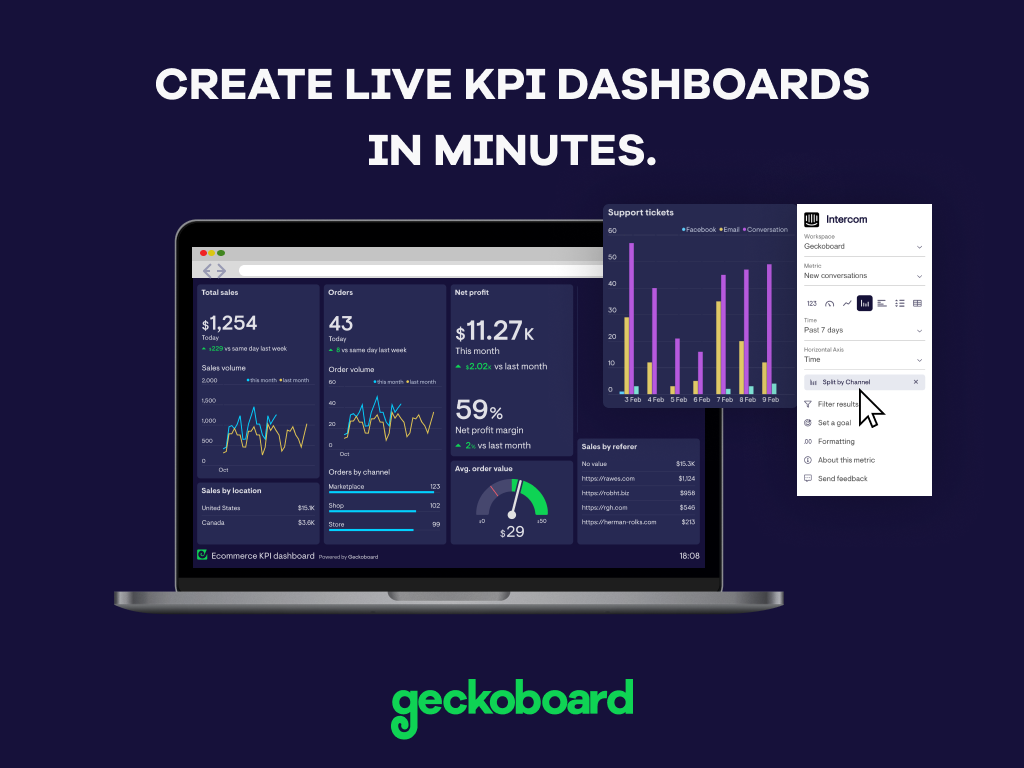
Geckoboard enables users to create real time dashboards using data from over 80 cloud services. It integrates with other products such as: AWeber, Basecamp, Campaign Monitor and HubSpot.
$35
per month
Pricing
Ayasdi Core
Geckoboard
Editions & Modules
No answers on this topic
Starter
$35
per month
Team
$159
per month
Team Plus
$275
per month
Company
$599
per month
Offerings
Pricing Offerings
Ayasdi Core
Geckoboard
Free Trial
No
Yes
Free/Freemium Version
No
Yes
Premium Consulting/Integration Services
No
No
Entry-level Setup Fee
No setup fee
No setup fee
Additional Details
—
—
More Pricing Information
Features
Ayasdi Core
Geckoboard
BI Standard Reporting
Comparison of BI Standard Reporting features of Ayasdi Core and Geckoboard
Feature
Ayasdi Core
7.3
1 Ratings
11% below category average
Geckoboard
9.3
5 Ratings
13% above category average
Pixel Perfect reports
9.01 Ratings
8.03 Ratings
Customizable dashboards
7.01 Ratings
10.05 Ratings
Report Formatting Templates
6.01 Ratings
10.04 Ratings
Ad-hoc Reporting
Comparison of Ad-hoc Reporting features of Ayasdi Core and Geckoboard
Feature
Ayasdi Core
7.0
1 Ratings
13% below category average
Geckoboard
7.7
5 Ratings
4% below category average
Drill-down analysis
7.01 Ratings
8.04 Ratings
Formatting capabilities
6.01 Ratings
8.03 Ratings
Integration with R or other statistical packages
8.01 Ratings
7.02 Ratings
Report sharing and collaboration
7.01 Ratings
8.05 Ratings
Report Output and Scheduling
Comparison of Report Output and Scheduling features of Ayasdi Core and Geckoboard
Feature
Ayasdi Core
7.6
1 Ratings
8% below category average
Geckoboard
9.0
5 Ratings
9% above category average
Publish to Web
9.01 Ratings
10.05 Ratings
Publish to PDF
8.01 Ratings
9.01 Ratings
Report Versioning
7.01 Ratings
9.02 Ratings
Report Delivery Scheduling
7.01 Ratings
8.03 Ratings
Delivery to Remote Servers
7.01 Ratings
9.03 Ratings
Data Discovery and Visualization
Comparison of Data Discovery and Visualization features of Ayasdi Core and Geckoboard
Well suited: 1. If data set is not yet well organized. 2. Hypothesis is not yet established. 3. Need to visually explore to find patterns of data (often when analysts have no good understanding of data) 4. When [you need] to analyze events with a timeframe (specifically a sequence of events as a transaction) Less appropriate 1. If a data set is very large, such as Hadoop data, it becomes hard to manage data pipeline and process to feed the data into Ayasdi. To be feed into Ayasdi, data should be aggregated or organized to some level.
A de minimis incentive was given to thank the reviewer for their time. The incentive was not used to bias or drive a particular response, nor was the incentive contingent on a positive endorsement. More Info
Great value for the money. Excellent for smaller agencies with multiple projects and teams in a smaller space. We can quickly roll out mobile displays to help with a particular deployment push or monitoring a clients website engagement. It's also useful for showing live data without requiring analytics to run reports from a CRM, etc.
A de minimis incentive was given to thank the reviewer for their time. The incentive was not used to bias or drive a particular response, nor was the incentive contingent on a positive endorsement. More Info
Ayasdi Core provides an easy way to get some insight on data. Typically analytics may require having a model or hypothesis before starting to look into the data, but Ayasdi lets you just feed the data first then start seeing what the data looks like.
Ayasdi Core's topological network visualization is quite unique. It allows you to explore patterns and potential relations between multiple data elements. A user can also dynamically navigate data with different aspects on the web.
The Web version of Ayasdi is easy to use, stable, and fast. It hasn't crashed even when we feed it a lot of data sets, although it took time.
A de minimis incentive was given to thank the reviewer for their time. The incentive was not used to bias or drive a particular response, nor was the incentive contingent on a positive endorsement. More Info
A de minimis incentive was given to thank the reviewer for their time. The incentive was not used to bias or drive a particular response, nor was the incentive contingent on a positive endorsement. More Info
Use of Python SDK is required to feed data into Ayasdi, but it lacks training materials or sample codes for a novice to get started.
Although Web UI of Ayasdi is looking good, often it freezes when the user runs an analysis. It doesn't crash but the web page needs to be refreshed to see the progress of analysis.
Algorithms provided by Ayasdi, such as metrics types, lens types need to be explained (what they are and what their strengths and weaknesses are). We had to Google or do research on our own to understand what they are.
A de minimis incentive was given to thank the reviewer for their time. The incentive was not used to bias or drive a particular response, nor was the incentive contingent on a positive endorsement. More Info
A de minimis incentive was given to thank the reviewer for their time. The incentive was not used to bias or drive a particular response, nor was the incentive contingent on a positive endorsement. More Info
With a simple interface and available templates, creating basic dashboards is easy. Obviously depending on the data you want to visualize, there may be higher learning curves. That being said, they have a huge amount of integrations and extensible frameworks. If you are using anything made in the past ten years there is an API function or integration that can get it talking to the platform. As such, it's pretty easy to hit the main data points you want and get it on a cheap display in front of your team.
A de minimis incentive was given to thank the reviewer for their time. The incentive was not used to bias or drive a particular response, nor was the incentive contingent on a positive endorsement. More Info
The support levels vary based on the level of plan that you have but that's to be expected. Virtually everything except the Enterprise plan has basic chat/email support. While they are responsive they are not going to be much assistance in helping you figure out API calls or implementing 3rd party integrations. That is to be expected and the support community can pretty much get you in the right direction if you look.
A de minimis incentive was given to thank the reviewer for their time. The incentive was not used to bias or drive a particular response, nor was the incentive contingent on a positive endorsement. More Info
We had a working group that has been using R studio for the general purpose of statistical analysis in our organization. Although it is a great tool that provides enriched function sets, it is time-consuming for our clinical analysts to learn the tool to see the first result. R is somewhat of a developer-oriented/friendly tool. Ayasdi is friendly to a domain analyst or end users. Plus, support and consulting from Ayasdi were excellent so that we could get knowledge from them immediately whenever we needed.
A de minimis incentive was given to thank the reviewer for their time. The incentive was not used to bias or drive a particular response, nor was the incentive contingent on a positive endorsement. More Info
A de minimis incentive was given to thank the reviewer for their time. The incentive was not used to bias or drive a particular response, nor was the incentive contingent on a positive endorsement. More Info
While we originally used this as an internal IS tool, we eventually have expanded it to be used by nearly every department.
Because pricing is monthly, we can grow or decrease our usage based on our current client needs.
Because it is low cost and easy to deploy, we can utilize it in place of considerable resources in analytics and reporting by delivering snapshots of data without pulling reports.
A de minimis incentive was given to thank the reviewer for their time. The incentive was not used to bias or drive a particular response, nor was the incentive contingent on a positive endorsement. More Info