Azure Analysis Services delivers enterprise-grade BI semantic modeling capabilities with the scale, flexibility, and management benefits of the cloud. Azure Analysis Services helps transform complex data into actionable insights. Azure Analysis Services is built on the analytics engine in Microsoft SQL Server Analysis Services.
N/A
Clear Analytics
Score 8.8 out of 10
Enterprise companies (1,001+ employees)
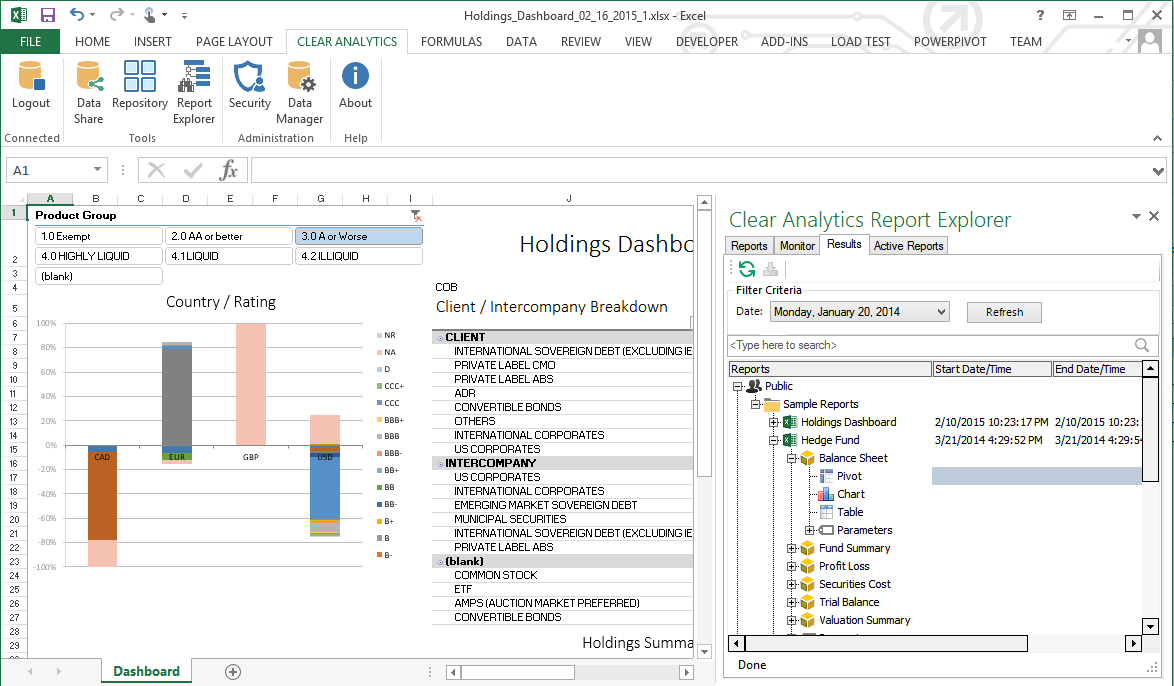
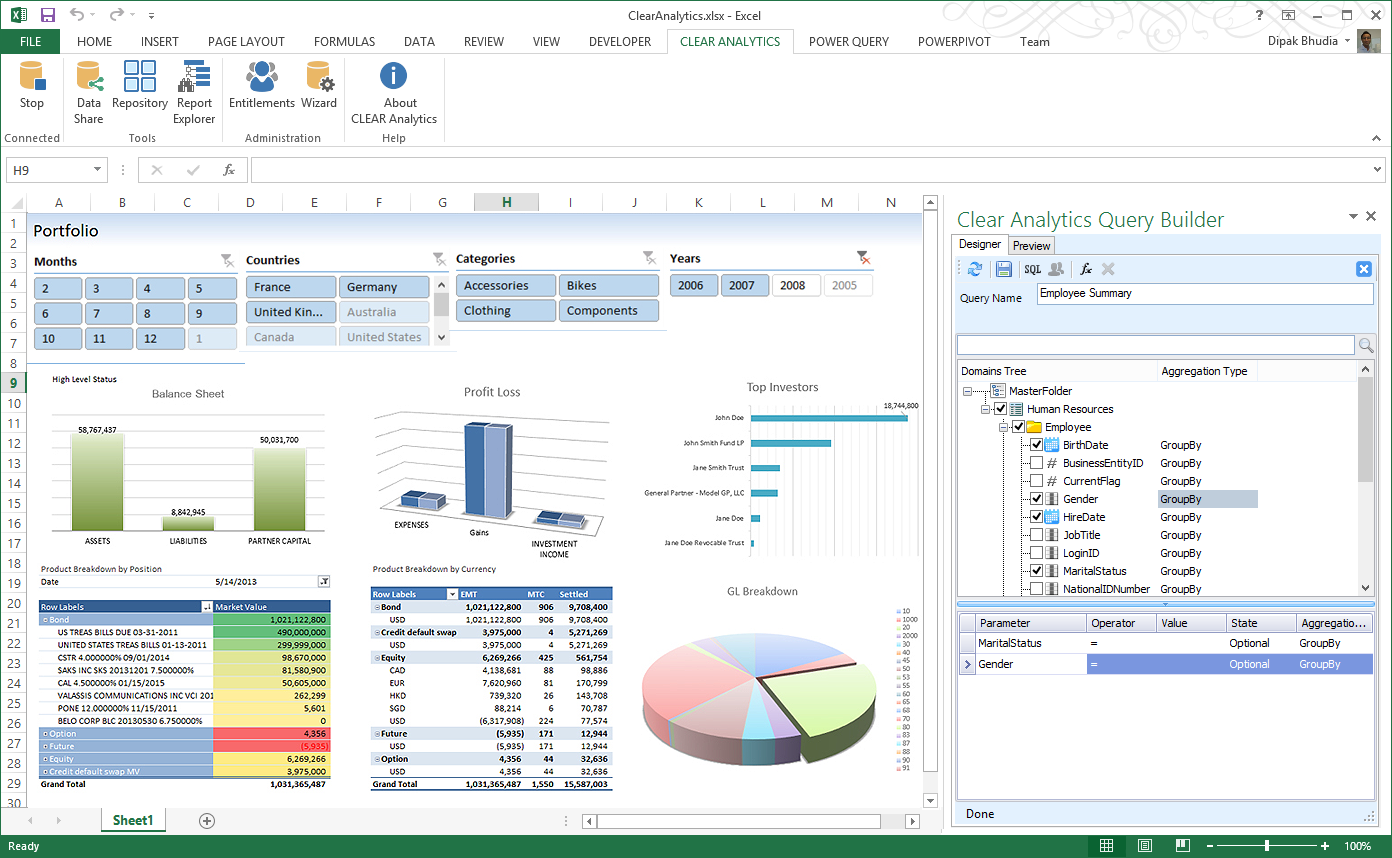
Clear Analytics is a business intelligence solution that enables non technical end users to perform analytics by leveraging existing knowledge of Excel coupled with a built in query builder. Some key features include: Dynamic Data Refresh, Data Share and In-Excel Collaboration.
$29
Per Seat per Month
Pricing
Azure Analysis Services
Clear Analytics
Editions & Modules
No answers on this topic
Personal
$29
Per Seat per Month
Team
$165
upto 10 Seat per Month
Department
$265
upto 25 Seat per month
Organization
$565
Upto 100 per seat per month
Offerings
Pricing Offerings
Azure Analysis Services
Clear Analytics
Free Trial
No
Yes
Free/Freemium Version
No
No
Premium Consulting/Integration Services
No
No
Entry-level Setup Fee
No setup fee
$800 Initial OnBoarding
Additional Details
—
Certain Enterprise level features can be made available to Small Business edition at additional cost. Such services include Scheduler and OLAP connectivity.
Custom adapters can also be created to connect to SaaS services.
More Pricing Information
Community Pulse
Azure Analysis Services
Clear Analytics
Considered Both Products
Azure Analysis Services
Verified User
Anonymous
Chose Azure Analysis Services
Microsoft Azure Analysis Services is the best tool available in market in present scenario and it justifies it's role. The solution is packed with lot of functionalities which helps in taking useful decision. The integration and deployment part is easy and need less time and …
The best thing about it is the ability to create a query and drill down the data to a more granular level when needed. The best thing about Azure Analysis Services is. It provides secured access anytime from anywhere, it also provides REST API for this, which is very easy to …
The platform has vast number of features and modules. The UI is sleek and once you get to use to it, you will be able to do a lot of stuff. Also support for data sources is more in Azure Analysis Services.
We have used the IBM cloud which was truly a specific nightmare for our team. User experience, layout, and design is big for us as it understandably is with many people. Even if any type of program can technically do all that we need it to, we still found our team will not be …
I had used SAP at a different Organization and the organization where I used Azure Analysis Services was already having it and hence I had to use it. Both have their own sets of pros and cons to look into. To be honest I liked SAP more than Azure Analysis Services
A different UIUX between both products, but some would say Cloud Platform is easier to be used. Performance-wise both functions to their fullest ability so it boils down to the company's decision to select which products to be implemented. Would definitely not go wrong choosing …
Tableau something we use in previous with other clients. Heavy tool to use and customization is bit challenging. Also it's setup is bit complex when compare to Clear Analytics
Clear Analytics provides a better organization of data that it gathers from different sources that can be utilized for various reporting purposes. Clear Analytics has better integration with different internal ERPs and needs lesser customization as such. Overall it's one of the …
There are other great tools that are out there but Clear Analytics is reasonable for our business and provides a lot of features that we specifically needed.
Microsoft Azure Analysis Services is best tool which is well suited for many type of scenarios. Like if the organization is dealing with a lot of critical data and need some better analysis and insights for that data then tool serves the best. It helps in depth analysis and getting the desired result which helps in making big decision for any organization. We can create role based access for sensitive data hence it is very helpful for security point of view. Helps in making the business more productive and taking decision based on facts. It is less appropriate for scenarios like where data amount is less and the solution is very costly and someone can get a cheaper solution. Also not suited for environment where user directory do not exist because without the help of user directory role could not be created hence proper utilization of this tool will not be possible.
Clear Analytics has almost all the features which are mostly required by the organizations for their data analytics and transformation activities. Clear Analytics is built on the support of a parallel query engine which makes it handle large volume requests and also provides optimized results. However, every solution has some limitations, Clear Analytics lacks advanced features such as Predictive Analytics which is a very demanding feature in the market as most organizations are adopting AI/ML automation for their businesses. Also, it needs to add a lot of advanced visualizations so that the user has the choice of selection. Overall a good solution to be recommended.
Microsoft Azure Analysis Services is very costly solution and in that price we can get some better business intelligence tool with lot more of capabilities
The dashboard or we can say user interface is complex and need time to understand and gain expertise in order for proper working.
It needs continuation monitoring which is sometime a big task.
Sometime, the tool shows unusual behavior and become unstable, so we need to clear temp files for proper functioning.
I have really enjoyed working with Clear Analytics. This platform has contributed to increased production and reliable data control processes. It has flexible user interface that can be operated by any organization member. Reports are shared on simple and transparent way in the dashboard for easy access. Data analytics from all departments have created manageable working environment that have increased production.
Clear Analytics has very good team members in Consulting as well as in Customer Support. The support agents are capable of providing the required resolution of your queries in a timeline provides. They have a clear understanding of the product and its features, and they are friendly in nature. However, for some advanced or level 2/3-based queries, they required some more time to respond, which is ok.
We have used the IBM cloud which was truly a specific nightmare for our team. User experience, layout, and design is big for us as it understandably is with many people. Even if any type of program can technically do all that we need it to, we still found our team will not be as motivated or satisfied using it compared to something more visually appealing and smooth.