Azure DevOps Server (formerly Team Foundation Server, or TFS) is the on-premise version of Azure DevOps. To license Azure DevOps Server an Azure DevOps license and a Windows operating system license (e.g. Windows Server) for each machine running Azure DevOps Server.
N/A
Katalon
Score 7.6 out of 10
N/A
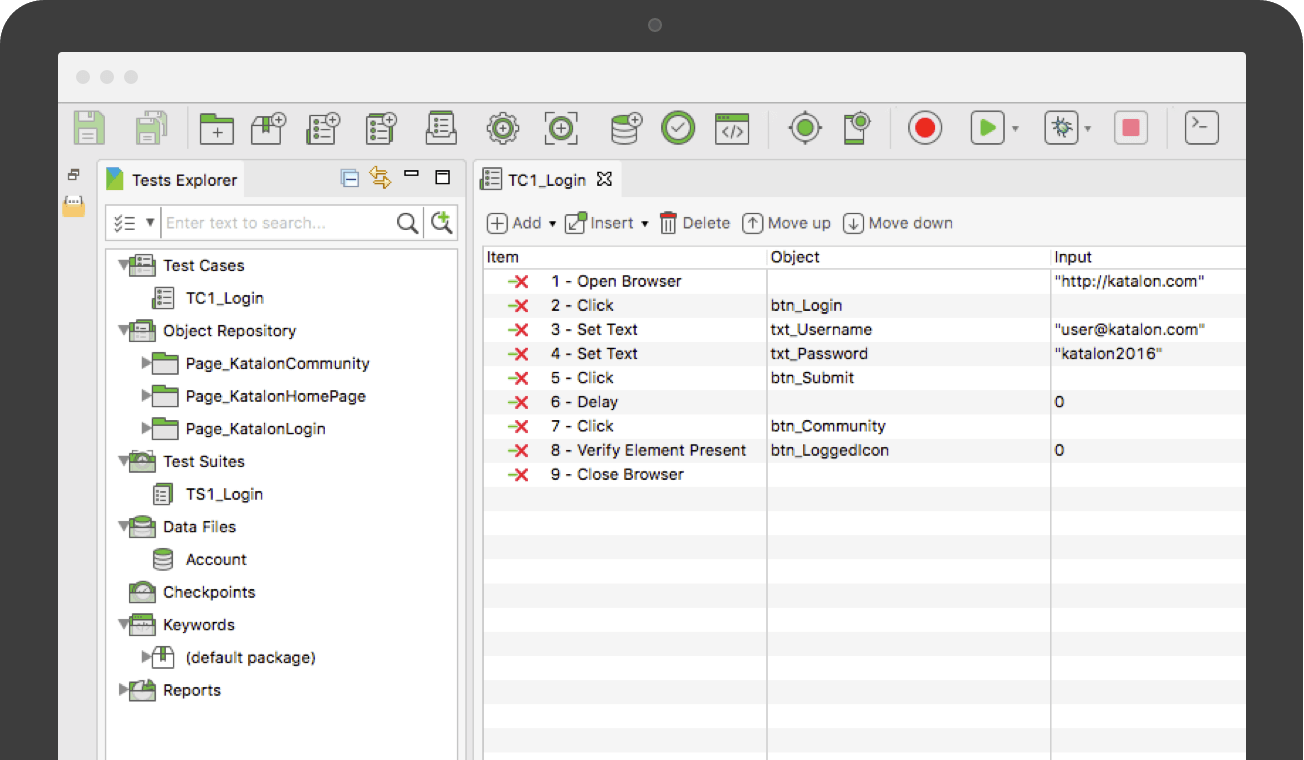
Katalon Studio is provided by the vendor as a free and robust automation solution for API, Web and Mobile testing. It is designed to eliminate the complexities of building an automation framework by integrating all necessary test components with built-in keywords and project templates. Katalon Studio includes a full feature set for a complete test automation process covering multiple platforms and testing types. New users can get started with test automation using its easy-to-use…
$69
per month
Postman
Score 8.7 out of 10
N/A
Postman, headquartered in San Francisco, offers their flagship API development and management free to small teams and independent developers. Higher tiers (Postman Pro and Postman Enterprise) support API management, as well as team collaboration, extended support and other advanced features.
$0
Pricing
Azure DevOps Server
Katalon
Postman
Editions & Modules
No answers on this topic
Node Locked License
$69.00
per month
Floating License
$1,529.00
per year
Postman Free Plan
$0.00 US Dollars
Postman Basic Plan
$12 US Dollars
per month per user
Postman Professional Plan
$29 US Dollars
per month per user
Postman Enterprise Plan
$99 US Dollars
per month per user
Offerings
Pricing Offerings
Azure DevOps Server
Katalon
Postman
Free Trial
No
Yes
No
Free/Freemium Version
Yes
Yes
Yes
Premium Consulting/Integration Services
No
Yes
No
Entry-level Setup Fee
No setup fee
No setup fee
No setup fee
Additional Details
—
Katalon Studio was originated from KMS Technology R&D. It has been a successful solution for numerous automation projects ranging from small team to enterprise client.
Katalon Studio is free for use, product development is funded by the testing services provided by KMS Technology. To support future releases, please consider subscribing to our business support services.
1. Postman Free plan: Start designing, developing, and testing APIs at no cost for teams of up to three people.
2. Postman Basic plan: Collaborate with your team to design, develop, and test APIs faster; $12/month per user, billed annually
3. Postman Professional plan: Centrally manage the entire API workflow; $29/month per user, billed annually
4. Postman Enterprise plan: Securely manage, organize, and accelerate API-first development at scale; $99/month per user, billed annually
More Pricing Information
Community Pulse
Azure DevOps Server
Katalon
Postman
Features
Azure DevOps Server
Katalon
Postman
API Management
Comparison of API Management features of Product A and Product B
Azure DevOps is good to use if you are all-in on the Microsoft Azure stack. It's fully integrated across Azure so it is a point-and-click for most of what you will need to achieve. If you are new to Azure make sure you get some outside experience to help you otherwise it is very easy to overcomplicate things and go down the wrong track, or for you to manually create things that come out of the box.
Katalon TestOps is well suited for an oraganization who want to organize their automation collections and have everything in one place. It provides good insight on test runs, failures and also helps in defect tracking. It is extremely easy to schedule and run test suites automatically. With the help of test history, it becomes easier to triage the report and identify if it is a product issue or a test flakiness. Also with the automation run scheduling features with custom options, user do not have to manually trigger the runs and just run the scheduler to do the job.
Postman is good for organising your API credentials, vendor settings, environments etc. It's also a good way of getting stared with APIs as you get to use a GUI which can help you understand what we mean by a 'body' or 'bearer token'. I think people generally gravitate towards GUI tools for getting started in a new technology area.
Easy to setup and quick to get started: As Katalon comes with built-in features a new automation tester can automate easily. Script creation time is quick.
Test Analytics: Katalon also provides analytics which tells you the pattern of your automated tests at a different instance of time.
Third Party Integration: Katalon provides amazing integration with 3rd party tools like JIRA, ALM, GIT, JENKINS, etc.
Image-based testing: Katalon also provides inbuilt image based test automation.
It has opened a door for me to explore more out of it, as it is associated with so many APIs that I never felt any difficulty in finding the right API template, which are well organized and easily available.
It is very secure to use and provides great services which are user-friendly.
Due to this software I have got rid of the excessive emails and the slack channels, Now I am using my own private API and even it give me an option to produce my personal Postman’s API Builder from its Private API Network and this features has shared my excessive workload.
Integration with Azure is painstakingly slow as it takes too much time to upload reports to Azure. When raised with the support team i was advised to contact Microsoft who promptly and correctly replied that its an issue with the katalon plugin.
Non Responsive Customer Support. Several mails were replied late.
The Desktop app uses too much memory when booting up and running tests even on a 16gb RAM.
Because we are a Microsoft Gold Partner we utilize most of their software and we have so much invested in Team Foundation Server now it would take a catastrophic amount of time and resources to switch to a different product.
For standard users the interface is friendly. but if you are a manager some tools are a little confusing to use, like the query system that you always need to create from scratch. Templates should be more helpful for queries and for standard procedures that you need to duplicate PBIs over time. The search history of Work Items is a little painful to use.
1. Friendly user friendly - when I started using Postman, I was a beginner to the API world, and it gave me a friendly view to begin its usage 2. Postman offers many features, including API testing, monitoring, documentation, and mock servers 3. Environment variables simplify testing across multiple environments (dev, prod) without repetitive configuration.
I have not had to use the support for Azure DevOps Server. There have never been any issues where I was not able to figure it out or quickly resolve. Our Scrum Master has used support before though, and the service has always been prompt and clear with a customer-focus
I love the support. They have provided answers and solutions for most of our questions or doubts that could come up. They also have provided basic tutorials on how to get familiarized with the program.
There is a lot of in-depth documentation for Postman available online, including detailed guides with screenshots and videos. They provide example APIs for new users to explore while learning how to use the tool. Generally, bugs in the client are quickly addressed through frequent free updates. Community and professional support options are available - most of the time, the free/community level support is adequate
In my opinion, DevOps covers the development process end to end way better than Jira or GitHub. Both competitors are nice in their specific fields but DevOps provides a more comprehensive package in my opinion. It is still crazy to see that the whole suite can be used for free. The productivity increase we realized with DevOps is worth real money!
Katalon Studio is above both the tools is due to its codeless test automation feature and having API, desktop, web, and mobile automation in one place but obviously there is room for improvement when desktop automation is of primary importance in the automation.
Previous to using Postman, I would either use browser tools directly, or write an in-house tool to send requests. Postman eliminates that need while providing a much better experience and more features. At the base level, Postman is as simple as typing in the address as you would in a browser. Authentication can be provided simply as well.
It has streamlined the pipeline and project management for our agile effort.
It has helped our agile team get organized since that is a new methodology being leveraged within the Enterprise.
The calendar has improved visibility into different OOOs across the project team since we all come from different departments across the larger organization.
Support can be better: As mentioned before, katlon community is still growing but is currently a small community. If you are stuck, its hard to find help in the community and one has to reach out to the support for help. This takes a while before you can get solution to your problem.
Result upload takes little longer time: It is been observed that uploading tests results takes little longer.
Sometimes it gets hard to integrate: Since this is fairly a new tool, requires lot of learning curve to get the job done effectively.
Postman is free (although there's a paid tier that offers more features) so using it for testing APIs comes with little to no risk (besides learning curve).
The learning curve is a little steep for non-developer users, but developers should find it easy to pick up and use right out of the box, so to speak.