Bitwarden vs. ManageEngine ADSelfService Plus

Overview
ProductRatingMost Used ByProduct SummaryStarting Price
Bitwarden
Score 9.2 out of 10
N/A
Bitwarden headquartered in Santa Barbara offers open source password management solutions for individuals, teams, and business organizations.
$4
per month (billed annually) per user
ManageEngine ADSelfService Plus
Score 8.7 out of 10
Mid-Size Companies (51-1,000 employees)
ManageEngine's Self-Service Plus provides self-service password management, multi‑factor authentication, and single sign-on solution.
$0
No Expiration Offers most of the features for up to 50 users.
Pricing
BitwardenManageEngine ADSelfService Plus
Editions & Modules
Teams
$4
per month (billed annually) per user
Enterprise
$6
per month (billed annually) per user
Free edition
$0
No Expiration Offers most of the features for up to 50 users.
Standard edition
Starts at $295
per year for 100 users.
Professional edition
Starts at $345
per year for 100 users.
Endpoint MFA Standard edition
Starts at $195
per year for 100 users.
Endpoint MFA Professional edition
Starts at $295
per year for 100 users.
Offerings
Pricing Offerings
BitwardenManageEngine ADSelfService Plus
Free Trial
YesYes
Free/Freemium Version
YesYes
Premium Consulting/Integration Services
NoNo
Entry-level Setup FeeNo setup feeOptional
Additional DetailsFailover and Secure Gateway Services add-on is $395 SMS add-on starts at $595 for 2000 SMS credits.
More Pricing Information
Community Pulse
BitwardenManageEngine ADSelfService Plus
Considered Both Products
Bitwarden
Chose Bitwarden
Bitwarden hasn't been hacked and is easy to implement. None of the others can say the same in both aspects.
Chose Bitwarden
LastPass had a huge security breach which led us to switch to Bitwarden.
Chose Bitwarden
Other solutions felt more clunky or were significantly higher priced. Bitwarden seems to straddle the consumer/prosumer/SMB fence more than adequately by designing their user experience to feel welcoming but also trustworthy and reliable. The other tools seem to assume that …
ManageEngine ADSelfService Plus
Chose ManageEngine ADSelfService Plus
ADSSP is MUCH more flexible and feature-rich than Entra SSPR. Entra is extremely basic and has almost no flexibility or support. ADSSP has been able to handle almost all scenarios that we've tried to achieve. Entra SSPR does have the advantage of being a SaaS platform, but …
Chose ManageEngine ADSelfService Plus
I did some research but did not find any other solutions that worked the same way or did what I needed it to do. I've used other manage engine products in the past and knew I could trust their software.
Chose ManageEngine ADSelfService Plus
Entra ID is complicated to set up and costs a lot more. We are not a Microsoft-centric shop, so finding something that worked well across platforms was a primary consideration. Entra is also changing all of the time; is that still its name? ManageEngine SelfServicePlus has …
Chose ManageEngine ADSelfService Plus
I have not used other products other than Microsoft integrated notifications, but those don't use email. I'm sure I could schedule a PowerShell script to send end-user emails, but it wouldn't be as customizable, and I'd need a separate report for admins.
Chose ManageEngine ADSelfService Plus
We have multiple products of ManageEngine in use, so it made logical sense to stick with them due to the integrations available with their other products, hence others weren't considered.
Best Alternatives
BitwardenManageEngine ADSelfService Plus
Small Businesses
RoboForm
RoboForm
Score 8.3 out of 10
RoboForm
RoboForm
Score 8.3 out of 10
Medium-sized Companies
1Password
1Password
Score 9.3 out of 10
1Password
1Password
Score 9.3 out of 10
Enterprises
KeePass
KeePass
Score 8.9 out of 10
KeePass
KeePass
Score 8.9 out of 10
All AlternativesView all alternativesView all alternatives
User Ratings
BitwardenManageEngine ADSelfService Plus
Likelihood to Recommend
9.7
(0 ratings)
8.9
(0 ratings)
Usability
9.5
(0 ratings)
8.7
(0 ratings)
User Testimonials
BitwardenManageEngine ADSelfService Plus
Likelihood to Recommend
Bitwarden supports various forms of two-factor authentication, including time-based one-time passwords (TOTP), Duo, YubiKey, and other hardware-based tokens. This integration enhances the security of the Bitwarden account and allows to store and manage their 2FA credentials for other applications within Bitwarden itself.
Read full review
ADSSP works very well if you have an AD environment and want to give users a mechanism to do initial password setup and subsequent password resets. It especially shines when you have different requirements for different audiences. For example, students can use personal email or SMS as verification to set up their password, but employees need strong MFA sources to do the same thing.
Read full review
Pros
  • Bitwarden secures company passwords within the organization vault.
  • Bitwarden makes entering credentials to different websites a breeze.
  • Bitwarden allows us to shares passwords securely within our organization.
Read full review
  • Remote password changes when not connected to a VPN or at a remote office
  • MFA for certain user groups allows standard users to work normally without additional effort
  • Excellent reporting
  • MFA for certain services such as terminal access greatly enhances security to these servers.
Read full review
Cons
  • Sometimes it will not fill in my password and I have to do it manually.
  • It does not work as well at filling in passwords on the mobile app.
Read full review
  • Assist with post-implementation reviews to ensure we configured everything correctly
  • Better integration with mobile devices such as an app to change M365 passwords for our mobile-only users
  • It would be great if password changes of mobile users updates the AD so these accounts don't reflect as dormant AD accounts.
Read full review
Usability
Bitwarden is easy to use and has a very straightforward simple interface. Having coverage across multiple platforms is the key to its value to me. Additionally, Bitwarden is consistently rated by third party (PC Magazine, Wired, Tom's Guide, etc.) as one of the best password managers available.
Read full review
I give the URL to the portal to an employee and most everyone is able to use it without any issues or questions. That says a lot for itself
Read full review
Alternatives Considered
Bitwarden hasn't been hacked and is easy to implement. None of the others can say the same in both aspects.
Read full review
Entra ID is complicated to set up and costs a lot more. We are not a Microsoft-centric shop, so finding something that worked well across platforms was a primary consideration. Entra is also changing all of the time; is that still its name? ManageEngine SelfServicePlus has proven very easy for all of our users, and we haven't had any changes that caused end-user frustration.
Read full review
Return on Investment
  • Saves me time by storing all of my login information. I'm no longer digging through my notes app or having to reset passwords that I've forgotten.
  • Stores vendor names, addresses, and W-9's. I don't have to text or email vendor's asking for this info every time I work with them.
  • Protects my data by identifying weak or unused passwords. Bitwarden helped me identify multiple weak and reused passwords and I quickly updated them using their built-in password generator.
Read full review
  • Significantly reduced number of support calls for forgotten password, so less support services people required
  • The ability to remotely change AD and M365 passwords saved a lot of time and costs of people travelling to offices to change passwords and we were able to reduce the password expiry time to be in line with best practice.
Read full review
ScreenShots

Bitwarden Screenshots

Screenshot of the Bitwarden Vault, where users can generate, autofill, and share unlimited credentials and other sensitive data from any browser, mobile device, or desktop application.Screenshot of the Bitwarden browser extension that protects passwords and digital secrets in a vault, auto-fills them, and generates new passwords that are fully encrypted end-to-end (even the Bitwarden team can’t access them).Screenshot of Bitwarden's password generator, used to generate strong and unique passwords, including usernames. It also integrates with email alias services for additional security. Using the strong generator tool keeps personal info like anniversaries and pet names out of your passwords, out of the dark web, and out of hackers’ hands.Screenshot of Bitwarden Send, a feature that lets users quickly share encrypted files and text with another individual via a private link. It can also be used to automatically share vault items using collections in a Bitwarden organization.Screenshot of Bitwarden's sync feature, that syncs passwords and other sensitive data (like identities, addresses, and credit cards) across devices, including mobile devices.Screenshot of where Bitwarden can auto-fill login information into websites. Autofill can be used across browsers, mobile apps (Android and iOS), and other places using associated URIs.

ManageEngine ADSelfService Plus Screenshots
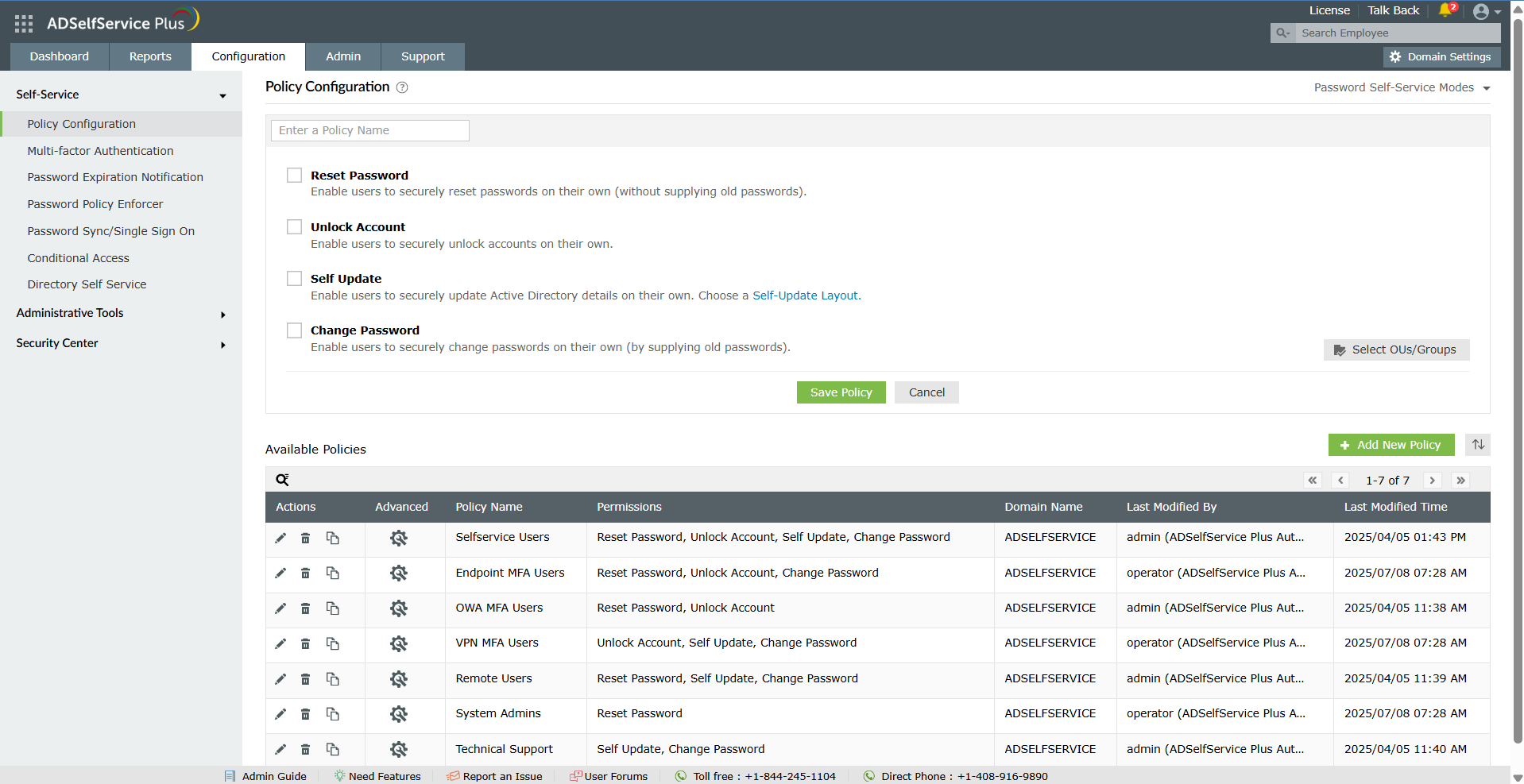
Screenshot of the dashboard to monitor password security, MFA adoption, and self-service activity from a centralized dashboard for improved visibility and control.Screenshot of the self-service password reset and account unlock capabilities, to reduce help desk tickets and streamline account recovery.Screenshot of multi-factor authentication for endpoints, VPNs, applications, and remote access.Screenshot of secure single sign-on and password sync for established and custom applications.Screenshot of the dashboard offering granular visibility into MFA enrollment status across users and OUs with detailed, exportable reports to simplify compliance audits and strengthen access security.
