TrustRadius: an HG Insights company

Save this comparison

Save this comparison

Add Product

Recommended Comparisons

    Overview
    ProductRatingMost Used ByProduct SummaryStarting Price

    ChartHop

    Score8.6 out of 10
    N/AChartHop, from the company of the same name in New York, is an organization management platform, providing org chart that integrates with HRIS systems, workforce analytics with custom reporting, and tools to support people and succession planning, compensation plans, and process performance reviews and data.

    $0

    per month per user

    headcount365

    N/A
    Enterprise companies (1,001+ employees)
    headcount365 is a data layer for headcount. It connects a company's HRIS, ATS, and FP&A tools into one continuously maintained, auditable record of every employee, planned role, and open requisition. Every team plans, approves, hires, and reports from the same numbers, and every number traces back to its source. Who it benefits Finance and FP&A see current headcount costs against budget as hiring happens and catch variances early. Recruiting leaders…

    $12,000

    per year

    Pricing
    ChartHopheadcount365
    Editions & Modules
    ChartHop Basic
    $0
    per month per seat
    ChartHop Modules
    Contact us
    No answers on this topic
    Offerings
    Pricing Offerings
    ChartHopheadcount365
    Free Trial
    NoYes
    Free/Freemium Version
    YesNo
    Premium Consulting/Integration Services
    NoNo
    Entry-level Setup FeeNo setup feeNo setup fee
    Additional Details——
    More Pricing Information
    Community Pulse
    ChartHopheadcount365
    Considered Both Products
    ChartHop
    No answer on this topic
    headcount365
    No answer on this topic
    Key User Insights
    Would buy again
    86%
    Would buy again
    6 Answers
    No answers on this topic
    Delivers good value for the price
    80%
    Delivers good value for the price
    4 Answers
    No answers on this topic
    Happy with the feature set
    86%
    Happy with the feature set
    6 Answers
    No answers on this topic
    Lived up to sales and marketing promises
    No answers on this topic
    No answers on this topic
    Implementation went as expected
    No answers on this topic
    No answers on this topic
    Features
    ChartHopheadcount365
    Workforce Analytics
    Comparison of Workforce Analytics features of ChartHop and headcount365
    Feature
    ChartHop
    8.4
    6 Ratings
    1% below category average
    headcount365
    -
    Ratings
    Automated data collection9.25 Ratings00 Ratings
    Data analysis9.06 Ratings00 Ratings
    Data integration8.05 Ratings00 Ratings
    Predictive analytics6.73 Ratings00 Ratings
    Benchmarking7.13 Ratings00 Ratings
    Report designer9.06 Ratings00 Ratings
    Pre-built content10.06 Ratings00 Ratings
    Data management8.54 Ratings00 Ratings
    Self-service insights8.06 Ratings00 Ratings
    Best Alternatives
    ChartHopheadcount365
    Small Businesses
    ActivTrak
    Score8.7 out of 10
    hireEZ
    Score7.9 out of 10
    Medium-sized Companies
    Predictive Index Behavioral Assessment
    Score9.5 out of 10
    Indeed Smart Sourcing
    Score8.9 out of 10
    Enterprises
    Workday Prism Analytics
    Score7.1 out of 10
    Indeed Smart Sourcing
    Score8.9 out of 10
    All AlternativesView all alternativesView all alternatives
    User Ratings
    ChartHopheadcount365
    Likelihood to Recommend
    9.0
    (7 ratings)
    -
    (0 ratings)
    Usability
    9.0
    (1 ratings)
    -
    (0 ratings)
    User Testimonials
    ChartHopheadcount365
    Likelihood to Recommend
    ChartHop
    Not Suited - The tool is suited for organizations with an employee count of more than >500. There are much cheaper tools out there for a company size of below 500 employees. Integration with other tools can be improved. Suited - From an admin POV who sometimes works closely with HRs, customization and storing information is great.
    Incentivized
    Read full review
    headcount365
    No answers on this topic
    Pros
    ChartHop
    • The org chart is very easy to use
    • It can be integrated into other things like internal company websites
    • The UI looks nice
    Incentivized
    Read full review
    headcount365
    No answers on this topic
    Cons
    ChartHop
    • When org charts or other visualizations get really big, the UI gets very buggy
    • Sometimes the platform will randomly lag or will automatically refresh and I will lose progress
    • Can sometimes be difficult for new users to learn due to new features that have been added. Lots to try and learn.
    Incentivized
    Read full review
    headcount365
    No answers on this topic
    Usability
    ChartHop
    For teams and people who have enough time to learn the platform or enough patience to read through documentation or to watch through tutorials, the platform is pretty usable and it is relatively easy to pick up new concepts and how to do certain things, specifically around self-service if there is some problem. With that being said, the platform can sometimes be inherently unintuitive with certain edge cases
    Incentivized
    Read full review
    headcount365
    No answers on this topic
    Alternatives Considered
    ChartHop
    This is a whole new ball game with Charthop, there was not the options we have on charthop on adp
    Incentivized
    Read full review
    headcount365
    No answers on this topic
    Return on Investment
    ChartHop
    • This relationship is not as clear
    • When comparing this service to others, it may simply be a matter of preference
    • This visualization platform is only a way to enables ideas that will increase things like ROI. I don't see it as something that impacts revenue.
    Incentivized
    Read full review
    headcount365
    No answers on this topic
    ScreenShots

    ChartHop Screenshots

    Screenshot of Rich employee profiles: Used to drive connections across the employee base while humanizing people dataScreenshot of Visualizations: Familiar formats like org charts, graphs, and maps enable anyone to understand the data.Screenshot of Consolidated data: Data is accessed in one place through ChartHop’s integrations with existing HR systems, including HRIS, compensation, equity, engagement, and performance.Screenshot of Flexible reporting: Data can be sliced and diced across any dimension, through custom configurations or by using out-of-the-box options

    headcount365 Screenshots

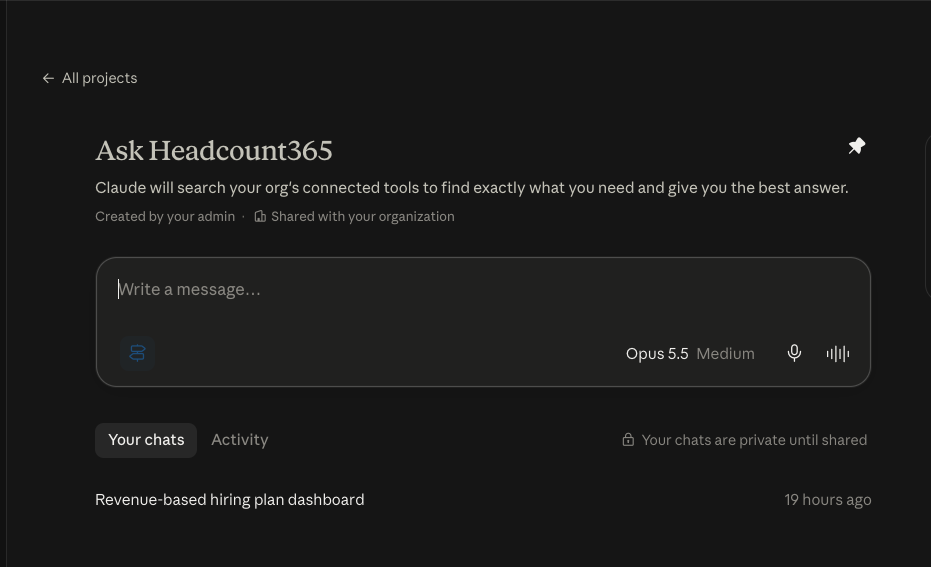
    Screenshot of Headcount Dashboard: See what changed this week across approvals, recruiting, offers, and team changes, and how the plan is pacing: hires against expected, forecasted versus current headcount, and open seats.Screenshot of Requests & Approvals: Hiring managers request a new role through a guided form covering position, business, compensation, and custom fields, then review everything and add context for approvers before submitting.Screenshot of Dynamic Org Charts: See today's org chart alongside planned hires from the headcount plan. Filter by workforce status or stage, spot departures and open seats in context, switch to a list view, or download the chart as a PNG.Screenshot of Role Based Access Control (RBAC): Set Edit, View, or Hidden for every field by role, from salary and equity to ATS and HRIS data. Compare roles side by side and export the full access matrix to CSV or Excel for audits.Screenshot of Headcount365 MCP Server: Connect any AI through the headcount365 MCP server and ask about your hiring plan, requisitions, and recruiter workload in plain language. Access is read-only and limited to what each user can see.