
Class for Zoom vs. Pencil Spaces
Class for Zoom vs. Pencil Spaces
| Product | Rating | Most Used By | Product Summary | Starting Price |
|---|---|---|---|---|
 Class for Zoom | N/A | Class for Zoom, from Class Technologies, is a toolset that helps K-12 schools and institutions of higher education create a virtual classroom environment from Zoom. This adds to Zoom the ability to take attendance, track and encourage student engagement and monitor class participation, and grade assignments inside of Zoom. | N/A | |
 Pencil Spaces | N/A | Pencil Spaces is a cloud-based virtual classroom designed specifically for teaching and learning. Unlike video conferencing platforms that are retrofitted for education, Pencil Spaces is purpose-built to support the way students and educators interact in academic environments. It brings together live video, real-time chat, collaborative whiteboards, file sharing, breakout rooms, and an embedded web viewer—in one browser-based platform. No downloads or installations are required, and users… | $39 per month |
| Class for Zoom | Pencil Spaces | |||||||||||||||
|---|---|---|---|---|---|---|---|---|---|---|---|---|---|---|---|---|
| Editions & Modules | No answers on this topic |
| ||||||||||||||
| Offerings |
| |||||||||||||||
| Entry-level Setup Fee | No setup fee | No setup fee | ||||||||||||||
| Additional Details | — | — | ||||||||||||||
| More Pricing Information | ||||||||||||||||
| Class for Zoom | Pencil Spaces |
|---|
| Class for Zoom | Pencil Spaces | |
|---|---|---|
| Small Businesses |  Zoom Workplace Score 8.5 out of 10 | Zoom Workplace Score 8.5 out of 10 |
| Medium-sized Companies |  Schoology Learning Score 8.0 out of 10 | Schoology Learning Score 8.0 out of 10 |
| Enterprises | Schoology Learning Score 8.0 out of 10 | Schoology Learning Score 8.0 out of 10 |
| All Alternatives | View all alternatives | View all alternatives |
| Class for Zoom | Pencil Spaces | |
|---|---|---|
| Likelihood to Recommend | 6.7 (10 ratings) | - (0 ratings) |
| Usability | 7.0 (3 ratings) | - (0 ratings) |
| Class for Zoom | Pencil Spaces | |
|---|---|---|
| Likelihood to Recommend |  Class Technologies, Inc
| Pencil Spaces No answers on this topic |
| Pros | Class Technologies, Inc
 Tayyaba Bibi Intern | Pencil Spaces No answers on this topic |
| Cons | Class Technologies, Inc
| Pencil Spaces No answers on this topic |
| Usability | Class Technologies, Inc
| Pencil Spaces No answers on this topic |
| Alternatives Considered | Class Technologies, Inc
| Pencil Spaces No answers on this topic |
| Return on Investment | Class Technologies, Inc
 Aman Kumar System Engineer | Pencil Spaces No answers on this topic |
| ScreenShots | Pencil Spaces Screenshots 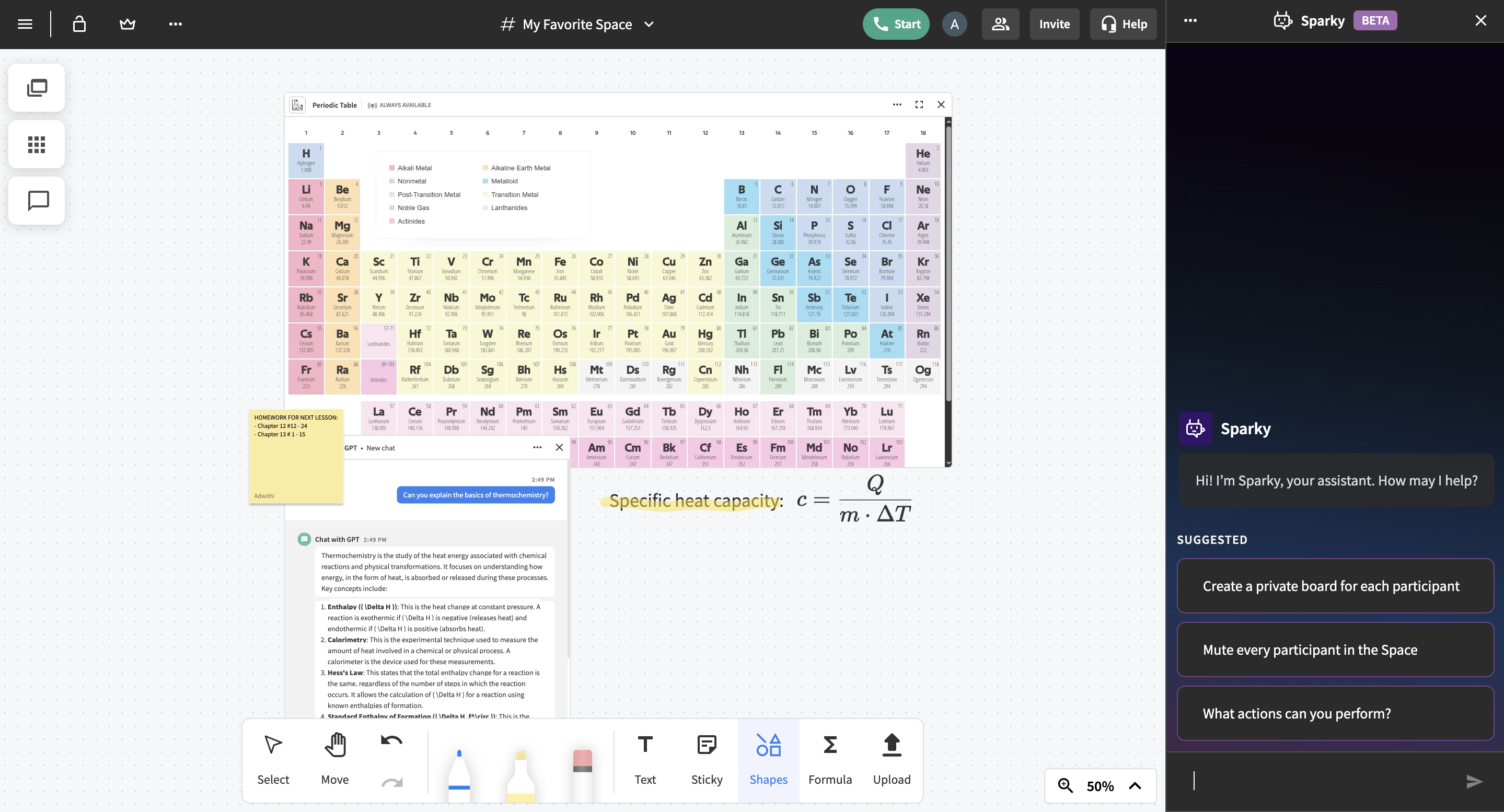  |