

What is Pencil Spaces?
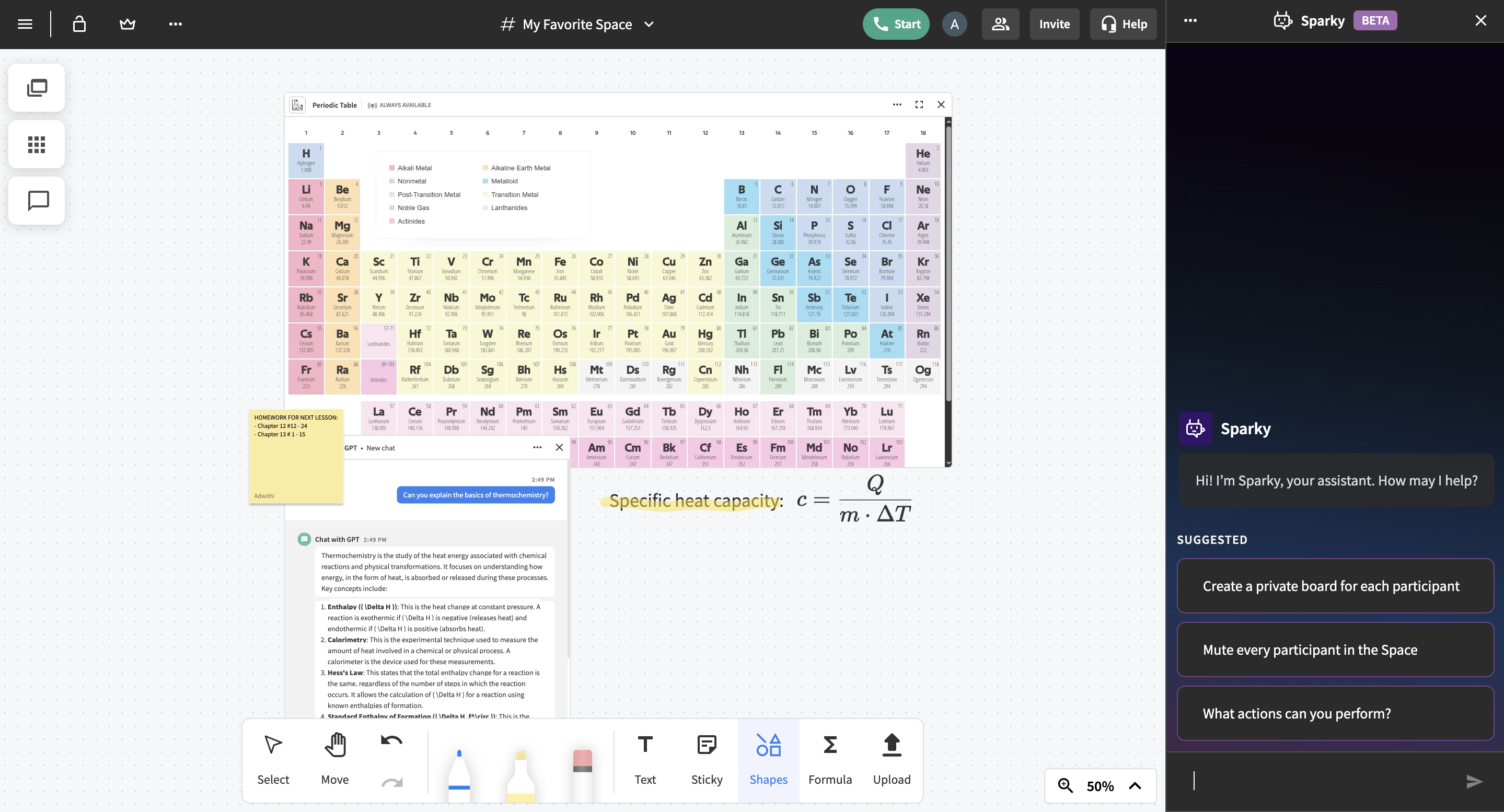
Pencil Spaces is a cloud-based virtual classroom designed specifically for teaching and learning. Unlike video conferencing platforms that are retrofitted for education, Pencil Spaces is purpose-built to support the way students and educators interact in academic environments. It brings together live video, real-time chat, collaborative whiteboards, file sharing, breakout rooms, and an embedded web viewer—in one browser-based platform. No downloads or installations are required, and users can join with a single click.
Educators can create unlimited whiteboards, upload and annotate files, and integrate commonly used educational apps such as Kahoot, Desmos, and Google Classroom directly within their lesson space. The platform’s AI features include a Smart Assistant that helps manage lesson flow and a Learning Companion that supports students in real time. These tools not only enhance learning but also reduce the time teachers spend on administrative tasks and repetitive instruction.
Pencil Spaces also supports cloud-based lesson saving, enabling both teachers and students to revisit past sessions or prepare for future ones with ease. With built-in calendar integration and automatic attendance tracking, managing a class becomes more efficient. The platform is designed with accessibility in mind, making it inclusive for students with special educational needs.
Educators using Pencil Spaces report significantly improved student engagement and time savings in lesson planning and follow-up. Its all-in-one structure eliminates the need to switch between tabs or tools, making it a uniquely efficient and learner-friendly solution for hybrid and online education.
Categories & Use Cases
Media


1 / 3
Screenshot of an algebra lesson in Pencil Spaces with a graphing calculator, handwritten math notes, and live collaboration among a tutor and students.


