CloverDX vs. Toad Data Point

Overview
ProductRatingMost Used ByProduct SummaryStarting Price
CloverDX
Score 9.0 out of 10
N/A
CloverDX is a rapid, end-to-end data integration solution. The vendor states that businesses choose CloverDX for its usability and intuitive controls, along with its lightweight footprint, flexibility, and processing speed. Achieving true, rapid data integration means much more than just raw data processing power. Rapid refers to an end-to-end process that begins the moment a data-related problem is recognized to the point when the data is in the right place and form to be analyzed and…N/A
Toad Data Point
Score 8.4 out of 10
N/A
Toad Data Point is a cross-platform, self-service, data-integration tool that simplifies data access, preparation and provisioning. It provides data connectivity and desktop data integration, and with the Workbook interface for business users, it provides simple-to-use visual query building and workflow automation.
$365
Pricing
CloverDXToad Data Point
Editions & Modules
No answers on this topic
Base Edition
$365
Pro Edition
$528
Offerings
Pricing Offerings
CloverDXToad Data Point
Free Trial
YesNo
Free/Freemium Version
NoNo
Premium Consulting/Integration Services
NoNo
Entry-level Setup FeeNo setup feeNo setup fee
Additional Details
More Pricing Information
Community Pulse
CloverDXToad Data Point
Considered Both Products
CloverDX
Chose CloverDX
CloverDX was a less expensive alternative to Talend and had a more intuitive interface from what I could see during the evaluation.
Toad Data Point
Chose Toad Data Point
TOAD excels at connecting to divergent data sources, but appears geared more to DBAs than to regular query users. Microsoft's offerings excel against Microsoft SQL Server, but sometimes struggle with other data sources.

However, SSMS and VS Code excel at many developer …
Chose Toad Data Point
Both of these tools offer data extraction and even include SQL components. I noted earlier that RStudio is useful for statistical modeling and data visualization in ways Toad Data Point cannot do. Microsoft Access also has a useful query building window that Toad Data Point is …
Chose Toad Data Point
I find Toad Data Point easy to use and easy to format and extract data to Excel. The Workbook (new interface) is closely tied to email. Intelligence Central is also closely tied to email. I find this tool essential if your data is stored in different database types or some …
Chose Toad Data Point
Although Toad and UltraEdit are both great products, from an SQL standpoint Toad is a much better editor and troubleshooter.
Chose Toad Data Point
Toad give me more flexibility. Being able to utilize FTP to send data and receive files from external systems is wonderful. Using the automation tool to run different database, file, and system activities has made my day-to-day functions easy. Being able to schedule tasks …
Chose Toad Data Point
We have tried to use Tableau to try and accomplish a similar set of goals as we do with Toad Data Point. Toad is much more efficient once we have the data connections setup. We are able to easily drag and drop data sources. There are some advantages with Tableau but overall …
Chose Toad Data Point
I have not used another tool that allows for these seamless connections so it is unfair to rate Tableau and Hyperion against this becuase they have different uses. But if I had to compare, Tableau does not make it as easy to connect to multiple datasources and definitely has …
Chose Toad Data Point
I like Toad Data Point being more designed to work with non Oracle databases
Chose Toad Data Point
I have only used TDP due to using other Toad products over the years, I know they will do a great job.
Features
CloverDXToad Data Point
Data Source Connection
Comparison of Data Source Connection features of Product A and Product B
CloverDX
9.0
Ratings
8% above category average
Toad Data Point
-
Ratings
Connect to traditional data sources9.00 Ratings00 Ratings
Data Transformations
Comparison of Data Transformations features of Product A and Product B
CloverDX
8.5
Ratings
5% above category average
Toad Data Point
-
Ratings
Simple transformations9.00 Ratings00 Ratings
Complex transformations8.00 Ratings00 Ratings
Data Modeling
Comparison of Data Modeling features of Product A and Product B
CloverDX
8.0
Ratings
2% above category average
Toad Data Point
-
Ratings
Data model creation8.00 Ratings00 Ratings
Metadata management8.00 Ratings00 Ratings
Business rules and workflow8.00 Ratings00 Ratings
Data Governance
Comparison of Data Governance features of Product A and Product B
CloverDX
8.0
Ratings
0% below category average
Toad Data Point
-
Ratings
Integration with data quality tools8.00 Ratings00 Ratings
Best Alternatives
CloverDXToad Data Point
Small Businesses
Skyvia
Skyvia
Score 10.0 out of 10
IBM SPSS Modeler
IBM SPSS Modeler
Score 9.5 out of 10
Medium-sized Companies
IBM InfoSphere Information Server
Score 8.0 out of 10
IBM InfoSphere Information Server
Score 8.0 out of 10
Enterprises
IBM InfoSphere Information Server
Score 8.0 out of 10
IBM InfoSphere Information Server
Score 8.0 out of 10
All AlternativesView all alternativesView all alternatives
User Ratings
CloverDXToad Data Point
Likelihood to Recommend
9.0
(0 ratings)
7.0
(0 ratings)
Likelihood to Renew
9.0
(0 ratings)
-
(0 ratings)
Usability
-
(0 ratings)
10.0
(0 ratings)
Support Rating
9.0
(0 ratings)
-
(0 ratings)
User Testimonials
CloverDXToad Data Point
Likelihood to Recommend
CloverDX designer as a standalone is well suited for fairly straightforward transformations of data. If you want to do large scale data integrations, then their server edition adds an extra level of automation and job control.
Read full review
Toad Data Point is the clear tool of choice if the end-user is interested in reports that are relatively simple to build using SQL code and export to Excel. It is less useful if the analyst also needs to run statistical models on the data and visualize the data for those functions I usually use RStudio or Jupyter Notebook which incorporates those features much more seamlessly.
Read full review
Pros
  • Connects with Salesforce very well
  • The graphical view of the transformations allows for easy creations and maintenance
  • Support has always been eager to assist with any graph creation difficulties I run into
Read full review
  • Ease of use. It is a very easy product to use without any particular training.
  • Multiple data source connection. It easily connects to multiple data sources which allows you to use different data sources to run reports.
  • Seamless application. Once you set everything up-- whether it is an FTP or export of data-- you can set it and forget it!
Read full review
Cons
  • The initial learning curve is a little steep. Not very steep or super steep, just a little steep.
  • Having enough memory for large multi-step problems can be an issue if the graph isn't designed well.
Read full review
  • The program can error out when reconnecting to a database from a timeout but that is easily fixed by restarting the program.
  • If you aren't familiar with database tools the UI can be overwhelming to some.
Read full review
Usability
No answers on this topic
I find Toad Data Point easy to use for both the novice and the experienced business analyst. If all you desire is to access data and create spreadsheets...this is a snap. Toad Data Point actually has cool data analysis features built into it. The newer workflow interface makes automating steps a snap
Read full review
Support Rating
While CloverDX has an active forum for users to submit questions and assist with answers, their in house support team is incredibly responsive when I've contacted them for assistance. This seems almost at odds with most other software companies who try to save money on tech support by promoting a forum or knowledge base.
Read full review
No answers on this topic
Alternatives Considered
CloverDX was a less expensive alternative to Talend and had a more intuitive interface from what I could see during the evaluation.
Read full review
TOAD excels at connecting to divergent data sources, but appears geared more to DBAs than to regular query users. Microsoft's offerings excel against Microsoft SQL Server, but sometimes struggle with other data sources. However, SSMS and vs code excel at many developer productivity/workflow enhancements. vs code, in particular, has a lively extension system that allows it to be tailored for development/querying/model building/etc. That flexibility comes at a cost - the learning curve is steep for new users. The tradeoff between complexity and power may not be good for some environments/users/situations.
Read full review
Return on Investment
  • Work that use to take multiple people 20 to 30 hours a week to complete each has now been fully automated to where only 1 or 2 hours a week for maintenance is required.
Read full review
  • It is the least common denominator - not particularly optimized for our environment or workflows.
  • Hangs or slowdowns add anywhere from 5% - 7% for projects utilizing large/complicated data setts. (This could be due to other IT-imposed constraints and not entirely due to TOAD.)
  • Trying to perform some operations requires reading documentation and experimenting in order to figure out the TOAD-specific approaches and commands.
  • It just works (when we understand it). Updates don't break things and things don't suddenly start behaving differently. Best of all, we don't mysteriously lose functionality.
Read full review
ScreenShots

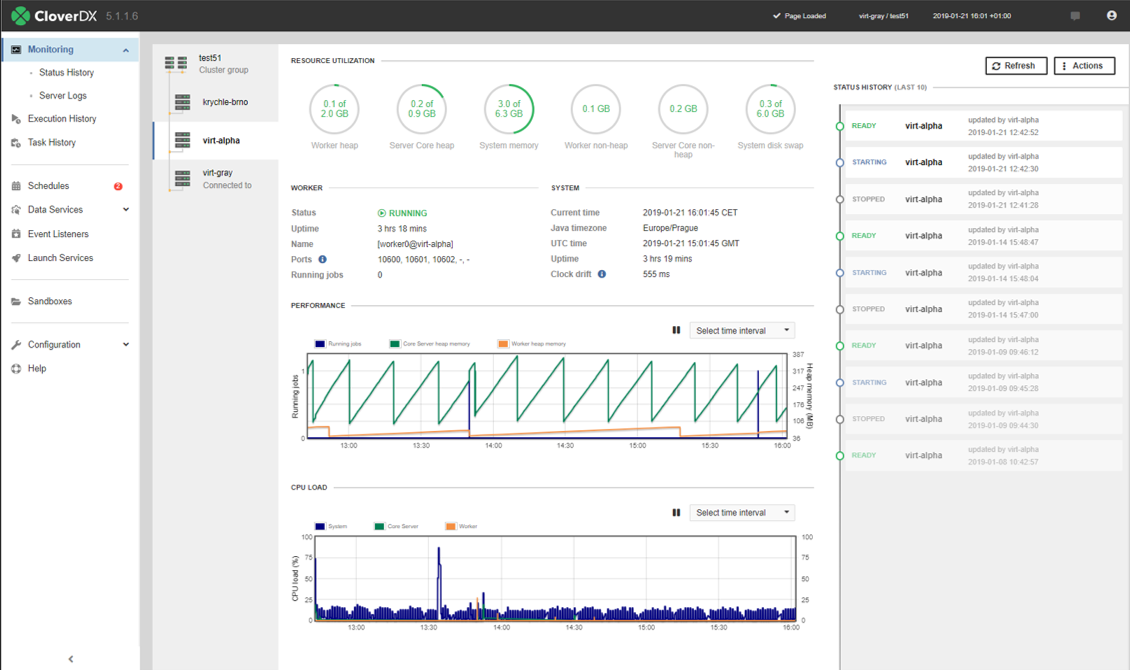
CloverDX Screenshots

Screenshot of