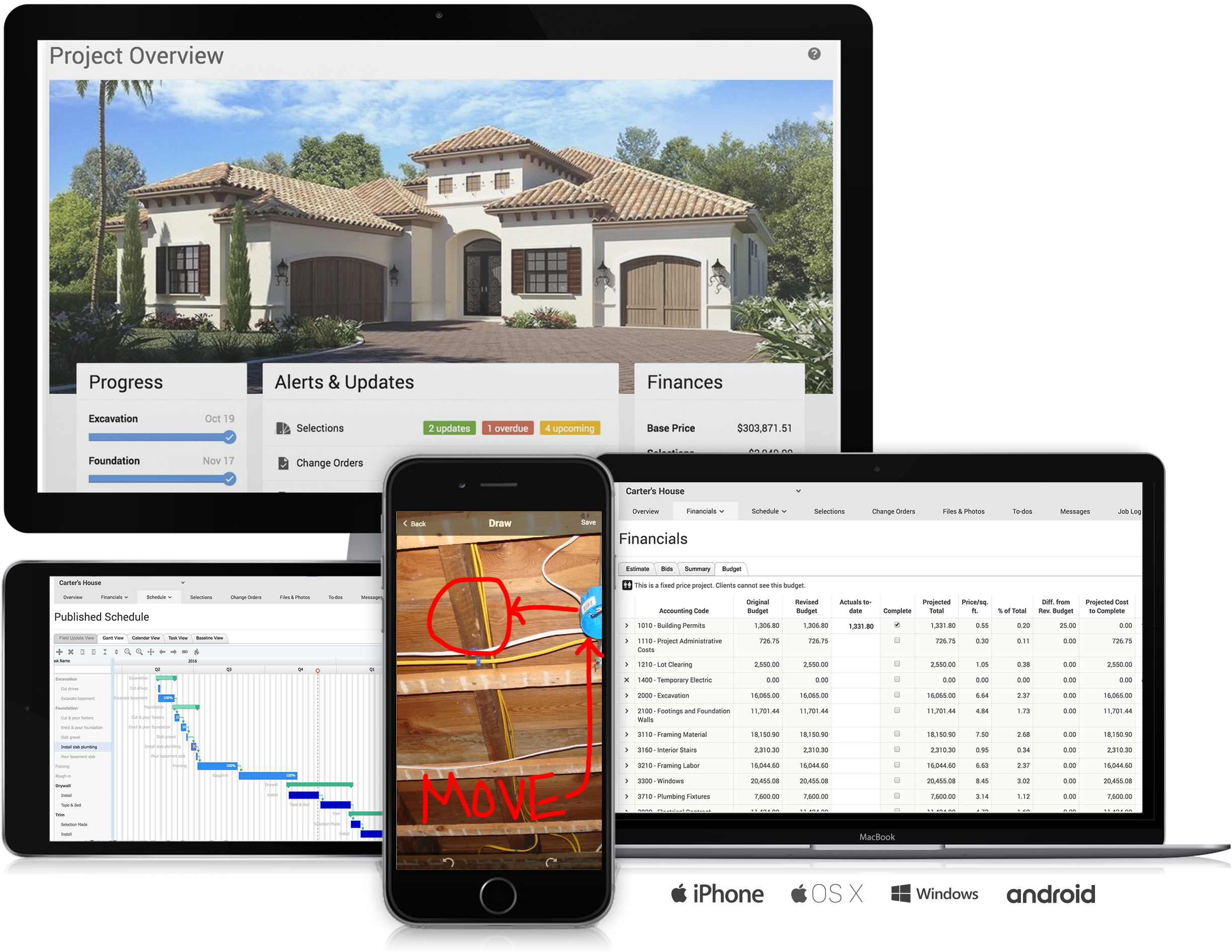
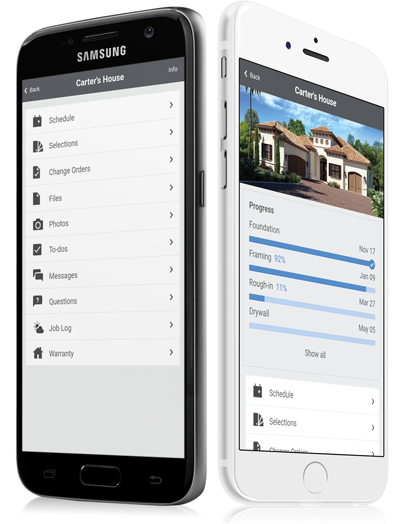
CoConstruct, from Buildertrend since the November 2021 acquisition, is a custom builder & remodeler software. It allows users to enter data once and have that information flow through the estimate, specs, selections, bids, proposals, change orders, and budgets, including to and from QuickBooks. In addition, CoConstruct includes scheduling and 3-way communication between builder, client, and trade partners. Everything is captured via email and texting. Login isn't required for…
$49
per month
Unifyr
Score9.2 out of 10
N/A
Zift Solutions Through Partner Marketing Automation Platform is a suite of applications meant to streamline interactions with channel partners, amplify demand, and ease cooperation on co-branded campaigns.
N/A
Pricing
CoConstruct
Unifyr
Editions & Modules
Ramp
$49
per month
Plus 5
$299
per month
Plus 10
$399
per month
Plus 15
$499
per month
No answers on this topic
Offerings
Pricing Offerings
CoConstruct
Unifyr
Free Trial
No
No
Free/Freemium Version
No
No
Premium Consulting/Integration Services
No
No
Entry-level Setup Fee
No setup fee
No setup fee
Additional Details
CoConstruct pricing is based on active job sites that have client access online, which means it is adaptable to builders & remodelers businesses. This means that there are an unlimited amount of projects available for estimates and proposals, so that customers only pay when they win a contract. Also built into the pricing are a myriad of services: a dedicated implementation coach, free estimate & scheduling templates based on industry best practices from successful builders and the NAHB, unlimited storage and users, software branded with the customer's logo, unlimited amount of warranty projects, and unlimited phone & email support. The vendor offers a money-back guarantee that is good for the first 90 days of service.
Having the ability to completely manage a project from start to finish with one app is super helpful. The time reporting feature (when it works correctly) is a nice added bonus as it allows employees to switch from one task to another on the same project or to another project and task with ease, aiding in the accounting process of the total project. This was helpful for running analytics to see where we were spending too much time on certain tasks, thus allowing us to assess any training needs.
A de minimis incentive was given to thank the reviewer for their time. The incentive was not used to bias or drive a particular response, nor was the incentive contingent on a positive endorsement. More Info
Very helpful in Marketing Actions, Marketing Decision Support, Sales Action Support, Customer Preference Analysis, Inbound Marketing Strategy Implementation, and Sales and Marketing Tool Integration. It's a comprehensive resource for helping customers make choices. All the years we have used this tool to communicate with our trading partners, there have been zero issues.
A de minimis incentive was given to thank the reviewer for their time. The incentive was not used to bias or drive a particular response, nor was the incentive contingent on a positive endorsement. More Info
The integration of all aspects needed to run a remodeling company efficiently: project scheduling and management, financial planning and customer service. Since it’s an all-in-one suite and cloud-based, it enables our team to keep track of all our projects in real-time. Communication breakdown is the last thing we want, so being on the same page is not only desirable but makes for the best possible relationship with our clients.
Product education - We like how CoConstruct helps new users and get them to start using the tool right away. The dashboard resource materials are incredibly useful. We don’t have to spend a lot of time training new hires on the system and onboarding new clients.
A de minimis incentive was given to thank the reviewer for their time. The incentive was not used to bias or drive a particular response, nor was the incentive contingent on a positive endorsement. More Info
Partner tracking and communication - Relayware allows a holistic view of a partner. Since the tool tracks everything a user does, you can easily see when the partner has sent or received emails, participated in trainings, download files, etc. You can also see how and when back-office users such as admins, partner managers, etc. have communicated with partners, updated dashboards, downloaded reports, and much more. The granularity of the history and tracking is exception for seeing how you and a partner are engaging. It's also very helpful for companies who require an audit trail for activities.
Training/eLearning/onboarding - I've worked with a number of eLearning/LMS platforms over the years and I'm stunned by the learning system built into Relayware. It's hands down far and above many existing standalone products and if Relayware was smart, they would offer this as a standalone item. The system supports the typical eLearning/LMS basics- SCORM support, grading, training by module, etc. but it also allows for custom training paths based on learning modules which can be SCORM, video, HTML, files, and any combination of these. The grading system is separated from the training content which allows for highly flexible user cases. You can created quizzes, tests, and certifications based on individual content modules or a full learning path.
Since the LMS is part of the overall Relayware system which is intended for partner management, you can create a range of onboarding processes/paths which are customized to particular types of partners. The system can support both online and offline activities so you can require xxx to be done online, followed by in-person training, etc. It really is an impressive system. I liked it so much, I decomissioned my instance of a Moodle LMS and I now use the Relayware LMS to serve as both partner eLearning and general customer eLearning through a separate portal.
Flexibility - It's hard to believe the Relayware can do so much in a single SaaS. The system allows for connection to SFDC so working leads and opportunities is simple. A manager or admin can add, edit, and remove web pages with ease. Data can be placed on any webpage using a number of "Relayware tags" which are special HTML tags to pull data from the system and use on a page. Customizable workflows for most any part of the system can be handled via a workflow engine. This could be onboarding, partner signup and registration, lead/deal/opportunity management and routing to appropriate users, Legal and Export compliance checking of documents and files, and on and on.
The only real drawback is that the system is so flexible, it helps to have good training and support so you don't get lost. Luckily this is only an issue for those who administer the system and Relayware is keen to provide good support for their product.
Licensing & cost - My observation is that Relayware has several good options for licensing and overall cost. They break the system down into several key modules so if you don't need something, you can remove it and not pay for it. However, that also makes it easy for the product to grow as your needs do. One of their license modules is by back-office users, not front-office. The benefit of this is when coupled with SFDC, you only need a single SFDC license for all of your field personnel and front end users. Since one of the Relayware models is to not charge by the number of front end users, you can save thousands in SFDC licenses. Ie: A user works through Relayware to report/edit/manage leads, deals, and opportunities. The system uses a single SFDC license to connect to SFDC so rather than every front end user needing an SFDC license, you only need one. Depending on the size of your organization, this alone could easily pay for the Relayware system.
Internal Communication - CoConstruct lacks the ability to tag-team members for internal communication using @mentions or any other means. This has been crippling for us and forced us to use alternative software for communicating among our team members.
Pipeline Management - CoConstruct's lead-tracking system feels clunky and hard to navigate and doesn't provide a pipeline view that's easy to navigate. We have moved our Pipeline Management outside of CoConstruct to make it easier for our sales team to track leads.
CRM - CoConstruct doesn't offer anything for customer follow-up after projects are completed. This, in addition to the lack of an effective pipeline system, has led to our decision to use Hubspot as our CRM. Moving projects into CoConstruct for Design and back our after Production.
A de minimis incentive was given to thank the reviewer for their time. The incentive was not used to bias or drive a particular response, nor was the incentive contingent on a positive endorsement. More Info
A de minimis incentive was given to thank the reviewer for their time. The incentive was not used to bias or drive a particular response, nor was the incentive contingent on a positive endorsement. More Info
The support staff is brilliant; they don't operate on Australian time, so you can't just dial up support when you need it. The response times are quick, and the staff is knowledgeable. They are also well versed in most of the differences between buildings in the US and the building in Australasia. Despite their funny accents and strange use of the English language, we get by just fine!
A de minimis incentive was given to thank the reviewer for their time. The incentive was not used to bias or drive a particular response, nor was the incentive contingent on a positive endorsement. More Info
A de minimis incentive was given to thank the reviewer for their time. The incentive was not used to bias or drive a particular response, nor was the incentive contingent on a positive endorsement. More Info
Products like Procore and PlanGrid are geared towards projects with huge projects teams, multiple stakeholders and dozens of subcontractors. CoConstruct can be used for projects big and small (value) and also with small project teams or large projects teams. For small partial renovation or addition projects CoConstruct is a good more cost effective option.
A de minimis incentive was given to thank the reviewer for their time. The incentive was not used to bias or drive a particular response, nor was the incentive contingent on a positive endorsement. More Info
At the same time that I started using ZiftONE, we worked in a test mode with the GetResponse platform. We select ZiftONE as support on platforms that require content syndication since the information it provides us is more accurate than that of GetResponse. However, GetResponse has a more intuitive sales funnel for a person who has never worked with these types of tools.
A de minimis incentive was given to thank the reviewer for their time. The incentive was not used to bias or drive a particular response, nor was the incentive contingent on a positive endorsement. More Info
A de minimis incentive was given to thank the reviewer for their time. The incentive was not used to bias or drive a particular response, nor was the incentive contingent on a positive endorsement. More Info
In our personal opinion, we can say that this tool has not generated negative aspects in our work, so we can say that we are comfortable because I can keep all my potential clients organized and make sure that nothing is lost.