ComponentOne vs. Flexmonster Pivot Table & Charts Component vs. Ignite UI

Overview
ProductRatingMost Used ByProduct SummaryStarting Price
ComponentOne
Score 9.0 out of 10
N/A
ComponentOne Studio, from software company GrapeCity in Pittsburgh, Pennsylvania, provides Visual Studio controls.
$1,299
per year per developer
Flexmonster Pivot Table & Charts Component
Score 10.0 out of 10
Mid-Size Companies (51-1,000 employees)
Flexmonster Pivot Table & Charts is a component for interactive pivot reports that can be inserted into a web page or a web application. It’s a JavaScript tool that enables a user to visualize their business data. This solution supports Microsoft Analysis Services OLAP cubes, Mondrian, icCube, JSON, SQL (MS SQL, MySQL and others) databases or static JSON or CSV files. According to the vendor, this solution allows users to work extremely quickly with really large data…
$0
Annual SaaS Subscription
Ignite UI
Score 7.0 out of 10
N/A
New Jersey based Infragistics offers .NET controls.
$1,295
per year per user
Pricing
ComponentOneFlexmonster Pivot Table & Charts ComponentIgnite UI
Editions & Modules
Enterprise
$1,299.00
per year per developer
Pivot Table for SQL/CSV/JSON Unlimited
$0
Annual SaaS Subscription
Pivot Table for Pentaho Mondrian
$0
Annual SaaS Subscription
Pivot Table for MS Analysis Services
$0
Annual SaaS Subscription
Pivot Table for SQL/CSV/JSON Basic
$299
Annual subscription
Pivot Table for Pentaho Mondrian
$799
Annual subscription
Pivot Table for SQL/CSV/JSON Unlimited
$799
Annual subscription
Pivot Table for MS Analysis Services
$799
Annual subscription
No answers on this topic
Offerings
Pricing Offerings
ComponentOneFlexmonster Pivot Table & Charts ComponentIgnite UI
Free Trial
YesYesYes
Free/Freemium Version
NoNoNo
Premium Consulting/Integration Services
NoYesNo
Entry-level Setup FeeNo setup feeNo setup feeNo setup fee
Additional Details
More Pricing Information
Community Pulse
ComponentOneFlexmonster Pivot Table & Charts ComponentIgnite UI
Features
ComponentOneFlexmonster Pivot Table & Charts ComponentIgnite UI
BI Standard Reporting
Comparison of BI Standard Reporting features of Product A and Product B
ComponentOne
-
Ratings
Flexmonster Pivot Table & Charts Component
10.0
1 Ratings
20% above category average
Ignite UI
-
Ratings
Report Formatting Templates00 Ratings10.01 Ratings00 Ratings
Ad-hoc Reporting
Comparison of Ad-hoc Reporting features of Product A and Product B
ComponentOne
-
Ratings
Flexmonster Pivot Table & Charts Component
9.5
1 Ratings
17% above category average
Ignite UI
-
Ratings
Formatting capabilities00 Ratings9.01 Ratings00 Ratings
Report sharing and collaboration00 Ratings10.01 Ratings00 Ratings
Report Output and Scheduling
Comparison of Report Output and Scheduling features of Product A and Product B
ComponentOne
-
Ratings
Flexmonster Pivot Table & Charts Component
10.0
1 Ratings
20% above category average
Ignite UI
-
Ratings
Publish to PDF00 Ratings10.01 Ratings00 Ratings
Mobile Capabilities
Comparison of Mobile Capabilities features of Product A and Product B
ComponentOne
-
Ratings
Flexmonster Pivot Table & Charts Component
10.0
1 Ratings
25% above category average
Ignite UI
-
Ratings
Responsive Design for Web Access00 Ratings10.01 Ratings00 Ratings
Best Alternatives
ComponentOneFlexmonster Pivot Table & Charts ComponentIgnite UI
Small Businesses
React (React.js)
React (React.js)
Score 8.8 out of 10
Yellowfin
Yellowfin
Score 8.7 out of 10
React (React.js)
React (React.js)
Score 8.8 out of 10
Medium-sized Companies
React (React.js)
React (React.js)
Score 8.8 out of 10
Reveal
Reveal
Score 10.0 out of 10
React (React.js)
React (React.js)
Score 8.8 out of 10
Enterprises
React (React.js)
React (React.js)
Score 8.8 out of 10
Kyvos Semantic Layer
Score 9.5 out of 10
React (React.js)
React (React.js)
Score 8.8 out of 10
All AlternativesView all alternativesView all alternativesView all alternatives
User Ratings
ComponentOneFlexmonster Pivot Table & Charts ComponentIgnite UI
Likelihood to Recommend
9.0
(1 ratings)
10.0
(1 ratings)
10.0
(1 ratings)
Usability
-
(0 ratings)
9.0
(1 ratings)
-
(0 ratings)
Support Rating
-
(0 ratings)
10.0
(1 ratings)
-
(0 ratings)
User Testimonials
ComponentOneFlexmonster Pivot Table & Charts ComponentIgnite UI
Likelihood to Recommend
MESCIUS
C1 is great for creating custom reports. We have client apps where we've created some fairly complicated reports such as invoices and real estate inspections. We also use the True DBGrid in many of our apps since it is so customizable. Its grouping and filtering features are very nice and can provide summary counts and totals at the bottom or right side of the grid that are very handy.
Read full review
Flexmonster
Fantastic product to embed in any SaaS solution for reporting and data exports. Excellent performance, ability to customize fields and tons of other features out of the box that makes it a well-rounded tool that is easy to use. To top it off their support is amazing for answering technical questions quickly and they provide great examples to learn how to interact with the code. We are very happy with our choice to use Flexmonster!
Read full review
Infragistics
Angular is our framework of choice for a number of reasons. Business data is almost always displayed in a grid format. It makes sense to start with a strong widget that is powerful and fast when building applications. Ignite UI provides a complete toolset of widgets for other frameworks, but Angular is our focus. Ignite UI is helping us deliver a great UX/UI.
Read full review
Pros
MESCIUS
  • The True DBGrid control is nice for showing parent/child relationships and being able to drill down and show the child data. It also is nice for showing summary totals.
  • The report engine is great for building custom reports for Win Forms or web apps. It can do everything that Crystal Reports can do.
  • They have a good selection of controls that can do just about anything you can imagine.
Read full review
Flexmonster
No answers on this topic
Infragistics
  • The examples are great and close enough to real-life usage to be truly helpful
  • The OOB configuration and themes are good. They are very configurable.
  • The touch support and response web are built in, allowing the same code to work well on desktop and phone.
Read full review
Cons
MESCIUS
  • Sometimes it is difficult to figure out where things are in the properties of controls since there are so many things you can drill down into.
  • I find myself using Bing or Google a lot to look up how to do something. Some things are not very intuitive.
  • Of course, I would always like the price to be cheaper. The high price has caused us to not keep current and have the latest version.
Read full review
Flexmonster
No answers on this topic
Infragistics
  • I would like to see examples with security tokens. It really isn't an Ignite UI issue, but would be helpful.
  • Some of the examples are over-simplified, not how the products would be used in real life.
Read full review
Usability
MESCIUS
No answers on this topic
Flexmonster
Checks all the boxes! Easy to use, great out of the box feature set and fantastic support team
Read full review
Infragistics
No answers on this topic
Support Rating
MESCIUS
No answers on this topic
Flexmonster
Quick response to questions and feedback, excellent documentation for learning about the product and tons of examples to leverage.
Read full review
Infragistics
No answers on this topic
Alternatives Considered
MESCIUS
We have been in business since 1992, so we have used many different products over the years. The two other products we've primary used that are similar to ComponentOne, are Infragistics and Crystal Reports. Infragistics has a vast array of controls similar to ComponentOne. We use both to be honest and I'm not sure which one I would pick over the other. I guess that would depend on what you're trying to accomplish and if one had some control or capability that the other didn't. ComponentOne does have the reporting capabilities, where Infragistics does not.
Read full review
Flexmonster
No answers on this topic
Infragistics
We tried DevExpress when we started a project a couple of years ago. At the time, the documentation and ease of use went to Infragistics. When trying new or updated tools, the documentation and samples are everything. Having minimal documentation or documentation that seems to be written for people that already know how to use the product is just plain frustrating. Samples need to be something close to the real-life usage of the product.
Read full review
Return on Investment
MESCIUS
  • ComponentOne allows us to add additional features to our apps that wouldn't be found in apps written with just Visual Studio itself. That allows our clients to get more creative in their requirements, which in turn, means more work and billable hours for us!
  • Our apps appear more professional when using ComponentOne which helps us get projects for new clients.
  • ComponentOne also helps us to save clients some money since we are not having to develop things that it can do from scratch.
Read full review
Flexmonster
No answers on this topic
Infragistics
  • There is a learning curve, of course, but the comparisons between the projects with and without Ignite UI are worth it.
  • The time savings on development is very real. The built-in functionality is amazing.
  • We are able to focus on features rather than getting the look and feel of our deliverable.
Read full review
ScreenShots

Flexmonster Pivot Table & Charts Component Screenshots

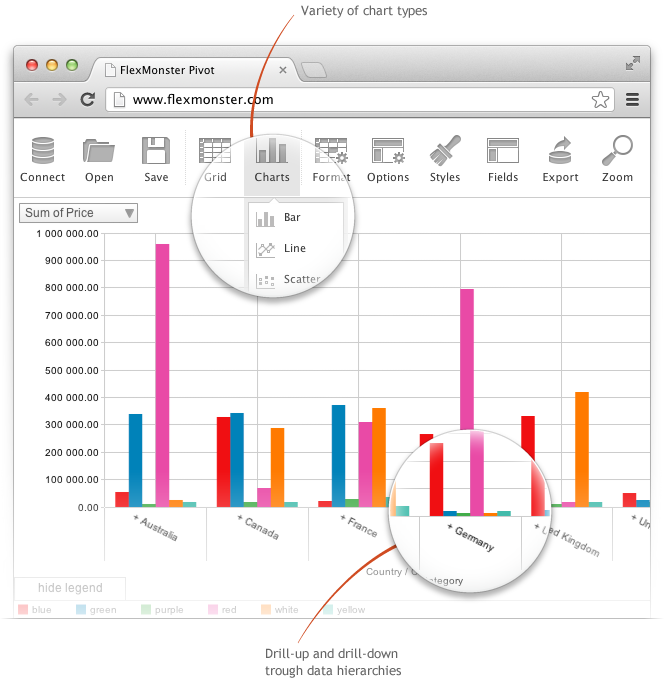
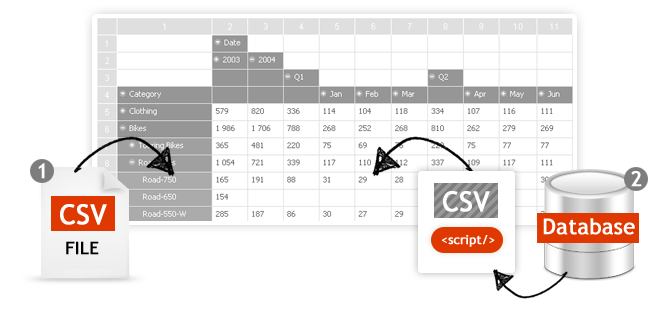
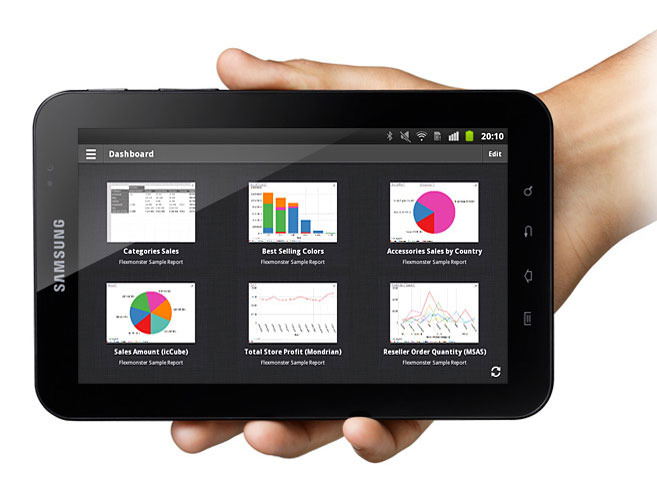
Screenshot of Pivot Component supports the printing of the Pivot view. Additionally users can export the reports into a variety of formats.Screenshot of Pivot Table Component helps you to create interactive pivot tables and charts reports for web and Flex applications. Pivot Component will provide your customers with an extremely intuitive end-user experience while creating and analyzing reports.Screenshot of Pivot Charts provide an alternative, interactive way to visualize data.Screenshot of The component will connect to any database: MS SQL, MySQL, Oracle, PostgreSQL - using simple script generating CSV output to enable real-time business analysis. Pivot Component is full browser-side component, thus you can use any desired server-side to generate CSV data.Screenshot of Pivot Table Component can connect to OLAP cubes via XMLA protocol. XMLA is XML for Analysis - an industry standard for data access in analytical systems, such as OLAP and Data Mining.Screenshot of Start mobile business reporting with the Flexmonster mobile application. It can be downloaded to your tablets from Google Play or Apple App Store.

Ignite UI Screenshots

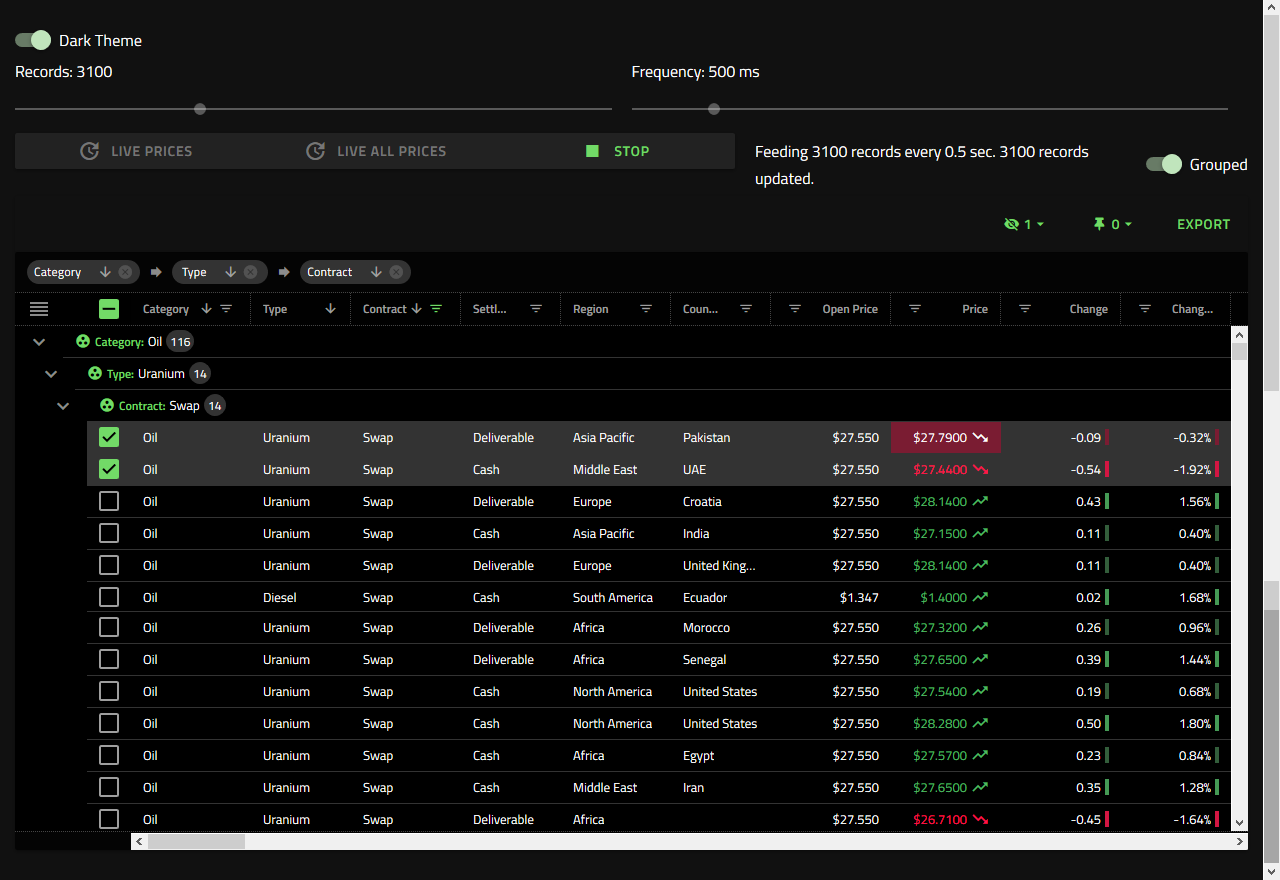
Screenshot of Visualize industry, business, or scientific data in real-time interactive charts.Screenshot of Fast grids, providing line of business features, touch support, and responsive web design features. Works with popular open-source libraries and data sources.Screenshot of Improve usability and ensure accessibility for all users, regardless of how they are navigating pages.