
Conterra Financial Information Management vs. Quadient Accounts Payable
Conterra Financial Information Management vs. Quadient Accounts Payable
| Product | Rating | Most Used By | Product Summary | Starting Price |
|---|---|---|---|---|
 Conterra FIM | N/A | Conterra Financial Information Management (Conterra FIM) is comprehensive enterprise-level software for accounts payable automation, invoice management and expense report management. It is a powerful tool to manage AP workflow and reduce your costs per invoice. | N/A | |
 Quadient Accounts Payable | N/A | Quadient Accounts Payable by Beanworks is an accounts payable solution that uses custom rules to automate and show every step of an organization's AP workflow, and is used to route POs, invoices, and payment approvals. | N/A |
| Conterra Financial Information Management | Quadient Accounts Payable | |||||||||||||||
|---|---|---|---|---|---|---|---|---|---|---|---|---|---|---|---|---|
| Editions & Modules | No answers on this topic | No answers on this topic | ||||||||||||||
| Offerings |
| |||||||||||||||
| Entry-level Setup Fee | Required | Required | ||||||||||||||
| Additional Details | — | — | ||||||||||||||
| More Pricing Information | ||||||||||||||||
| Conterra Financial Information Management | Quadient Accounts Payable |
|---|
| Conterra Financial Information Management | Quadient Accounts Payable | |
|---|---|---|
| Small Businesses |  Square 9 Softworks Score 9.5 out of 10 | Square 9 Softworks Score 9.5 out of 10 |
| Medium-sized Companies | Square 9 Softworks Score 9.5 out of 10 | Square 9 Softworks Score 9.5 out of 10 |
| Enterprises |  Webexpenses Score 8.7 out of 10 | Webexpenses Score 8.7 out of 10 |
| All Alternatives | View all alternatives | View all alternatives |
| Conterra Financial Information Management | Quadient Accounts Payable | |
|---|---|---|
| Likelihood to Recommend | - (0 ratings) | 9.0 (2 ratings) |
| Usability | - (0 ratings) | 9.0 (1 ratings) |
| Conterra Financial Information Management | Quadient Accounts Payable | |
|---|---|---|
| Likelihood to Recommend |  Orienge No answers on this topic | Quadient
|
| Pros | Orienge No answers on this topic | Quadient
|
| Cons | Orienge No answers on this topic | Quadient
|
| Usability | Orienge No answers on this topic | Quadient
|
| Alternatives Considered | Orienge No answers on this topic | Quadient
|
| Return on Investment | Orienge No answers on this topic | Quadient
|
| ScreenShots | Quadient Accounts Payable Screenshots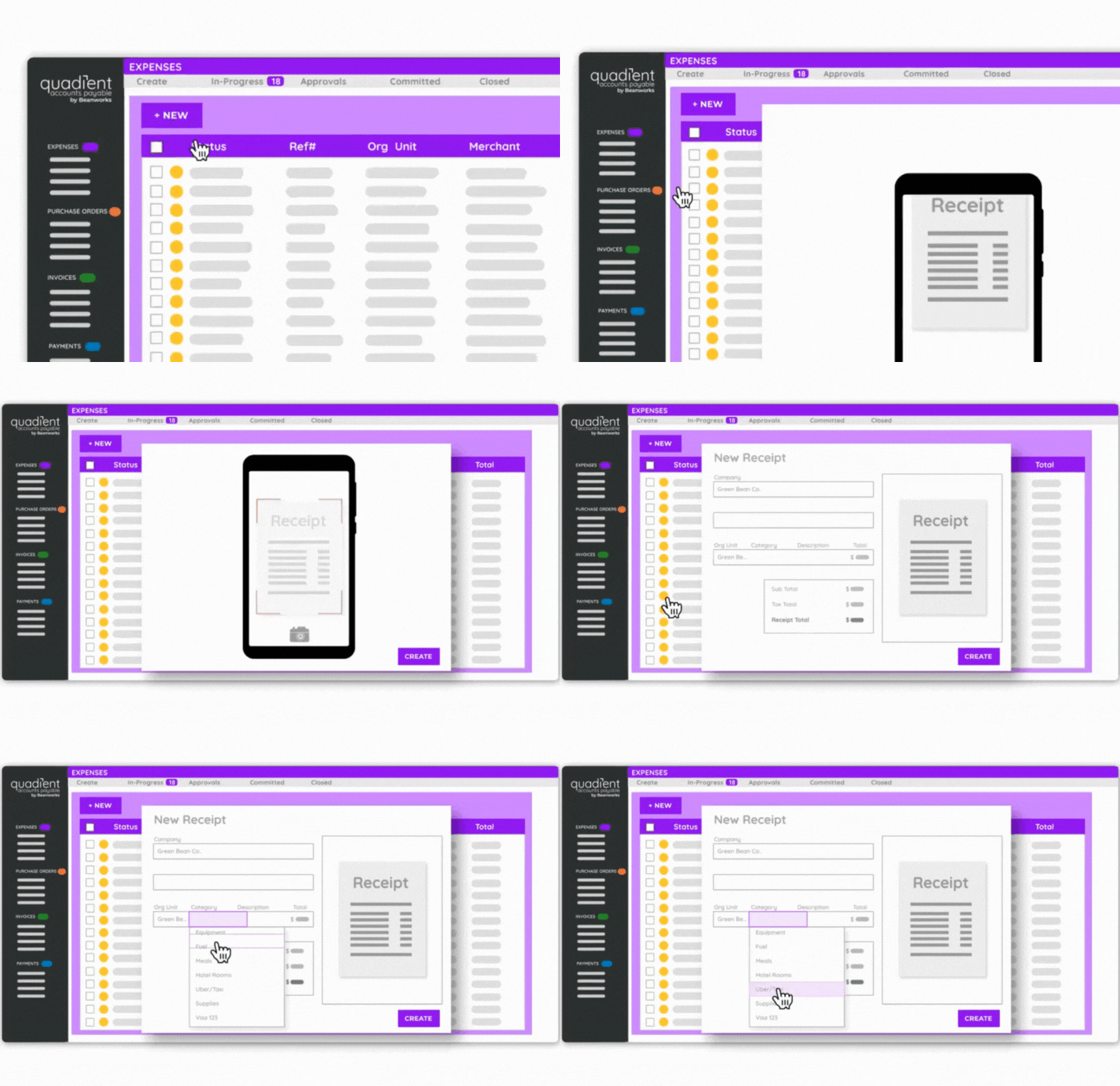 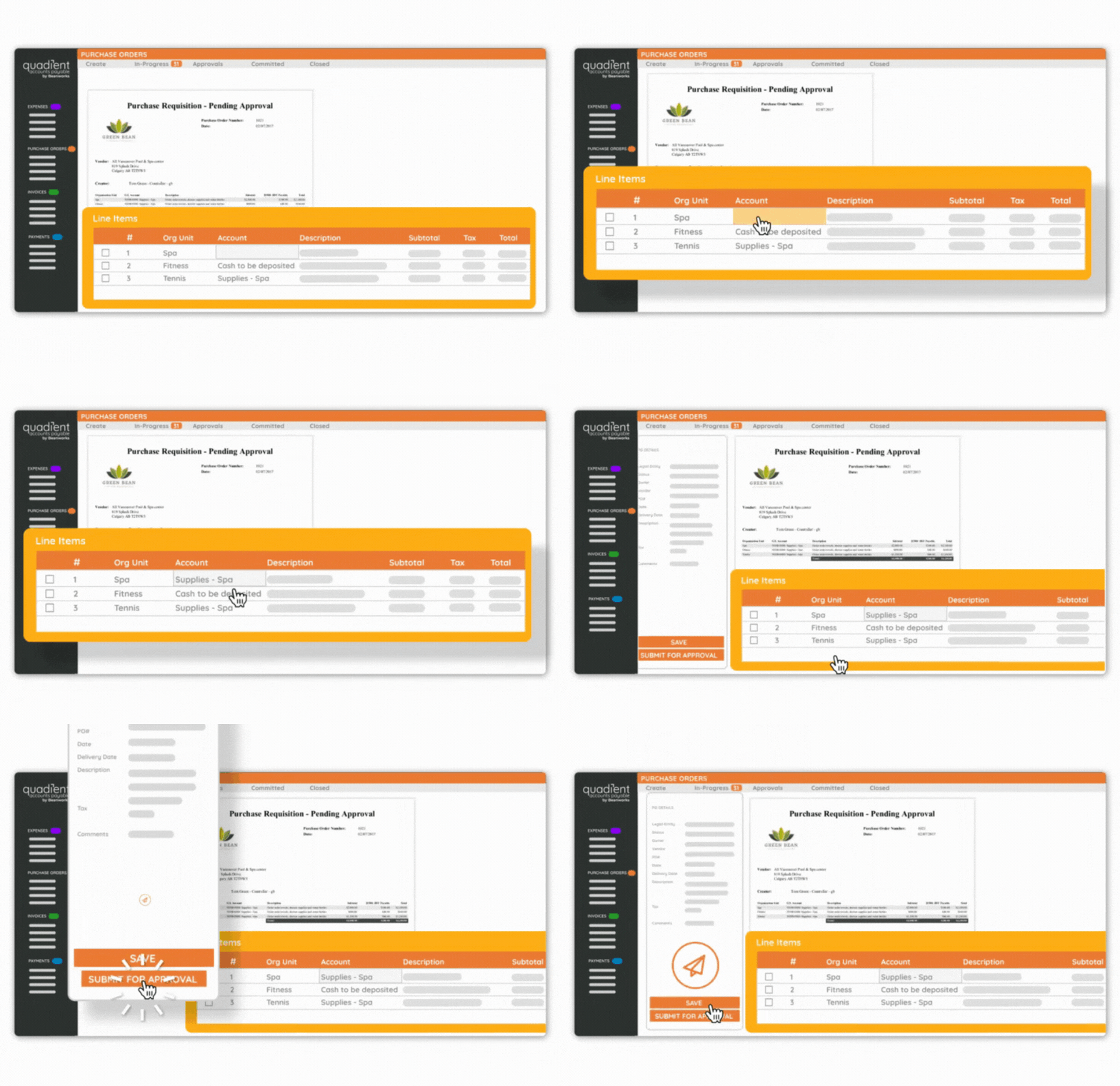 |