
TrustRadius: an HG Insights company

Quadient Accounts Payable

Score7.1 out of 10

35 Reviews and Ratings

What is Quadient Accounts Payable?

Quadient Accounts Payable by Beanworks is an accounts payable solution that uses custom rules to automate and show every step of an organization's AP workflow, and is used to route POs, invoices, and payment approvals.

Media

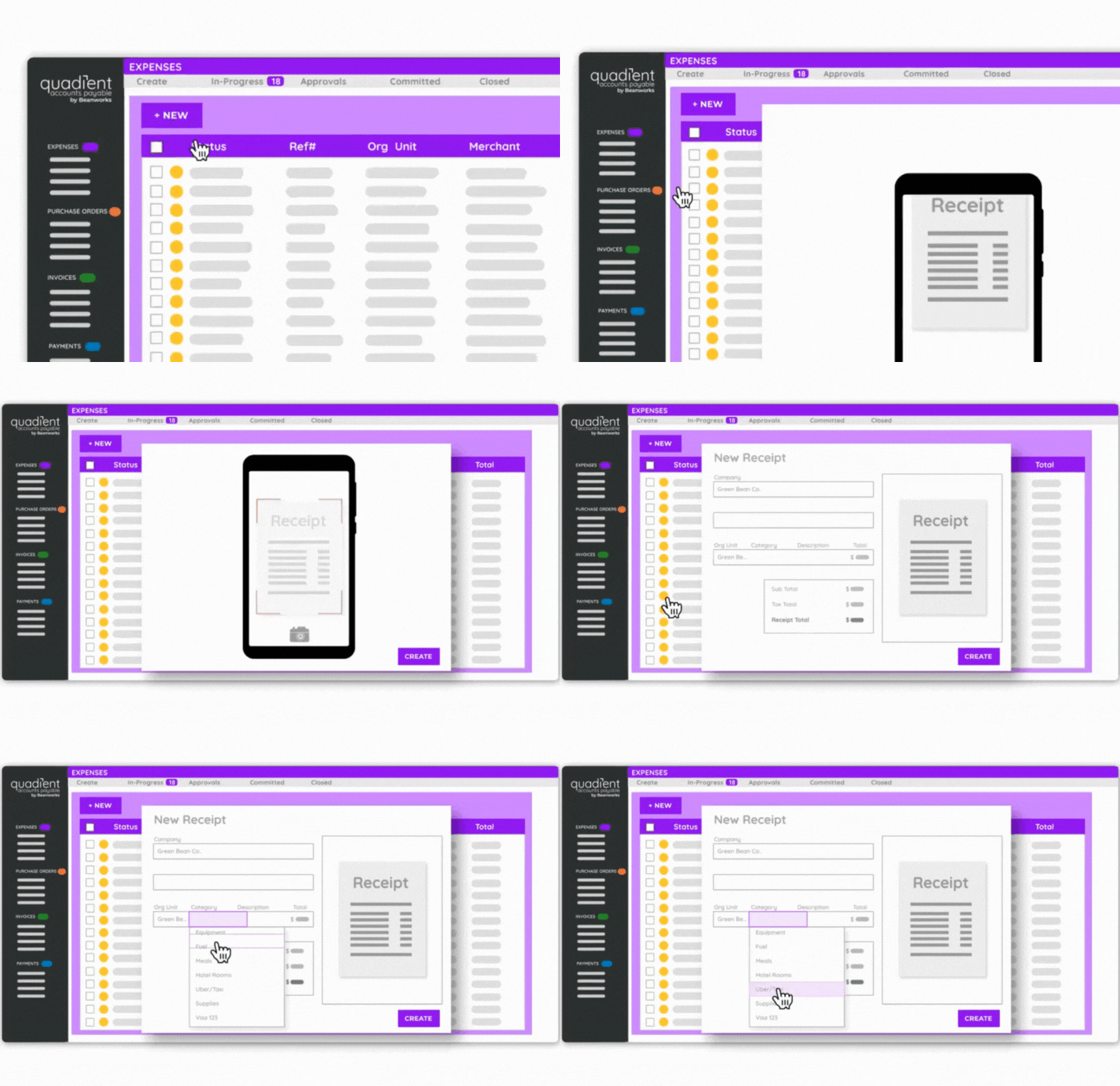
the expenses interface.
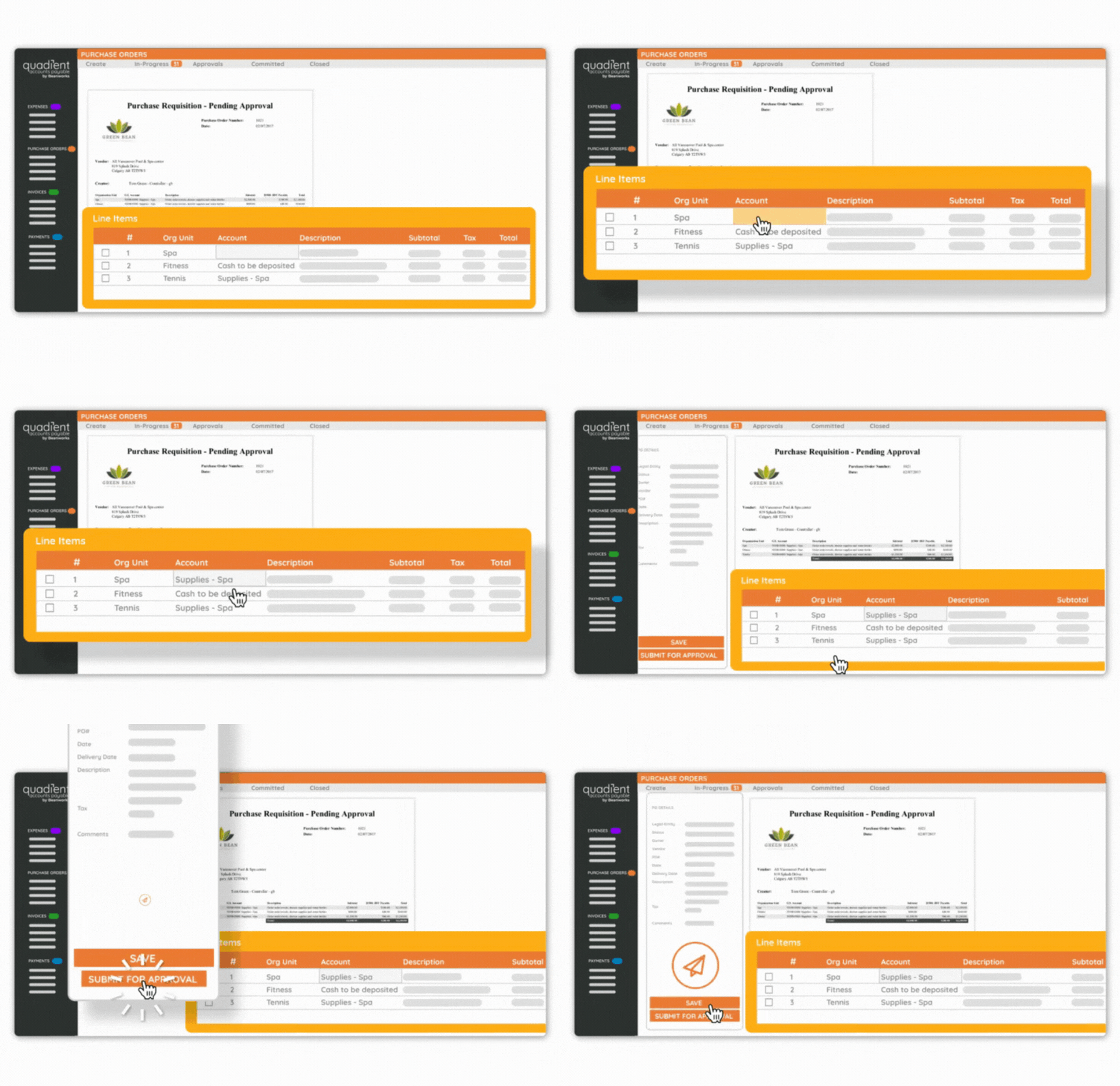
a purchase order.

1 / 2

Top Performing Features

  • Customizable Approval Policies

    Policies for different types of approvals can be customized, sent to multiple approvers, automatically approved, etc.

    Category average: 8.5

  • Financial Document Management

    Invoices, expense reports, and associated documents are stored within the platform for any future needs.

    Category average: 8.2

  • Automated Accounts Payable Processes

    Accounts payable processes are automated based on pre-determined workflows.

    Category average: 8.7

Areas for Improvement

  • Vendor Management

    Holds information related to vendor terms and contracts.

    Category average: 8.5

  • Payment Audit Trail

    Allows admin users visibility into the entire payment process, from receiving the expense claim or invoice to the payee receiving payment.

    Category average: 8.7

  • Advanced OCR

    Automatically imports information from invoices, receipts, expense reports, and other scanned documents into the platform.

    Category average: 8.5

A Strong Choice for AP Automation.

Use Cases and Deployment Scope

As an AP supervisor, I use Quadient AP to run our AP workflow, using only the Invoice module. It covers automated invoice intake and pre-coding, approval tracking, any kind of report, backup and audit trails, and is very flexible. This makes for a weekly check run done by one person for a company of our size, which is pretty impressive. I lost my AP clerk during downsizing, but we are growing again with current transaction volume of about 2/3 of the previous, and we can still handle it alone. So, manpower saving is the biggest advantage. Transparency and convenience are next. Maintains accountability, visibility, and convenient access to records.

Pros

  • Catching duplicates.
  • Flexibility/variety of reports that can be produced.
  • Approval tracking.
  • Ease of producing backup.

Cons

  • Pre-coding can be more precise, especially when it comes to legal entity or org unit recognition.
  • Add a "DATE APPROVED" filter to help identify batches of invoices approved by a particular approver, by date.

Return on Investment

  • Saves manpower, but we don't track the numbers closely.
  • Improved transparency of approval and access to information.
  • Reliability and peace of mind.
  • Ease of operation

Usability

Other Software Used

QuickBooks Desktop Enterprise, Hybrent by Procurement Partners

Bean Works review - Royal Oaks

Use Cases and Deployment Scope

We use Bean Works to automate our invoice data entry process and to route invoices for coding and approval to our departments. We have moved from process of manually forwarding invoices to departments for approval and waiting for their return and then keying them in to the A/P system to the Bean works process which automates this whole process and creates a better tracking system. As a bonus we don't have to keep vast quantities of paper invoices on file and keep everything electronically.

Pros

  • automates data entry
  • automates the invoice routing and approval process
  • tracks invoice status as it works from receipt, to approval to entry

Cons

  • a larger field for descriptions
  • adding the vendor name to the description field so it shows up on my A/P system description

Return on Investment

  • Great return on investment
  • A big bonus is our reduced paper and copy cost

Usability

Makes tracking revenue easy.

Use Cases and Deployment Scope

I use these services on a daily basis to work through our AR and AP Processes, and keep our accounts accurate.

Pros

  • tracking invoices and payments
  • keeping payments accurate and timely
  • making sure correct reports are maintained and filed

Cons

  • navigating and pausing certain tasks

Return on Investment

  • For me just being able to track the spending and make sure all of my accounts are staying paid make a huge difference in our day to day .
  • Being able to pull up listings to compare revenue streams coming and going make watching our growth easy.

Usability

Other Software Used

Sage Intacct, TripMaster

Quadient for Regulatory & Clinical Affairs - Medical Devices

Use Cases and Deployment Scope

I use invoices, purchase orders, expenses, signoff functions

Pros

  • expense reports
  • invoices
  • POs

Cons

  • took me awhile to figure out how to submit a report so I did not find the process intuitive - ok now though
  • invoices are fine

Return on Investment

  • far less time on expense reports, good to be able to scan in expenses so they are electronically filed and remembered
  • invoices are good. maybe an easier way to summarize YTD invoices

Usability

Other Software Used

Quickbooks Online Payroll, Salesforce Agentforce Commerce

2026 Quadient Accounts Payable Review

Use Cases and Deployment Scope

I am a parts manger and use Quadient Accounts Payable to process my parts purchases invoices. Invoices are sent to me, I process them inhouse first then they are uploaded to AP/Quadient Accounts Payable. From there AP reviews the detail (visual) and cross reference to our inventory control. Once everything is reviewed, it is processed for payment.

Pros

  • accessible between different departments
  • upload process works well
  • download process works well
  • search function works well

Cons

  • option to link multiple invoices
  • filters should be set to "user" upon login.
  • login process is too long..

Usability