Copper Project, from Australian company Element Software, is project management software.
N/A
Kintone
Score9.7 out of 10
N/A
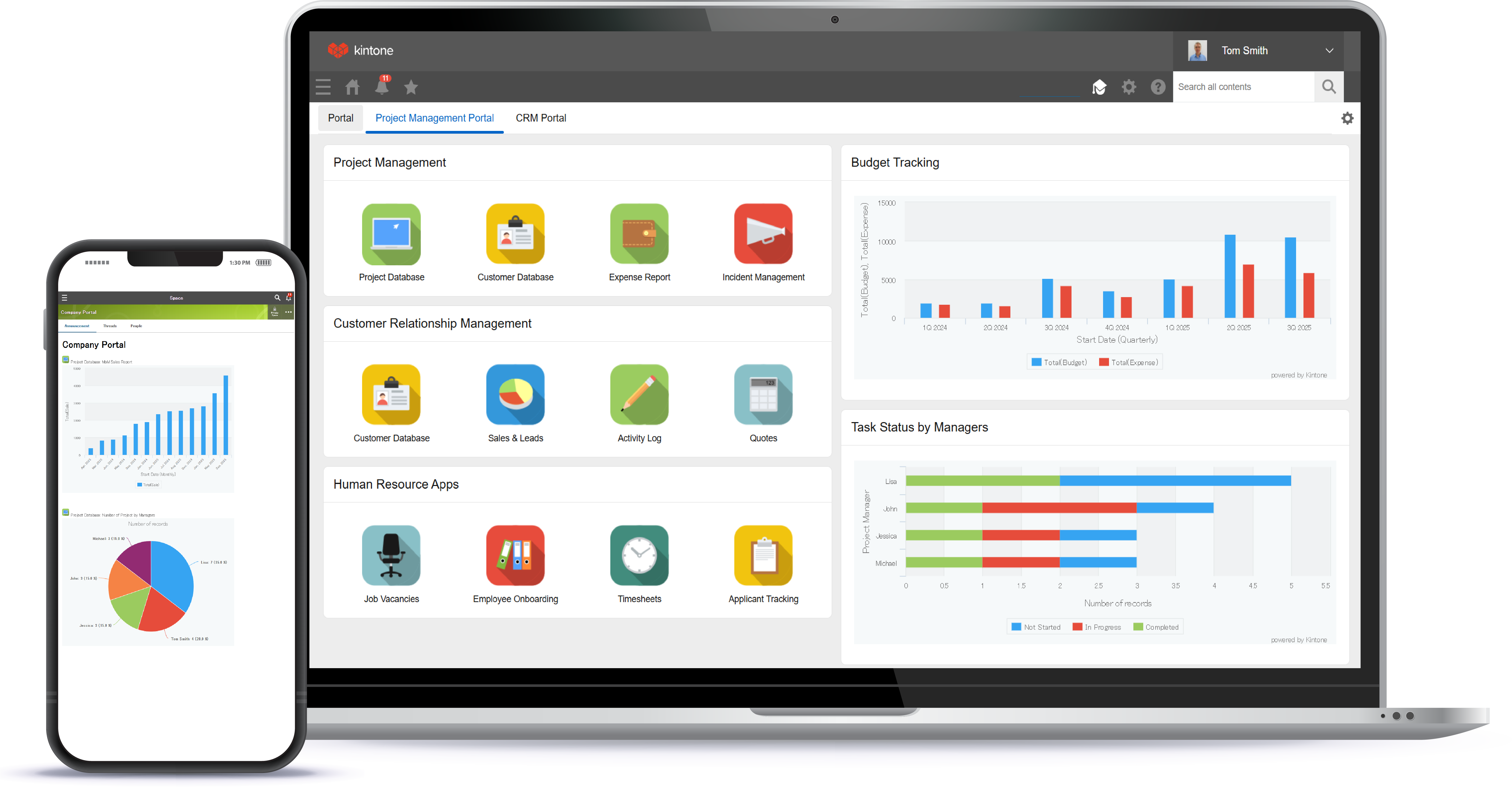
Kintone is a customizable digital workplace platform used to manage data, tasks, and communication. The no-code drag-and-drop interface can be used to create custom applications.
$120
per month for 5 users (minimum)
Pricing
Copper Project
Kintone
Editions & Modules
No answers on this topic
Professional Subscription
$24
per month per user
Offerings
Pricing Offerings
Copper Project
Kintone
Free Trial
No
Yes
Free/Freemium Version
No
No
Premium Consulting/Integration Services
No
Yes
Entry-level Setup Fee
No setup fee
Optional
Additional Details
—
Minimum requirement of 5 users. Kintone offers a free prototype to build with using existing process.
Copper Project is one of the best online project management and communication tools are available for businesses of all types. Creating and assigning the task to other team members becomes easy as it does on its own easily.
A de minimis incentive was given to thank the reviewer for their time. The incentive was not used to bias or drive a particular response, nor was the incentive contingent on a positive endorsement. More Info
I recommend Kintone for companies that need the ability to customize standalone applications or to provide a 'hub' to employees as a jumping-off point. I also recommend Kintone for any company that is drowning in spreadsheets, or is using 10 apps for 10 different purposes - you can consolidate everything into one place. Kintone, I think, needs a larger team for customization as your company grows. If you are a small office of 20 people, using it out of the box will likely be just fine for your needs. If you're working with 200 people out of an office, it'd likely be good to have someone with a bit of CSS, Java, and API experience in order to maximize what you get out of it - though you won't need that if you're keeping it simple.
A de minimis incentive was given to thank the reviewer for their time. The incentive was not used to bias or drive a particular response, nor was the incentive contingent on a positive endorsement. TR verified that a representative sample of customers was invited. More Info
It has been a great find for me as it reduces my work and make me more productive at other work which I usually neglect them because of excessive work.
The platform is trending on top of list worldwide because of its stand out feature task structure.
It comprises all the best tools and strategies that involve a successful activity development system.
A de minimis incentive was given to thank the reviewer for their time. The incentive was not used to bias or drive a particular response, nor was the incentive contingent on a positive endorsement. More Info
A de minimis incentive was given to thank the reviewer for their time. The incentive was not used to bias or drive a particular response, nor was the incentive contingent on a positive endorsement. More Info
The biggest drawback that Copper Project has that it becomes slow at times [in my experience].
Secondly, to manage anything in the platform I have to make a ticket every time to make any changes which are frustrating for me a lot.
[In my experience] it usually becomes clunky and slow while dealing with large requests which need to be change and functionality needs to improve more.
A de minimis incentive was given to thank the reviewer for their time. The incentive was not used to bias or drive a particular response, nor was the incentive contingent on a positive endorsement. More Info
A de minimis incentive was given to thank the reviewer for their time. The incentive was not used to bias or drive a particular response, nor was the incentive contingent on a positive endorsement. TR verified that a representative sample of customers was invited. More Info
We have been quite happy with our use of Kintone thus far. We looked at several options before choosing Kintone and believe it had the best value and best features, while allowing for complete customization, rather than being locked into preformatted apps that may not address exactly what we need or be more than what we need.
A de minimis incentive was given to thank the reviewer for their time. The incentive was not used to bias or drive a particular response, nor was the incentive contingent on a positive endorsement. TR verified that a representative sample of customers was invited. More Info
I love everything bout it. I love that if there is something I don't feel is working well enough, we are able to change it. The ONLY thing I would say is that if you were able to make it so every time I click on anything in the website/app it stayed in the same page, that would be great, but I don' think it is possible and I think this is due to using so many external APIs
A de minimis incentive was given to thank the reviewer for their time. The incentive was not used to bias or drive a particular response, nor was the incentive contingent on a positive endorsement. TR verified that a representative sample of customers was invited. More Info
A de minimis incentive was given to thank the reviewer for their time. The incentive was not used to bias or drive a particular response, nor was the incentive contingent on a positive endorsement. TR verified that a representative sample of customers was invited. More Info
A de minimis incentive was given to thank the reviewer for their time. The incentive was not used to bias or drive a particular response, nor was the incentive contingent on a positive endorsement. TR verified that a representative sample of customers was invited. More Info
I am very happy with Kintone and support it fully. I think that it is a great place for any company that wants to create a platform for better management. It is easy to use and pretty affordable. It is straightforward and has many tools that can be used by anyone. There are many helpful tutorials available too to guide users
A de minimis incentive was given to thank the reviewer for their time. The incentive was not used to bias or drive a particular response, nor was the incentive contingent on a positive endorsement. More Info
A de minimis incentive was given to thank the reviewer for their time. The incentive was not used to bias or drive a particular response, nor was the incentive contingent on a positive endorsement. TR verified that a representative sample of customers was invited. More Info
Everyone has their own tastes of things and way they want to work. Asking them to adapt to the changes with the new tools or apps is always difficult. We would want to start with a very small but best example within the organization, which in our case was that the employees will not be bothered by the bosses by being asked to find the documents, status of the progresses, or major things/requests/projects.
A de minimis incentive was given to thank the reviewer for their time. The incentive was not used to bias or drive a particular response, nor was the incentive contingent on a positive endorsement. More Info
Integration of the Copper Project is amazing. It is designed on such a great module that it can easily integrate with any other software. I have a lot of software already in my organization which we are using to handle different processes in the organization, Copper Project easily integrated with them and gives me all in one platform to manage all of my activities on one platform which is a great help for me.
A de minimis incentive was given to thank the reviewer for their time. The incentive was not used to bias or drive a particular response, nor was the incentive contingent on a positive endorsement. More Info
Kintone is the easiest product to create from and the cost is the lowest I believe. In addition, reconfigurability and extendability are great. If you look for a low code tool, you can try Kintone. But as same as another low code tool, don't expect too much.
A de minimis incentive was given to thank the reviewer for their time. The incentive was not used to bias or drive a particular response, nor was the incentive contingent on a positive endorsement. More Info
A de minimis incentive was given to thank the reviewer for their time. The incentive was not used to bias or drive a particular response, nor was the incentive contingent on a positive endorsement. TR verified that a representative sample of customers was invited. More Info
A de minimis incentive was given to thank the reviewer for their time. The incentive was not used to bias or drive a particular response, nor was the incentive contingent on a positive endorsement. TR verified that a representative sample of customers was invited. More Info
A de minimis incentive was given to thank the reviewer for their time. The incentive was not used to bias or drive a particular response, nor was the incentive contingent on a positive endorsement. TR verified that a representative sample of customers was invited. More Info
This feature is also helping me a lot in making project structure and prioritizing things according to the flow of work, which is great as it gives clear path what to do next.
Customer support of Copper Project is very professional.
I recently had some problems while using the platform, they listened to the problem carefully and responded with a more feasible and workable solution within the limited time frame, which gives me the confidence to use the platform more in-depth.
A de minimis incentive was given to thank the reviewer for their time. The incentive was not used to bias or drive a particular response, nor was the incentive contingent on a positive endorsement. More Info
A de minimis incentive was given to thank the reviewer for their time. The incentive was not used to bias or drive a particular response, nor was the incentive contingent on a positive endorsement. More Info