CSV Editor Pro vs. Zoho Tables

Overview
ProductRatingMost Used ByProduct SummaryStarting Price
CSV Editor Pro
Score 0.0 out of 10
Small Businesses (1-50 employees)
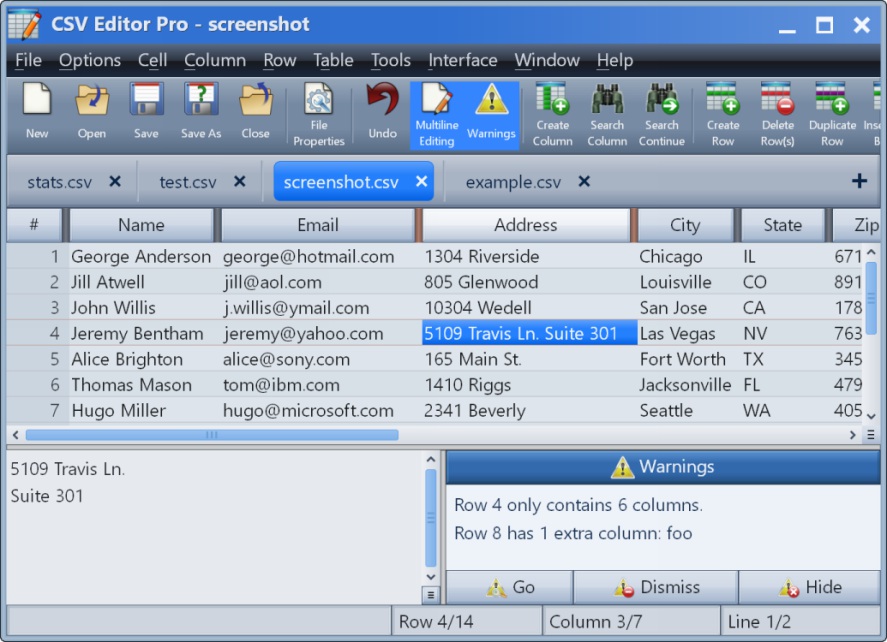
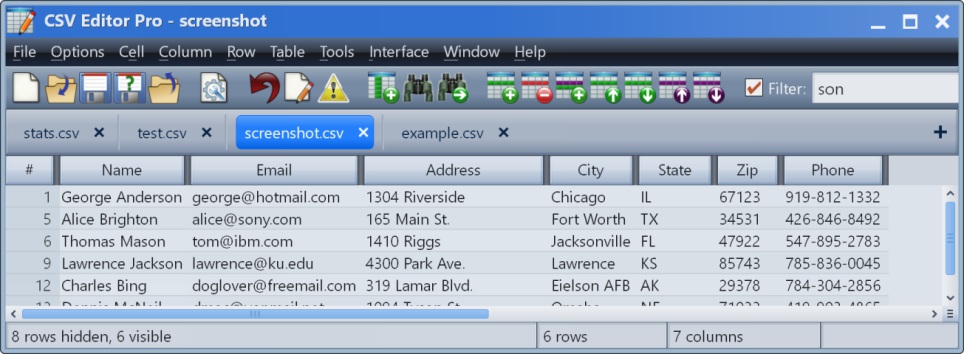
CSV Editor Pro is a professional choice for working with CSV files. Its features and tools save users time and effort. Rows and columns can be created, deleted, rearranged, and searched at will. CSV Editor Pro supports sorting, filtering, multiline editing, search and replace, graphing, deduplicate, unicode, undo, and printing. The interface is simplified, and detailed help file is provided.N/A
Zoho Tables
Score 8.2 out of 10
N/A
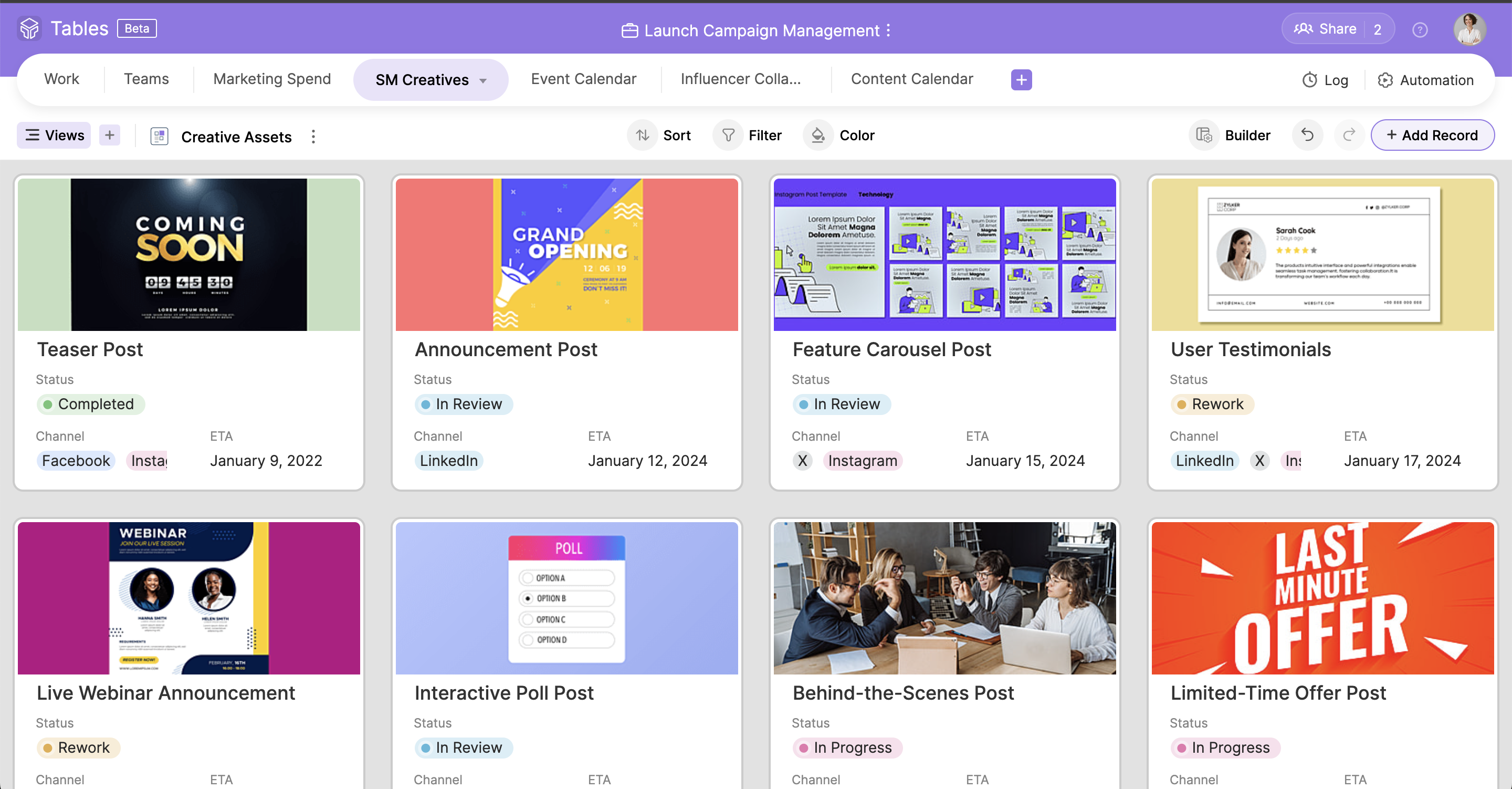
Zoho Tables is a no-code spreadsheet-and-database hybrid, combining familiar spreadsheet workflows with the advanced capabilities of a relational database. With five distinct views—Grid, Gallery, Kanban, Calendar, and Form—Zoho Tables allows users to visualize data in the way that best suits the task. It can also be used to build interactive dashboards to bring key metrics together, monitor progress, and gain valuable insights at a glance. Beyond…
$5
per month per user (starts from 3 licenses)
Pricing
CSV Editor ProZoho Tables
Editions & Modules
No answers on this topic
Professional
$5
per month per user (starts from 3 licenses)
Offerings
Pricing Offerings
CSV Editor ProZoho Tables
Free Trial
YesYes
Free/Freemium Version
NoYes
Premium Consulting/Integration Services
NoNo
Entry-level Setup Fee$29 for 5 activationsNo setup fee
Additional DetailsA license entitles the user to five activations. Activations are not restricted to one machine or user. Once activated, the software will remain activated indefinitely unless it is moved to a different drive, or if a major upgrade (such as 1.0 to 2.0) is installed. Minor upgrades (such as 1.0 to 1.1) are free.
More Pricing Information
Community Pulse
CSV Editor ProZoho Tables
Considered Both Products
CSV Editor Pro

No answer on this topic

Zoho Tables
Chose Zoho Tables
Seamless integration with both Zoho native platforms/modules as well as third-party data sources.
Chose Zoho Tables
Zoho Projects is great for it's intended use to track and manage projects, and the CRM is also great for it's intended use. However, when you are managing operations, everything essentially "ties" together when you are needing to make next decisions. This really comes into play …
Best Alternatives
CSV Editor ProZoho Tables
Small Businesses
Stackby
Stackby
Score 8.8 out of 10
Stackby
Stackby
Score 8.8 out of 10
Medium-sized Companies
Microsoft Excel
Microsoft Excel
Score 8.9 out of 10
Microsoft Excel
Microsoft Excel
Score 8.9 out of 10
Enterprises
Microsoft Excel
Microsoft Excel
Score 8.9 out of 10
Microsoft Excel
Microsoft Excel
Score 8.9 out of 10
All AlternativesView all alternativesView all alternatives
User Ratings
CSV Editor ProZoho Tables
Likelihood to Recommend
-
(0 ratings)
8.2
(0 ratings)
Usability
-
(0 ratings)
8.8
(0 ratings)
User Testimonials
CSV Editor ProZoho Tables
Likelihood to Recommend
No answers on this topic
Zoho Tables has been great! I have outlined many of my descriptions in my previous answers. It works great for many things, and could do with just a bit more refinement in the ability to customize what it can turn into. However, the best part of Zoho Tables is the simplicity of its original "blank" state. With the right pre-made User-defined automations for primary zoho apps such as projects and CRM, this would become our commonly used tool as a central hub for all our operations.
Read full review
Pros
No answers on this topic
  • Seamless integration across Zoho platforms
  • Highly configurable
  • Easy integration with other data sources
Read full review
Cons
No answers on this topic
  • Multiple relationships/links between fields from various sources
Read full review
Usability
No answers on this topic
Simple to use and as a Zoho user, for over a year, I had no issues whatsoever implementing tables almost within minutes to replace Airtable and other databases that were being used as intermediaries, without the automation. Highly recommend (note: in very early stages of testing)
Read full review
Alternatives Considered
No answers on this topic
Zoho Projects is great for it's intended use to track and manage projects, and the CRM is also great for it's intended use. However, when you are managing operations, everything essentially "ties" together when you are needing to make next decisions. This really comes into play for meetings, and to do lists, etc. Sometimes, all of the detail does not matter when you are trying to operate efficiently. For example, during a meeting, many times we will review KPIs (comes from CRM but in Analytics), then projects, and then general topics. At all points throughout the meeting, tasks are coming up which need to be added, etc. All range vastly resulting in a lot of different places. With Zoho Tables, I am basically working on a blank canvas of cells that can pull data from where I need it too and the more user friendly the ability to set up automations and workflows to be a central hub/home base type tool, the better it would be!
Read full review
Return on Investment
No answers on this topic
  • I have not had much ROI on this specific tool just yet. But I do foresee the ability to streamline a lot of our operations as we are beginning to scale.
Read full review
ScreenShots

CSV Editor Pro Screenshots

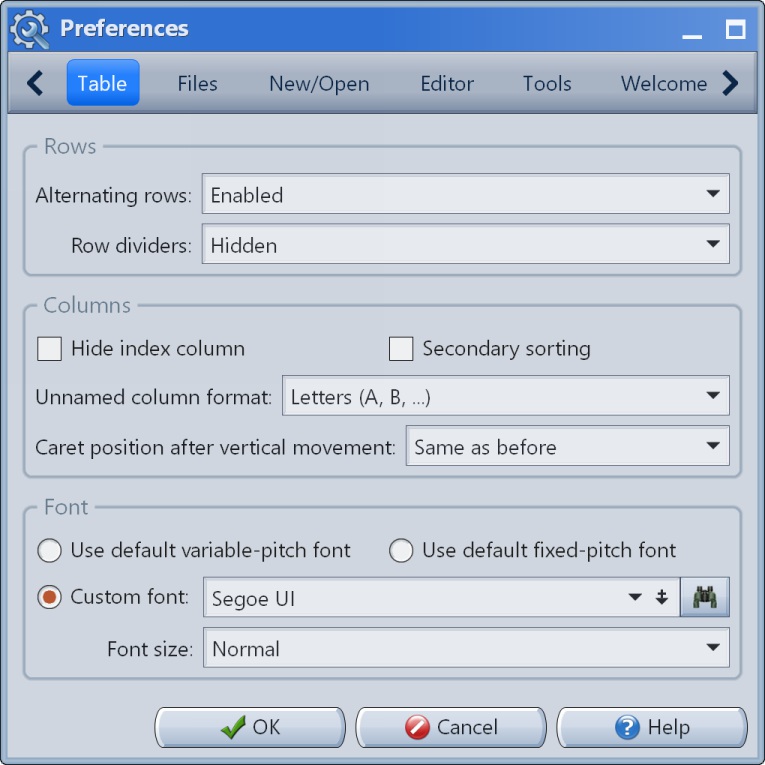
Screenshot of the main interface.Screenshot of the multiline editor and warnings panel.Screenshot of the filter in action.Screenshot of Preferences #1Screenshot of Preferences #2Screenshot of Preferences #3

Zoho Tables Screenshots

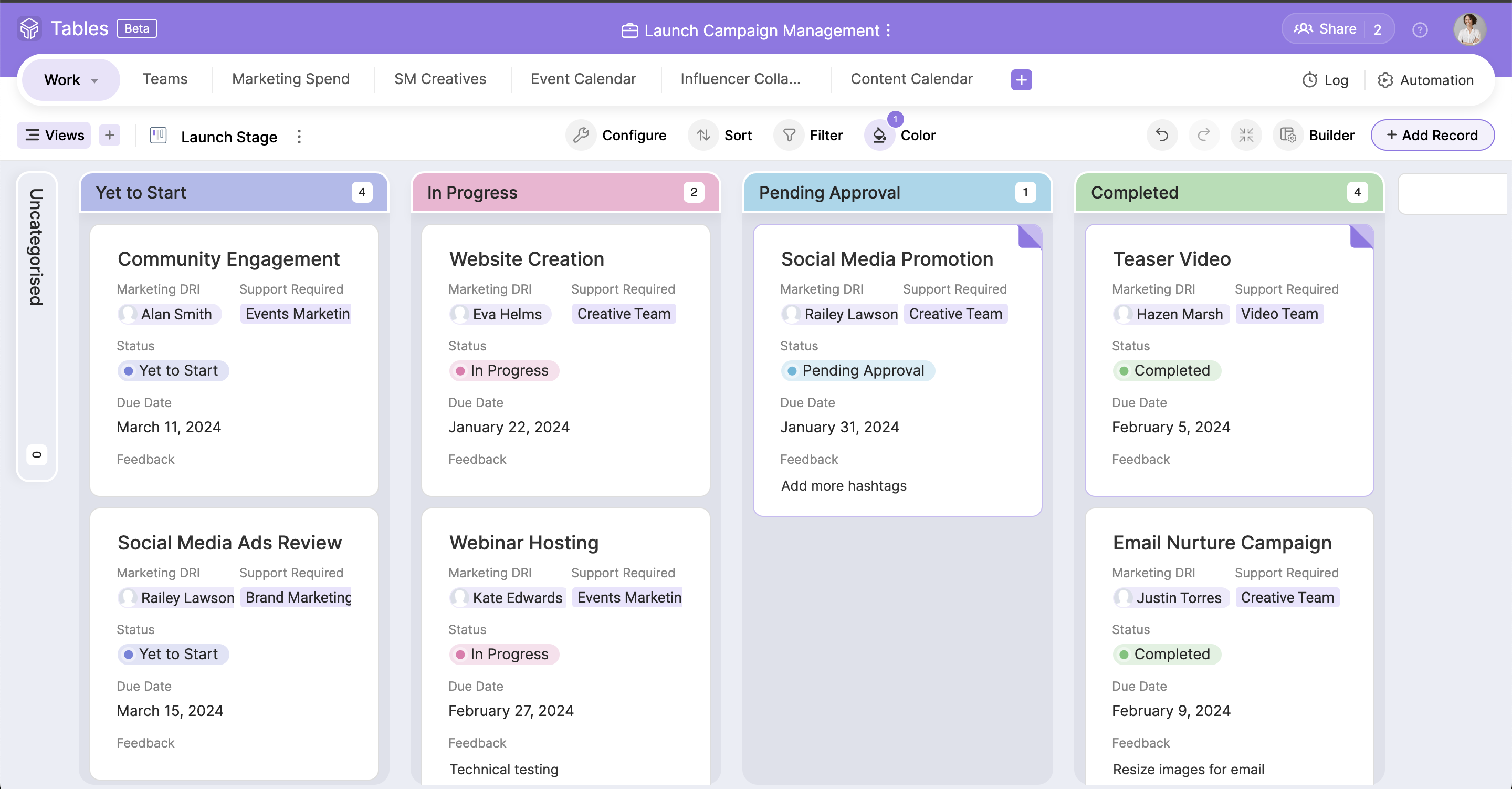
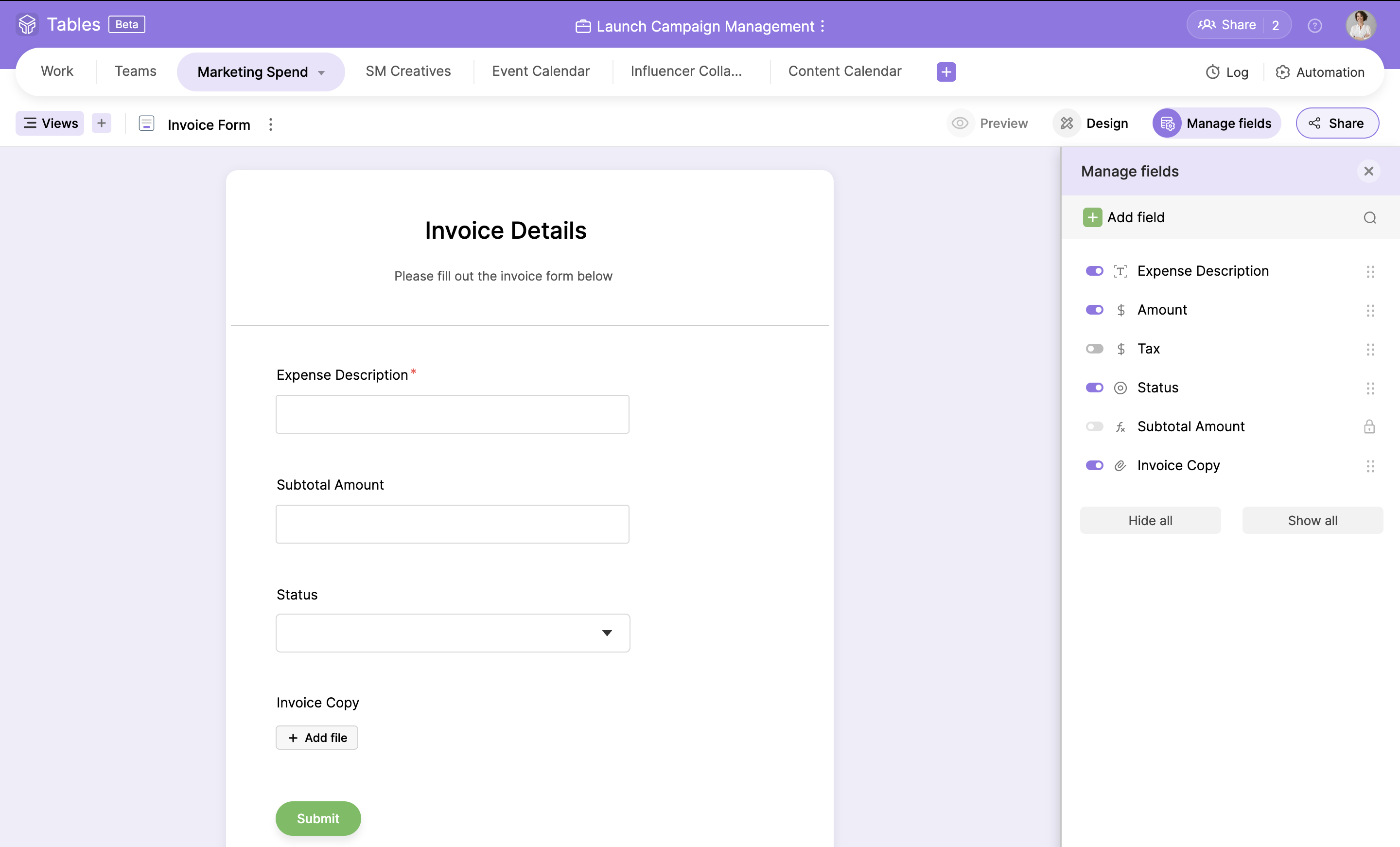
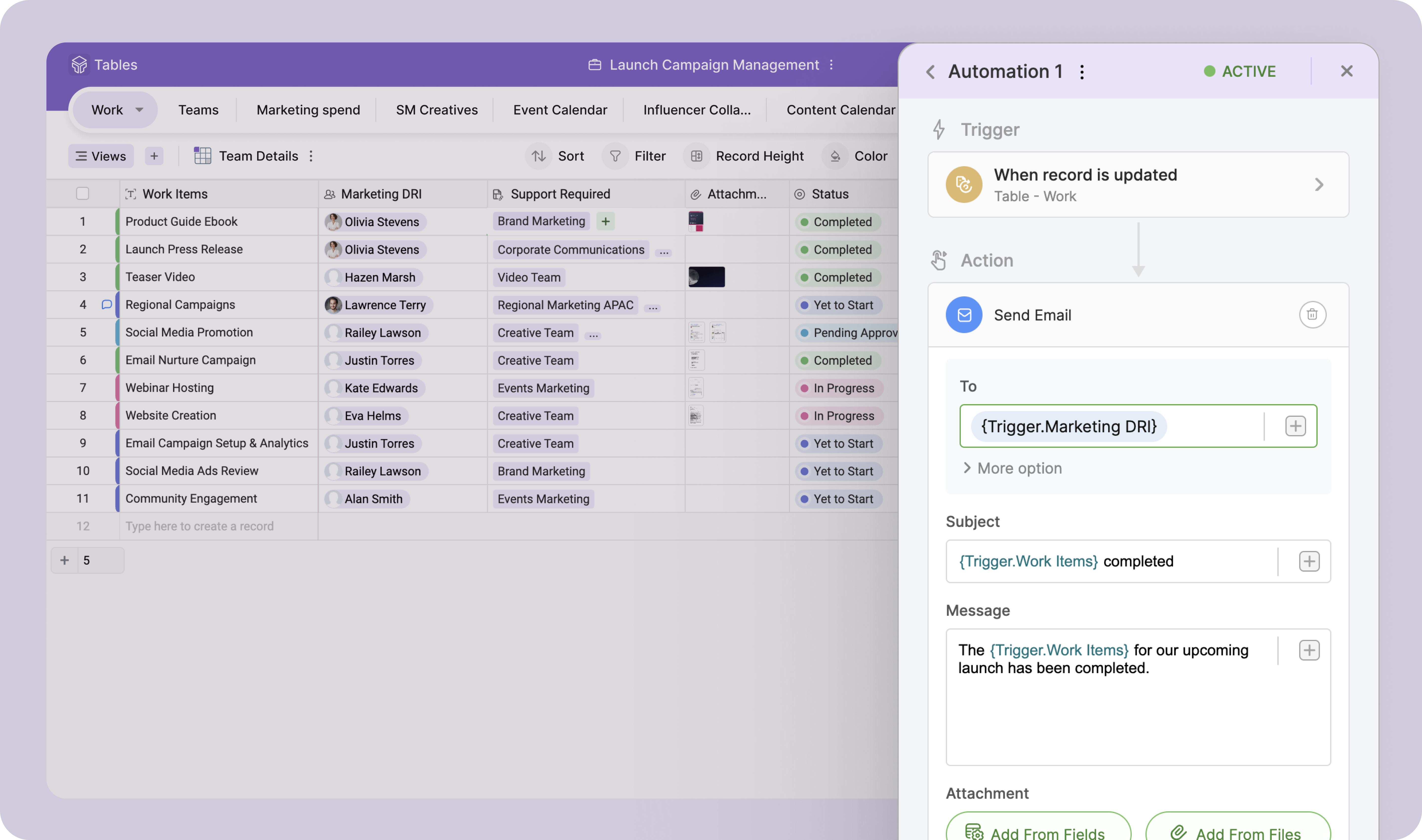
Screenshot of the spreadsheet-like interface used to access, track, and organize work-related information.Screenshot of an asset gallery, created with a drag-and-drop card builder.Screenshot of the Kanban view, used to maintain transparency and monitor progress.Screenshot of where fields can be converted into a customizable form used to gather customer or team information.Screenshot of the Calendar view, used to stay on top of a schedule and eliminate overdues.Screenshot of the trigger-and-action logic, used to automate mundane tasks.