TrustRadius: an HG Insights company

Zoho Tables

Score8.2 out of 10

2 Reviews and Ratings

What is Zoho Tables?

Zoho Tables is a no-code spreadsheet-and-database hybrid, combining familiar spreadsheet workflows with the advanced capabilities of a relational database.

With five distinct views—Grid, Gallery, Kanban, Calendar, and Form—Zoho Tables allows users to visualize data in the way that best suits the task. It can also be used to build interactive dashboards to bring key metrics together, monitor progress, and gain valuable insights at a glance. Beyond organizing data, it fosters smart relationships between tables, enables collaboration among team members, and automates routine tasks to boost efficiency and productivity.

Designed for flexibility, Zoho Tables adapts to any function or industry. Users can create tailored solutions that fit any unique requirements without writing a single line of code. Plus, with its mobile app, users can track data and manage work from anywhere.

Media

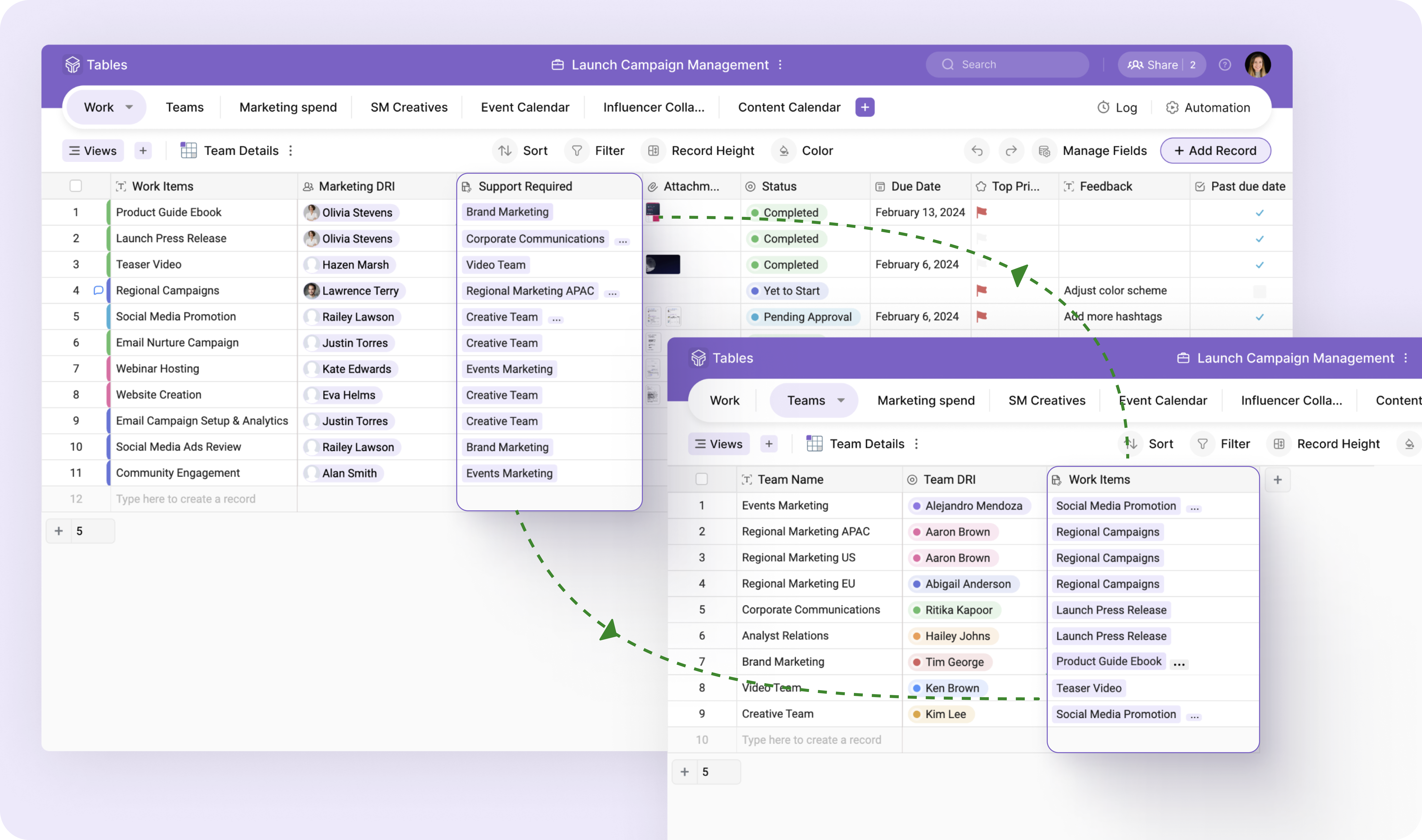
Screenshot of the spreadsheet-like interface used to access, track, and organize work-related information.
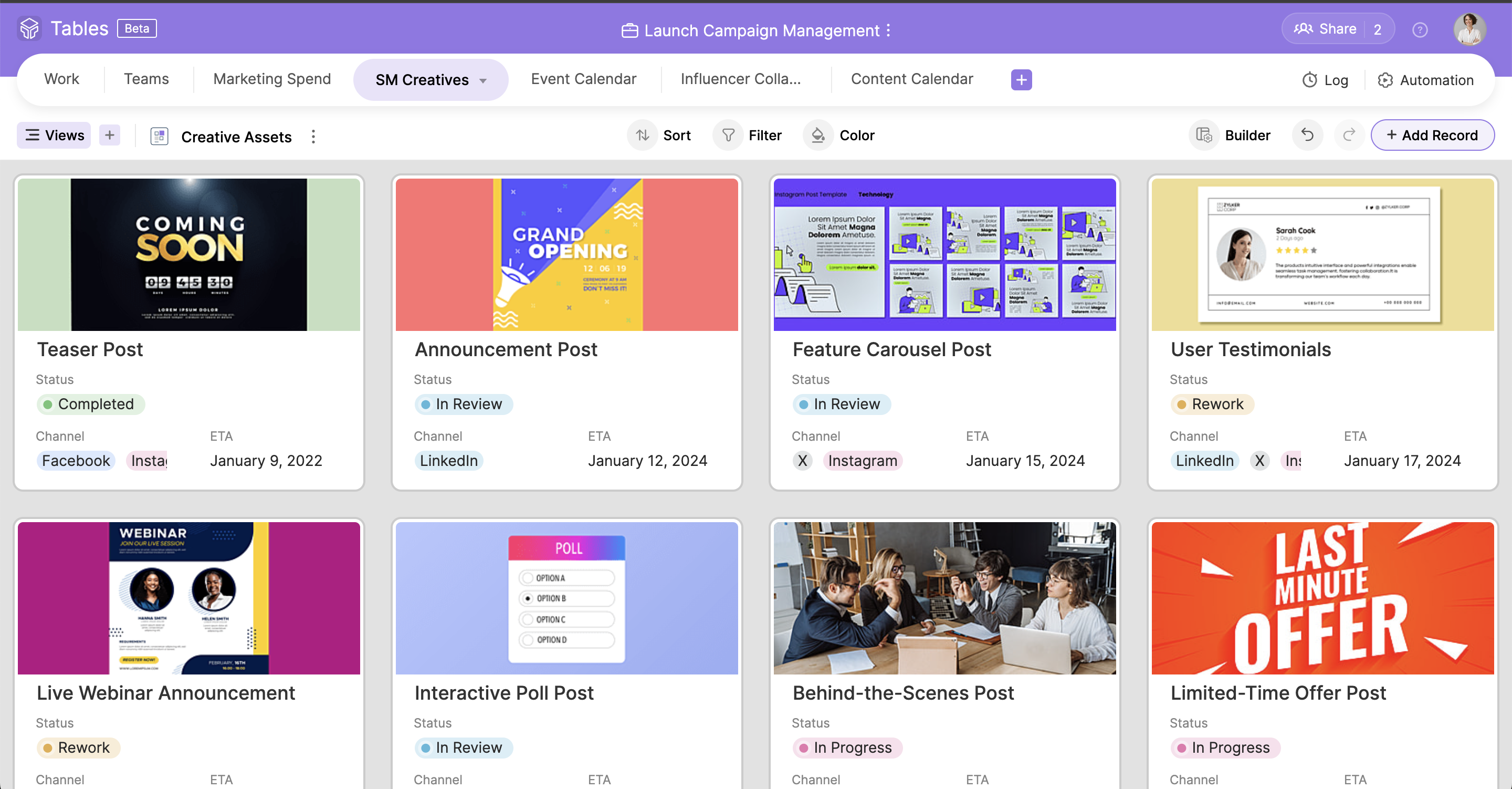
Screenshot of an asset gallery, created with a drag-and-drop card builder.
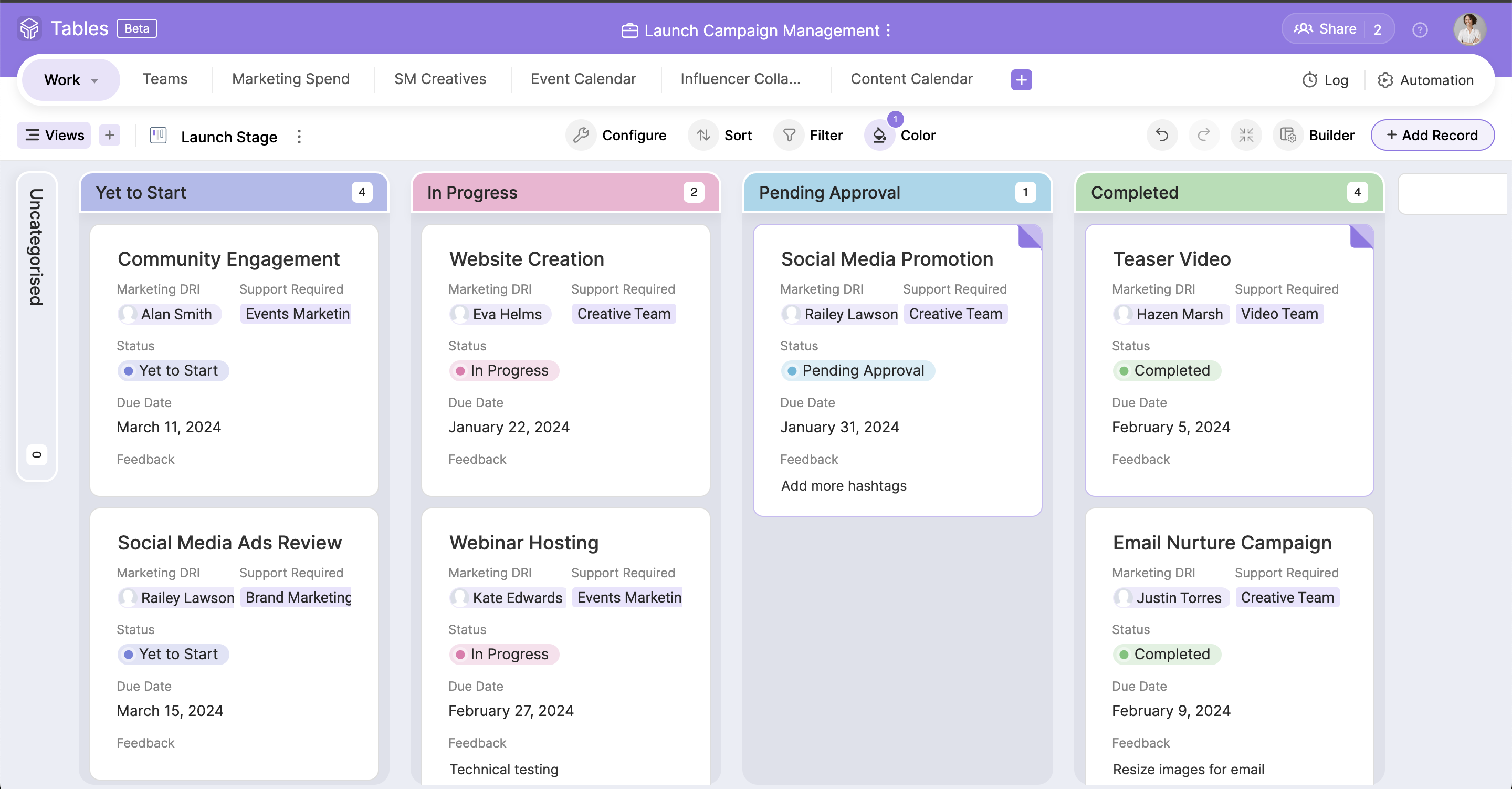
Screenshot of the Kanban view, used to maintain transparency and monitor progress.
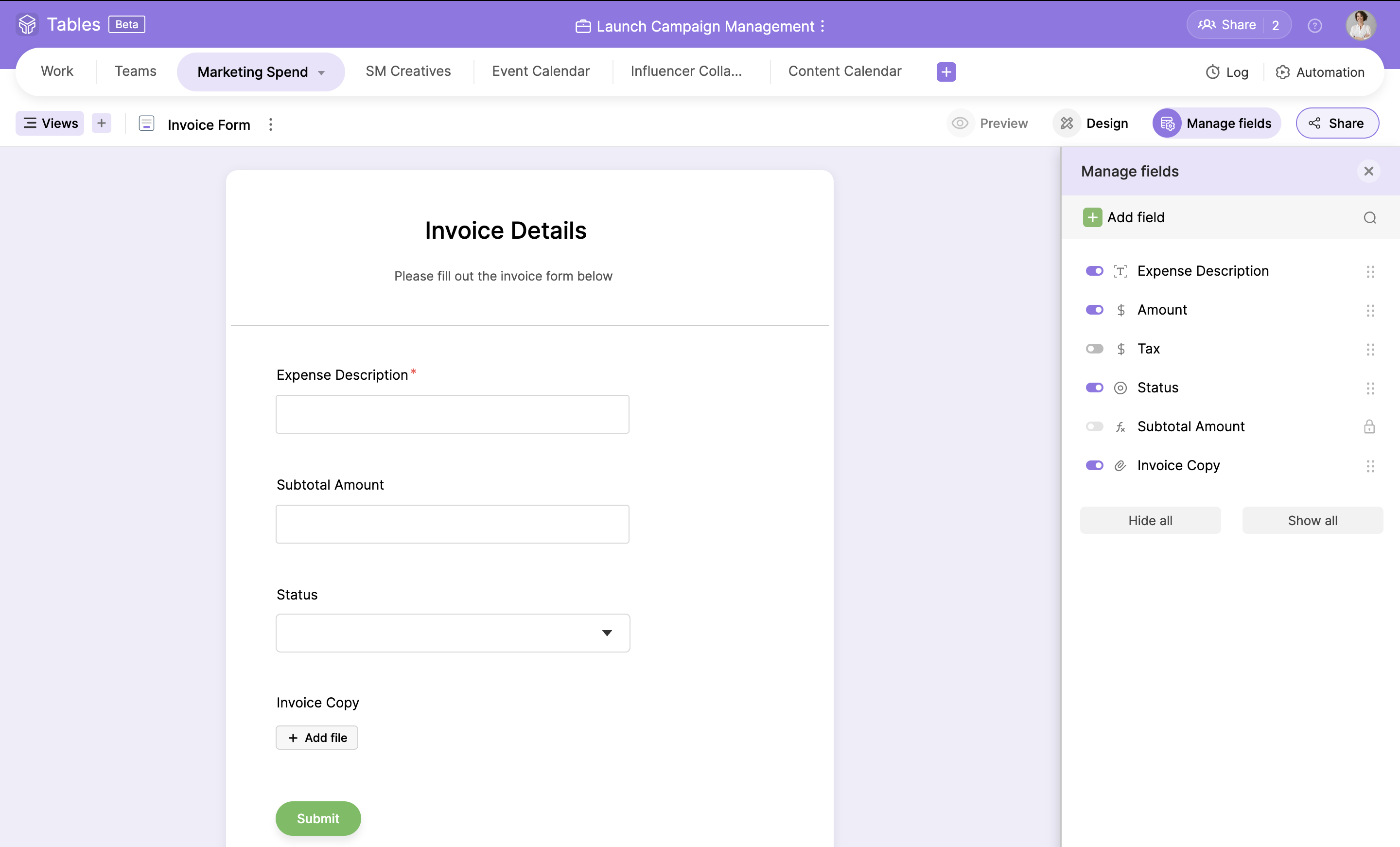
Screenshot of where fields can be converted into a customizable form used to gather customer or team information.
Screenshot of the Calendar view, used to stay on top of a schedule and eliminate overdues.
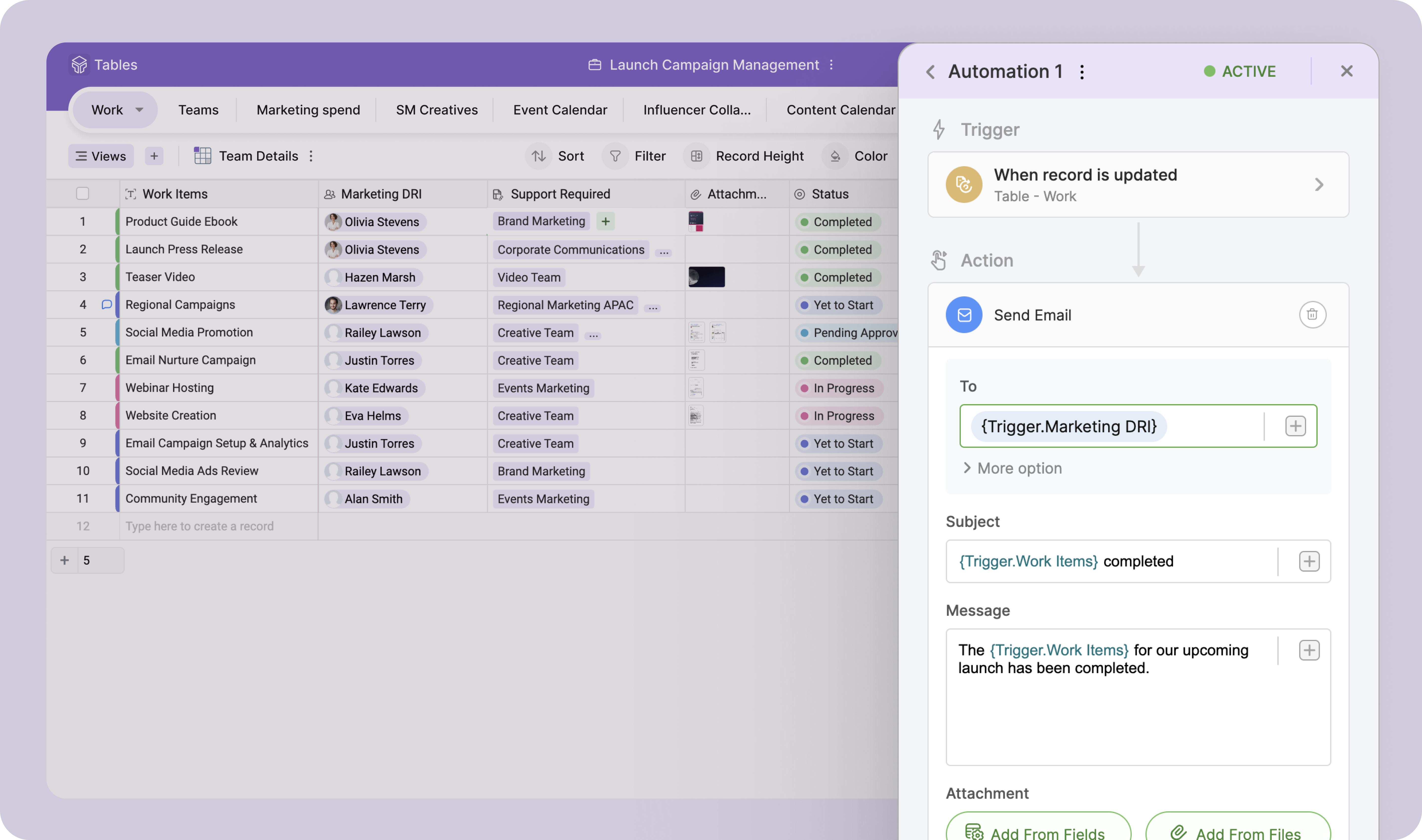
Screenshot of the trigger-and-action logic, used to automate mundane tasks.
Screenshot of the Zoho Tables mobile app used to access information on the go.
Screenshot of an example of the relationships between data, located to avoid redundant tasks.
Screenshot of the field types that can be used to store data, including fields like Sentiment Analysis and Keyword Extraction.
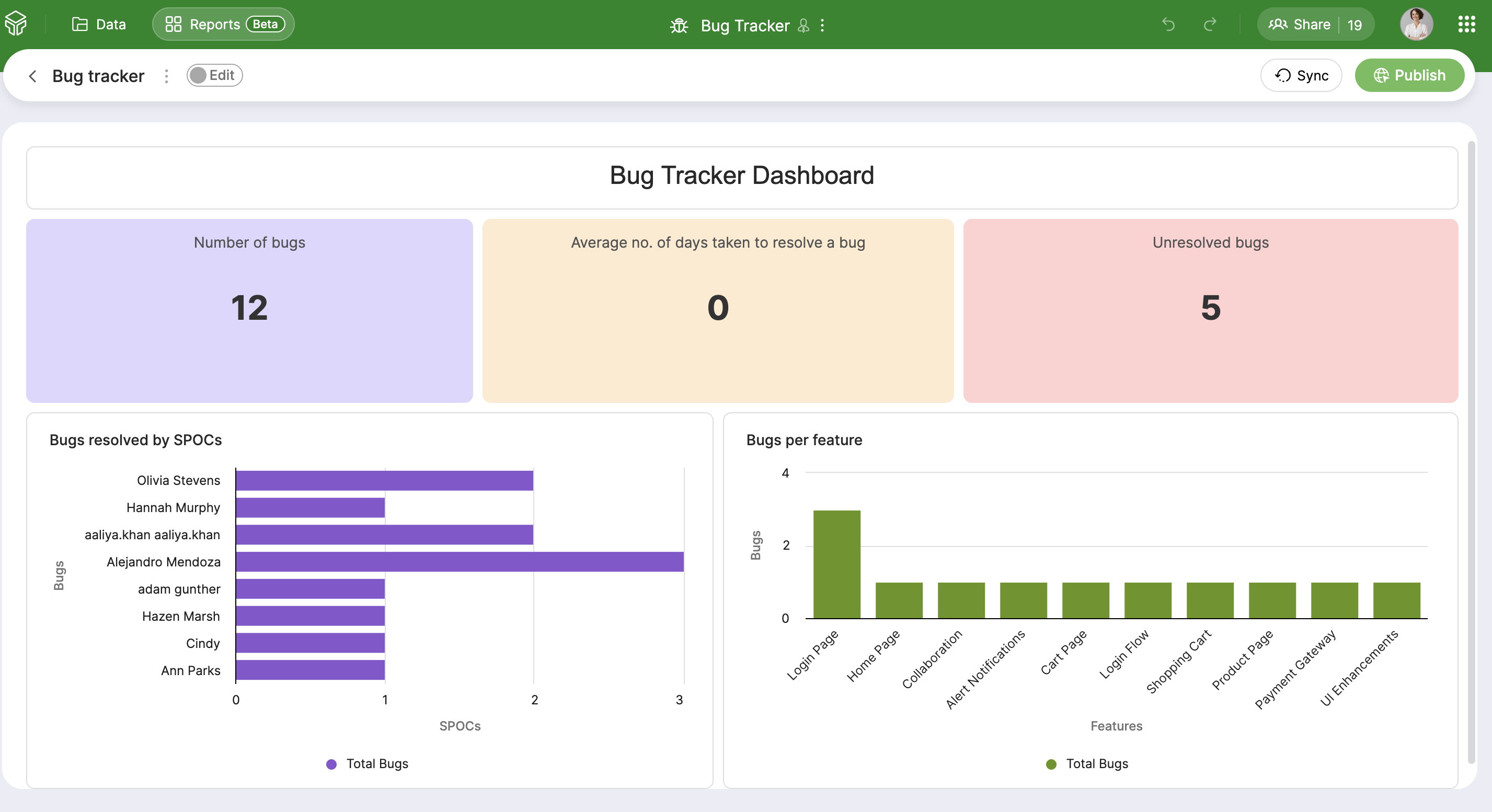
Screenshot of the dashboard used to build reports with a simple drag and drop builder

1 / 10

Screenshot of the spreadsheet-like interface used to access, track, and organize work-related information.

Recommend Zoho Tables

Use Cases and Deployment Scope

Fantastic as a database to create relationships between Zoho Modules as well as external systems that we use, which has resolved several issues with cross-system mapping. Seamless thus far for all Zoho integration. Fantastic so far and will continue to explore the features available. Particularly good for project management and clarity around task delegation etc.

Pros

  • Seamless integration across Zoho platforms
  • Highly configurable
  • Easy integration with other data sources

Cons

  • Multiple relationships/links between fields from various sources

Return on Investment

  • Zero

Usability

Alternatives Considered

Airtable, Airtable AI and Dropbox Dash

Zoho Tables is simple but efficient.

Use Cases and Deployment Scope

We use Zoho Tables for a range of operations from managing tasks in meetings, to projects, etc. It is an extremely customizable tool that can be used to fit your needs almost every time! I absolutely love it! It is a perfect blend of simple like a sheets software, but slightly sophisticated like a project management software too. It's great to use as it is simple and yet effective!

Pros

  • It allows for connections between other zoho apps
  • It allows for tabs! I love this part!
  • It is simple but efficient which I love! It doesn't need to be overcomplicated on every day use, but having the ability to customize it to be more in depth with layering automations makes it great.

Cons

  • Ability to create subgroups in a simple fashion in the Zoho Tables. That allows for drop downs. Does not change the formatting of any cells unless specifically addressed by user. But a light column is added at the start of the table with a button to dropdown each row.
  • Ability to fill a cell with color without reason or specific selection of field options, add an option for a simple color bucket fill.
  • It would be great to have an efficient way of updating tasks, projects, etc all on one table easily set up by the user! (Ie. When column "Next Action" equals "Add Task to Project 1" without using deluge)
  • The best pre-made automations for Zoho Tables would be with all {} being user defined selections:
  • - Update {Selected Task Field} on {Task} when {Column}...
  • - When {Row} on table is created or edited: Add {Column} as a Task on {Project} in {Task List} then map {Related Table Columns} to {Project Columns}

Return on Investment

  • I have not had much ROI on this specific tool just yet. But I do foresee the ability to streamline a lot of our operations as we are beginning to scale.

Usability

Alternatives Considered

Zoho Projects, Zoho CRM and Zoho Analytics
