Customer.io vs. Email on Acid

Overview
ProductRatingMost Used ByProduct SummaryStarting Price
Customer.io
Score 8.8 out of 10
Small Businesses (1-50 employees)
Customer.io is a customer engagement platform that enables marketers to build sophisticated automated messaging campaigns. With access to real-time behavioral data, users can create personalized and relevant messages to engage and retain customers. This includes sending emails, push notifications, SMS, in-app messages, and more through a visual building experience. Built for scale, Customer.io boasts users among over 5,300 companies, sending over 17 billion messages per year.
$100
per month
Email on Acid
Score 6.9 out of 10
N/A
Email On Acid is an email marketing solution built as a standalone product and as an integration into marketing automation tools such as Salesforce Marketing Cloud and Marketo. It includes features such as collaboration, code analysis, and spam filter testing.
$86
month
Pricing
Customer.ioEmail on Acid
Editions & Modules
No answers on this topic
The Basics
$86
month
Premium
$132
month
Professional
$499
month
Offerings
Pricing Offerings
Customer.ioEmail on Acid
Free Trial
YesYes
Free/Freemium Version
NoNo
Premium Consulting/Integration Services
YesNo
Entry-level Setup FeeOptionalNo setup fee
Additional DetailsEssentials: For startups and small teams engaging customers on their mobile and web apps. - Up to 5,000 profiles*, Send Emails, Push, In-App, and SMS, Visual Workflow Builder, Segmentation, Two Workspaces, Email Support, Customer Community Premium: For high-growth companies looking for greater control over their messaging outcomes. - Everything in Essentials, Custom Data + Message Volume, Premium Product Features, Additional Workspaces, 90-day Onboarding Program, Premium Email & Chat Support, Managed Deliverability, Dedicated IPs, Parcel Pro Licenses, HIPAA Compliance Enterprise: For at-scale companies looking to create world-class customer experiences. - Everything in Premium, Managed Infrastructure*, Customer Success Manager, Quarterly Success Reviews, Technical Account Manager*, Audit Logging & Data Governance*, Parcel Business Licenses, Migration Support*, *Available by consultation.Save 15% on the monthly cost when billed annually!
More Pricing Information
Community Pulse
Customer.ioEmail on Acid
Features
Customer.ioEmail on Acid
Email & Online Marketing
Comparison of Email & Online Marketing features of Product A and Product B
Customer.io
-
Ratings
Email on Acid
9.2
4 Ratings
15% above category average
Mobile optimization00 Ratings10.02 Ratings
Email deliverability reporting00 Ratings8.53 Ratings
Reporting & Analytics
Comparison of Reporting & Analytics features of Product A and Product B
Customer.io
-
Ratings
Email on Acid
5.5
3 Ratings
32% below category average
Dashboards00 Ratings8.01 Ratings
Standard reports00 Ratings3.02 Ratings
Best Alternatives
Customer.ioEmail on Acid
Small Businesses
Simplify360
Simplify360
Score 7.8 out of 10
Mad Mimi
Mad Mimi
Score 10.0 out of 10
Medium-sized Companies
Dialpad Support
Dialpad Support
Score 9.1 out of 10
VerticalResponse
VerticalResponse
Score 10.0 out of 10
Enterprises
Verint Community
Verint Community
Score 9.8 out of 10
Emma by Marigold
Emma by Marigold
Score 9.3 out of 10
All AlternativesView all alternativesView all alternatives
User Ratings
Customer.ioEmail on Acid
Likelihood to Recommend
9.0
(17 ratings)
7.0
(6 ratings)
Usability
9.2
(9 ratings)
7.0
(1 ratings)
User Testimonials
Customer.ioEmail on Acid
Likelihood to Recommend
Customer.io
This tool is well-suited for companies looking to run email marketing campaigns or send out newsletters regularly to their users/customers. The workflow setup is especially useful for companies who want to send specific emails based on user behavior - i.e. they've not logged in recently, have bought a specific product, haven't opened any emails, etc. This could also be useful for freelancers like me since you can create different workspaces within Customer.io. I have configured it this way to handle email marketing for a few of my clients, and the software keeps everything organized and separate. This might not be the best tool for small businesses, considering the price. It may be better to start out with a cheaper email marketing tool, and then if/when necessary, scale-up with a tool like Customer.io.
Read full review
Email On Acid Inc.
Suited: Pre-deployment QA and rendering validation: If your audience uses a diverse mix of email clients and devices (e.g., corporate Outlook users, gmail users on mobile, etc.) Email on Acid ensures consistency across all of them. Less appropriate: If your organization only sends basic text-based emails or uses template with minimal HTML customization, then Email on Acid might not be appropriate.
Read full review
Pros
Customer.io
  • Managing users, attributes and events. You are easily able to modify any user, based on their ID, and add or remove attributes, assign events to them. That makes it very easy to segment later and to assign them to several campaigns based on behavior. Just a warning: this integration isn't so easy (at least it wasn't for us).
  • Creating workflows of campaigns is very easy. You can quickly create behavioral campaigns based on attributes, segments and add elements to the workflow. You can send an email, then wait, then send another, then exit the campaign if they converted, etc. The workflow is easy to configure and very powerful for automation.
  • We don't use many email templates (we make them in MJML) but it's very easy to add senders, to change templates and in general to test designs.
  • Deliverability works very well, at least for us. It sends emails pretty fast and without issues.
  • Exporting is very quick and easy. Importing wasn't a feature until recently, but it works well too.
  • Seeing activity it's also useful. In general, logs are awesome (be it of a customer, of activity on the site, email sends, etc.).
  • We don't use environments, but it might be very useful for a bigger company.
Read full review
Email On Acid Inc.
  • Email Spam Testing
  • Email Code Editing
  • Email Previews Across Multiple Providers
Read full review
Cons
Customer.io
  • Customer.io needs to be more known! I don't know why they don't come up as a direct competitor to Iterable and Braze.
  • Their new Design Studio drag + drop tool could be improved with further customization.
  • Reports aren't the strongest - I use Amplitude to do all my Customer.io reporting.
Read full review
Email On Acid Inc.
  • Limites Reporting and Analytics
  • It a little slow when it comes to Rendering email clients
  • The user interface is not so friendly
Read full review
Usability
Customer.io
Customer.io has drag-and-drop functionality for their campaigns that is very fun and intuitive to use. The audience build functionality strikes the right balance between usability and meticulousness. They also have an array of actions -- time delays, time windows, waitUntils -- that allow you to customize the timing of messages.
Read full review
Email On Acid Inc.
I'd rate Email on Acid a 7 out of 10 for overall usability. It is intuitive, reliable, and greatly enhances the QA process for email campaigns, though there's still some room for improvement in speed and report flexibility. For example: the previews sometimes take longer during peek hours, especially for complex or image-heavy emails
Read full review
Alternatives Considered
Customer.io
Customer.io was really the first pure, full-featured drip email program on the market and as far as I know, it's still the simplest and best overall for that specific function. SendGrid has also added drip campaign features, but I would seriously evaluate Customer.io against any other drip email provider because they really have all the key elements you need to make it work.
Read full review
Email On Acid Inc.
Email On Acid is very similar to Litmus, but perhaps slightly more reliable. I have used both extensively, and prefer Email On Acid.
Read full review
Return on Investment
Customer.io
  • Positive impact on the sales side. I'm not sure about the specific ROI (you have to include the designer and the time it takes to set up) but you certainly get back the investment in a few months, once you are able to scale your email marketing.
  • Customer experience is way better by having more segmented, contextual and accurate messages sent to them.
  • Integration is costly and it will take several days or weeks to be fully achieved. Expect to invest some money on this.
Read full review
Email On Acid Inc.
  • Ability to send over 1000 previews spanning across 90 email clients.
  • Saves a lot of time getting emails out the door.
Read full review
ScreenShots

Customer.io Screenshots

Screenshot of data-driven or manual segments that can be created in the no-code builder for recipient lists, campaign triggers, filters, and conversion goals.Screenshot of the code editor for email, that helps navigate code and iterate.Screenshot of account performance, visible at a glance from the Dashboard view.Screenshot of drag and drop messages, time delays, and branches where desired, to build cross-channel campaigns.Screenshot of triggered campaigns based on forms submissions, customer attributes, customer actions, and dates.Screenshot of localization for global audiences. One message can be delivered in multiple languages.

Email on Acid Screenshots

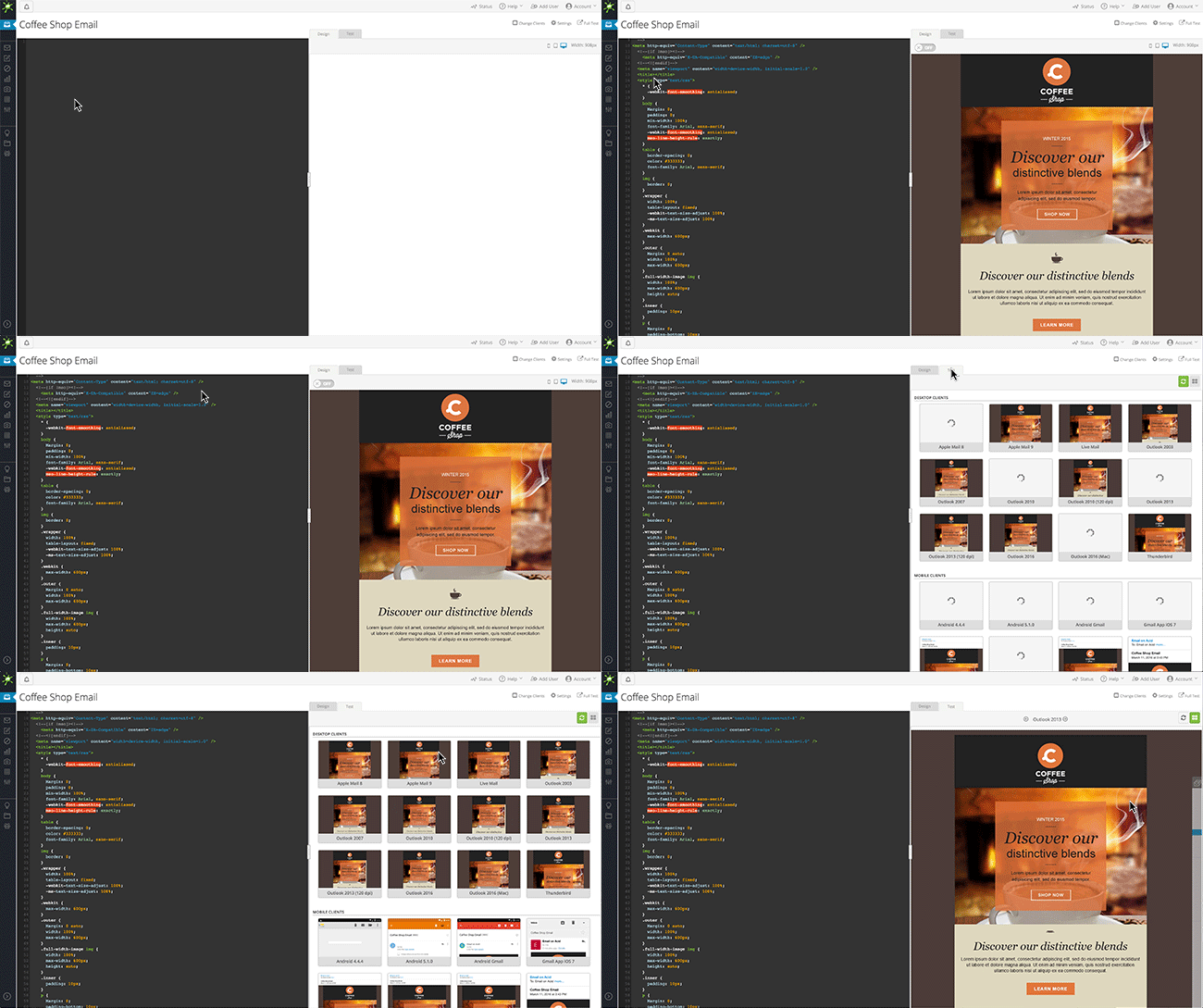
Screenshot of Whether you know HTML or not, our new Campaign Precheck gives you the power to fix email mistakes while you QA, so you can create a message that every subscriber can read and understand.Screenshot of See what your email looks like on more than 70 clients and devices. View the emails in portrait or landscape so you know how your email will look for every subscriber.Screenshot of Test and edit instantly. Simply load up your email and tweak the code in our editor – you’ll see the preview change as you adjust the code.Screenshot of Whether you’re an email marketer or a developer, our tools can help your team streamline the email testing process. Use the “share” link to easily send test results to team members and clients. Our mark-up tool also allows reviewers to draw or comment within the email previews.Screenshot of Image validation makes sure your images render properly on every email client and device, so you can reach more subscribers on more platforms.Screenshot of Email testing, simplified. Send a test email directly from your email service provider or upload your HTML to our system. We’ll help you spot funky formatting, broken links and code problems.