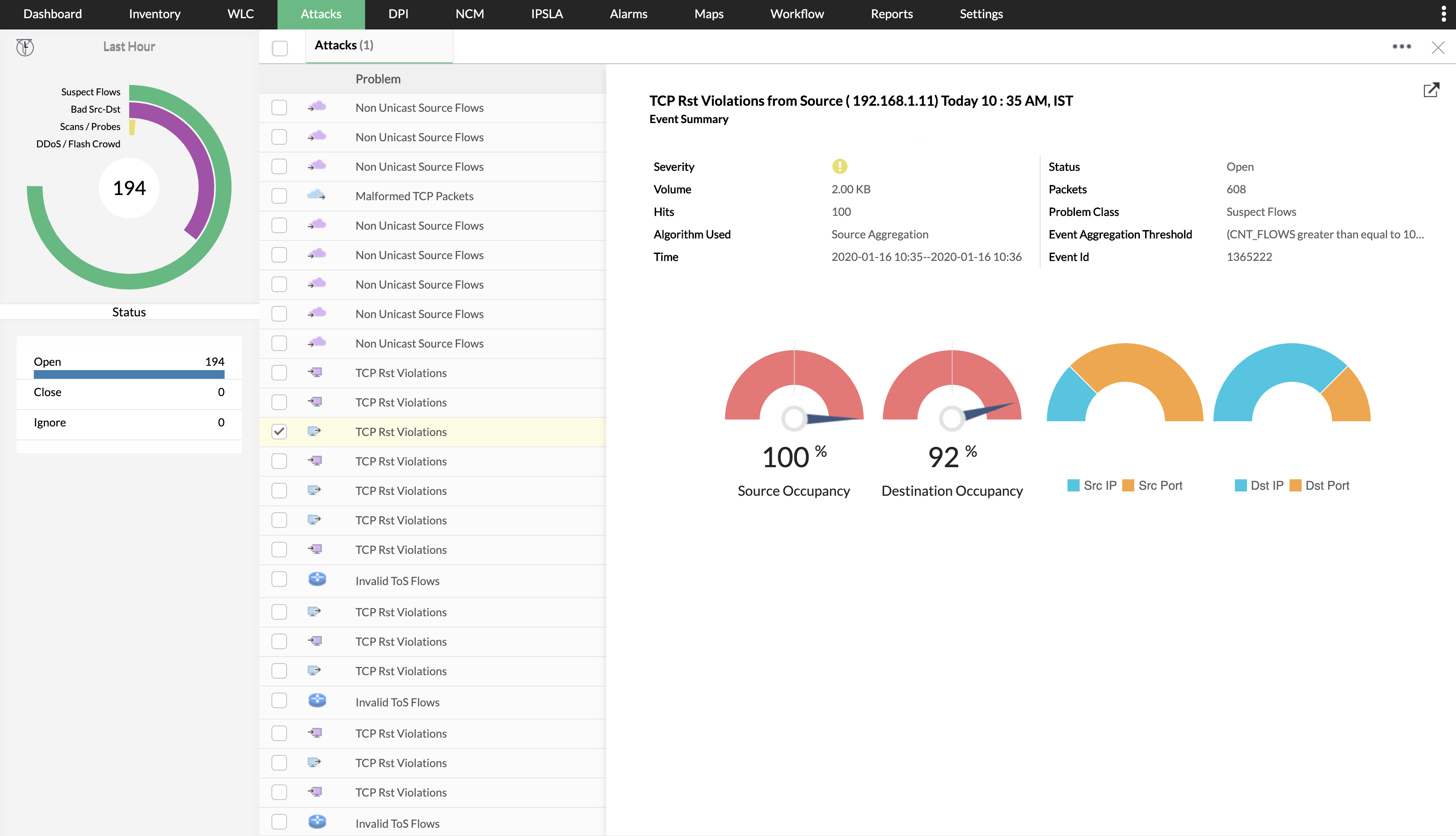
Darktrace AI interrupts in-progress cyber-attacks, including ransomware, email phishing, and threats to cloud environments. It's able to detect and establish baselines for your organization so it can make the distinction between what is and what isn't normal network activity for your organization. This allows it to tackle complex cyber-attacks as they happen and prevent future cyber-attacks from happening.
N/A
ManageEngine NetFlow Analyzer
Score 9.6 out of 10
N/A
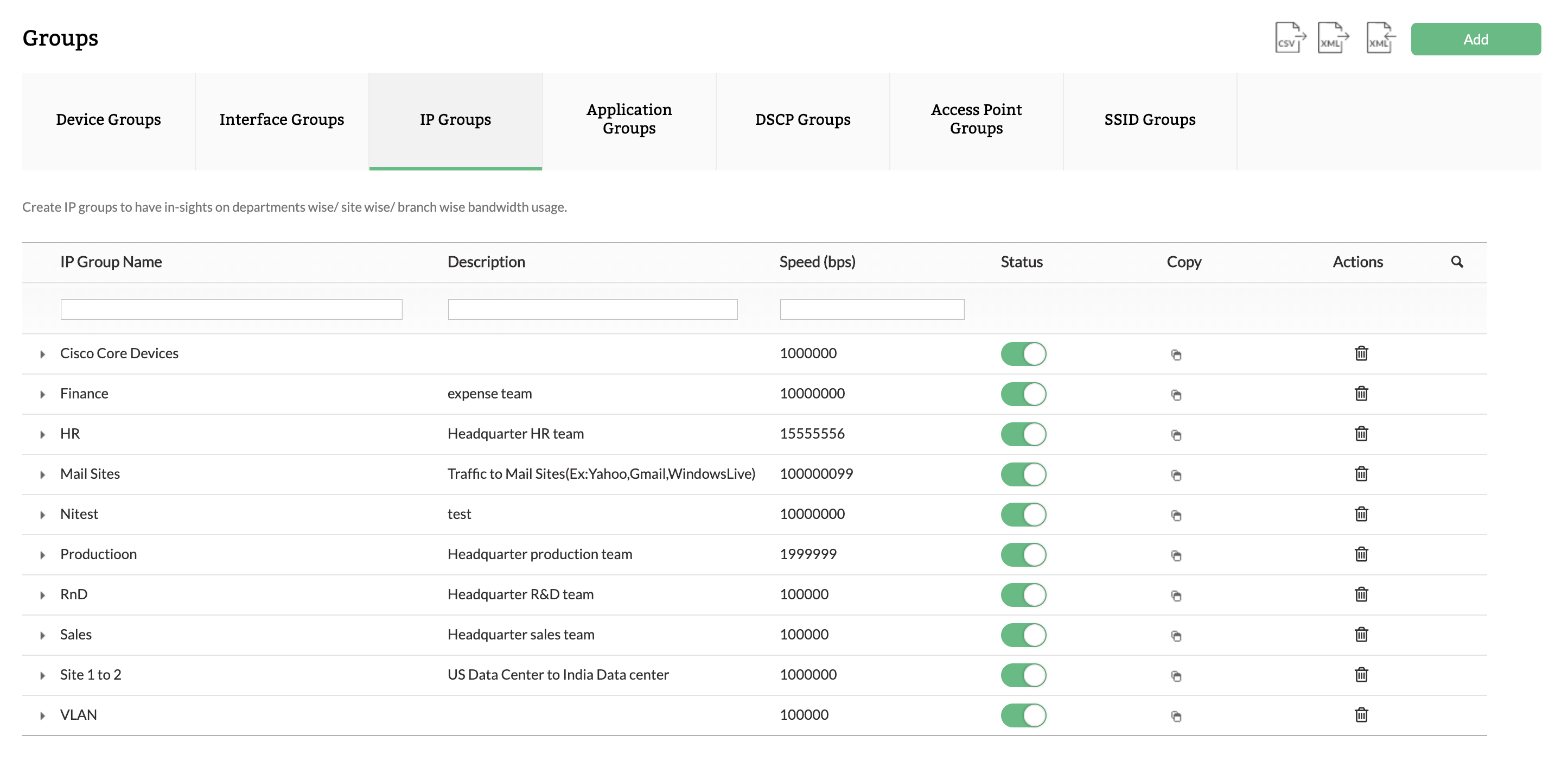
NetFlow Analyzer is a complete bandwidth monitoring tool that utilizes flow technology to monitor and analyze network bandwidth usage. It helps users identify and avoid bandwidth delays and bottlenecks with customized reports, and set threshold-based email and SMS alerts to help understand the severity of an issue. This analytics tool detects, diagnoses, and troubleshoots network anomalies and zero-day intrusions, and plans future bandwidth needs based on application growth to…
N/A
SolarWinds NetFlow Traffic Analyzer (NTA)
Score 9.4 out of 10
N/A
SolarWinds Netflow Traffic Analyzer is a network monitoring tool within the broader SolarWinds ecosystem. It includes core traffic monitoring features, as well as customizable traffic reports and alerts.
N/A
Pricing
Darktrace
ManageEngine NetFlow Analyzer
SolarWinds NetFlow Traffic Analyzer (NTA)
Editions & Modules
No answers on this topic
No answers on this topic
No answers on this topic
Offerings
Pricing Offerings
Darktrace
ManageEngine NetFlow Analyzer
SolarWinds NetFlow Traffic Analyzer (NTA)
Free Trial
No
Yes
Yes
Free/Freemium Version
No
Yes
No
Premium Consulting/Integration Services
No
Yes
No
Entry-level Setup Fee
No setup fee
$595 per installation
Optional
Additional Details
—
—
—
More Pricing Information
Community Pulse
Darktrace
ManageEngine NetFlow Analyzer
SolarWinds NetFlow Traffic Analyzer (NTA)
Considered Multiple Products
Darktrace
No answer on this topic
ManageEngine NetFlow Analyzer
Verified User
Director
Chose ManageEngine NetFlow Analyzer
Each of these solutions does what they aim to do. Based off of cost and need, ManageEngine fit better with our organization. We already use multiple ManageEngine products so bundling was a no brainer.
There were others, but I don't recall which ones. SolarWinds only comes to mind because they were the closest we came to purchase. Here is why we did not. 1) SolarWinds has very bad sales practices. You get a demo and they spend the next 2 years calling 2) They are expensive 3) …
I must say no other tools stands against SolarWinds NTA module, as it is easy to use tool with complete feature set, with almost all types of flows supported. Not just this, you will have rich information-based dashboard (fully customizable), out of the box reports, and Alert …
Darktrace is a product well suited for the vast majority of infrastructures and helps monitoring and responding to threats based on the network in a very elastic way. This is a product based on on-premise infrastructures that hosts its machines locally, of course it can be technically difficult to monitor an entire On-Cloud infrastructure but even there there's room for sensors and monitoring, not to mention the SaaS and mail integration that completes the product.
Identifying network traffic anomalies. Identifying applications, devices, or users that are utilizing high bandwidth. Capacity planning for network links and internet circuits. Detecting potential security threats or breaches. Network performance and troubleshooting. Reporting network utilization.
We use and depend on it for status state of our network gear, switches and routers. It does an excellent job of getting you the details you need to confirm all devices and products are working at the level needed. At times, it does tend to flag network switch ports and/or switches themselves as exceeding their rated capacity when frequently it was a quick blip of high traffic due to downloads, or uploads causing the max'ing of the device. Again, you can adjust the settings but then you adjust it too high and miss real activity. It can become nuisance alerting when you tend to then ignore
Uses it Al model UEBA to detect anomalies in the behaviour of not only the users in a corporate network but also the routers, servers, and endpoints in that network.
Provides a visualisation of both egress and outbound network traffics flowing in and out of the organisation.
Darktrace comes with it autonomous AI model detection and responses capabilities.
Darktrace as an AI next generation NDR solution, prevents ,contains and quarantines malicious traffics from and into the corporate network.
The level of customization possible with Network Bandwidth Analyzer is very valuable. Rather than being stuck with a "one-size-fits-all" presentation, an administrator can easily create customized views, reports, and alerts so that users can have a more tailored view of the data provided by Network Bandwidth Analyzer. This has the effect of making the tool more attractive to the end user.
The NetFlow Traffic Analyzer piece of Network Bandwidth Analyzer provides the details on bandwidth usage on the network. More than knowing how much bandwidth is being used, one is provided with detailed information on how that bandwidth is being used. This provides invaluable information for capacity planning and even certain forensic tasks faced by the network engineer.
The ability to produce network maps provides an easy way to create an attractive and functional NOC/SOC view of the entire network. Both technician and the occasional passerby can quickly determine if there are issues to be addressed. The ability to customize a map with background images and custom icons and stencils can make these maps really pop.
There are few areas that I would say need to be improved; their customer support portal allows you to log tickets with any suggestions or things you feel the product is missing, and they will generally show you how to achieve what you want, or in some cases, introduce it as a feature in a later update.
The ability to intuitively and quickly serve up specified information up to a dashboard for general “public” consumption, that cycles through several pages of information.
The ability to intuitively set up alerting on bandwidth levels, instead of having to dig through all types of alerts available to find the one needed.
Provide a pricing model based on different support levels: if I want only available update installations, don’t make me pay the same amount as those wanting full support.
The Darktrace toolset is very expansive, allowing it to handle many different tasks, but this leads to a user interface that is sometimes not at all intuitive. Icons don't always make sense visually, and the associated tool tips do not always provide enough detail on what action the button performs
Easy to implement, it does not require much hardware for installation, it is very accurate in the process of discovering and analyzing network packets and traffic consumption, as well as its graphs and best practices to implement. On the other hand, we can keep track of network devices and identify security vulnerabilities.
As far as rating for usability is concerned I would give 10/10 as NTA is very easy to use. All you need to do is install that module and ask network Team to configure the Netflow towards Server IP. [The] rest is pre-configured and reports are pre-built. Moment you receive the flows from Network all you will have is information about traffic.
Darktrace support is excellent in my experience. They send a competent engineer on-site to provide on-boarding training. They were also very responsive in responding to questions and concerns. Having an individual point of contact who is a competent network and security engineer is not a common experience, at least for me.
The support is always on point, fast, reliable, and their employees go above and beyond to help when we need it. I have yet to call them on any product we use and not get the issue resolved in a fast and timely manner. Also, they are also very pleasant while on the phone and/or in teh email chain. Overall I just couldn't ask for better.
I know we could probably pay for it, but it would be nice if we could get to a tier 2 technician faster. Spending a couple of hours on the phone with the level 1 technician, when we have already tried the troubleshooting they are walking us through, is just a waste of time.
The training offered by SolarWinds is some of the best out there. They have several different videos that go into great detail from initial setup to advanced configurations. In addition to the view at your own pace video, they also have live training for customers that focus on a single product and you can ask questions with the folks who develop the software. I have had good success with their live sessions and getting questions answered.
We did NOT select Darktrace. OSSIM/AlienVault is a more mature product and it provided better intelligence and reporting. The end user interface is much easier to use - and you can tell built form engineers who have had to do the work. My suggestion for anyone considering Darktrace, is to get the price upfront; do a 30/60 onsite trail; and do the same thing, at the same time, with AlienVault. AlientVault will win every time. I say that because that's exactly what I did.
Each of these solutions does what they aim to do. Based off of cost and need, ManageEngine fit better with our organization. We already use multiple ManageEngine products so bundling was a no brainer.
SolarWinds NetFlow Traffic Analyzer compared to Wireshark and PRTG Network Monitor beats it by just the simple interface. Though all are manual setup, NTA takes it a step further with graphs and reports that analyze the data for you. In comparing to Extrahop from a bandwidth comparison, Extrahop wins but Extrahop is a lot more than just a bandwidth monitoring and cost.
One big positive is how it helps us with the security assessments that clients have done on us. They are looking to see if we know how we might have unusual/malicious traffic running on the network.
If you have a small network and only need 1 appliance, it can be a good ROI and peace of mind.
You could go down a hole in trying to spend time looking at all of your traffic with this software. You need to focus only on what it is showing as potential bad traffic.
Be prepared to answer lots of questions. When people see the data in NTA they are going to want to know why App A is talking to App B. Be ready to explain!
Hand the keys to the NTA kingdom to the network team. They will thank you. Everyone wants to have friends on the network team, right?
Be prepared to invest in some significant compute and storage performance to keep up with your NTA monitoring
Running the latest firmware for your network gear is (often) required to take advantage of all the flow-monitoring. You upgrade regularly, right??