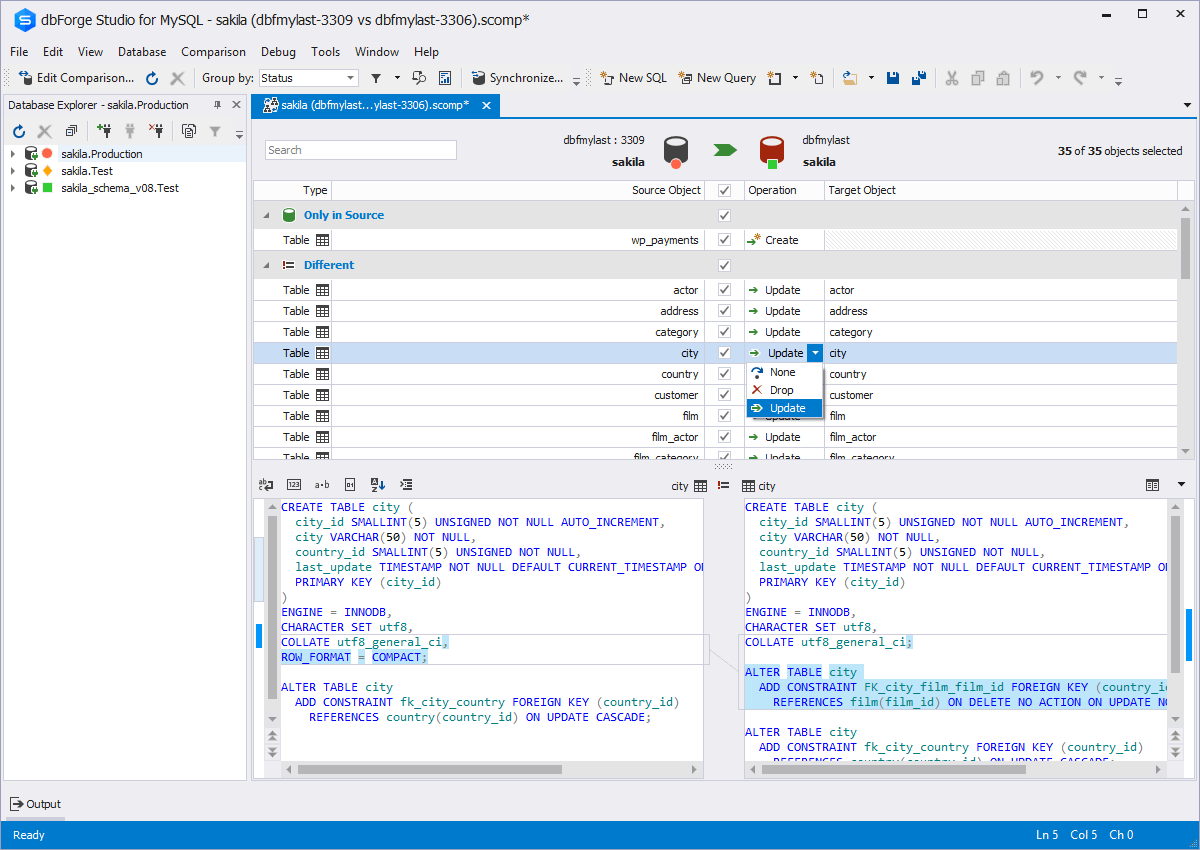
dbForge Studio is provided by
Devart and is a universal front-end client for database
management, administration and development. Devart's GUI tool provides
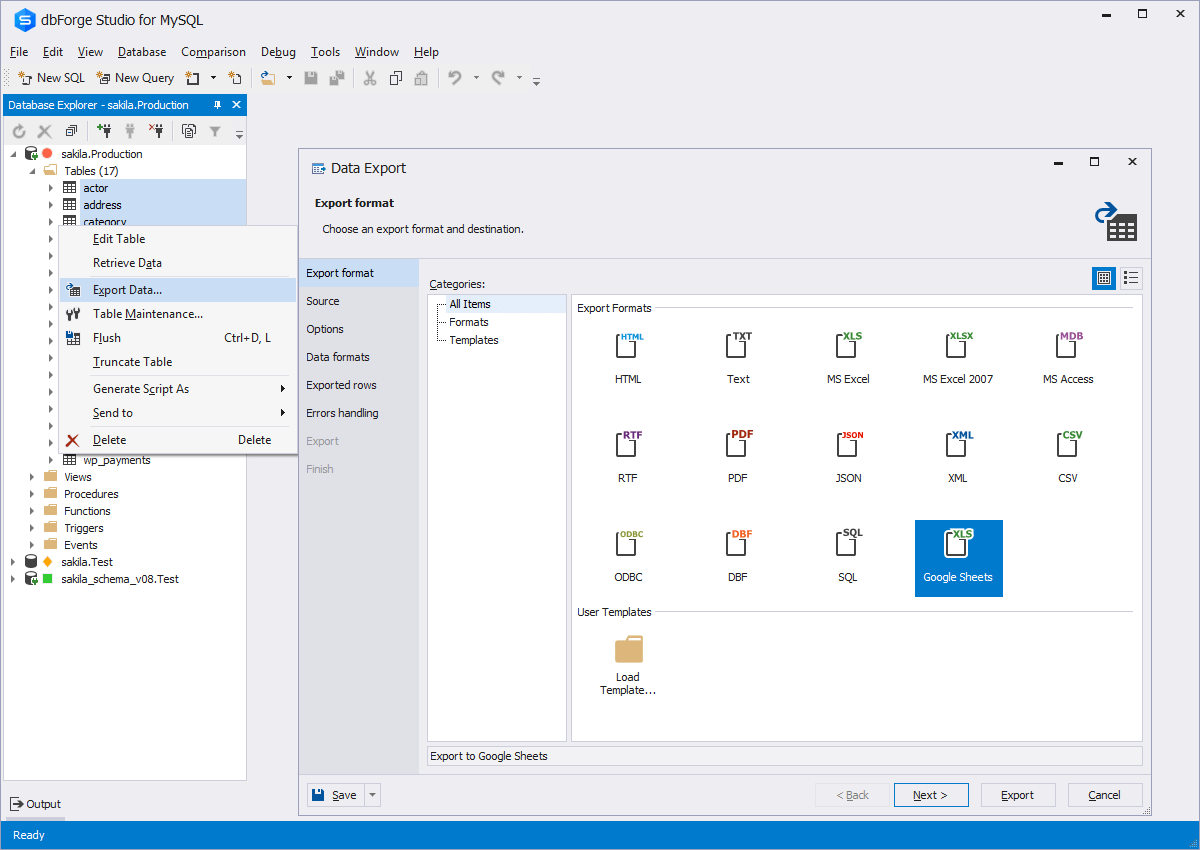
utilities to compare, synchronize, and back up databases (e.g. MySQL, Oracle, SQL Server, PostgreSQL, etc.) with scheduling,
and includes the possibility to analyze and report MySQL tables data. For example, dbForge
Studio for MySQL works with any MariaDB database servers, and supports all
MariaDB objects types. This solution enables users…
$9.95
per month
Tableau Public
Score9.9 out of 10
N/A
Tableau Public is a free edition of the Desktop product. With this edition, data can only be published to the Tableau public website and does not allow work to be saved or exported locally.
This tool is useful for small and large IT departments and associated data analysts that perform direct database functions such as DBA tasks or extracting/importing data. Non-technical staff members would not benefit from this tool as much as the functions are detailed and technical. However, automation engineers will find this tool very open for automation, and can generate the scripting code for any of its functions.
A de minimis incentive was given to thank the reviewer for their time. The incentive was not used to bias or drive a particular response, nor was the incentive contingent on a positive endorsement. More Info
Tableau public is the best platform to build dashboards for your personal profile and share with recruiters. It's always good to keep ourselves updated on the latest features, create sample dashboards and save them to a personal profile. Tableau public is free and doesn't need any subscription. anyone can create an account and start building reports.
A de minimis incentive was given to thank the reviewer for their time. The incentive was not used to bias or drive a particular response, nor was the incentive contingent on a positive endorsement. More Info
Data visualization: lots of different options, including bar, scatter, pie, waterfall charts to explore relationships between variables, and to present findings/trends to different teams
Integrates readily with limited, though different data sources: TXT, CSV, TDE, Access
Exports reports for review of different dashboards: client-ready/team-ready, with a clean and tidy presentation in PDF format (or hardcopy)
A de minimis incentive was given to thank the reviewer for their time. The incentive was not used to bias or drive a particular response, nor was the incentive contingent on a positive endorsement. More Info
The ability to parameterize searches more would be advantageous. For example, being able to specify to only look for certain columns, certain data type changes, etc.
The output reports from dbForge are very plain and could contain more detail, and perhaps be structured more like a pivot table form Excel
A de minimis incentive was given to thank the reviewer for their time. The incentive was not used to bias or drive a particular response, nor was the incentive contingent on a positive endorsement. More Info
Tableau Public (both Desktop and Server) like their "for a fee" counterparts offer very easy to learn and use tools to transform data into pictures and gain insights into your data. Most organizations report a reduction in development time of 10x vs. other similar tools, due to the intuitive user interface. That said, with Tableau Public, published workbooks are "disconnected" from the underlying data sources and require periodic updates when the data changes. Users are limited to 1 Gb of storage space per user ID and password as well.
I would like to see better options for public sharing of visualizations and data from within the "for a fee" products as more and more organizations are moving in the direction of data sharing with partners and their communities.
A de minimis incentive was given to thank the reviewer for their time. The incentive was not used to bias or drive a particular response, nor was the incentive contingent on a positive endorsement. More Info
It's free, right? I'll keep using the free version. So the real question to ask is this? Will I pay $999 for the Personal version or $1,999 for the Professional? Yikes! That is a big stretch. I'm not sure about that. The product comparison chart is at: http://www.tableausoftware.com/public/comparison
dbForge Studio (Edge) has a great UI and it's versatile, but it still has some glitches. Its multiple database support makes it possible to stick with only one UI to handle different RDBM systems, even though you have to redefine user credentials for each new connection (no copying/cloning feature for database connections). The Edit View and diagramming features also could be improved.
Tableau public is a great training tool to understand the basics of Tableau before buying it. A great tool to extend Excel's visualization and to publish data for others. Not useful for anything you need secure. No ability to access databases. Static information only.
Although experience here is limited, as only one question has been asked and answered promptly, the registration and licensing process was very smooth and professional. There are forums online that discuss dbForge issues, as well as a Facts and Questions section on dbForge's website, so product support does seem to exist if needed.
A de minimis incentive was given to thank the reviewer for their time. The incentive was not used to bias or drive a particular response, nor was the incentive contingent on a positive endorsement. More Info
A de minimis incentive was given to thank the reviewer for their time. The incentive was not used to bias or drive a particular response, nor was the incentive contingent on a positive endorsement. More Info
Start at the end and work backward. Identify the business case / issue and questions the end users have, then identify the data needed, and where to get it.
A de minimis incentive was given to thank the reviewer for their time. The incentive was not used to bias or drive a particular response, nor was the incentive contingent on a positive endorsement. More Info
Before choosing dbForge Studio I evaluated at least a dozen tools, especially on the Visual Query Builder function. For now, I have identified only one product that has a better Visual Query Builder than dbForge Studio. This other product also manages UNIONs, while dbStudio still doesn't do it visually. However, the better alternative product is enormously slower in operations and less feature-rich than DbForge Studio
Google Charts/Drive is sufficient for simpler data sets, but it does not integrate with other web platforms and the visualization does not look as professional. I'm not aware of any other competitors that offer the same package as Microsoft.
A de minimis incentive was given to thank the reviewer for their time. The incentive was not used to bias or drive a particular response, nor was the incentive contingent on a positive endorsement. More Info
A de minimis incentive was given to thank the reviewer for their time. The incentive was not used to bias or drive a particular response, nor was the incentive contingent on a positive endorsement. More Info
A de minimis incentive was given to thank the reviewer for their time. The incentive was not used to bias or drive a particular response, nor was the incentive contingent on a positive endorsement. More Info