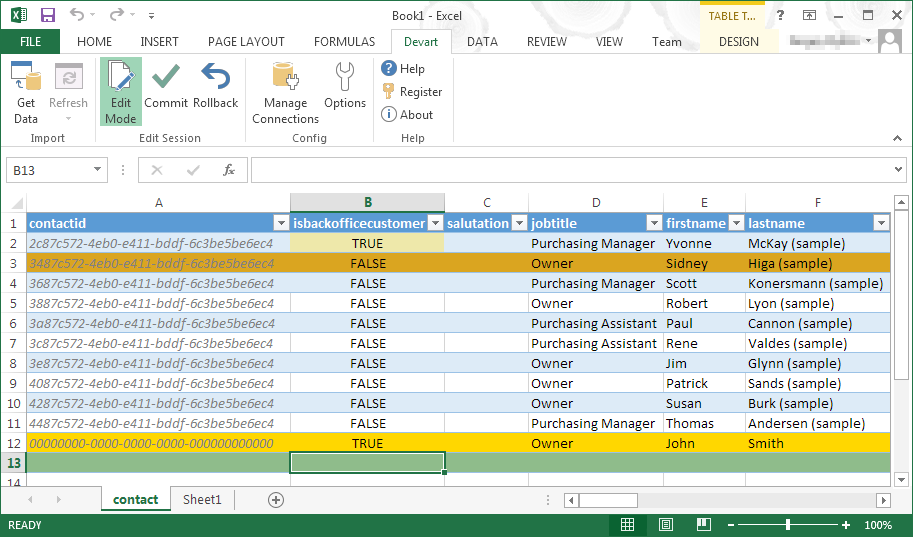
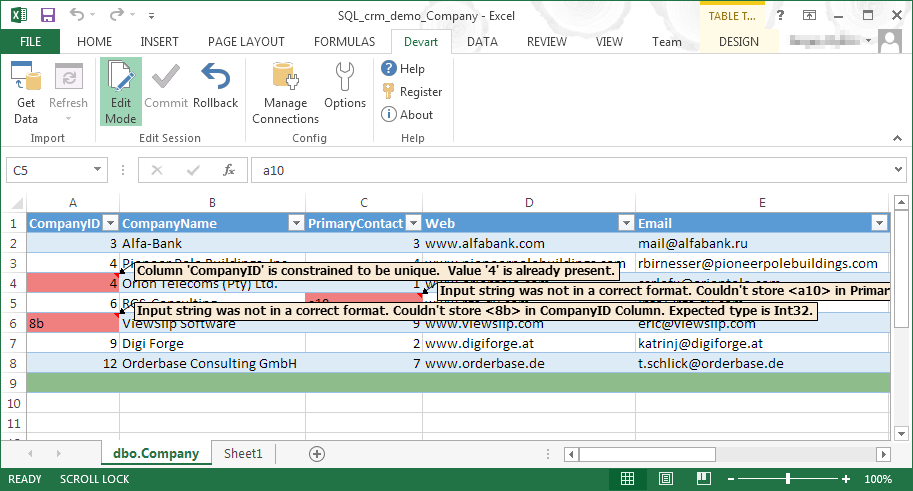
Devart Excel Add-ins allow you to use Excel capabilities to import, process, and analyze data from cloud applications and relational databases. The Excel Add-ins also allow users to make data changes and then save those changes back to the data source they were originally imported from.
$399.95
one-time fee
SAS Visual Analytics
Score7.8 out of 10
Enterprise companies (1,001+ employees)
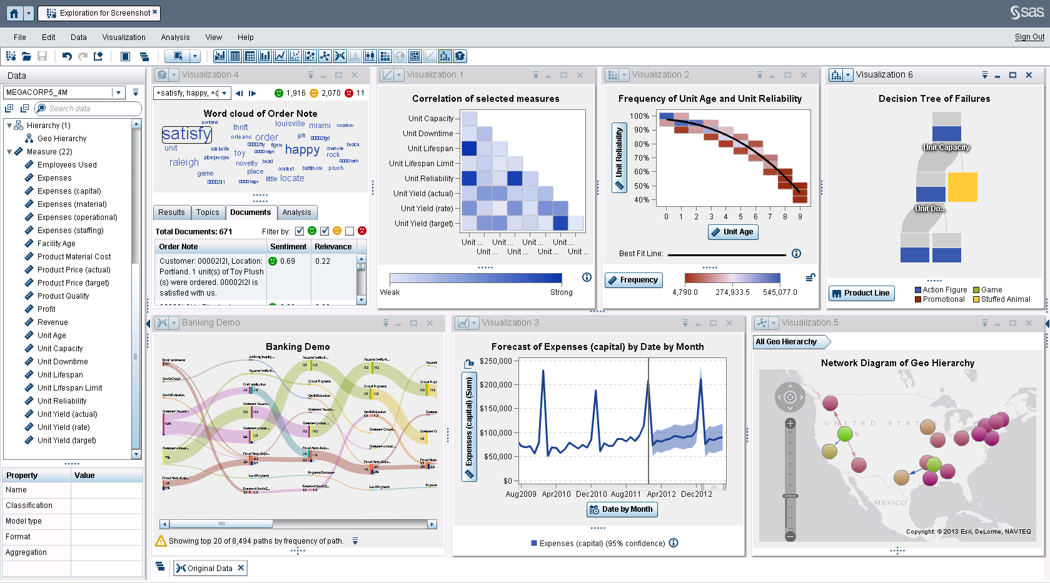
SAS Visual Analytics provides a complete platform for analytics visualization, enabling users to identify patterns and relationships in data that weren't initially evident. Interactive, self-service BI and reporting capabilities are combined with out-of-the-box advanced analytics so everyone can discover insights from any size and type of data, including text.
N/A
Pricing
Devart Excel Add-ins
SAS Visual Analytics
Editions & Modules
Excel Add-in Database Pack
$399.95
one-time fee
Excel Add-in Cloud Pack
$499.95
one-time fee
Excel Add-in Universal Pack
$599.95
one-time fee
SAS Visual Analytics for SAS Cloud
$0
Annual By Users: 5, 10, 20
Offerings
Pricing Offerings
Devart Excel Add-ins
SAS Visual Analytics
Free Trial
Yes
Yes
Free/Freemium Version
No
No
Premium Consulting/Integration Services
No
Yes
Entry-level Setup Fee
No setup fee
No setup fee
Additional Details
Purchases include a perpetual license and 1 year of subscription which includes the product updates and premium support.
SAS Visual Statistics and SAS Office Analytics are also available as add-ons.
More Pricing Information
Features
Devart Excel Add-ins
SAS Visual Analytics
Data Source Connection
Comparison of Data Source Connection features of Devart Excel Add-ins and SAS Visual Analytics
Feature
Devart Excel Add-ins
8.5
1 Ratings
1% above category average
SAS Visual Analytics
-
Ratings
Connect to traditional data sources
8.01 Ratings
00 Ratings
Connecto to Big Data and NoSQL
9.01 Ratings
00 Ratings
Data Transformations
Comparison of Data Transformations features of Devart Excel Add-ins and SAS Visual Analytics
Feature
Devart Excel Add-ins
7.0
1 Ratings
15% below category average
SAS Visual Analytics
-
Ratings
Simple transformations
8.01 Ratings
00 Ratings
Complex transformations
6.01 Ratings
00 Ratings
Data Modeling
Comparison of Data Modeling features of Devart Excel Add-ins and SAS Visual Analytics
Feature
Devart Excel Add-ins
8.6
1 Ratings
8% above category average
SAS Visual Analytics
-
Ratings
Data model creation
10.01 Ratings
00 Ratings
Metadata management
9.01 Ratings
00 Ratings
Business rules and workflow
8.01 Ratings
00 Ratings
Collaboration
9.01 Ratings
00 Ratings
Testing and debugging
7.01 Ratings
00 Ratings
Data Governance
Comparison of Data Governance features of Devart Excel Add-ins and SAS Visual Analytics
Feature
Devart Excel Add-ins
8.5
1 Ratings
5% above category average
SAS Visual Analytics
-
Ratings
Integration with data quality tools
8.01 Ratings
00 Ratings
Integration with MDM tools
9.01 Ratings
00 Ratings
BI Standard Reporting
Comparison of BI Standard Reporting features of Devart Excel Add-ins and SAS Visual Analytics
Feature
Devart Excel Add-ins
-
Ratings
SAS Visual Analytics
8.3
11 Ratings
2% above category average
Pixel Perfect reports
00 Ratings
8.011 Ratings
Customizable dashboards
00 Ratings
8.011 Ratings
Report Formatting Templates
00 Ratings
9.010 Ratings
Ad-hoc Reporting
Comparison of Ad-hoc Reporting features of Devart Excel Add-ins and SAS Visual Analytics
Feature
Devart Excel Add-ins
-
Ratings
SAS Visual Analytics
8.8
12 Ratings
9% above category average
Drill-down analysis
00 Ratings
9.012 Ratings
Formatting capabilities
00 Ratings
8.012 Ratings
Integration with R or other statistical packages
00 Ratings
8.010 Ratings
Report sharing and collaboration
00 Ratings
10.011 Ratings
Report Output and Scheduling
Comparison of Report Output and Scheduling features of Devart Excel Add-ins and SAS Visual Analytics
Feature
Devart Excel Add-ins
-
Ratings
SAS Visual Analytics
9.2
12 Ratings
11% above category average
Publish to Web
00 Ratings
9.011 Ratings
Publish to PDF
00 Ratings
9.012 Ratings
Report Versioning
00 Ratings
9.09 Ratings
Report Delivery Scheduling
00 Ratings
10.011 Ratings
Delivery to Remote Servers
00 Ratings
9.06 Ratings
Data Discovery and Visualization
Comparison of Data Discovery and Visualization features of Devart Excel Add-ins and SAS Visual Analytics
A de minimis incentive was given to thank the reviewer for their time. The incentive was not used to bias or drive a particular response, nor was the incentive contingent on a positive endorsement. More Info
I was in a meeting with the client and there I have to show them some analytic data to them. But I was confused about how I will manage to show big data to clients with accuracy. But then the SAS Visual Analytics software helps me in presenting accurate data at the moment and it was very presentable and through that, I got the deal for that business.
A de minimis incentive was given to thank the reviewer for their time. The incentive was not used to bias or drive a particular response, nor was the incentive contingent on a positive endorsement. More Info
A de minimis incentive was given to thank the reviewer for their time. The incentive was not used to bias or drive a particular response, nor was the incentive contingent on a positive endorsement. More Info
Provides the flexibility to the end user to slice and dice the data.
Anyone can make predictive models with the help of in-built algorithms without the need to write a single line of code or knowledge of what's under the hood of algorithms.
The feature to simply ask a question related to data and getting a response in form of text, chart or graph is amazing.
A de minimis incentive was given to thank the reviewer for their time. The incentive was not used to bias or drive a particular response, nor was the incentive contingent on a positive endorsement. More Info
It has room for improvement in terms of security and making it possible for large organizations like us to use it in a more secure way with integrating with our in-house security systems.
Pricing could be reduced further for it to be adopted world-wide.
it isn't foolproof. Excel has no means of checking for human error during data entry, which means that the wrong information can skew all the results - sometimes severe.
Users unfamiliar with Excel syntax may also find entering calculations and calling up other functions a bit frustrating until they get a solid understanding.
A de minimis incentive was given to thank the reviewer for their time. The incentive was not used to bias or drive a particular response, nor was the incentive contingent on a positive endorsement. More Info
SAS is relatively expensive when compared to other BI tools and requires a large amount of upfront fee which becomes an issue for smaller organizations.
UI for the dashboards looks a little date in comparison to competitors like Tableau and Microstrategy.
Integration with other open source software like Python needs to be built in.
A de minimis incentive was given to thank the reviewer for their time. The incentive was not used to bias or drive a particular response, nor was the incentive contingent on a positive endorsement. More Info
SAS really is the cutting edge in Business Intelligence. That is all they do! They are constantly coming out with new products, product upgrades, and their tech support is second to none. In addition, their support of Education has made our ability to acquire their product possible.
It automated the whole reporting and excel. Our team can generate pivot, dashboards and multiple other reports in various formats and update them with one click. My Sales team need to update more then 1500 leads status on daily basis. By using this tool now they can do this in few minutes.
A de minimis incentive was given to thank the reviewer for their time. The incentive was not used to bias or drive a particular response, nor was the incentive contingent on a positive endorsement. More Info
SAS BI is good for creating reports and dashboards and then sharing it with the users. It also has ability to manage access to the reports and dashboards but somehow with most of the world moving to open source languages R, Python and Julia, SAS BI feels to be archaic in terms of feature set and integrations it allow[s]. Also, comparing it with other Business Intelligence tools like Tableau and Microsoft BI, the functionality of SAS BI is very limited and doesn't justify the pricing.
A de minimis incentive was given to thank the reviewer for their time. The incentive was not used to bias or drive a particular response, nor was the incentive contingent on a positive endorsement. More Info
When you call tech support, you are immediately routed to a person who can answer your question. Often they can answer on the spot. However, if they cannot, you are given a track number and then followed up with. There have been times when I have had multiple track numbers open and they will actually TRACK YOU DOWN to ensure that your problem has been resolved. Issues do not fall into black holes with SAS. They are also willing to do a WebEx with you to diagnose the problem by seeing your environment, which is always helpful.
Microsoft Excel is the most used tool in the software universe. As such, asking Microsoft Excel to be the tool used post data acquisition makes a ton of sense. Almost everyone we hire has some idea on how to use this tool, which decreases the time spend training new employees.
A de minimis incentive was given to thank the reviewer for their time. The incentive was not used to bias or drive a particular response, nor was the incentive contingent on a positive endorsement. More Info
I have used Crystal Reports, Jaspersoft and SQL Server Reporting Services (SSRS). I would recommended Business Intelligence over SSRS and Crystal Reports. SSRS is very SQL-centric and Crystal Reports is more of an end-user tool. I would recommend Jaspersoft over Business Intelligence for developing a seamless web-based reporting interface but I highly recommend Business Intelligence for end-user ad-hoc reporting.
A de minimis incentive was given to thank the reviewer for their time. The incentive was not used to bias or drive a particular response, nor was the incentive contingent on a positive endorsement. More Info
A de minimis incentive was given to thank the reviewer for their time. The incentive was not used to bias or drive a particular response, nor was the incentive contingent on a positive endorsement. More Info
A de minimis incentive was given to thank the reviewer for their time. The incentive was not used to bias or drive a particular response, nor was the incentive contingent on a positive endorsement. More Info