
DocBeacon vs. Foxit PDF Editor
DocBeacon vs. Foxit PDF Editor
| Product | Rating | Most Used By | Product Summary | Starting Price |
|---|---|---|---|---|
 DocBeacon | Small Businesses (1-50 employees) | DocBeacon is a streamlined document intelligence and tracking software solution designed for professionals who require secure file sharing and empirical viewer analytics. The software allows sales, investor relations, and compliance teams to distribute sensitive materials while maintaining centralized access control and gathering granular data on reader behavior. Value Proposition & Business Outcomes Instead of relying on guesswork, organizations can use DocBeacon to establish a… | $25 per month per user | |
 Foxit PDF Editor | N/A | Foxit PDF Editor is a solution for creating, editing, organizing, and securing PDF documents. Designed for professionals and businesses of all sizes, features include editing capabilities, OCR, collaboration tools, and security options like redaction and document encryption. | $10.99 per month per user |
| DocBeacon | Foxit PDF Editor | |||||||||||||||
|---|---|---|---|---|---|---|---|---|---|---|---|---|---|---|---|---|
| Editions & Modules |
|
| ||||||||||||||
| Offerings |
| |||||||||||||||
| Entry-level Setup Fee | No setup fee | No setup fee | ||||||||||||||
| Additional Details | The pricing structure is designed to offer maximum transparency and flexibility for both solo professionals and larger sales teams. Please note the following details regarding the editions listed above: Business Plan Minimums: The Business edition is priced at a highly competitive effective rate of $15 per seat per month. However, it is sold as a team bundle requiring a minimum commitment of 20 seats (totaling $300 per month). This tier is optimized for organizations requiring scalable, team-wide document governance. Pro Plan Flexibility: The Pro edition ($25 per seat per month) is designed for individuals, solo founders, or smaller teams who need premium features but do not meet the 20-seat volume requirement of the Business tier. Free Tier Capacity: The Free edition provides zero-friction access without requiring a credit card. It is subject to a total account capacity limit of 20 stored documents at any given time, which is a hard storage ceiling rather than a monthly upload quota. | — | ||||||||||||||
| More Pricing Information | ||||||||||||||||
| DocBeacon | Foxit PDF Editor |
|---|
| DocBeacon | Foxit PDF Editor | |||||||||||||||||||||||||||||||||
|---|---|---|---|---|---|---|---|---|---|---|---|---|---|---|---|---|---|---|---|---|---|---|---|---|---|---|---|---|---|---|---|---|---|---|
| PDF Editors |
|
| DocBeacon | Foxit PDF Editor | |
|---|---|---|
| Small Businesses |  Square 9 Softworks Score 9.3 out of 10 |  Tungsten Power PDF Score 9.8 out of 10 |
| Medium-sized Companies |  MSB Docs Score 9.4 out of 10 |  pdfFiller Score 9.0 out of 10 |
| Enterprises |  M‑Files Score 8.9 out of 10 |  Bluebeam Score 9.0 out of 10 |
| All Alternatives | View all alternatives | View all alternatives |
| DocBeacon | Foxit PDF Editor | |
|---|---|---|
| Likelihood to Recommend | - (0 ratings) | 9.2 (35 ratings) |
| Likelihood to Renew | - (0 ratings) | 10.0 (2 ratings) |
| Usability | - (0 ratings) | 9.3 (9 ratings) |
| Performance | - (0 ratings) | 10.0 (1 ratings) |
| Support Rating | - (0 ratings) | 8.9 (11 ratings) |
| Ease of integration | - (0 ratings) | 9.0 (1 ratings) |
| DocBeacon | Foxit PDF Editor | |
|---|---|---|
| Likelihood to Recommend | VIOware Technologies Co. No answers on this topic | Foxit Software
|
| Pros | VIOware Technologies Co. No answers on this topic | Foxit Software
|
| Cons | VIOware Technologies Co. No answers on this topic | Foxit Software
|
| Likelihood to Renew | VIOware Technologies Co. No answers on this topic | Foxit Software
|
| Usability | VIOware Technologies Co. No answers on this topic | Foxit Software
 Douglas S Bush Owner, ITMSP/MSSP, and Lead Consultant |
| Performance | VIOware Technologies Co. No answers on this topic | Foxit Software
|
| Support Rating | VIOware Technologies Co. No answers on this topic | Foxit Software
|
| Alternatives Considered | VIOware Technologies Co. No answers on this topic | Foxit Software
 Julián González Production and Operation Manager |
| Return on Investment | VIOware Technologies Co. No answers on this topic | Foxit Software
 Jeremiah Alexander Systems Manager |
| ScreenShots | DocBeacon Screenshots 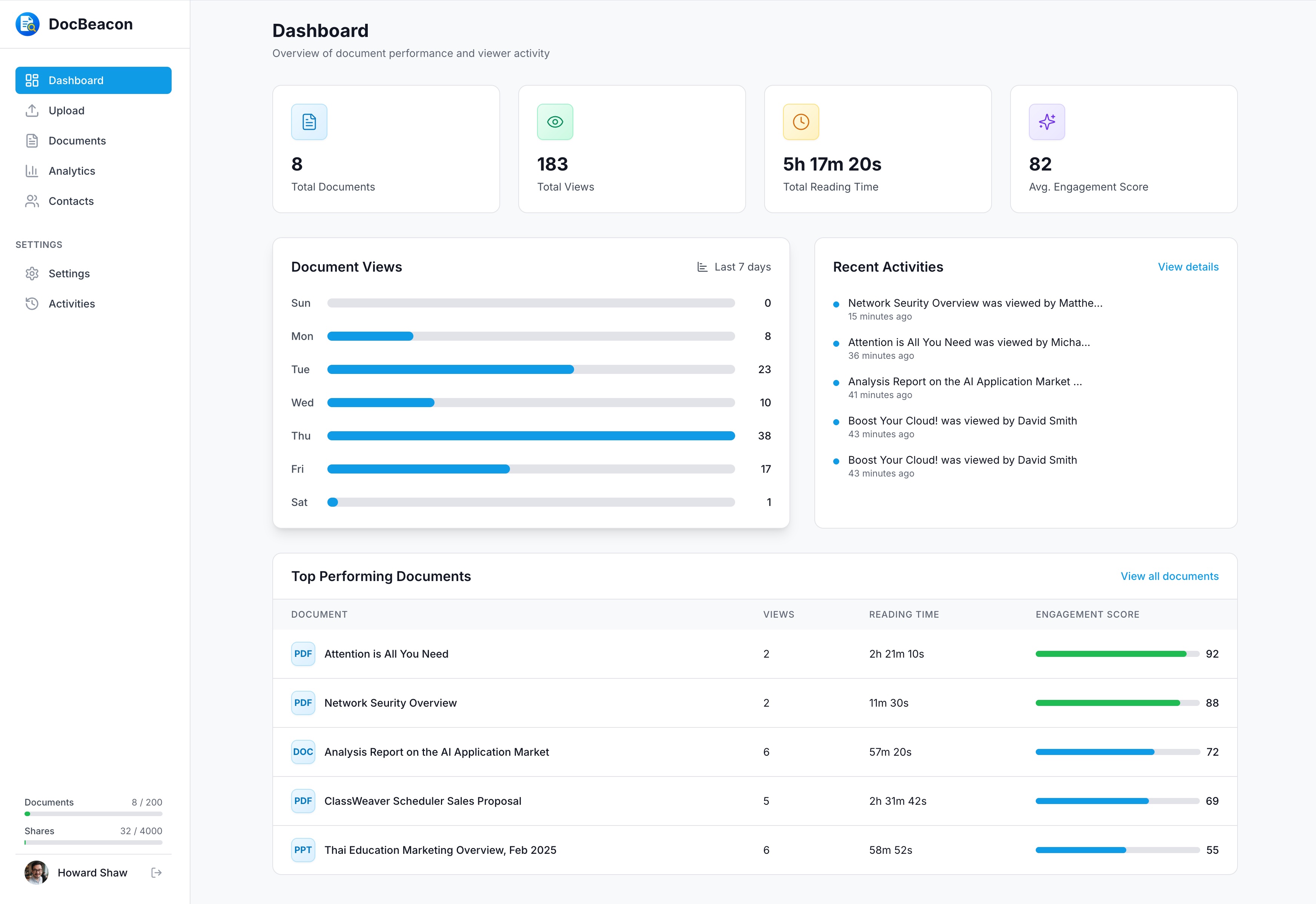  |