
dominKnow | ONE vs. iSpring Suite
| Product | Rating | Most Used By | Product Summary | Starting Price |
|---|---|---|---|---|
 dominKnow | ONE | N/A | N/A | dominKnow | ONE is dominKnow's elearning content authoring platform. It is designed to offer authoring teams everything they need in one place, including traditional elearning course authoring in Claro, modern responsive learning content authoring in Flow and software lesson creation in Capture. Content can be published as SCORM, AICC, xAPI and CMI5 packages as well as website packages, so authors can create a course to help learners come up to speed on a new task and use the same… | $97 per month per author |
 iSpring Suite | Score7.6 out of 10 | N/A | iSpring Suite is an authoring tool with AI-assisted features for creating slide-based online courses, quizzes, and video lessons in Microsoft PowerPoint. Instructional designers, corporate L&D and HR teams, educators, and independent course developers can build training content without relying on multiple specialized tools. iSpring Suite enables users to: Generate a course from a topic. Users can describe what to teach or upload subject… | $970 per year per user |
| dominKnow | ONE | iSpring Suite | |||||||||||||||
|---|---|---|---|---|---|---|---|---|---|---|---|---|---|---|---|---|
| Editions & Modules |
| No answers on this topic | ||||||||||||||
| Offerings |
| |||||||||||||||
| Entry-level Setup Fee | No setup fee | No setup fee | ||||||||||||||
| Additional Details | — | Academic, non-profit, government and volume discounts are available. | ||||||||||||||
| More Pricing Information | ||||||||||||||||
| dominKnow | ONE | iSpring Suite | |
|---|---|---|
| Considered Both Products | No answer on this topic | No answer on this topic |
| Key User Insights | ||
| Would buy again | ||
No answers on this topic | 99% Would buy again 119 Answers | |
| Delivers good value for the price | ||
No answers on this topic | 98% Delivers good value for the price 110 Answers | |
| Happy with the feature set | ||
No answers on this topic | 96% Happy with the feature set 115 Answers | |
| Lived up to sales and marketing promises | ||
No answers on this topic | 97% Lived up to sales and marketing promises 104 Answers | |
| Implementation went as expected | ||
No answers on this topic | 99% Implementation went as expected 109 Answers | |
| dominKnow | ONE | iSpring Suite | |
|---|---|---|
| Small Businesses | iSpring Suite Score7.7 out of 10 |  Thinkific Score8.8 out of 10 |
| Medium-sized Companies |  Articulate 360 Score9.2 out of 10 | Articulate 360 Score9.2 out of 10 |
| Enterprises | Articulate 360 Score9.2 out of 10 | Articulate 360 Score9.2 out of 10 |
| All Alternatives | View all alternatives | View all alternatives |
| dominKnow | ONE | iSpring Suite | |
|---|---|---|
| Likelihood to Recommend | - | 9.0 |
| Likelihood to Renew | - | 9.1 |
| Usability | - | 8.3 |
| Support Rating | - | 10.0 |
| Implementation Rating | - | 9.1 |
| dominKnow | ONE | iSpring Suite | |
|---|---|---|
| Likelihood to Recommend | No answers on this topic |
|
| Pros | No answers on this topic |
|
| Cons | No answers on this topic |
|
| Likelihood to Renew | No answers on this topic |
|
| Usability | No answers on this topic |
|
| Support Rating | No answers on this topic |
|
| Alternatives Considered | No answers on this topic |
|
| Return on Investment | No answers on this topic |
|
| ScreenShots | iSpring Suite Screenshots 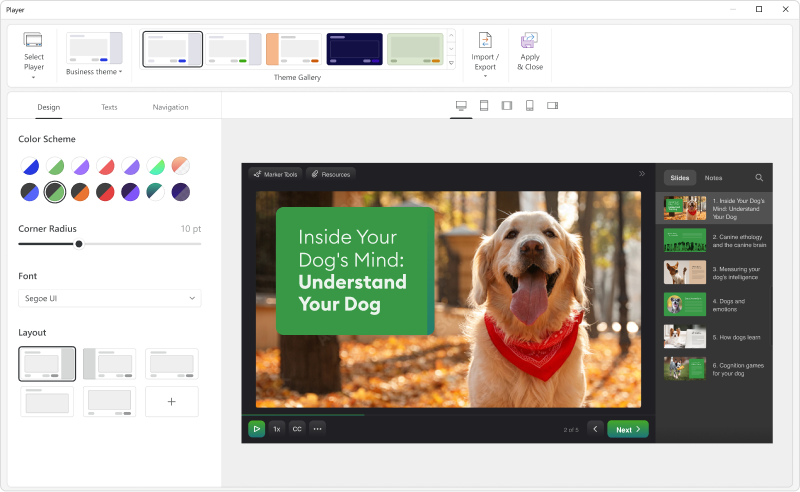   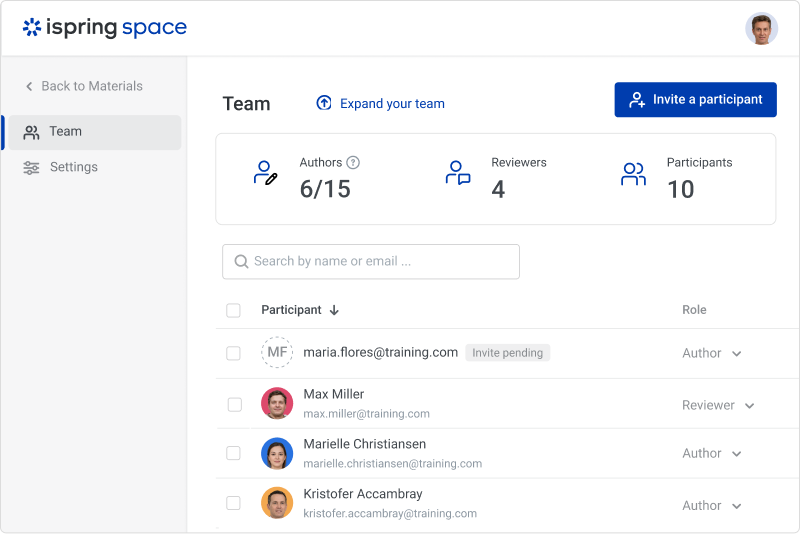  |

