FlowX — No-Code BPM Automation vs. Alfresco

Overview
ProductRatingMost Used ByProduct SummaryStarting Price
FlowX — No-Code BPM Automation
Score 10.0 out of 10
N/A
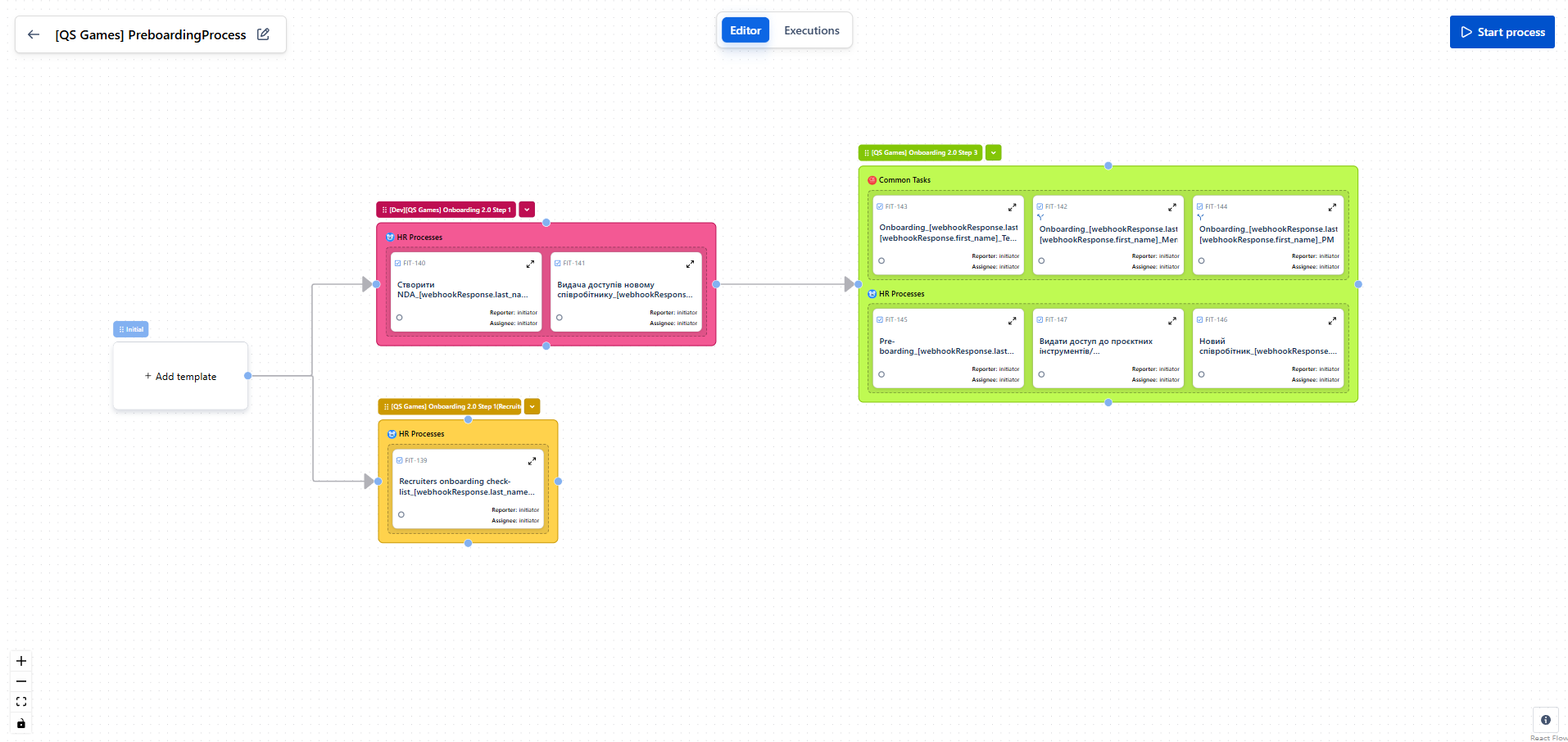
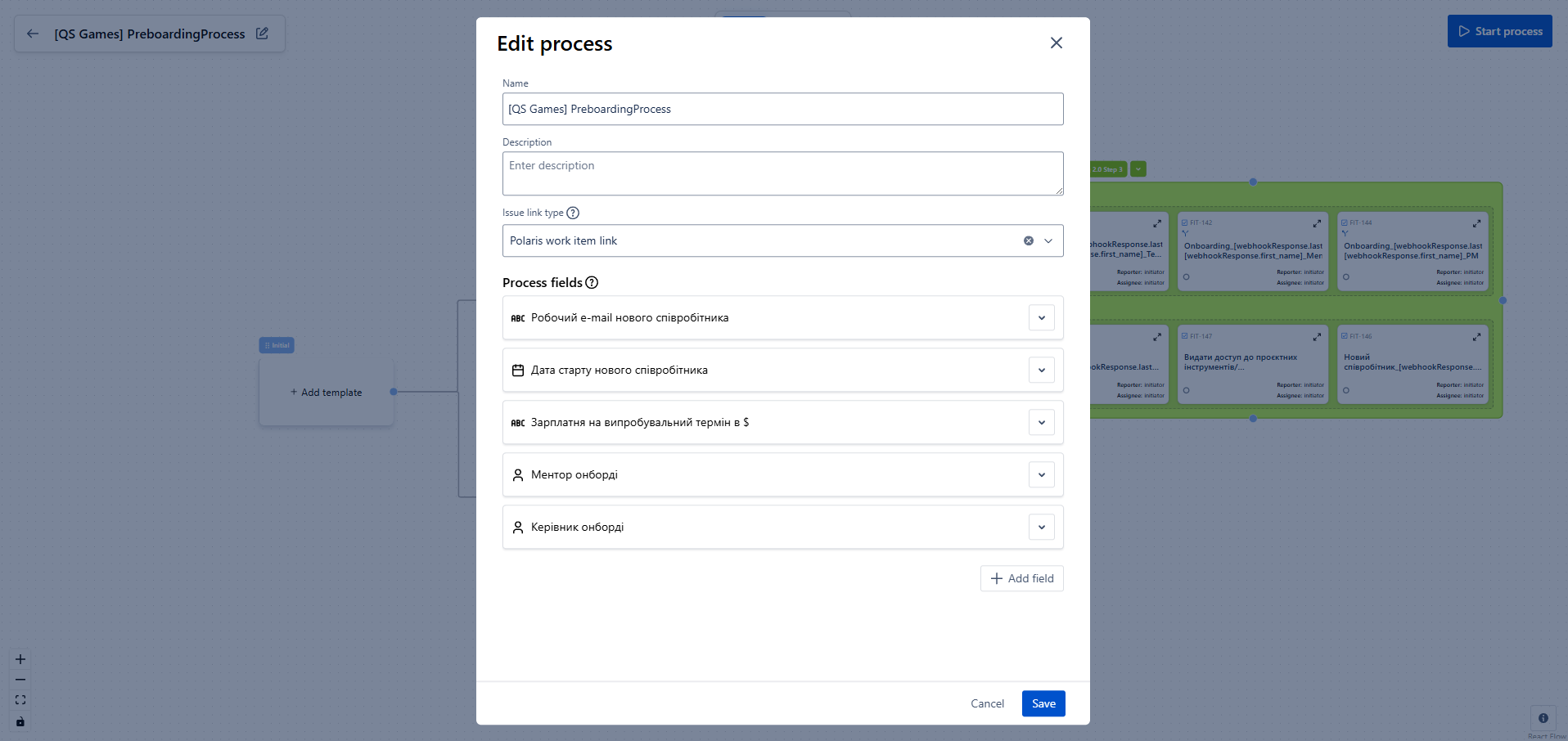
FlowX for Jira is a no‑code tool for designing business processes directly on top of standard Jira tasks. It enables building smart task chains, managing data flow between steps, and integrating with external systems without writing a single line of code. The goal is to eliminate manual routine (e.g., onboarding/offboarding), increase execution transparency, and accelerate delivery across teams. Key Features Flow Editor. Processes are designed visually: create…N/A
Alfresco
Score 9.1 out of 10
N/A
The Alfresco platform, from Hyland, delivers comprehensive cloud-native content services. It is used to intelligently activate processes and content to accelerate the flow of business.N/A
Pricing
FlowX — No-Code BPM AutomationAlfresco
Editions & Modules
No answers on this topic
Offerings
Pricing Offerings
FlowX — No-Code BPM AutomationAlfresco
Free Trial
NoYes
Free/Freemium Version
YesYes
Premium Consulting/Integration Services
NoNo
Entry-level Setup FeeNo setup feeNo setup fee
Additional Details
More Pricing Information
Community Pulse
FlowX — No-Code BPM AutomationAlfresco
Features
FlowX — No-Code BPM AutomationAlfresco
Process Engine
Comparison of Process Engine features of Product A and Product B
FlowX — No-Code BPM Automation
9.0
1 Ratings
8% above category average
Alfresco
-
Ratings
Process designer9.01 Ratings00 Ratings
Model execution9.01 Ratings00 Ratings
Content Management Capabilties
Comparison of Content Management Capabilties features of Product A and Product B
FlowX — No-Code BPM Automation
9.0
1 Ratings
10% above category average
Alfresco
-
Ratings
Content management9.01 Ratings00 Ratings
Enterprise Content Management
Comparison of Enterprise Content Management features of Product A and Product B
FlowX — No-Code BPM Automation
-
Ratings
Alfresco
8.2
7 Ratings
2% above category average
Content capture & imaging00 Ratings9.05 Ratings
File sync, storage & archiving00 Ratings9.06 Ratings
Document management00 Ratings9.07 Ratings
Records management00 Ratings8.06 Ratings
Content search & retrieval00 Ratings10.07 Ratings
Enterprise content collaboration00 Ratings7.07 Ratings
Content publishing & creation00 Ratings7.05 Ratings
Security, risk management & information governance00 Ratings9.06 Ratings
Contract lifecycle management00 Ratings8.95 Ratings
Automated workflows00 Ratings8.04 Ratings
Artificial intelligence00 Ratings6.03 Ratings
Mobile support00 Ratings7.04 Ratings
Integration00 Ratings8.04 Ratings
Best Alternatives
FlowX — No-Code BPM AutomationAlfresco
Small Businesses
Square 9 Softworks
Square 9 Softworks
Score 9.5 out of 10
Square 9 Softworks
Square 9 Softworks
Score 9.5 out of 10
Medium-sized Companies
Square 9 Softworks
Square 9 Softworks
Score 9.5 out of 10
MediaValet
MediaValet
Score 9.0 out of 10
Enterprises
CMW Platform
CMW Platform
Score 9.2 out of 10
MediaValet
MediaValet
Score 9.0 out of 10
All AlternativesView all alternativesView all alternatives
User Ratings
FlowX — No-Code BPM AutomationAlfresco
Likelihood to Recommend
-
(0 ratings)
9.0
(18 ratings)
Likelihood to Renew
-
(0 ratings)
9.0
(9 ratings)
Usability
-
(0 ratings)
9.0
(3 ratings)
Support Rating
-
(0 ratings)
7.0
(2 ratings)
Implementation Rating
-
(0 ratings)
9.0
(1 ratings)
User Testimonials
FlowX — No-Code BPM AutomationAlfresco
Likelihood to Recommend
QS Integration
FlowX has a very intuitive interface and great documentation with video tutorials.
Even I, as a non-technical specialist, was able to set up the process on my own in just a few hours.
Everything is clear, logical, and simple a truly user-friendly solution
Read full review
Hyland
Easy integration with the external APIs Workflows can be invoked via REST call Wonderful swagger documentation for process REST APIs REST, MULE, CAMEL, Google Drive, and Box features are available with Alfresco Process Services The micro-service version deployment should be well documented and needs improvement
Read full review
Pros
QS Integration
  • Automates routine tasks — creates issues, triggers processes, and sends notifications without manual work.
  • Builds “if–then” logic — lets you create flexible workflows with conditions and variables.
  • Visualizes processes — everything is shown on a clear diagram, easy to understand even for non-technical users.
Read full review
Hyland
  • Basic workflows are easy enough for casual users to set up and utilize.
  • Cloud sync capability provides a great way to share documents with third parties and to use as a backup system for critical documents.
  • Alfresco mobile app makes it easy for those on the road to access, approve and share documents.
  • Folder rules are easy to set up and make assignment of metadata easier to automate.
Read full review
Cons
QS Integration
No answers on this topic
Hyland
  • Alfresco Process Services and Alfresco Application Development Framework integration makes for best functionality/application of ECM.
  • Use case alignment - Marketing content and documentation of specific business requirements and user stories being available as reference material/documentation.
  • Integration with multiple silos for content.
Read full review
Likelihood to Renew
QS Integration
No answers on this topic
Hyland
As per the current market and the line of products that are available for content and document management system, Alfresco is a very good option compared to other systems in terms of features and cost. Plus the community support is great. Also since the product is open source, it can be extended or understood in a better way.
Read full review
Usability
QS Integration
A very convenient automation system for setting up processes in Jira.
It’s easy to create logic, templates, and conditions without any coding.
It helps make Jira smarter and more user-friendly for the whole team.
Read full review
Hyland
The UI is very intuitive, most of our users figure out how to use the platform by themselves, so there's not much training needed.
You can upload files by using the web drag and drop, WebDAV, FTP, and more.
Most of the platform already works as-is so you can just deploy it using Docker and it's mostly ready to go.
Read full review
Support Rating
QS Integration
No answers on this topic
Hyland
I am not big fan of Alfresco Content Services' support; it works on its own speed and sometimes it becomes challenging to achieve business needs. However, I appreciate regular delivery of security patches and updates
Read full review
Implementation Rating
QS Integration
No answers on this topic
Hyland
Process was relatively smooth and overall, downtime minimal. MSI was very responsive to our needs and made the transition easier than it otherwise might have been.
Read full review
Alternatives Considered
QS Integration
No answers on this topic
Hyland
All software has some pros and some cons. Alfresco has some good pluses, and suits our environment very well. It fit perfectly in the place that we are working on. That is why we decided to go with this software. Overall, the kind of content management that needs to be done in an organization is what would determine which software to use.
Read full review
Return on Investment
QS Integration
  • Reduced routine work by over 3 hours on just one onboarding process.
  • Full transparency: with the process map, every participant can see in real time where the process is and why it stopped.
  • Easy setup of multi-condition workflows — even complex scenarios are simple to build and adjust.
Read full review
Hyland
  • Instant document lookup - No paper files to mail which saves in all areas of postage, truck delivery, physical storage warehouse space, printing, etc
  • No longer losing important documents - Previously with paper files things would go missing and those could be costly reports/assessments.
  • Ability to secure documents and provide access to only those who should be allowed to see that content
Read full review
ScreenShots

FlowX — No-Code BPM Automation Screenshots
Screenshot of Screenshot of

Alfresco Screenshots

Screenshot of Alfresco Control CenterScreenshot of Alfresco