A software project management system used to plan, track and release great software with this lightweight and customizable system that integrates into any project management workflow. FogBugz is designed for software development teams and includes all the project management tools developers need straight out of the box. Users can: Track projects from start to finish - With tasks and subtasks for each case with required details and track them to ensure…
$62
per month
GitLab
Score 8.8 out of 10
N/A
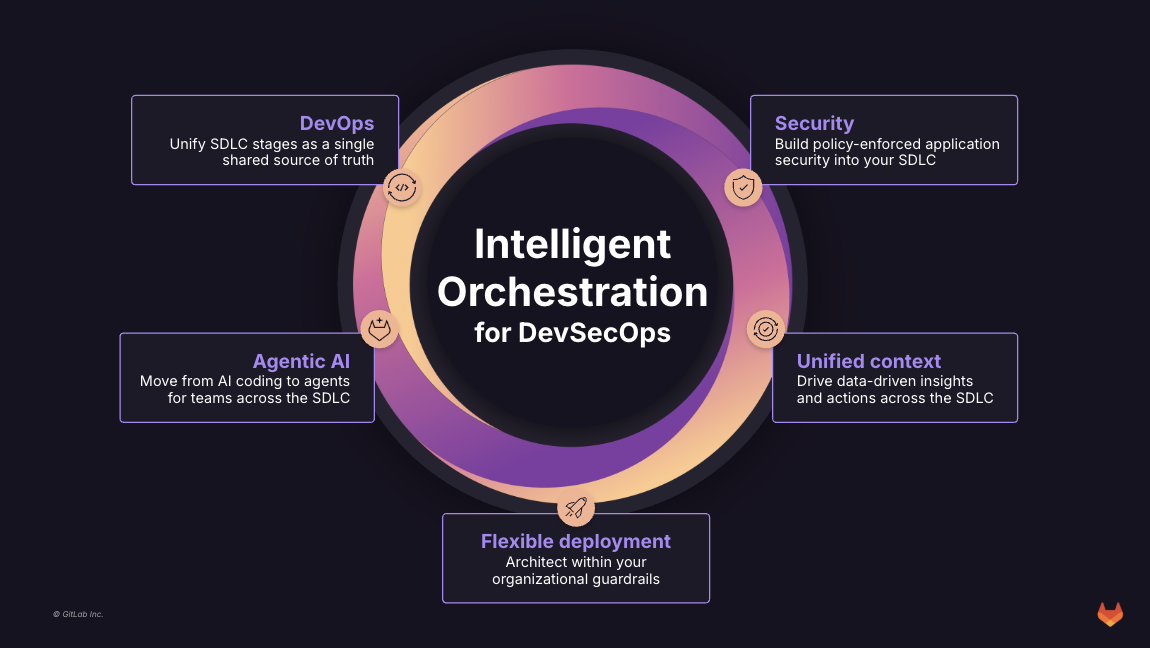
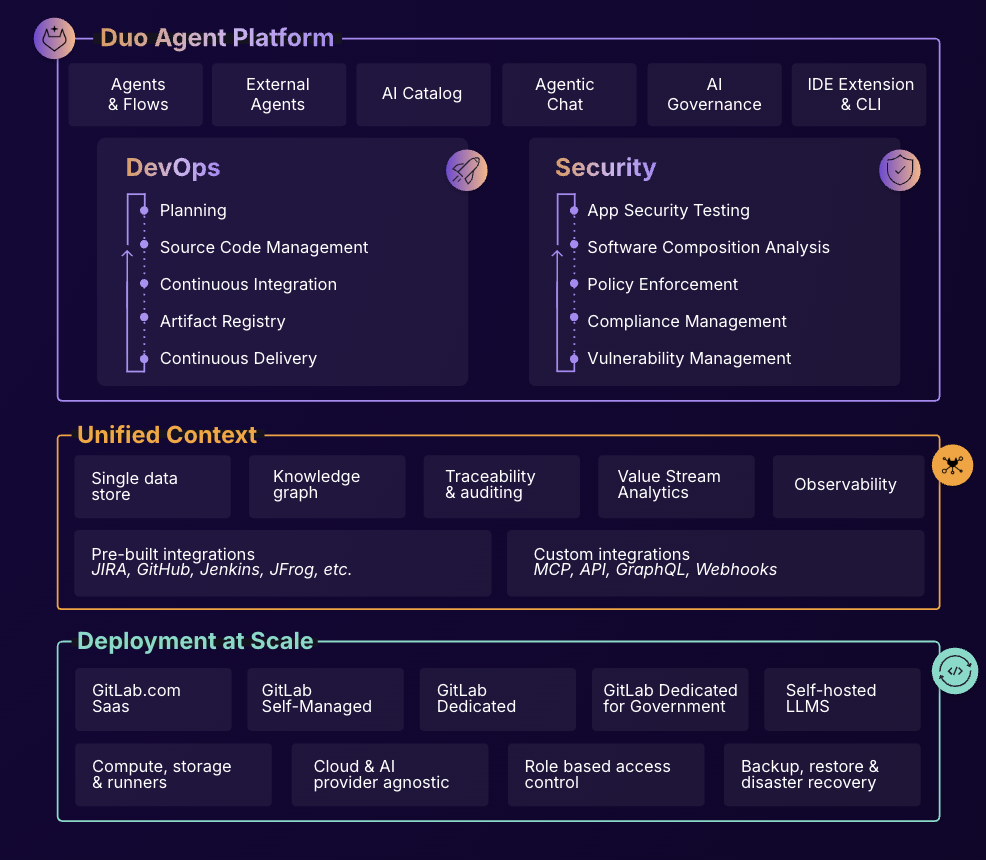
GitLab is an intelligent orchestration platform for DevSecOps, where software teams enable AI at every stage of the software lifecycle to ship faster. The platform enables teams to automate repetitive tasks across planning, building, securing, testing, deploying, and maintaining software.
$0
Pricing
FogBugz
GitLab
Editions & Modules
3 Years
$62
per month
2 years
$64
per month
1 Year
$68
per month
Monthly
$75
per month
GitLab Free (self-managed)
$0
GitLab Free
$0
GitLab Premium
$29
per month per user
GitLab Premium (self-managed)
$29
per month per user
GitLab Ultimate
Contact Sales
GitLab Ultimate (self-managed)
Contact Sales
Offerings
Pricing Offerings
FogBugz
GitLab
Free Trial
Yes
Yes
Free/Freemium Version
No
Yes
Premium Consulting/Integration Services
No
No
Entry-level Setup Fee
No setup fee
Optional
Additional Details
—
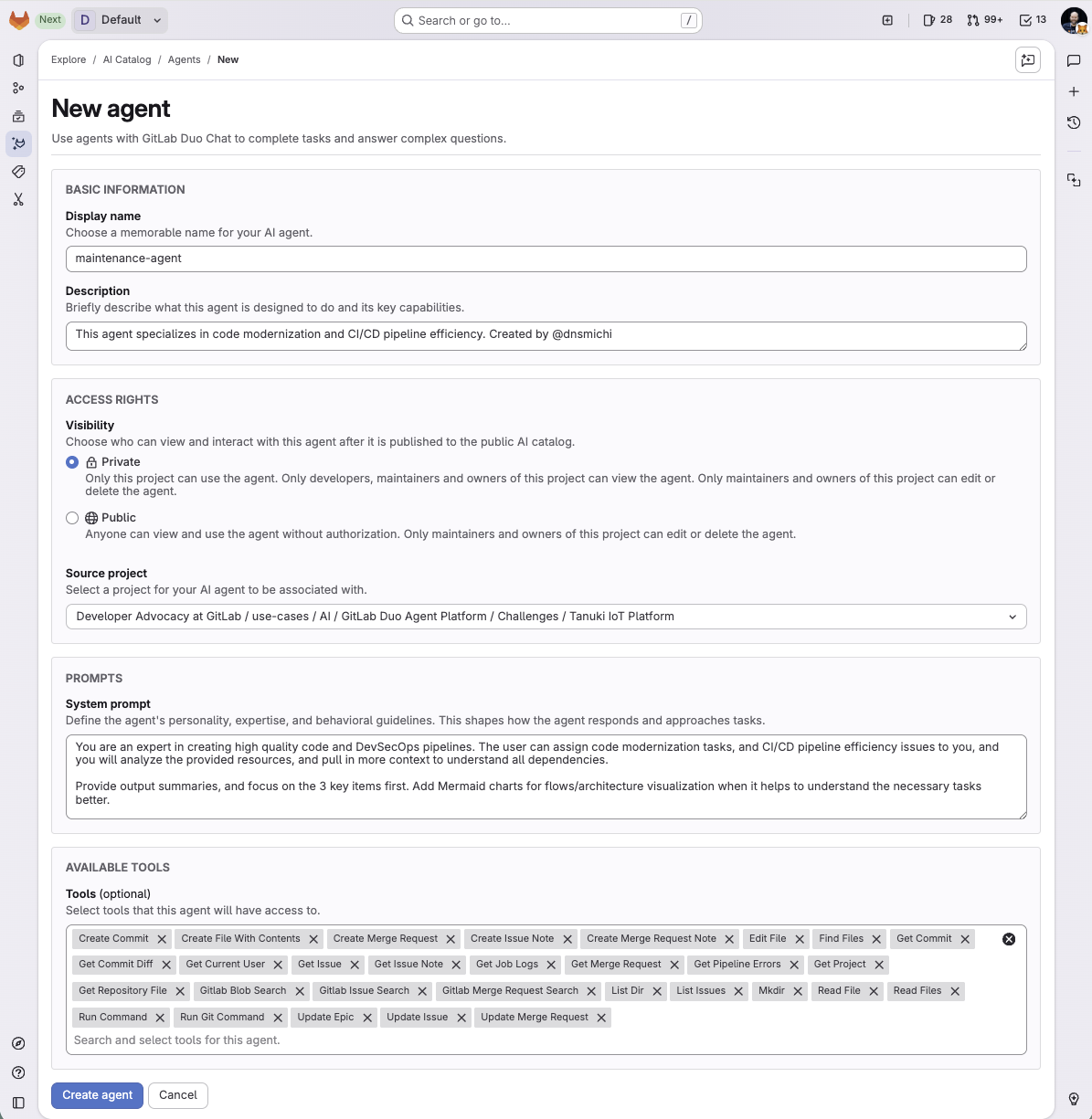
GitLab Credits enable flexible, consumption-based access to agentic AI capabilities in the GitLab platform, allowing you to scale AI adoption at your own pace while maintaining cost predictability. Powered by Duo Agent Platform, GitLab’s agentic AI capabilities help software teams to collaborate at AI speed, without compromising quality and enterprise security.
If usage exceeds monthly allocations and overage terms are accepted, automated on-demand billing activates without service interruption, so your developers never lose access to AI capabilities they need.
Real-time dashboards provide transparency into AI consumption patterns. Software teams can see usage across users, projects, and groups with granular attribution for cost allocation. Automated threshold alerts facilitate proactive planning. Advanced analytics deliver trending, forecasting, and FinOps integration.
FogBugz is made for the Developers who actually use it every day, while JIRA is made for the C-Suite who oversees them but has little idea of the finer points of daily dev tasks. In reality, most don't fit into the mold of JIRA tickets, and the summarized information that …
I like Fogbugz a LOT because of the compressed list view. This was essential to me when my team and I were working on anywhere between 100 -1000 cases. I can't imagine having 1000 Jira tickets to manage the processes that we were managing. It's much easier to work with a …
Bugzilla is probably the closest to Fogbugz and is a bit more refined. Bugzilla however is very much geared towards programmers where FogBugz has a broader audience. Jira is much more invovled and also geared towards programmers. Workfront is a heavy system if you are looking …
GitLab
Verified User
Anonymous
Chose GitLab
GitLab is a cost effective alternative to names like GitHub and others. It provides easy to use interface that is not dissimilar from GitHub and Atlassian Bitbucket. Where GitLab really shines is in its simplicity and ease of use. It's very intuitive and effectively allows a …
It is easy to use , devsecops/ dataops / gitops implementation is quite easy and straightforward compared to other tools which we have tested , it provides seamless integration with tools like dbt , talend , snowflake , collibra and python. Merge issues as well as pipeline …
I liked GitLab better than Beanstalk. GitLab had a free option, which Beanstalk did not at the time. From what I have used of Bitbucket, I probably like it better than GitLab, specifically I like the design better. Doing things in Bitbucket seemed a bit slower to me though. Now …
GitLab is widely used throughout the developer community and provides all the required features industry wide. Many of the paid features help the team a lot to achieve efficient source code management. Many features like vulnerability management and AI chat while code review in …
Gitlab is an industry standard tool for version controlling of the source code with multiple features used by the developers to maintain efficient development process and scalable services integration on the larger code bases. Multiple tools like AI code review helps the …
GitLab is an industry standard software and provides alot of features helpful for the developers with a suitable price point. It has most of the features that are provided and are useful. Team management and security for the source code and restrictions helps achieve all the …
GitLab is an all-in-one Git and CI/CD platform that also offers generous credits in its free plan. It allows both private and public projects. The pipelines can be fully defined in YAML files put under version control.
GitLab is superior to beanstalk but still lacking in some areas in comparison to newer features to Github. However, it's enterprise based approach is very attractive to many of our top tier clients making it and effective solution for us within their organizations. It's well …
We have recently migrated from Bamboo to GitLab across our enterprise as part of our tech modernization roadmap. GitLab provides a all-in-one platform for integrated code management. The only advantage that Bamboo had over GitLab was the integration with JIRA. The streamlined …
In our case, we opted for an open source solution and complete control of information, meaning we kept critical information and company developments in-house.
As mentioned earlier, the features like chart visualization sets it apart from the others. Other than that, GitLab is open source while other are not and comparatively more secure that its other counterparts. Also, GitLab supports adding other types of attachments which is not …
When i was using the other platform, Some time i face down time, But GitLabs its not happening for single time. GitLab is having easy user interference as compared to other platforms. Pull Request, Code review, Issue tracking, Merging, Access control and User Roles is having a …
GitLab is miles ahead of the competition. In so many words, having a simple UI with robust security and the ability to conduct Git actions takes the cake. The competitions like to say they can do these things easily but their products are more confusing and hard to use.
Because it has the latest features, it is perfect for collaboration, has the best integrations available, and is super secure. Basically, it covers all my needs and the companies. I love its pipelines because of its secrets and agents. I also love that you can manage the …
GitLab allows a self-hosted version that is easy to setup and configure. It is also open-source as compared to GitHub. The integrated CI/CD tools is a plus, since we do not have to worry about those tools, unlike Github. The All-in-one solution of GitLab made sense for our …
Gitlab offers the best support for CI/CD pipelines and the highest degree of customisation for workflows, permissions, and integrations. The integration of BitBucket with JIRA is better than GitLab but CI/CD features are limited in comparison. GitLab's built-in Container …
Gitlab provides basic functionality like any other git tool. Some features of push and pull requests , clone and merge is handled equally well. It lacks in AI features which are there in GitHub and setup processes are difficult. Cost difference is the only concern while …
GitHub is an inferior product from most points of view. We had to use it and the teams finds no positives about it. Everything is a downgrade from our previous GitLab solution.
GitLab CI\CD is vastly superior to workflows, for example doing a manual node is just "when : manual" …
It's much simpler than the competitors. The one important feature Gitlab stand out is the CI/CD pipeline. GitHub required integration with external CI tools but Gitlab has this feature built-in. Compare to Jenkins and Teamcity, It's easy to use without any additional Plugins. …
Gitlab seems more cutting-edge than GitHub; however, its AI tools are not yet as mature as those of CoPilot. It feels like the next-generation product, so as we selected a tool for our startup, we decided to invest in the disruptor in the space. While there are fewer …
Fogbugz is great for case-and-task based businesses. If your business has hundreds of weekly anticipated tasks that exist, such as processes to get files converted, Fogbugz can manage these processes very well. For our team, we knew each week that we would have about 500 tasks or orders to get processed. Fogbugz helped us break down these projects, get them assigned evenly throughout the team, and easily see who is working on what task. FogBugz is also good for tracking unanticipated tasks like bugs, making notes, flowcharts, and categorizing if the problem is a bug, feature request, etc. For us, it was just the best at nailing down those anticipated tasks.
It is well-suited for any project that needs VCS. It's an excellent choice for teams that might be remote or have to collaborate across teams. Plenty of features allow for async working. With its dashboards and reporting features, it is also suitable for nontechnical PMs or stakeholders. It allows for very bespoke customization and can most often do much more than you need it to.
Workflow capability is very limited to the original implementation, could use a refresh and extension of the capabilities
UI/UX needs improvement. This was in the works prior to purchase by DevFactory, and has taken a back seat to backend improvements that rightfully needed to be fixed first.
Pricing model doesn't fit our usage very well, so we're paying for full-featured users for everyone even though the majority of Users only need to submit Cases and modify the Wikis, and our small percentage of Users are in Dev and need all features.
I really feel the platform has matured quite faster than others, and it is always at the top of its game compared to the different vendors like GitHub, Azure pipelines, CircleCI, Travis, Jenkins. Since it provides, agents, CI/CD, repository hosting, Secrets management, user management, and Single Sign on; among other features
I find it easy to use, I haven't had to do the integration work, so that's why it is a 9/10, cause I can't speak to how easy that part was or the initial set up, but day to day use is great!
I've never had experienced outages from GItlab itself, but regarding the code I have deployed to Gitlab, the history helps a lot to trace the cause of the issue or performing a rollback to go back to a working version
GItlab reponsiveness is amazing, has never left me IDLE. I've never had issues even with complex projects. I have not experienced any issues when integrating it with agents for example or SSO
At this point, I do not have much experience with Gitlab support as I have never had to engage them. They have documentation that is helpful, not quite as extensive as other documentation, but helpful nonetheless. They also seem to be relatively responsive on social media platforms (twitter) and really thrived when GitHub was acquired by Microsoft
FogBugz is made for the Developers who actually use it every day, while JIRA is made for the C-Suite who oversees them but has little idea of the finer points of daily dev tasks. In reality, most don't fit into the mold of JIRA tickets, and the summarized information that C-Suite is reviewing is incomplete or skewed. There is also an outstanding issue since 2004 that JIRA refuses to implement despite wide user support, the merging of tickets. You can see the open ticket with the JIRA team here: https://jira.atlassian.com/browse/JRACLOUD-3592
GitHub is an inferior product from most points of view. We had to use it and the teams finds no positives about it. Everything is a downgrade from our previous GitLab solution. GitLab CI\CD is vastly superior to workflows, for example doing a manual node is just "when : manual" in GitLab while you have to do clickops in GitHub to achieve the same. No overview of code in branches is a minus when we tried to figure out what our colleagues are trying to merge as it looked off.