A software project management system used to plan, track and release great software with this lightweight and customizable system that integrates into any project management workflow. FogBugz is designed for software development teams and includes all the project management tools developers need straight out of the box. Users can: Track projects from start to finish - With tasks and subtasks for each case with required details and track them to ensure…
$62
per month
Quire
Score7.9 out of 10
N/A
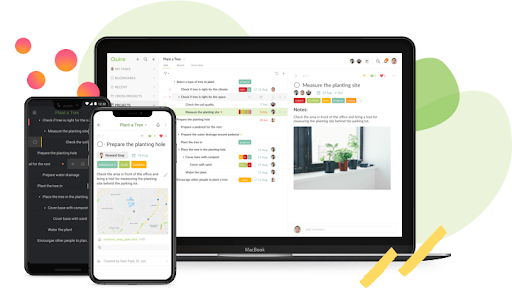
Quire is a visual collaboration platform that enables task and project management. It allows users to visualize their workflows and improves real-time collaboration.
$10.95
per month per user
Pricing
FogBugz
Quire
Editions & Modules
3 Years
$62
per month
2 years
$64
per month
1 Year
$68
per month
Monthly
$75
per month
Professional
$10.95
per month per user
Premium
$18.95
per month per user
Enterprise
$24.95
per month per user
Offerings
Pricing Offerings
FogBugz
Quire
Free Trial
Yes
Yes
Free/Freemium Version
No
Yes
Premium Consulting/Integration Services
No
Yes
Entry-level Setup Fee
No setup fee
No setup fee
Additional Details
—
—
More Pricing Information
Features
FogBugz
Quire
Project Management
Comparison of Project Management features of FogBugz and Quire
FogBugz has been a very useful tool to our organization, and much preferred over other options we reviewed, mainly JIRA. There are still some improvements needed, but with the fairly recent acquisition by DevFactory, we have a great deal of hope for what is in store given DevFactory's focus and transparency. It seems like both DevFactory and FogBugz customers are eager for substantial improvements on the front-end, but there is/was a great deal of backend housecleaning that definitely needed to take place first.
A de minimis incentive was given to thank the reviewer for their time. The incentive was not used to bias or drive a particular response, nor was the incentive contingent on a positive endorsement. More Info
Well-suited for small teams. It's feature-rich and simple, but doesn't have the bug-tracking capabilities of heavier tools like Jira. Low setup overhead, so it's easy to jump in and start quickly! Best Gantt chart experience I've had in a while.
Tasks, Subtasks, and notes. All three of these areas were critical for our team. Tasks in Fogbugz were a bit easier to see than in more bug based software like Trello or JIRA
The entire screen is used to view a task or case. Clicking on a task or case will open up and take up the entire screen, aside from the sidebar nav columns. I like to see details and I think Fogbugz does this very well, using up as much digital real estate as possible.
Flowcharting in Fogbugz with Creately is nice - instead of getting an exterior flowchart software like Lucidchart, Creately works right in Fogbugz.
A de minimis incentive was given to thank the reviewer for their time. The incentive was not used to bias or drive a particular response, nor was the incentive contingent on a positive endorsement. More Info
A de minimis incentive was given to thank the reviewer for their time. The incentive was not used to bias or drive a particular response, nor was the incentive contingent on a positive endorsement. More Info
The simplicity of a single admin type user is not great because anyone who can create a job or client in the system, can also add and delete users. Content and User administrative rights should be separated.
There are ways to change the terminology/lexicon within the tool, but we are not able to get it to work even after reaching out to tech support. So we are forced to use the system terminology that doesn't match up to our company making training a bit difficult.
There is a subscribe function that you can opt into, there should be a way to add subscribers as you create a new task.
A de minimis incentive was given to thank the reviewer for their time. The incentive was not used to bias or drive a particular response, nor was the incentive contingent on a positive endorsement. More Info
Very easy to input tasks, assign them to people, and make dependencies between tasks. Workflow is super convenient once you get used to using enter or tab in the right place. Can do a lot of things from the keyboard, but the commands are not as intuitive as those in Todoist.
A de minimis incentive was given to thank the reviewer for their time. The incentive was not used to bias or drive a particular response, nor was the incentive contingent on a positive endorsement. More Info
A de minimis incentive was given to thank the reviewer for their time. The incentive was not used to bias or drive a particular response, nor was the incentive contingent on a positive endorsement. More Info
A de minimis incentive was given to thank the reviewer for their time. The incentive was not used to bias or drive a particular response, nor was the incentive contingent on a positive endorsement. More Info
Saves time by quickly allowing Developers to make the necessary notes without getting bogged down in bloated UIs
Has allowed us to look back easily and see the exact code changes made for the exact Case to aid in decisions for current changes, increasing the certainty of the decided path, without regression
A de minimis incentive was given to thank the reviewer for their time. The incentive was not used to bias or drive a particular response, nor was the incentive contingent on a positive endorsement. More Info