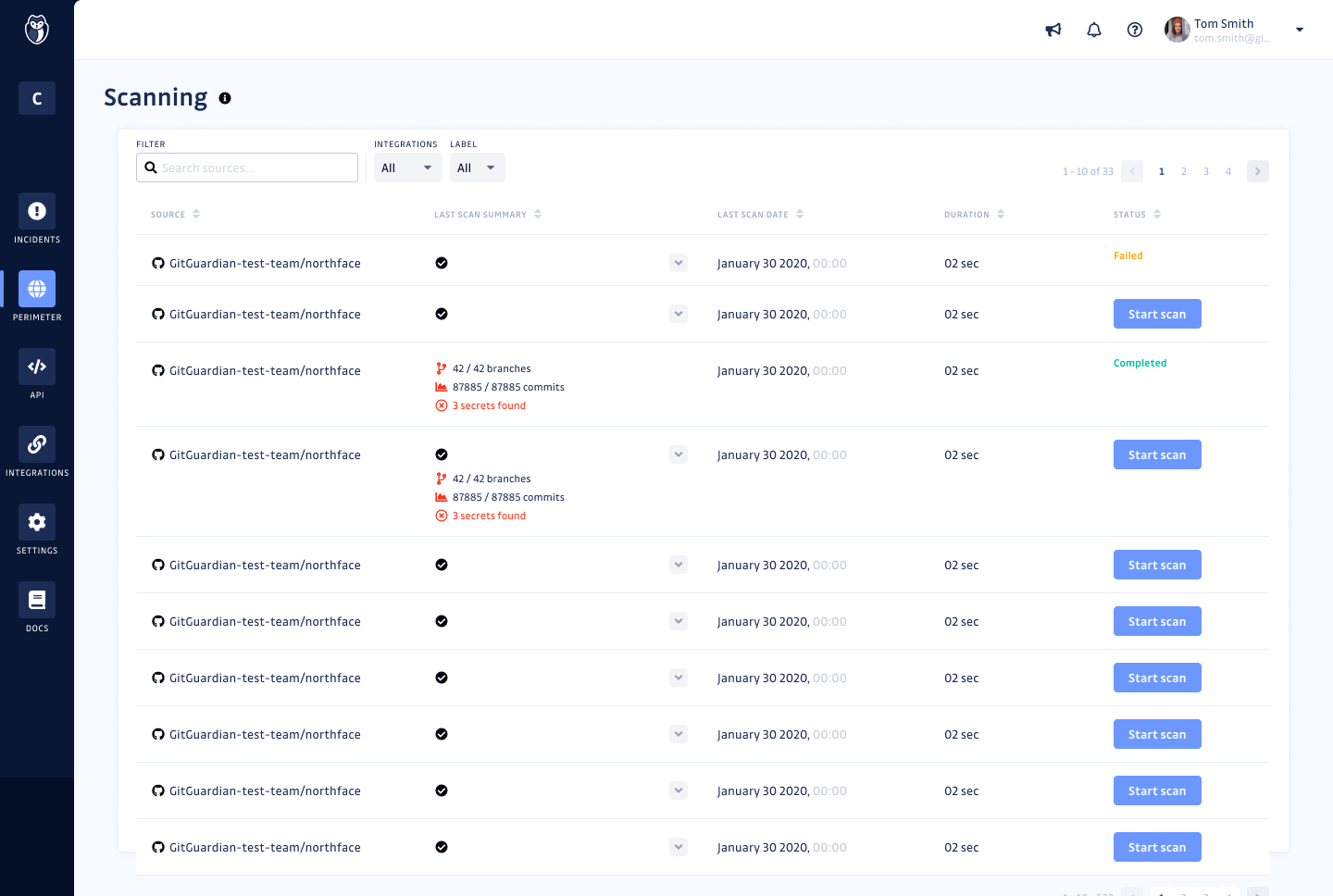
GitGuardian is an end-to-end NHI security platform designed to help organizations strengthen their Non-Human Identity (NHI) security posture and address compliance standards and regulations. As attackers increasingly target NHIs, such as service accounts, service principals, and applications, protecting and managing these critical assets has become paramount. NHIs rely on “secrets” like API keys and certificates for authentication, and their rapid proliferation has led to significant…
$0
(for individuals or up to 25 devs)
Jenkins
Score8.1 out of 10
N/A
Jenkins is an open source automation server. Jenkins provides hundreds of plugins to support building, deploying and automating any project. As an extensible automation server, Jenkins can be used as a simple CI server or turned into a continuous delivery hub for any project.
I do think it'll absolutely fit everyone who codes integrates with another platform or services. We all forget that one credentials one in a while, and especially those who managed public repository, it is important to keep an eye on accidentally committed credentials. While I think you don't really needs it for personal project, it's a nice to have, you don't want to waie up to 50k USD of sudden surcharge on resources you don't use.
A de minimis incentive was given to thank the reviewer for their time. The incentive was not used to bias or drive a particular response, nor was the incentive contingent on a positive endorsement. More Info
Jenkins is a highly customizable CI/CD tool with excellent community support. One can use Jenkins to build and deploy monolith services to microservices with ease. It can handle multiple "builds" per agent simultaneously, but the process can be resource hungry, and you need some impressive specs server for that. With Jenkins, you can automate almost any task. Also, as it is an open source, we can save a load of money by not spending on enterprise CI/CD tools.
A de minimis incentive was given to thank the reviewer for their time. The incentive was not used to bias or drive a particular response, nor was the incentive contingent on a positive endorsement. More Info
GitGuardian monitors every public or private GitHub commit ( that have GitGuardian installed) and event in real-time for secrets and sensitive data. In a leak scenario it immediately notifies us.
It uses sophisticated pattern matching techniques to detect credentials that cannot be strictly defined with a distinctive pattern (like unprefixed credentials)
It covers several API providers, database connection strings, private keys, certificates, usernames and passwords etc
GitGuardian have high True Positive Rate of around 91% and reduces alert fatigue with smart occurrences regrouping
Automated Builds: Jenkins is configured to monitor the version control system for new pull requests. Once a pull request is created, Jenkins automatically triggers a build process. It checks out the code, compiles it, and performs any necessary build steps specified in the configuration.
Unit Testing: Jenkins runs the suite of unit tests defined for the project. These tests verify the functionality of individual components and catch any regressions or errors. If any unit tests fail, Jenkins marks the build as unsuccessful, and the developer is notified to fix the issues.
Code Analysis: Jenkins integrates with code analysis tools like SonarQube or Checkstyle. It analyzes the code for quality, adherence to coding standards, and potential bugs or vulnerabilities. The results are reported back to the developer and the product review team for further inspection.
A de minimis incentive was given to thank the reviewer for their time. The incentive was not used to bias or drive a particular response, nor was the incentive contingent on a positive endorsement. More Info
Improved user interface: It would be beneficial to have a more intuitive and user-friendly interface for Internal Monitoring on GitGuardian. This would make it easier for users to quickly access the data they need and understand the results of their scans.
Automated alerts: It would be helpful to have automated alerts when certain conditions are met, such as when a scan reveals sensitive data or when a new repository is created. This would help users stay informed and take action in a timely manner.
More detailed reports: Currently, Internal Monitoring reports are limited in terms of the depth of information they provide. It would be useful to have more detailed reports that include additional metrics, such as the number of repositories scanned and the types of sensitive data found.
Faster scan times: Scan times can be slow at times, making it difficult to stay on top of changes in repositories quickly. It would be beneficial to have faster scan times so that users can take action quickly when needed.
A de minimis incentive was given to thank the reviewer for their time. The incentive was not used to bias or drive a particular response, nor was the incentive contingent on a positive endorsement. More Info
We have a certain buy-in as we have made a lot of integrations and useful tools around jenkins, so it would cost us quite some time to change to another tool. Besides that, it is very versatile, and once you have things set up, it feels unnecessary to change tool. It is also a plus that it is open source.
A de minimis incentive was given to thank the reviewer for their time. The incentive was not used to bias or drive a particular response, nor was the incentive contingent on a positive endorsement. More Info
Jenkins streamlines development and provides end to end automated integration and deployment. It even supports Docker and Kubernetes using which container instances can be managed effectively. It is easy to add documentation and apply role based access to files and services using Jenkins giving full control to the users. Any deviation can be easily tracked using the audit logs.
A de minimis incentive was given to thank the reviewer for their time. The incentive was not used to bias or drive a particular response, nor was the incentive contingent on a positive endorsement. More Info
No, when we integrated this with GitHub, it becomes more easy and smart to manage and control our workforce. Our distributed workforce is now streamlined to a single bucket. All of our codes and production outputs are now automatically synced with all the workers. There are many cases when our in-house team makes changes in the release, our remote workers make another release with other environment variables. So it is better to get all of the work in control.
A de minimis incentive was given to thank the reviewer for their time. The incentive was not used to bias or drive a particular response, nor was the incentive contingent on a positive endorsement. More Info
As with all open source solutions, the support can be minimal and the information that you can find online can at times be misleading. Support may be one of the only real downsides to the overall software package. The user community can be helpful and is needed as the product is not the most user-friendly thing we have used.
A de minimis incentive was given to thank the reviewer for their time. The incentive was not used to bias or drive a particular response, nor was the incentive contingent on a positive endorsement. More Info
It is worth well the time to setup Jenkins in a docker container. It is also well worth to take the time to move any "Jenkins configuration" into Jenkinsfiles and not take shortcuts.
A de minimis incentive was given to thank the reviewer for their time. The incentive was not used to bias or drive a particular response, nor was the incentive contingent on a positive endorsement. More Info
I've evaluated quite a few other tools, like git-secrets, Git-leaks, scan, and maybe a few more. They're all great but quite surprisingly none of them detected Github OAuth Secrets for us. A lot of the FOSS tools out there focus on much simpler, generic secrets, which is good in itself but with GitGuardian, it was dead simple from day one. I just connected our Github Account and set up the gg-shield cli and that was all.
A de minimis incentive was given to thank the reviewer for their time. The incentive was not used to bias or drive a particular response, nor was the incentive contingent on a positive endorsement. More Info
Overall, Jenkins is the easiest platform for someone who has no experience to come in and use effectively. We can get a junior engineer into Jenkins, give them access, and point them in the right direction with minimal hand-holding. The competing products I have used (TravisCI/GitLab/Azure) provide other options but can obfuscate the process due to the lack of straightforward simplicity. In other areas (capability, power, customization), Jenkins keeps up with the competition and, in some areas, like customization, exceeds others.
A de minimis incentive was given to thank the reviewer for their time. The incentive was not used to bias or drive a particular response, nor was the incentive contingent on a positive endorsement. More Info
GitGuardian Internal Monitoring has had a positive impact on our overall business objectives. By providing visibility into our code repositories and alerting us to potential security risks, we have been able to identify and mitigate security issues before they become a problem. This has allowed us to focus more on developing our product and less on responding to security incidents. We have also seen an increase in customer confidence in our product as a result of using GitGuardian Internal Monitoring, which has led to increased customer loyalty and retention. Overall, the ROI of using GitGuardian Internal Monitoring has been very positive for our business.
We have seen an increase in the security of our codebase, as well as an improvement in the speed and accuracy of our code reviews. This has enabled us to quickly identify and address any potential security issues before they become a problem. Additionally, we have seen an increase in our ROI as a result of using GitGuardian Internal Monitoring, as it has allowed us to save time and money by preventing costly security breaches.
A de minimis incentive was given to thank the reviewer for their time. The incentive was not used to bias or drive a particular response, nor was the incentive contingent on a positive endorsement. More Info