
GitLab vs. OpenText UFT Digital Lab
GitLab vs. OpenText UFT Digital Lab
| Product | Rating | Most Used By | Product Summary | Starting Price |
|---|---|---|---|---|
 GitLab | N/A | GitLab is an intelligent orchestration platform for DevSecOps, where software teams enable AI at every stage of the software lifecycle to ship faster. The platform enables teams to automate repetitive tasks across planning, building, securing, testing, deploying, and maintaining software. | $0 per month per user | |
 OpenText UFT Digital Lab | N/A | Formerly from Micro Focus, a centralized lab of real mobile devices and emulators. With remote access, developers and testers can develop, debug, test, monitor, and optimize mobile apps from anywhere. | N/A |
| GitLab | OpenText UFT Digital Lab | |||||||||||||||
|---|---|---|---|---|---|---|---|---|---|---|---|---|---|---|---|---|
| Editions & Modules |
| No answers on this topic | ||||||||||||||
| Offerings |
| |||||||||||||||
| Entry-level Setup Fee | Optional | No setup fee | ||||||||||||||
| Additional Details | GitLab Credits enable flexible, consumption-based access to agentic AI capabilities in the GitLab platform, allowing you to scale AI adoption at your own pace while maintaining cost predictability. Powered by Duo Agent Platform, GitLab’s agentic AI capabilities help software teams to collaborate at AI speed, without compromising quality and enterprise security. If usage exceeds monthly allocations and overage terms are accepted, automated on-demand billing activates without service interruption, so your developers never lose access to AI capabilities they need. Real-time dashboards provide transparency into AI consumption patterns. Software teams can see usage across users, projects, and groups with granular attribution for cost allocation. Automated threshold alerts facilitate proactive planning. Advanced analytics deliver trending, forecasting, and FinOps integration. | — | ||||||||||||||
| More Pricing Information | ||||||||||||||||
| GitLab | OpenText UFT Digital Lab |
|---|
| GitLab | OpenText UFT Digital Lab | |
|---|---|---|
| Small Businesses |  GitGuardian Score 9.0 out of 10 | GitLab Score 8.9 out of 10 |
| Medium-sized Companies |  Veracode Score 8.6 out of 10 | GitLab Score 8.9 out of 10 |
| Enterprises |  Checkmarx Score 7.6 out of 10 | GitLab Score 8.9 out of 10 |
| All Alternatives | View all alternatives | View all alternatives |
| GitLab | OpenText UFT Digital Lab | |
|---|---|---|
| Likelihood to Recommend | 8.6 (166 ratings) | 9.0 (2 ratings) |
| Likelihood to Renew | 9.0 (6 ratings) | 9.0 (1 ratings) |
| Usability | 8.7 (18 ratings) | - (0 ratings) |
| Performance | 9.0 (1 ratings) | - (0 ratings) |
| Support Rating | 10.0 (12 ratings) | - (0 ratings) |
| Product Scalability | 10.0 (1 ratings) | - (0 ratings) |
| GitLab | OpenText UFT Digital Lab | |
|---|---|---|
| Likelihood to Recommend | GitLab
|  OpenText
 Chris Trimper Enterprise QA Test Automation Architect |
| Pros | GitLab
| OpenText
|
| Cons | GitLab
| OpenText
Chris Trimper Enterprise QA Test Automation Architect |
| Likelihood to Renew | GitLab
 Marco Urrea DevOps Engineer | OpenText
Chris Trimper Enterprise QA Test Automation Architect |
| Usability | GitLab
| OpenText No answers on this topic |
| Reliability and Availability | GitLab
Marco Urrea DevOps Engineer | OpenText No answers on this topic |
| Performance | GitLab
Marco Urrea DevOps Engineer | OpenText No answers on this topic |
| Support Rating | GitLab
| OpenText No answers on this topic |
| Alternatives Considered | GitLab
| OpenText |
| Scalability | GitLab
Marco Urrea DevOps Engineer | OpenText No answers on this topic |
| Return on Investment | GitLab
 Shivangani Tamrakar DevOps Engineer | OpenText
|
| ScreenShots | GitLab Screenshots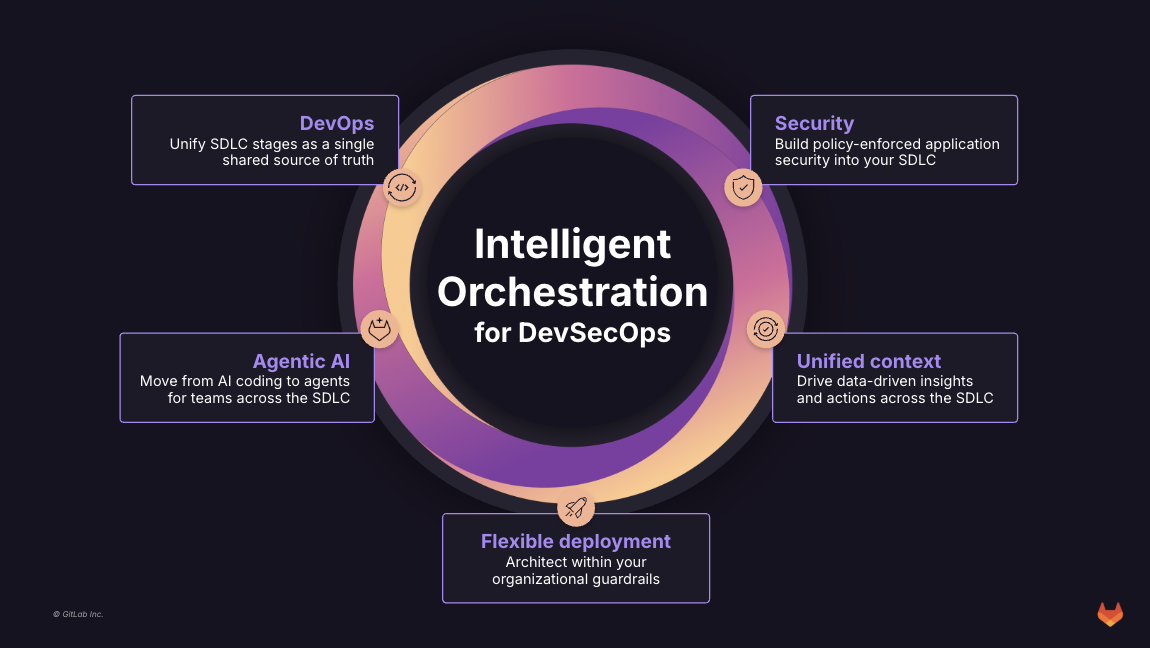 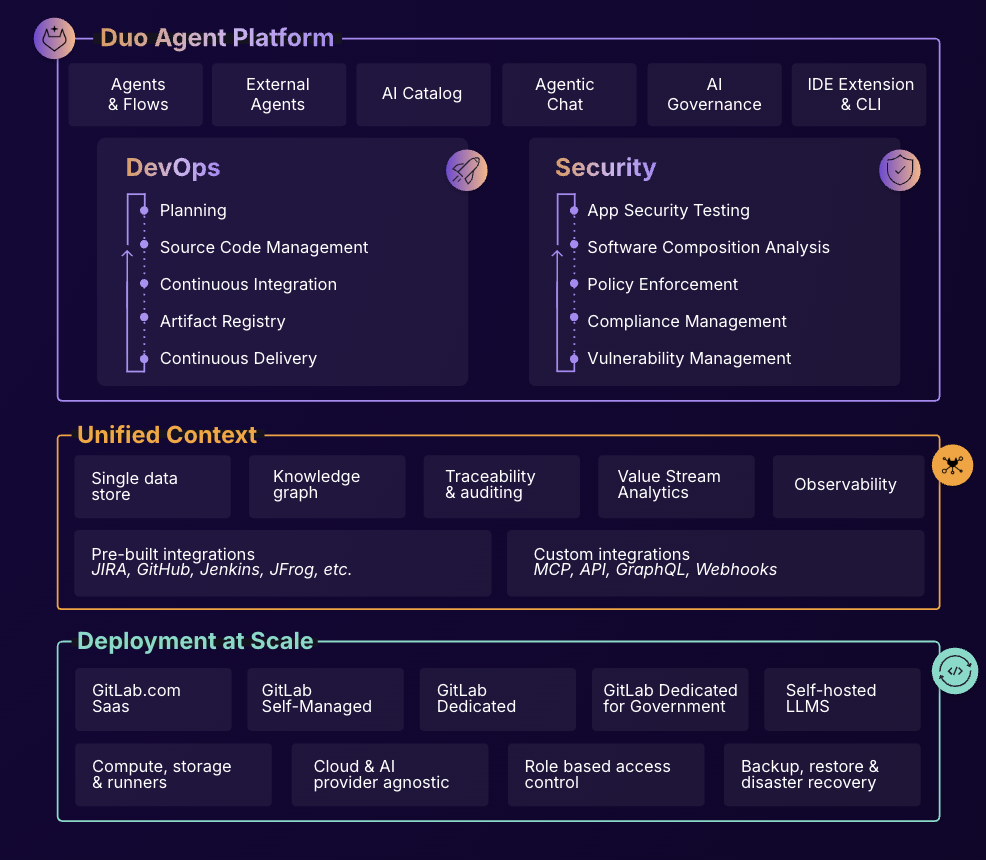 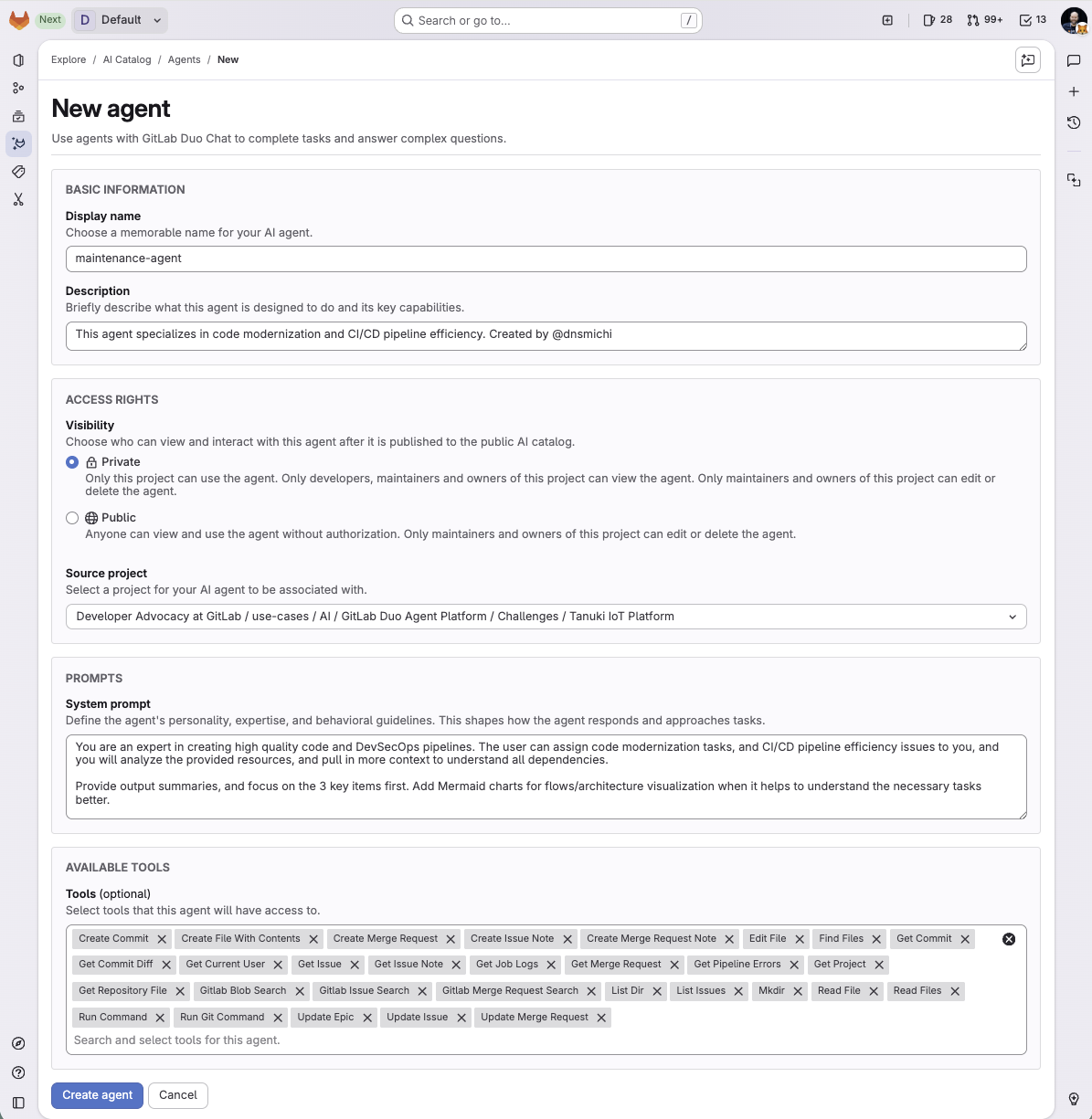 |