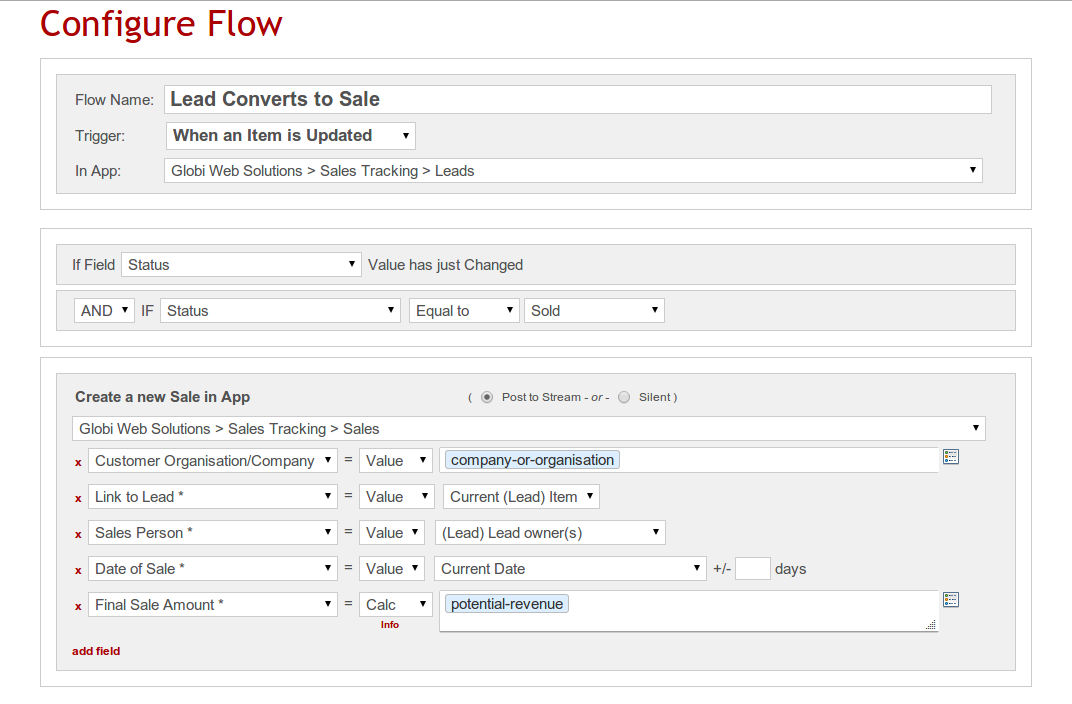
GlobiFlow for Podio is a workflow automation and data visualization solution for Citrix Podio.
N/A
Oracle BPM Suite
Score 8.5 out of 10
N/A
The Oracle Business Process Management Suite is an integrated environment for developing, administering, and using business applications centered around business processes.
N/A
Pricing
GlobiFlow for Podio
Oracle BPM Suite
Editions & Modules
No answers on this topic
No answers on this topic
Offerings
Pricing Offerings
GlobiFlow for Podio
Oracle BPM Suite
Free Trial
No
No
Free/Freemium Version
No
No
Premium Consulting/Integration Services
No
No
Entry-level Setup Fee
No setup fee
No setup fee
Additional Details
—
—
More Pricing Information
Community Pulse
GlobiFlow for Podio
Oracle BPM Suite
Features
GlobiFlow for Podio
Oracle BPM Suite
Reporting & Analytics
Comparison of Reporting & Analytics features of Product A and Product B
GlobiFlow for Podio
8.0
1 Ratings
1% above category average
Oracle BPM Suite
6.0
5 Ratings
27% below category average
Custom reports
8.01 Ratings
6.04 Ratings
Dashboards
00 Ratings
6.04 Ratings
Standard reports
00 Ratings
6.05 Ratings
Process Engine
Comparison of Process Engine features of Product A and Product B
GlobiFlow for Podio
8.3
1 Ratings
0% below category average
Oracle BPM Suite
7.4
6 Ratings
12% below category average
Process simulation
8.01 Ratings
7.06 Ratings
Business rules engine
9.01 Ratings
9.06 Ratings
Model execution
8.01 Ratings
8.05 Ratings
Process designer
00 Ratings
8.06 Ratings
SOA support
00 Ratings
8.06 Ratings
Process player
00 Ratings
8.05 Ratings
Support for modeling languages
00 Ratings
7.04 Ratings
Form builder
00 Ratings
4.05 Ratings
Collaboration
Comparison of Collaboration features of Product A and Product B
GlobiFlow for Podio
8.0
1 Ratings
4% below category average
Oracle BPM Suite
6.0
4 Ratings
33% below category average
Social collaboration tools
8.01 Ratings
6.04 Ratings
Content Management Capabilties
Comparison of Content Management Capabilties features of Product A and Product B
GlobiFlow should be considered advanced software for a limited number of employees. If users of GlobiFlow don't work together, they could easily create processes that cancel out other work. GlobiFlow works very well when one person understands the program well and uses it to help coworkers think through processes. The most helpful way we've used it is in automating our hiring process somewhat. Instead of receiving hundreds of emails with job applications, we set up an app in Podio and used Globiflow to notify supervisors when applications were received through our website. As a candidate moves through the hiring process, GlobiFlow processes provide triggers to help us remember what needs to happen at each step along the way by automatically generating tasks, emails, and items in other apps.
Oracle BPM is well suited to organizations and environments that have a good understanding of their business processes and organizational structures. Trying to introduce a tool such as Oracle BPM into the organization without a good grasp on how the business operates is a recipe for disaster as the implementation will uncover all of the dirty secrets of an organizations business processes and bring them to light. BPM is not to be utilized for smaller service orchestrations or technical service implementations, these should be handled by the Oracle SOA Suite using the BPEL process manager, leaving BPM to handle the organizational business processes, referring to and including lower level services and BPEL processes as needed.
GlobiFlow allows one event to prompt a task or notification automatically, which greatly improves workflows and internal communications.
GlobiFlow makes it possible to automate some interactions we have with people outside the agency, for example, responding immediately to an application when it is received, creating a Sharefile folder to collect submitted documents all in one secure location, etc.
GlobiFlow suggests new ways of setting up workflows that makes us think through and improve our processes.
GlobiFlow helps us keep track of events in new and improved ways. For example, when a leave request is approved GlobiFlow automates the process for putting that date on an agency-wide calendar.
GlobiFlow helps us use Podio and Sharefile better so we communicate with employees in other offices and out in the field more effectively.
There is a steep learning curve for your typical PC user. I've used GlobiFlow for over a year but there are many things I still don't understand about it. The help pages are somewhat helpful, but there is a whole vocabulary associated with GlobiFlow that is a bit mysterious at the front end.
Any limitations in Podio are repeated in GlobiFlow.
Setting up processes in GlobiFlow is somewhat complicated, which makes it a little tedious when employees change and responsibilities shift, as they often do in a growing organization. Naming your processes well is important so you can go back and find places where changes need to be made.
Oracle BPM is left behind by other tools more modern in terms of user experience, usability and ability to integrate with everything else.
To really harvest the potential of Oracle BPM you need to do it in JDeveloper and with ADF. This restricts its usage to very technical people.
The administration of the Oracle BPM tools has really put a burden on our team. It is running on Weblogic and we experience issues very often either with performance or with a bad configuration of the system.
As with all Oracle products, the price can be an issue for smaller shops.
We acquired GlobiFlow at the same time that we GlobiFlow Podio and ShareFile. GlobiFlow helped us use both Podio and ShareFile more efficiently. Podio has an internal automation function that performs some of the same tasks as GlobiFlow but is far more limited, which is why we decided to go ahead and learn how to implement GlobiFlow.
We evaluated Bonita and found that it might fit a smaller-sized company better; we found that Oracle BPM Suite scaled much more evenly. We almost went with one of the competitors, but in the end chose Oracle BPM Suite after we factored in the cost of VMware licensing. There are literally tons of analytics on the back end which are great for upper management, but not so much for average users, but this fits our business model quite well.
You'll most certainly need a deep dive and extensive training before your users can even think of using the product and they are very expensive.
Lack of documentation makes it very difficult to manage the application if any error is encountered which will result in you ending up hiring a dedicated person to look into the application once it's deployed.
For a very large org., if properly implemented and used, it can help identify the cost-intensive and inefficient processes.