TrustRadius: an HG Insights company

Save this comparison

Save this comparison

Add Product

Recommended Comparisons

    Overview
    ProductRatingMost Used ByProduct SummaryStarting Price

    Google Slides

    Score8.3 out of 10
    N/AGoogle Slides is a presentation tool that enables users to create, edit, collaborate, and present. It is free for personal use, and available to businesses via a Google Workspaces subscription.N/A

    PlayPlay

    Score6.9 out of 10
    N/APlayPlay is an online video maker that any communication professional can use to produce, in minutes, videos ready to publish on social media, blogs or on internal channels. Stories, interviews, news clips, events and product promotions, job offers… Engage audiences with video! The vendor states that PlayPlay is best for, but not limited to: small to large companies that need to create engaging videos for social media, highlight internal initiatives and employee projects, and build…

    $217

    1 User per month

    Pricing
    Google SlidesPlayPlay
    Editions & Modules
    No answers on this topic
    Basic
    $217.00
    1 User per month
    Offerings
    Pricing Offerings
    Google SlidesPlayPlay
    Free Trial
    NoYes
    Free/Freemium Version
    YesNo
    Premium Consulting/Integration Services
    NoNo
    Entry-level Setup FeeNo setup feeNo setup fee
    Additional Details—Enterprise plan also available, catered to your company's specific requirements. Let's talk!
    More Pricing Information
    Community Pulse
    Google SlidesPlayPlay
    Considered Both Products
    Google
    No answer on this topic
    PlayPlay
    No answer on this topic
    Key User Insights
    Would buy again
    94%
    Would buy again
    15 Answers
    No answers on this topic
    Delivers good value for the price
    100%
    Delivers good value for the price
    14 Answers
    No answers on this topic
    Happy with the feature set
    75%
    Happy with the feature set
    12 Answers
    No answers on this topic
    Lived up to sales and marketing promises
    100%
    Lived up to sales and marketing promises
    6 Answers
    No answers on this topic
    Implementation went as expected
    100%
    Implementation went as expected
    8 Answers
    No answers on this topic
    Features
    Google SlidesPlayPlay
    Video Security
    Comparison of Video Security features of Google Slides and PlayPlay
    Feature
    Google Slides
    -
    Ratings
    PlayPlay
    9.3
    1 Ratings
    8% above category average
    User management00 Ratings8.01 Ratings
    Video link sharing00 Ratings10.01 Ratings
    Internal video00 Ratings9.01 Ratings
    External video00 Ratings10.01 Ratings
    Video Player
    Comparison of Video Player features of Google Slides and PlayPlay
    Feature
    Google Slides
    -
    Ratings
    PlayPlay
    8.5
    1 Ratings
    4% above category average
    Player customization00 Ratings8.01 Ratings
    Mobile compatibility00 Ratings9.01 Ratings
    Video Hosting, Management & Storage
    Comparison of Video Hosting, Management & Storage features of Google Slides and PlayPlay
    Feature
    Google Slides
    -
    Ratings
    PlayPlay
    8.7
    1 Ratings
    1% above category average
    On-Demand video00 Ratings8.01 Ratings
    Video upload & format support00 Ratings9.01 Ratings
    Video library / File management00 Ratings9.01 Ratings
    Best Alternatives
    Google SlidesPlayPlay
    Small Businesses
    Adobe Presenter
    Score9 out of 10
    Vidyard
    Score8.3 out of 10
    Medium-sized Companies
    Microsoft Powerpoint Online
    Score7 out of 10
    Vidyard
    Score8.3 out of 10
    Enterprises
    Adobe Presenter
    Score9 out of 10
    Panopto
    Score7.5 out of 10
    All AlternativesView all alternativesView all alternatives
    User Ratings
    Google SlidesPlayPlay
    Likelihood to Recommend
    8.3
    (16 ratings)
    10.0
    (1 ratings)
    Likelihood to Renew
    10.0
    (1 ratings)
    -
    (0 ratings)
    Usability
    8.2
    (12 ratings)
    -
    (0 ratings)
    User Testimonials
    Google SlidesPlayPlay
    Likelihood to Recommend
    Google
    Well-suited to working on presentations or PowerPoint-style documents, including setting up templated slides and working collaboratively on presentations. It's less well-suited to setting up printable documents, though I have used it for simple printable documents, you just need to remember to set the slide size to A4 (or your preferred paper size) measurements.
    Incentivized
    Read full review
    PlayPlay
    For any company that wants to use more video in their content and marketing overall, PlayPlay is your best bet. Anyone can make a video--no expertise required. Honestly, it's really fun to do, and you feel like a creative genius afterward! If you are making long-form videos or need something for a TV commercial, PlayPlay doesn't make sense. But you can absolutely take snippets from other video projects and break them into smaller videos. That's what we love to do. Also, they just launched a podcast tool to help podcasters use video to promote their episodes.
    Read full review
    Pros
    Google
    • Real-time collaboration makes it easy for multiple people to work on one presentation or deck.
    • Sharing is very straight forward, so it's easy to keep control of who can do or can't do.
    • Flexible so it's uses don't stop in presentations.
    Incentivized
    Read full review
    PlayPlay
    • Very simple-to-use but super professional looking video templates
    • Intuitive platform for creating a story with video
    • One-click resizing for social formats
    • Amazing customer success--if you need it--offering recommendations to make your video look amazing
    • Access to Getty Premier for video and image stock
    Read full review
    Cons
    Google
    • The slides generated by the "Beautify this slide" feature are not editable. You need to prompt again to make the changes you want.
    • You don't have a way to switch to another company template. For example, if you want to switch from light to dark theme, you can't.
    • The layout of the Animations sequence is not easy to read.
    Incentivized
    Read full review
    PlayPlay
    • Product is very easy to use; I got a little stuck on changing font colors with text
    • Automatic subtitling is amazing, but you do need to adjust the words per screen
    Read full review
    Likelihood to Renew
    Google
    The popularity for Google Slides among the casual technology tool users is so great that we are not in a position to replace this tool with anything else. Every other tool either doesn't have the popularity, or doesn't match the ease of sharing level of Slides. The training needed to learn a different tool is too great. Google Slides is very easy to pick up and master.
    Incentivized
    Read full review
    PlayPlay
    No answers on this topic
    Usability
    Google
    Google Slides is very easy and intuitive for creating simple, straightforward presentations. Its limitations make for less decision making. Being part of the Google Suite makes for easy sharing and collaboration, auto-saving, and time-stamped versions/edit history. However, unlike a platform like Canva, there's no icon library, photos, graphics, or elements built-in, so if you're wanting more creative designs, you have to import or create yourself.
    Incentivized
    Read full review
    PlayPlay
    No answers on this topic
    Alternatives Considered
    Google
    Google Slides works both online and offline, they are free to use if you have a Google account. Easy to share and are supported by most web browsers. A great addition to your arsenal of interactive educational online platforms.
    Incentivized
    Read full review
    PlayPlay
    No answers on this topic
    Return on Investment
    Google
    • We’ve closed all our clients using Google slides.
    • Google slides has directly led to 100's of thousands of dollars in our org.
    • It has helped us add dozens of new clients.
    • Has helped us present information to businesses making 10M+ revenue.
    Incentivized
    Read full review
    PlayPlay
    • Huge ROI--we're saving thousands on editing costs
    • It's another way to repurpose content
    • Our staff has loved using the product--also less work for them
    Read full review
    ScreenShots

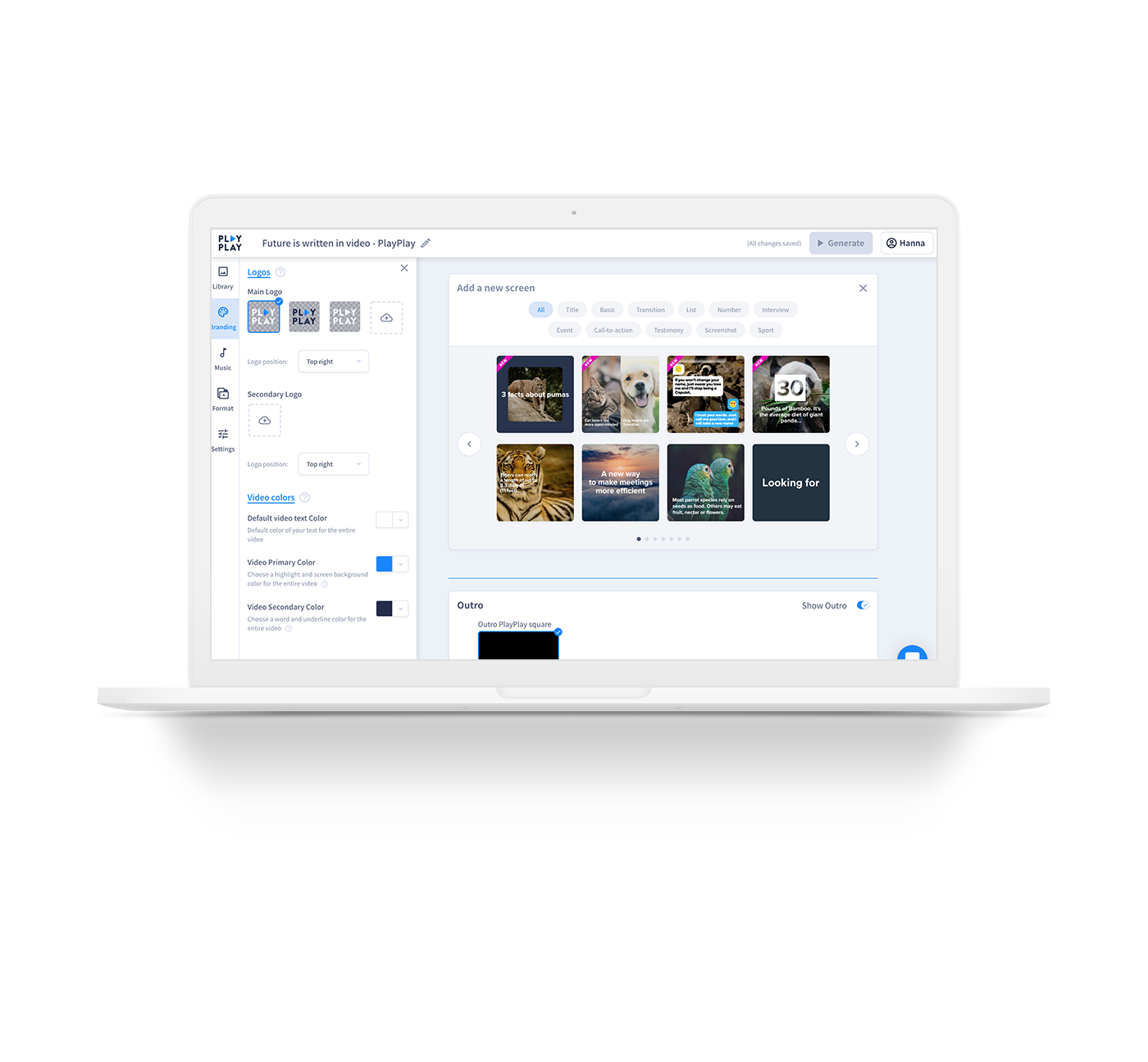
    PlayPlay Screenshots

    Screenshot of TemplatesScreenshot of Select different screens and build your video according to your objectivesScreenshot of Need inspiration? Choose  from a variety of templates to help get you started