Happay vs. Zoho Invoice

Overview
ProductRatingMost Used ByProduct SummaryStarting Price
Happay
Score 9.7 out of 10
N/A
Happay is an expense management software from the company of the same name. Wiith Happay, users can manage prepaid and postpaid cards through a robust mobile app. According to the vendor, Happay has helped over 5500+ businesses automate their paper-based expense reporting systems. Happay can also help companies plug cash leakages that affect their bottom line, ensuring policy compliance within the organisation with real-time visibility into spend behaviours. The software also…N/A
Zoho Invoice
Score 9.4 out of 10
N/A
Zoho Invoice is a cloud-based invoicing solution designed to help small businesses with invoicing, tracking expenses, and accepting online payments. Key features include project billing, time tracking, reporting, customizable templates, and a client portaI. Teams using Zoho Invoice can track estimates, convert them to invoices, and send reminders to clients to complete their outstanding payments. Additionally, users can create tasks, collect advance payments for projects, and keep…
$0
Per Organisation, Per Month
Pricing
HappayZoho Invoice
Editions & Modules
No answers on this topic
Free
$0
Per Organisation, Per Month
Offerings
Pricing Offerings
HappayZoho Invoice
Free Trial
NoNo
Free/Freemium Version
NoYes
Premium Consulting/Integration Services
NoNo
Entry-level Setup Fee$4 per userRequired
Additional DetailsZoho Invoice is a completely free product. It has no contracts, no ads, and no hidden fees
More Pricing Information
Community Pulse
HappayZoho Invoice
Considered Both Products
Happay
Chose Happay
Happy has a much slick UI and it's easy to understand.
Zoho Invoice
Chose Zoho Invoice
Freshbooks is very robust, with many, many layers of functionality. While they try to help businesses save by customizing certain parts of the process, they just can't edit enough to reach a reasonable justification for some small businesses as far as the cost goes. Zoho …
Chose Zoho Invoice
Zoho Invoice streamlines bill creation and sending by personalizing invoices with logos, identities, and terms. It offers detailed payment reports, an integrated payment system, and payment summaries for tracking success. It automates invoicing and payment tasks, saving time …
Chose Zoho Invoice
Google Drive stored my invoices in one accessible location but required more time and maintenance. I didn't want to invest the time into building out sheet functions to carry over figures across sheets, so I researched invoicing options. I am already a fan of Zoho services, so …
Chose Zoho Invoice
Zoho Invoice is much easier and convenient then Microsoft Office 365 when we create invoices and track or manage payments. Furthermore, Zoho Invoice integrates effortlessly with Stripe Payments, enabling us to quickly create online payment links inside the digital online …
Chose Zoho Invoice
Before Zoho Invoice, I used Cashboard App. Cashboard App did what I needed, but it was limited as far as the reports and the types of payments I could accept. Offering a variety of payment options is important to me as a provider. It also wasn't as aesthetically pleasing as …
Chose Zoho Invoice
Zoho Invoice is easier to use, for pure invoicing and time tracking, then QuickBooks Online and O365. QuickBooks Online is more robust, but with that comes the admin overhead to learn, update and maintain. O365 requires manual creation of invoices, or searching out available …
Chose Zoho Invoice
Zoho Invoice stacks up well against may other products as it brings real value for little of no investment up front...Zoho Invoice is also very easy to learn, configure, and use.
Chose Zoho Invoice
The first one I used was Zoho Books. I liked it, it is very similar but has more options, it looked excellent integrated with Zoho CRM, but I really need something simpler and so, I selected Zoho Invoice. The latest update of Zoho CRM integrates well. When we grow more as a …
Chose Zoho Invoice
Method:CRM was a disaster. We spent several weeks trying to set up Method:CRM and promises about connecting to a merchant account simply did not exist. Zoho was up and running in one day. We reviewed around 15 different options and Zoho was the best/most suitable for us.
Best Alternatives
HappayZoho Invoice
Small Businesses
Dext
Dext
Score 9.6 out of 10
vcita
vcita
Score 9.0 out of 10
Medium-sized Companies
BILL Spend & Expense
Score 8.9 out of 10
TimeCamp
TimeCamp
Score 7.0 out of 10
Enterprises
Emburse Chrome River
Score 7.8 out of 10
TimeCamp
TimeCamp
Score 7.0 out of 10
All AlternativesView all alternativesView all alternatives
User Ratings
HappayZoho Invoice
Likelihood to Recommend
10.0
(0 ratings)
9.6
(0 ratings)
Usability
-
(0 ratings)
9.8
(0 ratings)
Support Rating
6.0
(0 ratings)
-
(0 ratings)
User Testimonials
HappayZoho Invoice
Likelihood to Recommend
Happay is the best for all expenses which are unique in nature for employees. It creates the Flexibility of the wallet and incorporates ease of access for both the employer and the employee. Bill submissions are made much easier with the features along with the scanning of the bills. Happay helps in going completely paperless as well as an accounting tool for businesses, especially in MSME and SME companies which benefit from a greater tool.
Read full review
Zoho Invoice is well suited for any business, regardless of size, that needs to have a way to create invoices with hourly or flat rates. It's easy to create and archive projects. It also integrates into their other tools, including Zoho Projects. Zoho is great for businesses who want to accept online payments.You can use PayPal, Stripe, and a few others. Clients can also pay via ACH. It lets you know when a payment is processing AND when it clears. I believe that it would not be well suited in instances where a company creates lots of credit notes (because from the invoice screen the credit will appear to grow, but when you check active credit notes, it is the right amount) or estimates (I can't figure out how to use this feature)
Read full review
Pros
  • Excellent User Interface
  • Ease of Capturing all the bills
  • Grouping of all the bills
  • Easier Report Creation
  • Scanning tools
Read full review
  • Time tracking. Zoho invoice makes it super easy to track time and hours against specific clients and specific tasks.
  • Unbilled / billed time reporting. Zoho Invoice gives a dashboard view of hours yet to be billed, which helps keep on top of invoicing so nothing is missed.
  • Reporting. Zoho Invoice offers a robust reporting module for the price point. Canned reports can be customized easily.
  • Invoice sending and tracking. Zoho Invoice makes it easy to create and send invoices. Invoices are easy to clone, which makes creating regular, repeatable invoices a snap.
Read full review
Cons
  • Could have a chat bot to ask the status on some approvals.
Read full review
  • Zoho Invoice can be complicated if you want to create a more advanced custom invoice or custom recurring invoice.
  • Zoho Invoice does not provide all of its functionalities on the mobile version of its platform.
  • Zoho Invoice is expensive for some small business owners especially if they don't plan on using it often.
Read full review
Usability
No answers on this topic
Ease of access of using the dashboard the buttons I mean like if it is taught in 10th I would have worked it. Simple and minimal hi give good entry to be more transparent and sharable to clients in seconds. The client also get shocked by saying it's fast.
Read full review
Support Rating
I have not faced any issues for which I had to call the support team, so I gave an average rating for the Happay Support Team.
Read full review
No answers on this topic
Alternatives Considered
Happy has a much slick UI and it's easy to understand.
Read full review
Zoho Invoice streamlines bill creation and sending by personalizing invoices with logos, identities, and terms. It offers detailed payment reports, an integrated payment system, and payment summaries for tracking success. It automates invoicing and payment tasks, saving time and money for companies. Zoho Invoice integrates with Stripe Payments, enhancing settlement processes and promoting digital payment adoption.
Read full review
Return on Investment
  • Happay recently helped us manage the overall limits of the expenses and thus reduced the overall contribution employee travel had in our budget/expenses.
Read full review
  • The biggest ROI for my business is that Zoho Invoice reduced the cost of invoicing so much, that I was able to invest that savings back into the business development allowing us to grow.
  • Zoho Invoice provides the option of giving your clients a client portal through which they have access to their own accounts and can see and print their own reports as needed. That helps to create a transparency that our clients love.
  • Zoho Invoice has been dependable. I have not had one issue with using the platform or its functions since I switched to it a few years ago.
Read full review
ScreenShots

Happay Screenshots

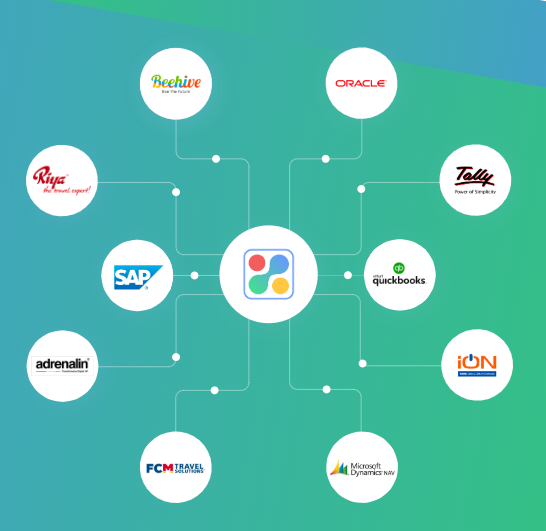
Screenshot of All-in-one expense management software for businessesScreenshot of Automatic Expense CaptureScreenshot of One-click expense reimbursementScreenshot of Integration with all major ERPs and accounting software

Zoho Invoice Screenshots

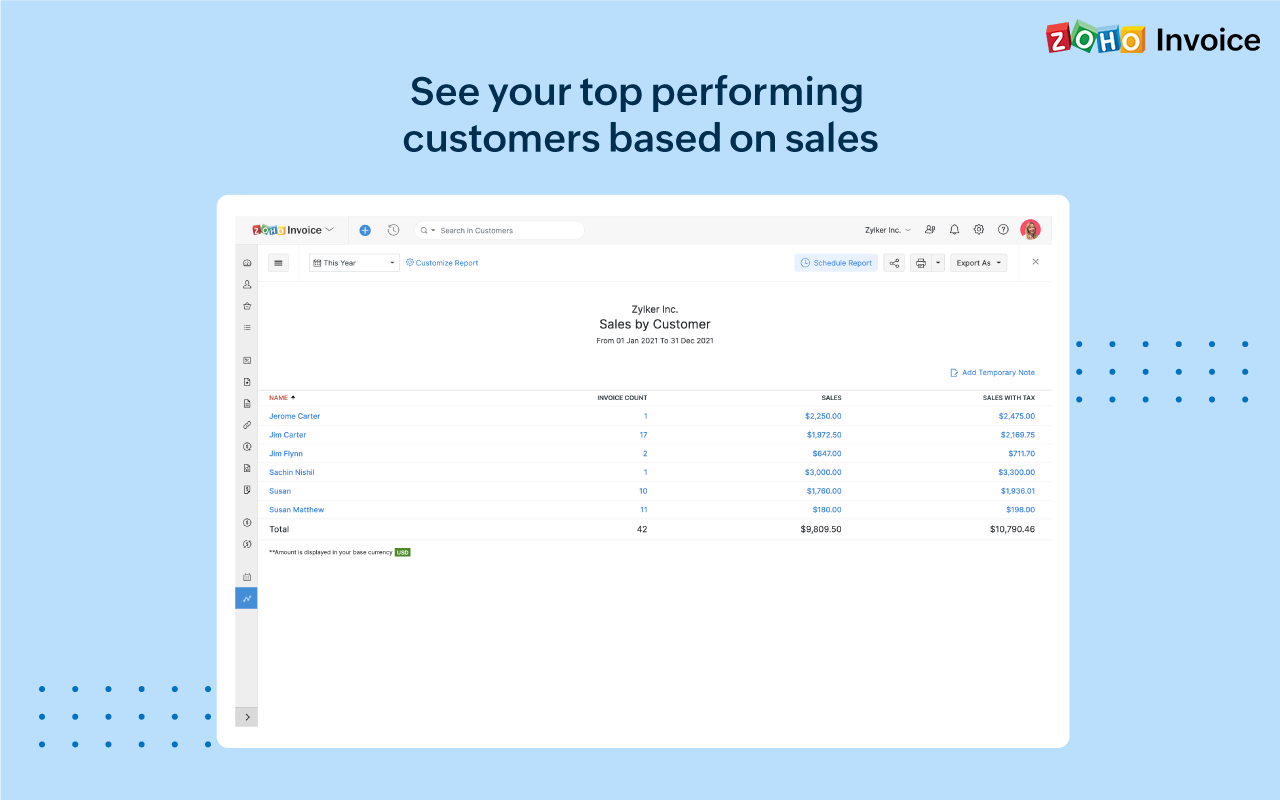
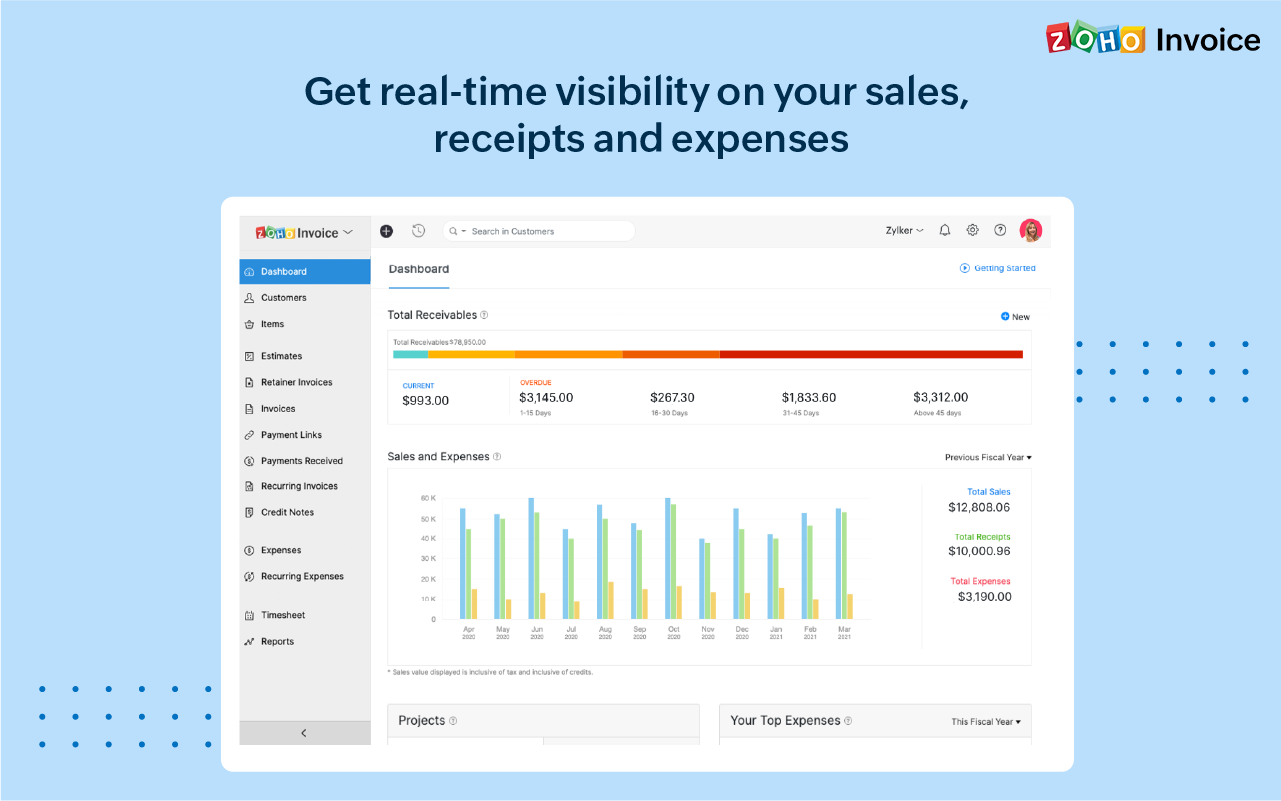
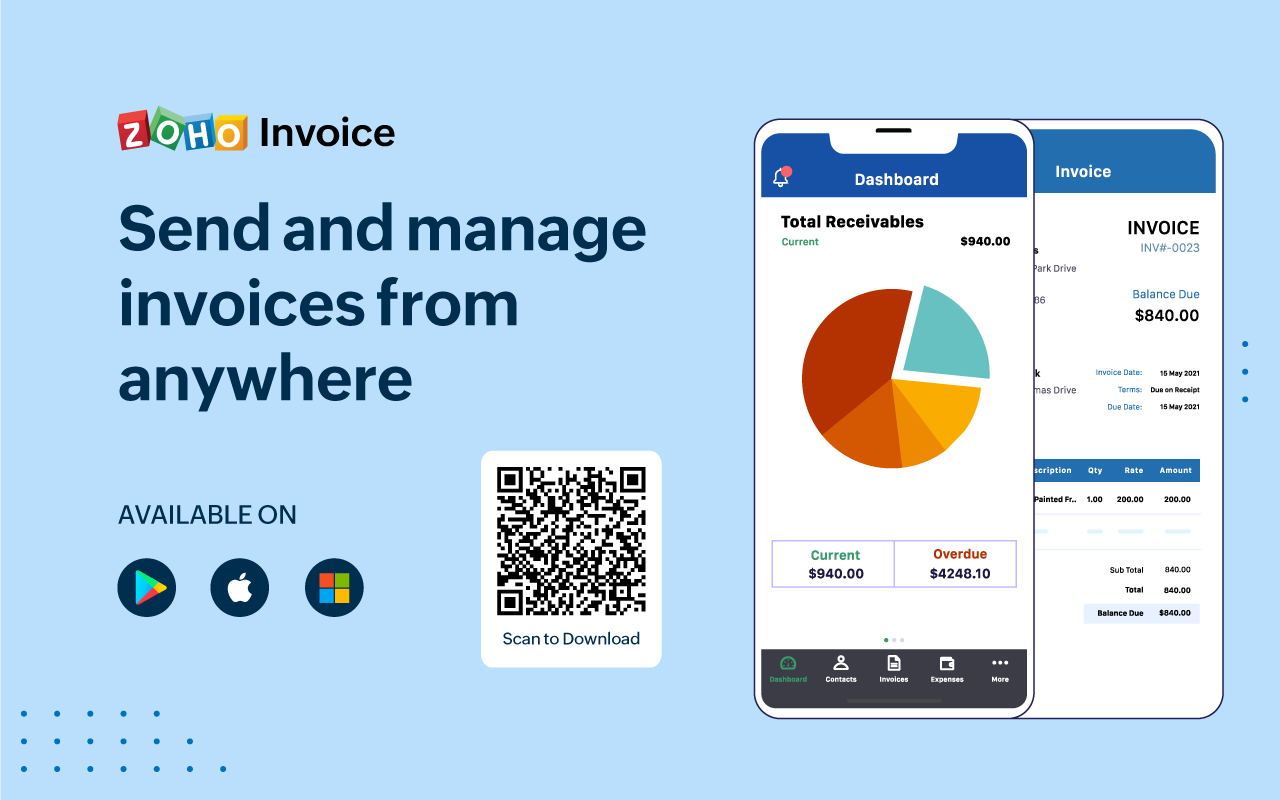
Screenshot of 100% free invoicing software designed for small business owners & freelancers.Screenshot of Customize the look and feel of your invoices to provide a consistent and professional outlook.Screenshot of Add tasks, invite users, track the time worked for each project, and bill your clients just the way you want.Screenshot of Get real-time insights into sales, receivables, expenses, and projects with a host of built-in reports.Screenshot of Get a quick snapshot of your business health and know your monthly sales, current and overdue invoices, payments collected, your top expenses, and more.Screenshot of Create and share invoices, record payments, look up customers' details or past invoice history even if you're away from your desk.