Vagrant is a tool designed to create and configure lightweight, reproducible, and portable development environments. It leverages a declarative configuration file which describes all software requirements, packages, operating system configuration, and users.
N/A
Parallels RAS
Score9.6 out of 10
N/A
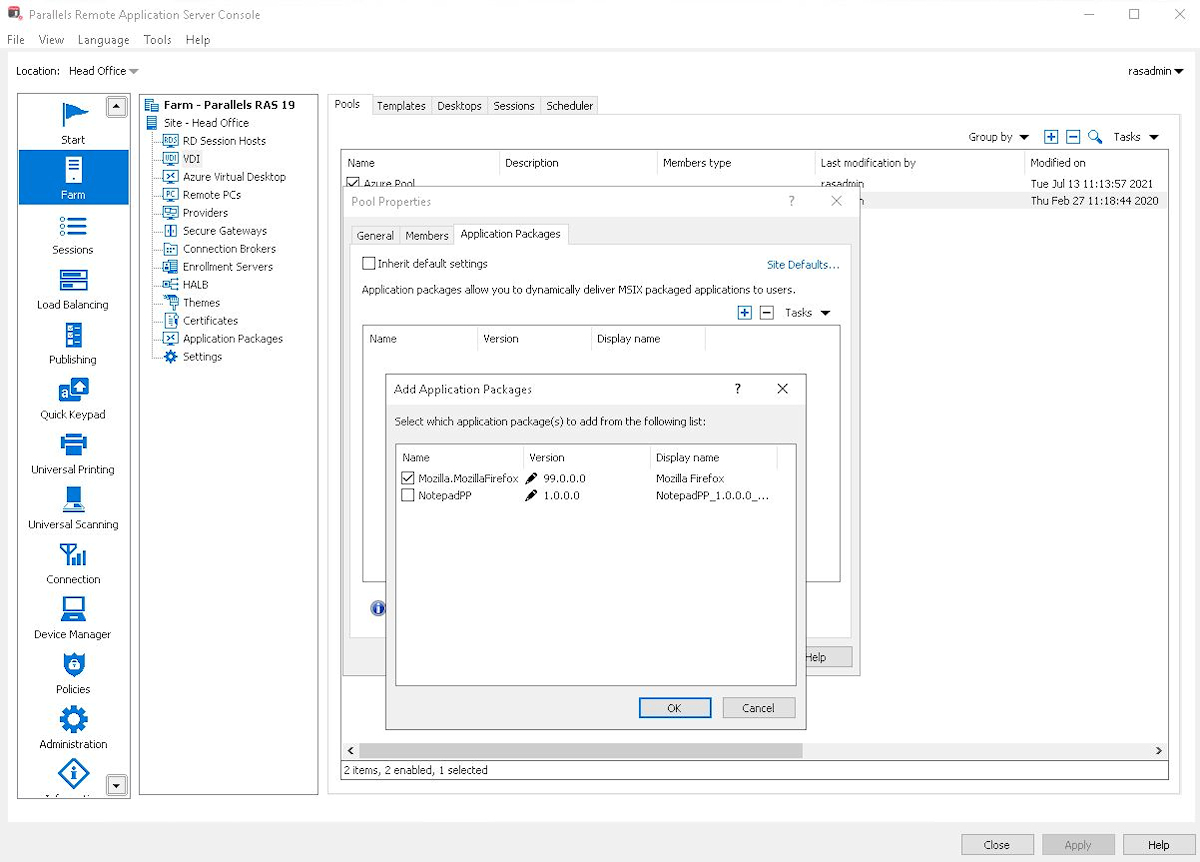
Parallels Remote Application Server (Parallels RAS, formerly 2X RAS), is application virtualization technology, billed as a solution to extend the life of legacy OS (like Windows XP) with its virtual desktop for any device.
Maltese company 2X Software developed the technology, but was acquired by Parallels (in Seattle, WA) in February, 2015 to extend their cross-platform support solutions.
I would recommend this tool to a colleague looking to create a repeatably deployable local dev environment based on their staging and production environments. I would recommend this mostly for individuals or teams requiring environments with server-side software such as php, et al. There are likely less processor-heavy and smaller tools for simpler projects.
A de minimis incentive was given to thank the reviewer for their time. The incentive was not used to bias or drive a particular response, nor was the incentive contingent on a positive endorsement. More Info
Scenarios where time is a factor in having a solution in place and up and running safely and securely. Where there are older devices that ordinarily wouldn't be up to the task of running modern apps and services. Where users need to work away from the network, and security is a concern.
A de minimis incentive was given to thank the reviewer for their time. The incentive was not used to bias or drive a particular response, nor was the incentive contingent on a positive endorsement. More Info
Vagrant is decentralized so anyone can make a container package to get a project started. you aren't limited to wordpress, or even one style of wordpress install (you can make a sage.io wordpress environment).
Vagrant easily lets you set ports and URLs for local development.
I have yet to have a problem with Vagrant, as opposed to MAMP and DesktopServer, which both gave me SQL or other issues.
A de minimis incentive was given to thank the reviewer for their time. The incentive was not used to bias or drive a particular response, nor was the incentive contingent on a positive endorsement. More Info
The printing driver is quite excellent, both in the Parallels Client and on the HTML5 client.
Setup is incredibly easy; the default setup is very functional, and adding features is a breeze.
Speed is very acceptable in general for end-users, the clients adapt quite well to the amount of bandwidth available, and features are available to adjust further.
A de minimis incentive was given to thank the reviewer for their time. The incentive was not used to bias or drive a particular response, nor was the incentive contingent on a positive endorsement. More Info
Because Vagrant is a low-level tool with many ways to configure it, there is a steep learning curve. You don't just have to learn (or install) Vagrant, but also Virtualbox, Ansible and possibly some Vagrant plugins to keep boxes up to date.
Support on Windows doesn't seem great. I'm a Mac guy, so it's been very difficult getting things to work as expected when a developer wants to work on Windows.
Perhaps I didn't configure it correctly, but the default shared folders are not the best for performance. There are also frequently weird issues regarding file permissions.
A de minimis incentive was given to thank the reviewer for their time. The incentive was not used to bias or drive a particular response, nor was the incentive contingent on a positive endorsement. More Info
Parallels Remote Application Server (Parallels RAS) continually improves the product but has broken some features recently. For example the web management portal lost the ability to manage user sessions after a major update. That issue was fixed in a later release
Multi-monitor support beyond 4 monitors (It does handle up to 4 -1080 monitors well)
More options around connection security and MFA. current options are sufficient but limited
We've noticed some performance issues with Windows Server 2019 and 2022. I'd like to see more robust support for remote applications running from those platforms.
A de minimis incentive was given to thank the reviewer for their time. The incentive was not used to bias or drive a particular response, nor was the incentive contingent on a positive endorsement. More Info
A de minimis incentive was given to thank the reviewer for their time. The incentive was not used to bias or drive a particular response, nor was the incentive contingent on a positive endorsement. More Info
We have been using Parallels since it was called 2X - it is a major part of how we do business. It is fairly simple to use and maintain - staff like it, we like it. It is a product that makes a promise - and it keeps it. As Parallels evolves, and clean bandwidth becomes more readily available everywhere - it just makes sense to continue to use Parallels in our environment
A de minimis incentive was given to thank the reviewer for their time. The incentive was not used to bias or drive a particular response, nor was the incentive contingent on a positive endorsement. TR verified that a representative sample of customers was invited. More Info
A de minimis incentive was given to thank the reviewer for their time. The incentive was not used to bias or drive a particular response, nor was the incentive contingent on a positive endorsement. More Info
Parallels RAS was easy to setup, with great admin guides and resources. We especially liked the included Visio templates which made diagramming much easier. The reference deployment diagrams also simplified our deployment process. Our end users love Parallels RAS. Apps launch faster than Citrix, and the Parallels RAS client is far more reliable than Workspace.
If there are any issues with Parallels - they are usually more about the server operating systems than Parallels itself. It would be rare for us to have any reason to take Parallels offline - we schedule a reboot on the servers at 3am to keep the O/S itself fresh, but again - it is not a Parallels issue. If individual users have any issues we ask them to completely log out of parallels - which ends their session - and then back in - and that typically resolves the issue right away.
A de minimis incentive was given to thank the reviewer for their time. The incentive was not used to bias or drive a particular response, nor was the incentive contingent on a positive endorsement. TR verified that a representative sample of customers was invited. More Info
I am giving Parallels 9/10 on this one because the only application that sometimes seems slow or has issues - is Microsoft Outlook. It is sometimes the result of a pop-up that may not show up in the published application (vs full desktop). Other than that - pages load very quickly - and it does not seem to slow down other applications that are running at the same time. Most of our users run Outlook, softphone and Teams locally - and published applications for everything else. When they do that - it is very solid.
A de minimis incentive was given to thank the reviewer for their time. The incentive was not used to bias or drive a particular response, nor was the incentive contingent on a positive endorsement. TR verified that a representative sample of customers was invited. More Info
Good support in place if required, very helpful when it comes to upgrades or any issues faced. The support team is knowledgeable, friendly, and quick to respond to issues The company also provides a range of online resources, including a knowledge base, documentation, and forums, which can be helpful before raising a ticket
A de minimis incentive was given to thank the reviewer for their time. The incentive was not used to bias or drive a particular response, nor was the incentive contingent on a positive endorsement. TR verified that a representative sample of customers was invited. More Info
A de minimis incentive was given to thank the reviewer for their time. The incentive was not used to bias or drive a particular response, nor was the incentive contingent on a positive endorsement. More Info
Overall, it was pretty simple compared to most other projects. Again, we had a strong familarity with the product so there was not much of a learning curve. Our 'biggest' issue is the end-user understanding of a 'local' application and a published application. For example - Online meetings need to run locally for camera/video to work smoothly so opening a link to a meeting from a published application continues to be an occasional issue.
A de minimis incentive was given to thank the reviewer for their time. The incentive was not used to bias or drive a particular response, nor was the incentive contingent on a positive endorsement. TR verified that a representative sample of customers was invited. More Info
I liked lando better because lando seemed extremely easy to setup compared to other VM's and it seemed faster though that project was simpler. Virtualbox I ran on windows and it has a gui and has often been slow. The vagrant boxes I used did well but had slightly more problems than lando.
A de minimis incentive was given to thank the reviewer for their time. The incentive was not used to bias or drive a particular response, nor was the incentive contingent on a positive endorsement. More Info
Parallels Remote Application Server (Parallels RAS) provides the finest end user experience while being cost-effective and reducing administrative and support man hours. Parallels Remote Application Server (Parallels RAS) is platform agnostic; it works with various kinds of devices (computers, phones, tablets) and several operating systems (Windows, Linux, Apple, etc.), allowing users to access it on gadgets of their choice.
A de minimis incentive was given to thank the reviewer for their time. The incentive was not used to bias or drive a particular response, nor was the incentive contingent on a positive endorsement. More Info
We added our Integrated Services Staff to parallels, with filtered, published applications - in a single afternoon. We added licensing and installed the desktop client software on multiple platforms both in the office and at remote sites all on the same day - and got remote users that had never used the product up and running - very quickly.
A de minimis incentive was given to thank the reviewer for their time. The incentive was not used to bias or drive a particular response, nor was the incentive contingent on a positive endorsement. TR verified that a representative sample of customers was invited. More Info
A de minimis incentive was given to thank the reviewer for their time. The incentive was not used to bias or drive a particular response, nor was the incentive contingent on a positive endorsement. More Info
Our customers have had dramatic cost decreases due to no longer needing IT departments to work with our software.
We've been able to charge more for our hosting services due to our customers saving money in the long run. Parallels Remote Application Server has more than paid for itself, and the increased income has gone right back into the business.
Both our customers and our company have benefited from this transition.
A de minimis incentive was given to thank the reviewer for their time. The incentive was not used to bias or drive a particular response, nor was the incentive contingent on a positive endorsement. More Info