Hornetsecurity 365 Total Protection vs. IDrive Online Backup and Object Storage e2

Overview
ProductRatingMost Used ByProduct SummaryStarting Price
Hornetsecurity 365 Total Protection
Score 10.0 out of 10
N/A
With 365 Total Protection, Hornetsecurity offers users enterprise security management in conjunction with Microsoft Office 365. The Enterprise version gives users enhanced functionality and protection, and covers legally compliant email archiving with advanced features such as eDiscovery and 10-year email retention. It also offers protection against advanced persistent threats through the use of AI-based analysis mechanisms.N/A
IDrive Online Backup and Object Storage e2
Score 9.2 out of 10
N/A
IDrive protects PCs, Macs, mobile devices, Servers, Cloud Applications Data (SAAS) including Office 365, and Google Workspace, and provides S3 compatible Object Storage with IDrive e2. IDrive offers different plans for cloud backup for devices: - IDrive Personal - IDrive Core - IDrive Team - IDrive Small Business - IDrive Enterprise - IDrive360 EndPoint IDrive provides Cloud Applications data (SAAS) Backup: - Microsoft Office 365 Backup - Google…
$99.50
per year One user, unlimited computers 5TB storage
Pricing
Hornetsecurity 365 Total ProtectionIDrive Online Backup and Object Storage e2
Editions & Modules
No answers on this topic
IDrive Cloud to Cloud Backup
$20
per year
IDrive 360 EndPoint
$29.50
per year
IDrive e2
$49.50
per year
IDrive Core
$79.50
per year
Personal
$99.50
per year
IDrive Team
$99.50
per year
IDrive Business
$99.50
per year
Offerings
Pricing Offerings
Hornetsecurity 365 Total ProtectionIDrive Online Backup and Object Storage e2
Free Trial
NoYes
Free/Freemium Version
NoYes
Premium Consulting/Integration Services
NoNo
Entry-level Setup FeeOptionalNo setup fee
Additional DetailsIDrive regularly offers first year discounts for all plans and offers a full-featured 30-day free trial for IDrive 360 Endpoint
More Pricing Information
Community Pulse
Hornetsecurity 365 Total ProtectionIDrive Online Backup and Object Storage e2
Features
Hornetsecurity 365 Total ProtectionIDrive Online Backup and Object Storage e2
File Sharing & Management
Comparison of File Sharing & Management features of Product A and Product B
Hornetsecurity 365 Total Protection
-
Ratings
IDrive Online Backup and Object Storage e2
9.2
93 Ratings
10% above category average
Versioning00 Ratings9.468 Ratings
Video files00 Ratings9.071 Ratings
Audio files00 Ratings9.166 Ratings
Document collaboration00 Ratings10.03 Ratings
Access control00 Ratings9.26 Ratings
File search00 Ratings8.978 Ratings
Device sync00 Ratings8.984 Ratings
Cloud Storage Security & Administration
Comparison of Cloud Storage Security & Administration features of Product A and Product B
Hornetsecurity 365 Total Protection
-
Ratings
IDrive Online Backup and Object Storage e2
8.7
88 Ratings
1% above category average
User and role management00 Ratings8.971 Ratings
File organization00 Ratings8.384 Ratings
Device management00 Ratings9.085 Ratings
Cloud Storage Platform
Comparison of Cloud Storage Platform features of Product A and Product B
Hornetsecurity 365 Total Protection
-
Ratings
IDrive Online Backup and Object Storage e2
9.0
93 Ratings
4% above category average
Performance00 Ratings8.790 Ratings
Reliability00 Ratings9.288 Ratings
Storage Reports00 Ratings9.081 Ratings
Best Alternatives
Hornetsecurity 365 Total ProtectionIDrive Online Backup and Object Storage e2
Small Businesses
Cove Data Protection
Score 9.7 out of 10
SugarSync
SugarSync
Score 4.4 out of 10
Medium-sized Companies
Druva Security Cloud
Score 9.5 out of 10
Druva Security Cloud
Score 9.5 out of 10
Enterprises
Druva Security Cloud
Score 9.5 out of 10
Druva Security Cloud
Score 9.5 out of 10
All AlternativesView all alternativesView all alternatives
User Ratings
Hornetsecurity 365 Total ProtectionIDrive Online Backup and Object Storage e2
Likelihood to Recommend
-
(0 ratings)
9.3
(97 ratings)
Likelihood to Renew
-
(0 ratings)
9.1
(2 ratings)
Usability
-
(0 ratings)
9.5
(23 ratings)
Support Rating
-
(0 ratings)
9.1
(5 ratings)
Implementation Rating
-
(0 ratings)
5.5
(1 ratings)
User Testimonials
Hornetsecurity 365 Total ProtectionIDrive Online Backup and Object Storage e2
Likelihood to Recommend
Hornetsecurity Inc.
No answers on this topic
IDrive
It scales well from the individual to corporate environments with many different plans to suit your needs and budget. For backing up servers such as Exchange or SQL I've used their sister product iBackup, which is also excellent and we have no problems with, so maybe they should merge the two products into one which would make it a better overall proposition. It also seems to handle backing up mapped drives as well, which is what we used for a while before getting the on server version. That being said it can use up quite a bit of bandwidth so make sure you schedule at night when noone is working. However it does only backup changed files which is great.
Read full review
Pros
Hornetsecurity Inc.
No answers on this topic
IDrive
  • I'm using it on MAC, the app works very well in the background
  • Logging activities is something I really like, because I can check whether the backup was successful or not.
  • I really like the option of being able to select external drivers and back up only specific folders or files.
  • The application itself is very easy to use, even though it doesn't have a version in my language (pt-br), I had no trouble setting it up and I'm using it without any problems.
Read full review
Cons
Hornetsecurity Inc.
No answers on this topic
IDrive
  • DropBox-protected folders were not initially backed up as IDrive Online Backup and Object Storage e2 did not follow the symbolic links created
  • I experienced some UX confusion in adding new folders to backup; it's a different interface than setting up exclusions, and they should follow the same workflow and page buttons
  • After a reboot, it appears like a full disk scan is performed which can take quite a long time on a disk which has many files and lots of space
Read full review
Likelihood to Renew
Hornetsecurity Inc.
No answers on this topic
IDrive
It does everything that it needs to to create an effecitve Three level backup to the cloud of all your important data, its reliable, dependable and peformant in its use cases. It overcomes the need to store offsite physical media such as Tape or disk storage. And its cost and level of reporting can be tailored to fit the use case of your business.
Read full review
Usability
Hornetsecurity Inc.
No answers on this topic
IDrive
While both the desktop and mobile apps are pretty straightforward and not complicated to navigate with features and settings fairly easy to understand and execute with clear enough descriptions they could use a refresh to be a but more intuitive and improvements made so they are less glitchy. Also backup speeds could use some improvement
Read full review
Support Rating
Hornetsecurity Inc.
No answers on this topic
IDrive
I have not had to use their tech support. I did call once but luckily figured out what to do while I was on hold so I disconnected. If I really needed them it would have been a very long hold time I suppose.
Read full review
Implementation Rating
Hornetsecurity Inc.
No answers on this topic
IDrive
Did not participate in the implementation.
Read full review
Alternatives Considered
Hornetsecurity Inc.
No answers on this topic
IDrive
I was a Backblaze user for 5 years because they had a very cost effective plan for my storage needs. However, they were very poor at backing up external devices quickly, and made it a pain in the butt to keep the backups active due to their 30 days connectivity policy.
Dropbox is a great fit for cloud backup when you need to access the backup files in the cloud frequently.
IDrive is the best solution out there for true backup of devices in case they are damaged or lost.
Read full review
Return on Investment
Hornetsecurity Inc.
No answers on this topic
IDrive
  • For individual users such as my case, the savings with the Personal plan are important compared to alternatives like ElephantDrive. For 5TB ElephantDrive costs $600/yr in the comparable Family plan, whereas IDrive Online Backup and Object Storage e2 costs only $99.50/yr.
Read full review
ScreenShots

Hornetsecurity 365 Total Protection Screenshots
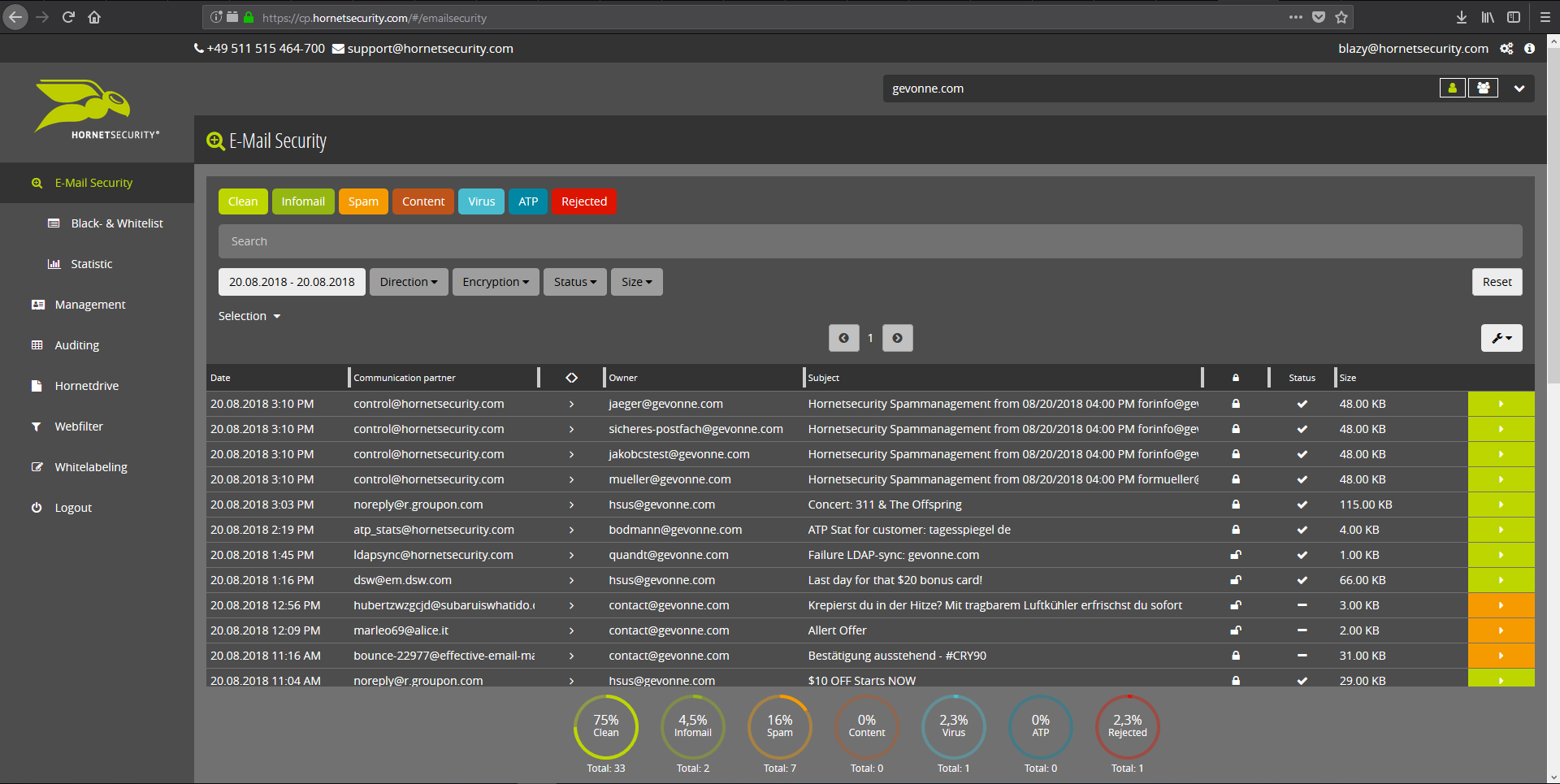
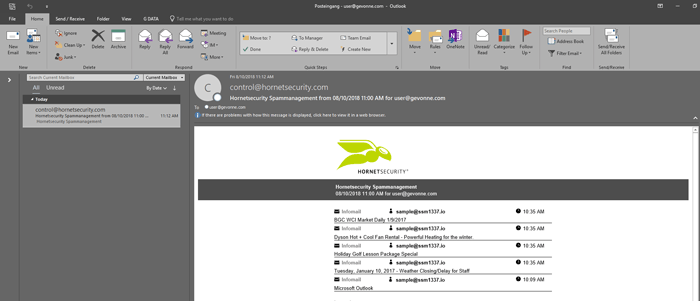
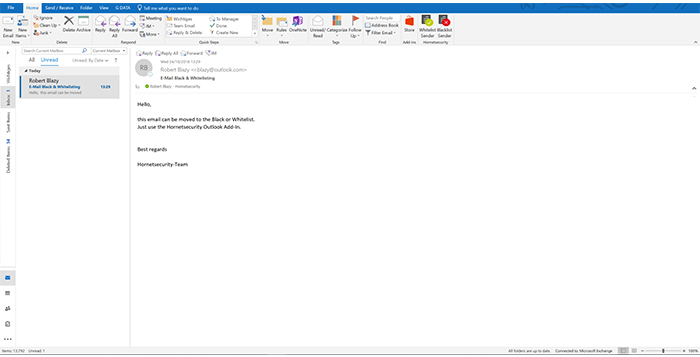
Screenshot of Email Live Tracking with user-defined settings offers users a complete overview of all Emails addressed to them. If an incoming Email has, for example, been classified as spam, you will receive comprehensive information and can individually determine any further interaction. This means that you can always quickly find any email you are searching for and delivery options can be defined for the future.Screenshot of With the help of Infomail Handlings, the inboxes or smartphones of your users will no longer be flooded with newsletters and ad mails. Users are no longer distracted by the constant arrival of unimportant emails, thus making it easier for them to keep track of relevant business matters.Screenshot of Content Control protects your email communication from receiving or sending unwanted or unauthorized file attachments in keeping with your company policy. When running Content Control, umbrella terms and categories (e.g., .docmacro or .executable) may be blocked, for example in the default group (mailboxes that are not allocated to any particular group). For a department such as Marketing, however, the receipt of media files and macros can, on the other hand, be necessary for daily business: In this respect, one can create, for example, a group for the Marketing department and adjust the settings in Content Control so that only potentially dangerous, e.g. executable, file formats are blocked for this group.Screenshot of If an incoming email (e.g. phishing or spam mail) constitutes a threat, the attack is immediately detected by the multi-stage filter systems of 365 Total Protection. Unwanted emails are directly rejected by the Threat Blocking function or detected in later analyses by Threat Intelligence and sent straight to Quarantine. In both cases, these emails will not be delivered to your mailbox.Screenshot of If you do not want to receive emails from one or several specific senders, you can put these on your personal Blacklist. With just one click directly in your in-box the selected senders can be added to the Blacklist to prevent emails from the same sender from being delivered to you in future. If an email from a generally unobjectionable sender lands in Quarantine by mistake, thus appearing in the spam report, the “Whitelist” function can be used. Emails from senders on your Whitelist will always be delivered to your in-box in future.Screenshot of Every email sent out by a company is not only relevant to the business, but is also your company’s business card. In terms of content, a company-wide standardized structure and the completeness of signature datasets are essential. In this context, all email signatures also have the same visual design and layout. This task can also be allocated to the Marketing department or office management via the “What You See is What You Get” editor.

IDrive Online Backup and Object Storage e2 Screenshots

Screenshot of IDrive WindowsScreenshot of IDrive WebScreenshot of IDrive Server BackupScreenshot of IDrive 360