TrustRadius: an HG Insights company

HyperOffice Enterprise Collaboration Suite vs. Onehub

Save this comparison

Save this comparison

Add Product

Recommended Comparisons

    Overview
    ProductRatingMost Used ByProduct SummaryStarting Price

    HyperOffice Enterprise Collaboration Suite

    Score7.7 out of 10
    N/AHyperOffice delivers a collaboration software built around functionalities such as document and database management, a social network platform, and online collaborative calendarsN/A

    Onehub

    Score10 out of 10
    N/AOnehub is a secure file storage and sharing service built for businesses of any size. Users can maintain existing folder and file structure with secure online document sharing and collaboration, and remain hyper-organized while able to access files from anywhere. Bank-level encryption as well as its granular, role-based permission structure means users can control who has access to content and share critical business files with confidence. Onehub’s security features include role…

    $29.95

    3 paid users included per month

    Pricing
    HyperOffice Enterprise Collaboration SuiteOnehub
    Editions & Modules
    No answers on this topic
    Team
    $29.95
    3 paid users included per month
    Business
    $99.95
    5 paid users included per month
    Enterprise
    Call for details
    Offerings
    Pricing Offerings
    HyperOffice Enterprise Collaboration SuiteOnehub
    Free Trial
    NoYes
    Free/Freemium Version
    NoNo
    Premium Consulting/Integration Services
    NoNo
    Entry-level Setup FeeNo setup feeNo setup fee
    Additional Details—Team Plan - $10 per additional user Business Plan - $15 per additional user
    More Pricing Information
    Features
    HyperOffice Enterprise Collaboration SuiteOnehub
    Project Management
    Comparison of Project Management features of HyperOffice Enterprise Collaboration Suite and Onehub
    Feature
    HyperOffice Enterprise Collaboration Suite
    7.1
    1 Ratings
    9% below category average
    Onehub
    -
    Ratings
    Task Management7.01 Ratings00 Ratings
    Gantt Charts7.01 Ratings00 Ratings
    Scheduling8.01 Ratings00 Ratings
    Workflow Automation6.01 Ratings00 Ratings
    Mobile Access7.01 Ratings00 Ratings
    Search8.01 Ratings00 Ratings
    Visual planning tools7.01 Ratings00 Ratings
    Communication
    Comparison of Communication features of HyperOffice Enterprise Collaboration Suite and Onehub
    Feature
    HyperOffice Enterprise Collaboration Suite
    7.0
    1 Ratings
    13% below category average
    Onehub
    -
    Ratings
    Chat7.01 Ratings00 Ratings
    Notifications7.01 Ratings00 Ratings
    Discussions6.01 Ratings00 Ratings
    Surveys8.01 Ratings00 Ratings
    Internal knowledgebase8.01 Ratings00 Ratings
    Integrates with GoToMeeting6.01 Ratings00 Ratings
    Integrates with Gmail and Google Hangouts7.01 Ratings00 Ratings
    Integrates with Outlook7.01 Ratings00 Ratings
    File Sharing & Management
    Comparison of File Sharing & Management features of HyperOffice Enterprise Collaboration Suite and Onehub
    Feature
    HyperOffice Enterprise Collaboration Suite
    7.5
    1 Ratings
    7% below category average
    Onehub
    8.3
    4 Ratings
    1% below category average
    Versioning7.01 Ratings8.04 Ratings
    Video files6.01 Ratings9.01 Ratings
    Audio files6.01 Ratings10.01 Ratings
    Document collaboration8.01 Ratings8.04 Ratings
    Access control8.01 Ratings10.04 Ratings
    Advanced security features9.01 Ratings00 Ratings
    Integrates with Google Drive8.01 Ratings00 Ratings
    Device sync8.01 Ratings00 Ratings
    File search00 Ratings5.03 Ratings
    Cloud Storage Security & Administration
    Comparison of Cloud Storage Security & Administration features of HyperOffice Enterprise Collaboration Suite and Onehub
    Feature
    HyperOffice Enterprise Collaboration Suite
    -
    Ratings
    Onehub
    9.0
    4 Ratings
    4% above category average
    User and role management00 Ratings10.04 Ratings
    File organization00 Ratings8.04 Ratings
    Cloud Storage Platform
    Comparison of Cloud Storage Platform features of HyperOffice Enterprise Collaboration Suite and Onehub
    Feature
    HyperOffice Enterprise Collaboration Suite
    -
    Ratings
    Onehub
    10.0
    3 Ratings
    14% above category average
    Performance00 Ratings10.03 Ratings
    Reliability00 Ratings10.03 Ratings
    Best Alternatives
    HyperOffice Enterprise Collaboration SuiteOnehub
    Small Businesses
    Flock
    Score9.5 out of 10
    IDrive Online Backup and Object Storage e2
    Score9.1 out of 10
    Medium-sized Companies
    Troop Messenger
    Score9.8 out of 10
    Apple iCloud
    Score8.4 out of 10
    Enterprises
    Cisco Business Edition 7000 (discontinued)
    Score9 out of 10
    ownCloud
    Score9.2 out of 10
    All AlternativesView all alternativesView all alternatives
    User Ratings
    HyperOffice Enterprise Collaboration SuiteOnehub
    Likelihood to Recommend
    7.0
    (1 ratings)
    10.0
    (4 ratings)
    Likelihood to Renew
    -
    (0 ratings)
    10.0
    (1 ratings)
    Usability
    -
    (0 ratings)
    10.0
    (1 ratings)
    Support Rating
    7.0
    (1 ratings)
    -
    (0 ratings)
    User Testimonials
    HyperOffice Enterprise Collaboration SuiteOnehub
    Likelihood to Recommend
    HyperOffice
    It is well suited for the medium to large companies, where you are managing a large amount of data and files. Least suited for the small companies or startups.
    Read full review
    Onehub
    Onehub data rooms can be used to privately share sensitive financial data with multiple parties or just one. Onehub is easy to use and secure which puts our clients at ease when uploading and transferring financial data.
    Incentivized
    Read full review
    Pros
    HyperOffice
    • Simple interface which makes it easy to operate.
    • Great Features to facilitate the needs.
    Read full review
    Onehub
    • Able to customize the pages where you keep files and documents, helping to keep organized.
    • Uploading files is an easy process.
    • Has reliable security for keeping documents safe. Uses a 2-factor authentication process.
    Incentivized
    Read full review
    Cons
    HyperOffice
    • Takes time to learn the functionalities.
    • A bit pricey for small companies.
    • Extra help required to learn.
    Read full review
    Onehub
    • Design
    • Sharing Portal
    Read full review
    Likelihood to Renew
    HyperOffice
    No answers on this topic
    Onehub
    Our clients and staff enjoy the security level when sending sensitive financial data back and forth.
    Incentivized
    Read full review
    Usability
    HyperOffice
    No answers on this topic
    Onehub
    Again we love the tool
    Incentivized
    Read full review
    Support Rating
    HyperOffice
    I've heard good things about the customer support team of HyperOffice but never had any experience myself.
    Read full review
    Onehub
    No answers on this topic
    Alternatives Considered
    HyperOffice
    The platform is easy-to-use and helpful in managing projects. Additionally, email-based communication and updates are great.
    Read full review
    Onehub
    Onehub has the better security, but Evernote is more user friendly and more compatible with other programs the department uses. Onehub is good for sending documents to externals/clients and then having the document reviewed, but like the flow of other programs better. Onehub is more user friendly than OneNote and has the ability to collaborate with members outside of the department. OneNote is used more for internal collaboration where security is not as big of an issue, Onehub is better for shared outside of the department.
    Incentivized
    Read full review
    Return on Investment
    HyperOffice
    • Definitely. Got more features than expected for the price plan. Props to the team for that.
    Read full review
    Onehub
    • Assuring clients of record keeping
    • Client interest
    Read full review
    ScreenShots

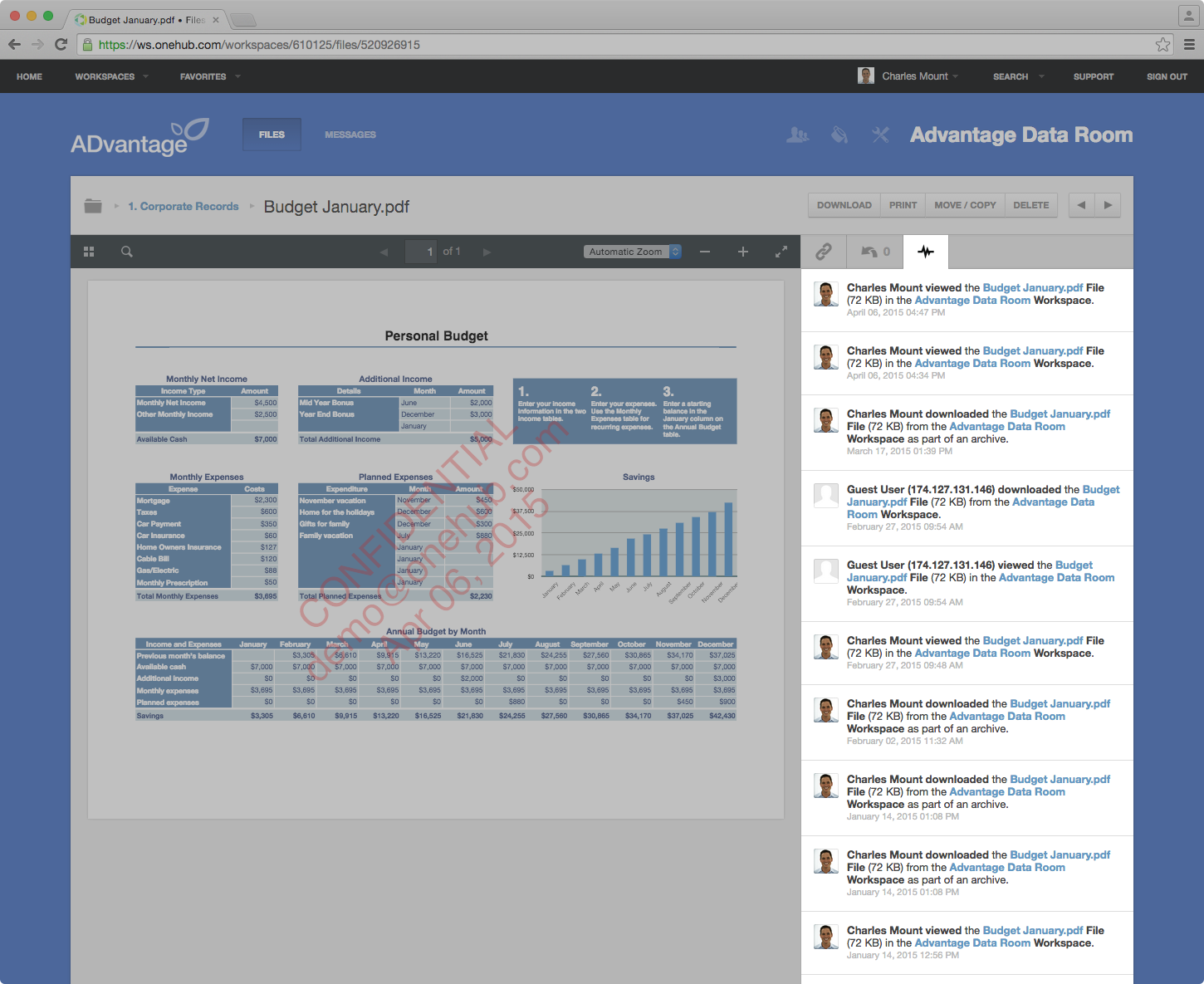
    Onehub Screenshots

    Screenshot of Onehub Workspace homeScreenshot of Data Room ActivityScreenshot of Custom Branded WorkspaceScreenshot of Mobile AccessScreenshot of User Permission Controls