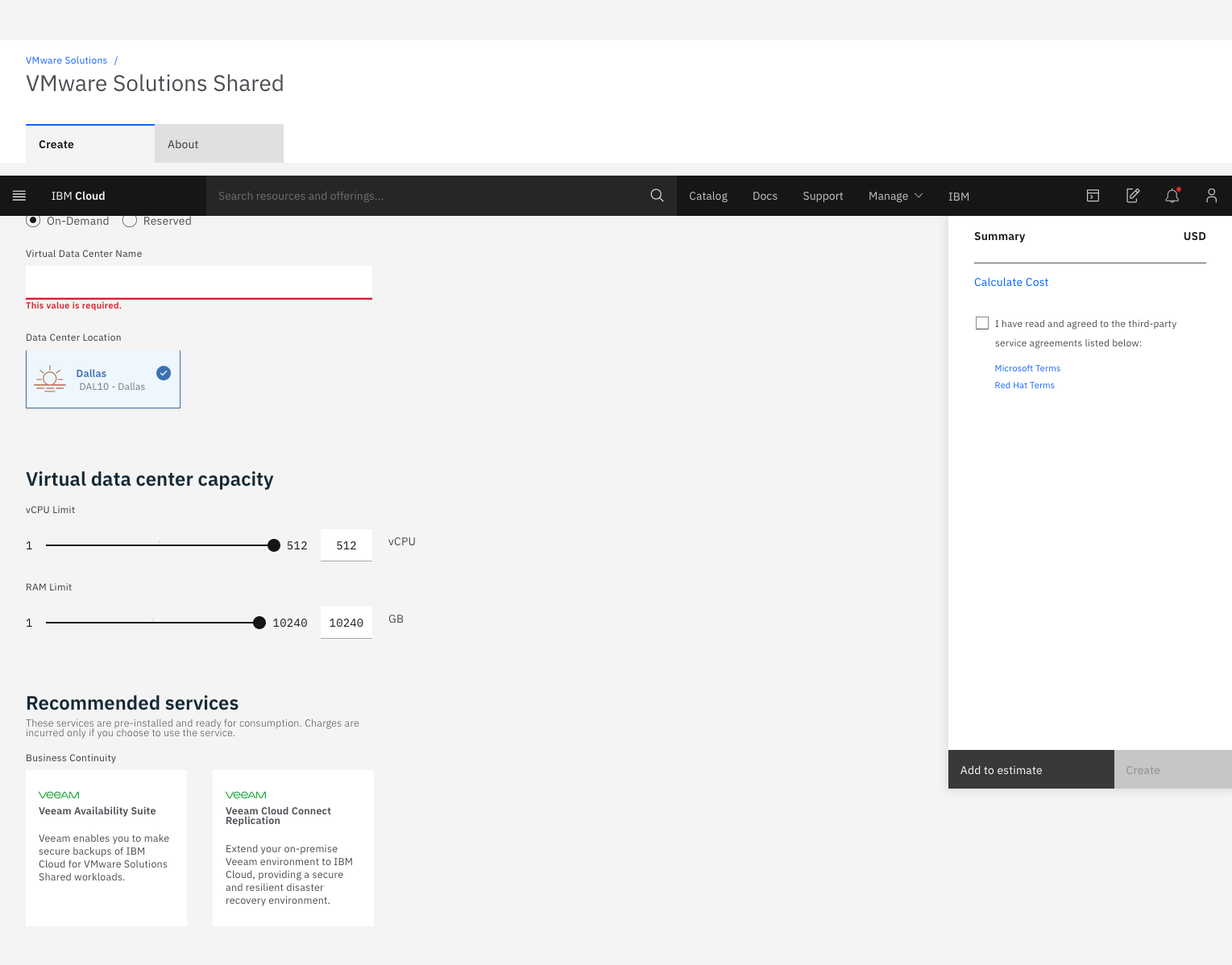
IBM Cloud for VMware
Solutions is designed to make cloud adoption easier, allowing the user to optimize the
value of existing on-premises infrastructure, while leveraging the
same tools, technologies and skills in the cloud. The solution provides rapid scalability,
deployment in 35+ global data centers and access to disaster
recovery, backup, security and compliance solutions from an array of ecosystem
partners. To address varying workload needs, IBM Cloud…
$0
IBM Cloud Object Storage Cross-Regional Smart Tier 1 GB (hourly)
VMware Cloud Foundation
Score 9.0 out of 10
N/A
VMware Cloud Foundation is a hybrid cloud platform for managing VMs and orchestrating containers, built on full-stack hyperconverged infrastructure (HCI) technology. With a single architecture that is desribed by the vendor as easy to deploy, VMware Cloud Foundation aims to enable consistent, secure infrastructure and operations across private and public cloud.
N/A
VMware vSphere
Score 8.0 out of 10
N/A
An enterprise workload platform, vSphere is used to improve the performance for a data center. It is used to boost operational efficiency, supercharge workload performance, and accelerate innovation.
$995
per year
Pricing
IBM Cloud for VMware Solutions
VMware Cloud Foundation
VMware vSphere
Editions & Modules
Add-on
$0
IBM Cloud Object Storage Cross-Regional Smart Tier 1 GB (hourly)
On-demand
$0
0.25 IOPs 1 GB
Reserved (monthly or 730 hours)
$0
0.25 IOPs 1 GB (Per gigabyte of storage (hourly))
Add-on
$0
IBM Cloud Block Storage 1 GB (hourly)
On-demand
$0.01
Per vCPU (hourly)
On-demand
$0.09
Per gigabyte of network and bandwidth egress (monthly)
Reserved (monthly or 730 hours)
$0.09
Per gigabyte of network and bandwidth egress (monthly)
Reserved (monthly or 730 hours)
$12.80
Microsoft license (monthly) per 1 vCPU²
Add-on
$13
Veeam backup license
No answers on this topic
Standard
$995.00
per year
Enterprise
$3,995.00
per year
Offerings
Pricing Offerings
IBM Cloud for VMware Solutions
VMware Cloud Foundation
VMware vSphere
Free Trial
No
No
No
Free/Freemium Version
Yes
No
No
Premium Consulting/Integration Services
Yes
No
No
Entry-level Setup Fee
Optional
No setup fee
No setup fee
Additional Details
—
—
—
More Pricing Information
Community Pulse
IBM Cloud for VMware Solutions
VMware Cloud Foundation
VMware vSphere
Features
IBM Cloud for VMware Solutions
VMware Cloud Foundation
VMware vSphere
Server Virtualization
Comparison of Server Virtualization features of Product A and Product B
VMware Cloud Foundation for Disaster Recovery environment, when the client needs to deploy a pay-as-you-go service or if they need to migrate SAP workloads, you can use VMware Cloud Foundation for Classic and VPC. We are the unique SAP-Certified VMware cloud service provider.
It is best suited for an on-premise cloud solution where customer can shift their entire production environment. Also, the customer has a preference for a Homogenous Infrastructure Environment where budget is not a challenge. It is not at all suited for a Heterogenous Environment, e.g., a Public cloud where integration becomes a huge issue, also in SMB sections where budget is challenging.
vSphere is well suited for multiple VMWare hosts and can be very useful in larger enterprises where vMotion is used to load balance and failover running virtual machines. In smaller businesses with one or two hosts then the features can be overkill. The addition of virtual TPM support is a very nice addition to provide vm security in a more Microsoft supported methodology.
The presentation is first rate. Our on-prem climate was continually experiencing slack and general languor. With IBM running everything, it's much smoother.
Start another group as little as one ESXi worker or scale a current bunch.
More detail in recent tasks. Instead of just showing a task called "Reconfigure virtual machine" also have a link to more detailed information as to what was reconfigured, changed or removed.
We are constantly looking for change that will benefit our company. We are not ones to stick with a product simply because it is what we know, but rather looking for what fits us best. We can't imagine another product on the market today doing a better job of handling our infrastructure than vSphere.
It is easy to use and setting it up is simple. The only con is that the pricing is a little bit high as well as documentation is a little low; so we had to do some personal learning to be able to fully utilize the product, or hop on the phone with someone.
Very useful for environments where space and energy consumption are issues and management is not very keen on upfront spending on hardware every time whenever requirement comes from any dept for provisioning a machine for their occasional use, easily can be done in case of VMware vSphere in few clicks. Backup, security, monitoring and management everything is covered but at additional cost.
Overall, just a great experience here. No one in my opinion gets a perfect 10/10 rating (no one is ever perfect), so 9/10 is probably as good as it gets! From initial planning to post implementation support, the IBM Cloud and professional services has been there for my group as much as we have needed them. Great job!
I rarely ever have to contact support and when I do need to resolve an issue, there is always an abundance of kb articles and research information available that can help quickly resolve the issue. Depending on the type of support contract you have, you may get support from some offshore group in another country and this could be a little challenging because of the language barrier.
IBM professional services helped us plan and implement the project with great success. They guided the project from planning, scoping, pre-implementation, testing, roll-out, then production and post-production support. We were very impressed with their knowledge of VMware and really appreciated their desire to make our project a success. I would highly recommend them!
Just make sure that when you implement, that the person implementing truly knows what they are doing and has a plan of action coming in. Since our initial implementation using a consulting service, I have implemented a few vSphere just from what I learned at the initial implementation and use over time, and the person implementing really needs to know what they are doing or you will miss out on features that may help you down the line
IBM Cloud for VMware Solutions stacks up against them, we fully agree there are so many features in IBM cloud for VMware Solutions that make it unique and different. The system provides us hypervisor security level and the system even has live backup and storage capacity of data. This system provides us with accuracy that helps us to reduce errors and vulnerability.
Although the public Cloud Model follows Opex Costing Model, it actually leads to very high costs also, the infra model in my organization is not suited for a Public Cloud Model. Hence We decided on an On-Premise Model, and the best suited was VMware Cloud Foundation, which is a complete Software-Defined Scale-Out Architecture. I also prefer a Homogenous environment; i.e, support and services from a Single OEM, so that I Can get faster resolutions to my tickets raised.
vSphere has a lot more feature sets than Hyper-V but at a much higher cost of entry versus MS Hyper-V. I have not been able to play with Hyper-V as much as I would have liked, but the setup and ongoing maintenance seems to be easier in vSphere than with Hyper-V
The contract terms are very clear and can be updated as per the project requirement. Customer support is also included in the contract which help us to troubleshoot critical issues very easily. Training included in contract will really help the client team to empower and hands-on on the latest updates and enhancements
As I said earlier, they're always ready to understand our issues and propose the best and most appropriate solution for issues all the time. The security patches solution is accordingly to the business needs. Another scenario is their Knowledge Base where they're many articles that help you in order to solve something which is wrong.
It has a positive impact on the cost required to maintain our vSphere environment by allowing us to get rid of our vsphere hardware and not worry about maintenance either.
There have been very few negatives, but one would definitely be the open-ended cost associated with cloud products in general.
My organization has a size of 1300+ employees, using multiple applications and an exchange mail server that is hosted on On-Premise Cloud, hence scalability has not been a challenge.
Having hosted my Production environment and Mail exchange Server on VCF, there has been optimum resource utilization with very little scope downtime. Hence have been able to save a lot of funds on Hardware resources.
Due to the size of my organization and due the data load, I have been able to save on Resource Utilization and Organization Funds
Having vSphere helped my business quickly recover from a ransomware attack which would have crippled us for weeks if we were not virtualized. I think the ROI on something like that is immeasurable.
vSphere has allowed my company to purchase bigger server hardware to host 3 or 4 virtual servers, which was at a cost much lower than buying 3 or 4 server hardware boxes, saving us thousands each time we need to upgrade hardware.