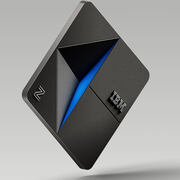
The IBM Power product line is a family of servers.
N/A
Oracle VirtualBox
Score8.2 out of 10
N/A
Oracle VirtualBox is an open source, cross-platform, virtualization software, enables developers to deliver code faster by running multiple operating systems on a single device.
$0
per month
VMware Cloud Foundation on IBM Cloud
Score9 out of 10
N/A
VMware Cloud Foundation on IBM Cloud brings together VMware vSphere, vSAN, and NSX into a natively-integrated stack of virtual compute, virtual storage, and virtual networking built upon IBM Bluemix bare metal servers.
I'd strongly recommend IBM Power servers to anyone who has the budget for it. A Power Virtual Machine, what is generally called FlexTB VM, can support as many small VM of 256GB, and scale up to 32TB on the fly. If IBM recommended architecture is combined with your organizational reference architecture, then forget about running into unplanned downtimes.
A de minimis incentive was given to thank the reviewer for their time. The incentive was not used to bias or drive a particular response, nor was the incentive contingent on a positive endorsement. TR verified that a representative sample of customers was invited. More Info
It is best suited when you want to have different operating systems on your laptop or desktop. You can easily switch between operating systems without the need to uninstall one. In another scenario, if you expect some application to damage your device, it would be best to run the application on the VM such that the damage can only be done to the virtual machine. It is less appropriate when time synchronization is very important. At times the VMs run their own times differently from the host time and this may cause some losses if what you doing is critical. Another important thing to take note of is the licensing of the application you want to run your VM. Some licenses do not allow the applications to be run on virtual servers so it is not appropriate to use the VM at this time.
A de minimis incentive was given to thank the reviewer for their time. The incentive was not used to bias or drive a particular response, nor was the incentive contingent on a positive endorsement. More Info
Multiple capabilities that VMware Cloud Foundation on IBM Cloud provides are excellent and very much involved in secure data migration and management, easy to monitor server performance and the virtual capability is on top and the data analytics using the platform are provided in real-time and the reports are the most useful, especially on the critical situations within the business development.
A de minimis incentive was given to thank the reviewer for their time. The incentive was not used to bias or drive a particular response, nor was the incentive contingent on a positive endorsement. TR verified that a representative sample of customers was invited. More Info
A de minimis incentive was given to thank the reviewer for their time. The incentive was not used to bias or drive a particular response, nor was the incentive contingent on a positive endorsement. More Info
A solid IDE for editing programs. SEU was simple and solid. Then it became outdated and support for it ended as the language continued to evolve. That's fine. But RDi is expensive and shaky at best, and VS Code, while free, is severely lacking even the modicum of features RDi has.
A de minimis incentive was given to thank the reviewer for their time. The incentive was not used to bias or drive a particular response, nor was the incentive contingent on a positive endorsement. TR verified that a representative sample of customers was invited. More Info
I have had issues in the past when it has come to resizing VM disk storage. The issue is entirely detailed here: https://www.virtualbox.org/ticket/9103 -- the problem was caused because of having existing snapshots (which error message output was not detailing). I haven't had to deal with the issue due to my dynamic disk sizes not being small from the start anymore (this is mostly an issue for my Windows VMs where the base disk may need significant size for the OS). It looks like, for a resize, that a merge of all snapshots has to occur first -- one user on that list details a workaround to maintain snapshots by cloning the VM. (Note: 5.2 was just released a few weeks ago, and looks like it should prevent the problem happening in the future by properly informing users that it isn't possible with snapshots).
Certain scenarios, like resizing disks, required dropping into a terminal as there were no options to previously do so via the GUI. According to some recent posts, I've seen that v5.2 has added disk management stuff like that to the GUI (or will be adding it). I'm comfortable with dropping into the terminal, but in a teaching scenario or when evaluating the learnability of the tools, it complicates things.
A de minimis incentive was given to thank the reviewer for their time. The incentive was not used to bias or drive a particular response, nor was the incentive contingent on a positive endorsement. More Info
This is one of the best systems on the market. You can have Flash/Copy which created another LPAR to look like the system you are copying. This takes seconds and not minutes. Then you can use BRNS to do full system backups nightly with no downtime. I am ready for us to upgrade to a Power 10.
A de minimis incentive was given to thank the reviewer for their time. The incentive was not used to bias or drive a particular response, nor was the incentive contingent on a positive endorsement. TR verified that a representative sample of customers was invited. More Info
A de minimis incentive was given to thank the reviewer for their time. The incentive was not used to bias or drive a particular response, nor was the incentive contingent on a positive endorsement. TR verified that a representative sample of customers was invited. More Info
They are very easy to set up and use once you re knowledgeable enough to deal with it. They are continuously enhance the user experience on the HMC and operations on the systems. Once setup it's like a beast, going on and on. I have experience with servers that are not being rebooted for more than 1000 days
A de minimis incentive was given to thank the reviewer for their time. The incentive was not used to bias or drive a particular response, nor was the incentive contingent on a positive endorsement. TR verified that a representative sample of customers was invited. More Info
I love using the Graphical User Interface. The VirtualBox Manager is very easy to understand and use. You can quickly create, configure and manage all your virtual machines in one window. It makes operating virtual machines easy and simple. When using VBoxManage it gives the user comprehensive control over VirtualBox so that you can use automation and scripting at the command-line interface
A de minimis incentive was given to thank the reviewer for their time. The incentive was not used to bias or drive a particular response, nor was the incentive contingent on a positive endorsement. More Info
In all of the years I have used various Power System, I have never had any problems at all. Even when hackers were attacking our email servers and many users PCs, the IBM Power System came out completely unscathed. I haven't even had any application errors that were able to take the system down. Nor have I ever experienced an unplanned outage
A de minimis incentive was given to thank the reviewer for their time. The incentive was not used to bias or drive a particular response, nor was the incentive contingent on a positive endorsement. More Info
A de minimis incentive was given to thank the reviewer for their time. The incentive was not used to bias or drive a particular response, nor was the incentive contingent on a positive endorsement. TR verified that a representative sample of customers was invited. More Info
The IBM Power System is built for integration. It supports multiple operating systems and you can run multiple OS's on the same box with no problems at all. It also supports a number of open source languages such as PHP, Java, Python, and Perl which helps you continue to grow and integrate with lots of other systems.
A de minimis incentive was given to thank the reviewer for their time. The incentive was not used to bias or drive a particular response, nor was the incentive contingent on a positive endorsement. More Info
A de minimis incentive was given to thank the reviewer for their time. The incentive was not used to bias or drive a particular response, nor was the incentive contingent on a positive endorsement. TR verified that a representative sample of customers was invited. More Info
On large-scale systems, the rating would have been 10. However, I have seen some cases in more rural areas where the IBM onsite support is not as available or of the highest quality as in the past. For software support, there are sometimes instances of language barriers.
A de minimis incentive was given to thank the reviewer for their time. The incentive was not used to bias or drive a particular response, nor was the incentive contingent on a positive endorsement. TR verified that a representative sample of customers was invited. More Info
Systems are robust and you need to know exactly what your are going to do with them. There are multiple configurations possible and you need to gather your requirements first, before going on with the implementation. Tuning is a must before migrating production systems
A de minimis incentive was given to thank the reviewer for their time. The incentive was not used to bias or drive a particular response, nor was the incentive contingent on a positive endorsement. TR verified that a representative sample of customers was invited. More Info
A de minimis incentive was given to thank the reviewer for their time. The incentive was not used to bias or drive a particular response, nor was the incentive contingent on a positive endorsement. TR verified that a representative sample of customers was invited. More Info
Power server do not need a stack of software for viruses, spam and others... Power server do not need to have release often power server are much more strong then other manufacturer Power server do not need to restart offen
A de minimis incentive was given to thank the reviewer for their time. The incentive was not used to bias or drive a particular response, nor was the incentive contingent on a positive endorsement. TR verified that a representative sample of customers was invited. More Info
VirutalBox is very similar to using Vmware with the slight difference in appearance and what might be considered a less polished look. However, what it lacks in polish and looks it makes up for in functionality, easy of use and the wide range of operating systems and features it supports without the need of buying the full professional edition
A de minimis incentive was given to thank the reviewer for their time. The incentive was not used to bias or drive a particular response, nor was the incentive contingent on a positive endorsement. More Info
This system can work in a small factory with a few users and easily scale out to thousands of users. It is truly amazing on how much you can throw at this box and it will just keep humming. It is great for use across multiple departments and even across multiple corporations. I worked at one company where we were hosting multiple corporations on just one large Power System and had ZERO problems.
A de minimis incentive was given to thank the reviewer for their time. The incentive was not used to bias or drive a particular response, nor was the incentive contingent on a positive endorsement. More Info
The only problem I have found is that the deployment is dependent and intrinsically linked to the Host OS. This is different from bare metal solutions which remove that dependency on a Host OS. The latter is more reliable and removes a layer of potential failure.
A de minimis incentive was given to thank the reviewer for their time. The incentive was not used to bias or drive a particular response, nor was the incentive contingent on a positive endorsement. TR verified that a representative sample of customers was invited. More Info
A de minimis incentive was given to thank the reviewer for their time. The incentive was not used to bias or drive a particular response, nor was the incentive contingent on a positive endorsement. More Info
Minimal-to-no support needed from the DevOps team.
Provides a direct and an easy way to access multiple VMs inside the same machines which enables performing various testing and QA tasks without the need to switch hardware.
Automatic provisioning using tools (esp. Vagrant) which enables developing a base image once, and allows for exporting/importing anywhere across the developers team.
Very cost-effective (no fees or monthly subscriptions).
A de minimis incentive was given to thank the reviewer for their time. The incentive was not used to bias or drive a particular response, nor was the incentive contingent on a positive endorsement. More Info