Chose IBM SPSS Statistics
SAS is a very good product. SPSS provided our firm everythinbg we needed and was well within our budget. Also know that IBM is contunusely investing into SPSS. The roadmaps looks good.

| Product | Rating | Most Used By | Product Summary | Starting Price |
|---|---|---|---|---|
 IBM SPSS Statistics | N/A | SPSS Statistics is a software package used for statistical analysis. It is now officially named "IBM SPSS Statistics". Companion products in the same family are used for survey authoring and deployment (IBM SPSS Data Collection), data mining (IBM SPSS Modeler), text analytics, and collaboration and deployment (batch and automated scoring services). | $105 per month per user | |
 Replicate | N/A | A solution that enables developers to run and fine-tune open-source models, and deploy custom models at scale with one line of code. Replicate makes it easy to run machine learning models in the cloud from code. | N/A | |
 SAS Viya | N/A | An end-to-end platform for AI, data science, and analytics, used for modeling, as well as management and deployment of AI models. | N/A |
| IBM SPSS Statistics | Replicate | SAS Viya | ||||||||||||||||||||||
|---|---|---|---|---|---|---|---|---|---|---|---|---|---|---|---|---|---|---|---|---|---|---|---|---|
| Editions & Modules |
| No answers on this topic | No answers on this topic | |||||||||||||||||||||
| Offerings |
| |||||||||||||||||||||||
| Entry-level Setup Fee | No setup fee | No setup fee | No setup fee | |||||||||||||||||||||
| Additional Details | — | — | — | |||||||||||||||||||||
| More Pricing Information | ||||||||||||||||||||||||
| IBM SPSS Statistics | Replicate | SAS Viya | |
|---|---|---|---|
| Considered Multiple Products | IBM SPSS Statistics  Kenton Woods Research Assistant Chose IBM SPSS Statistics [IBM] SPSS is by far the best of the statistics software applications in terms of functionality and accessibility, but its biggest drawback is price. SPSS is prohibitively expensive in comparison to the other competing statistics applications such as R and SAS, making the …  Mark Jackson Research Strategist Chose IBM SPSS Statistics SPSS is easier to navigate, more visually intuitive, and more user-friendly. It might not handle the volume of data that SAS can handle. But 99% of the projects I would be involved with, SPSS handles with flying colors.  sagar mohod Senior Associate Chose IBM SPSS Statistics SAS has a greater number of functions than SPSS but most of the times they are not required. Also, the user interface is very complicated in SAS as compared to SPSS. The only advantage SAS has is more product recognition. | Replicate No answer on this topic |  SAS Viya |
| IBM SPSS Statistics | Replicate | SAS Viya | |
|---|---|---|---|
| Small Businesses | No answers on this topic |  InterSystems IRIS Score 8.0 out of 10 | IBM SPSS Statistics Score 8.2 out of 10 |
| Medium-sized Companies |  Alteryx Platform Score 9.1 out of 10 | InterSystems IRIS Score 8.0 out of 10 | Alteryx Platform Score 9.1 out of 10 |
| Enterprises | Alteryx Platform Score 9.1 out of 10 | InterSystems IRIS Score 8.0 out of 10 | Alteryx Platform Score 9.1 out of 10 |
| All Alternatives | View all alternatives | View all alternatives | View all alternatives |
| IBM SPSS Statistics | Replicate | SAS Viya | |
|---|---|---|---|
| Likelihood to Recommend | 5.5 (103 ratings) | - (0 ratings) | 8.0 (11 ratings) |
| Likelihood to Renew | 8.6 (23 ratings) | - (0 ratings) | 4.5 (5 ratings) |
| Usability | 8.0 (15 ratings) | - (0 ratings) | 6.1 (2 ratings) |
| Availability | 6.0 (1 ratings) | - (0 ratings) | 10.0 (1 ratings) |
| Performance | 6.0 (1 ratings) | - (0 ratings) | 9.0 (1 ratings) |
| Support Rating | 6.4 (12 ratings) | - (0 ratings) | 10.0 (3 ratings) |
| In-Person Training | - (0 ratings) | - (0 ratings) | 9.0 (1 ratings) |
| Online Training | - (0 ratings) | - (0 ratings) | 8.0 (1 ratings) |
| Implementation Rating | 8.7 (7 ratings) | - (0 ratings) | 9.0 (1 ratings) |
| Configurability | 5.0 (1 ratings) | - (0 ratings) | 10.0 (1 ratings) |
| Ease of integration | 5.0 (1 ratings) | - (0 ratings) | 8.0 (1 ratings) |
| Product Scalability | 5.0 (1 ratings) | - (0 ratings) | 9.0 (1 ratings) |
| Vendor post-sale | 5.0 (1 ratings) | - (0 ratings) | 10.0 (1 ratings) |
| Vendor pre-sale | 5.0 (1 ratings) | - (0 ratings) | 10.0 (1 ratings) |
| IBM SPSS Statistics | Replicate | SAS Viya | |
|---|---|---|---|
| Likelihood to Recommend | IBM
| Cloudflare No answers on this topic | SAS
|
| Pros | IBM
| Cloudflare No answers on this topic | SAS
 Rishi Bavishi Forecasting Analyst |
| Cons | IBM
| Cloudflare No answers on this topic | SAS
 Remy Welch Consultant |
| Likelihood to Renew | IBM
 Md Masudul Hassan Lecturer | Cloudflare No answers on this topic | SAS
 Nathan Och Analytics Specialist |
| Usability | IBM
 Lance Huntley Market Research Principal | Cloudflare No answers on this topic | SAS
Nathan Och Analytics Specialist |
| Reliability and Availability | IBM
| Cloudflare No answers on this topic | SAS
Nathan Och Analytics Specialist |
| Performance | IBM
| Cloudflare No answers on this topic | SAS
Nathan Och Analytics Specialist |
| Support Rating | IBM
| Cloudflare No answers on this topic | SAS
 Yoni Dvorkis Lead Data Scientist |
| In-Person Training | IBM No answers on this topic | Cloudflare No answers on this topic | SAS
Nathan Och Analytics Specialist |
| Online Training | IBM No answers on this topic | Cloudflare No answers on this topic | SAS
Nathan Och Analytics Specialist |
| Implementation Rating | IBM
 Rebecca T Barber, MBA, PHD Senior Director, Management Analysis | Cloudflare No answers on this topic | SAS
Nathan Och Analytics Specialist |
| Alternatives Considered | IBM
| Cloudflare No answers on this topic | SAS
 Bethany Klebanov Sr. Manager Global Business Analytics |
| Scalability | IBM
| Cloudflare No answers on this topic | SAS
Nathan Och Analytics Specialist |
| Return on Investment | IBM
| Cloudflare No answers on this topic | SAS
|
| ScreenShots | IBM SPSS Statistics Screenshots    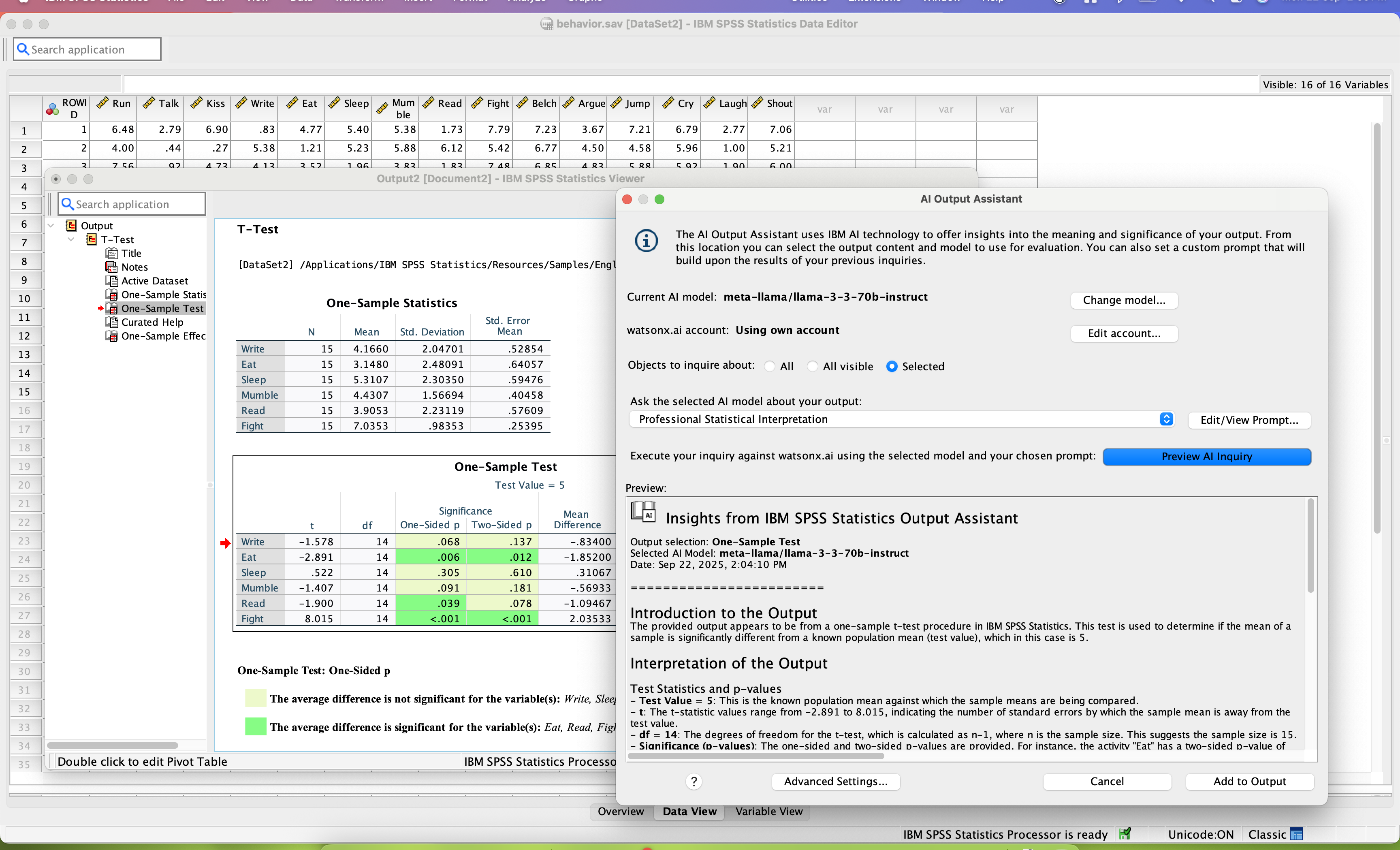 |