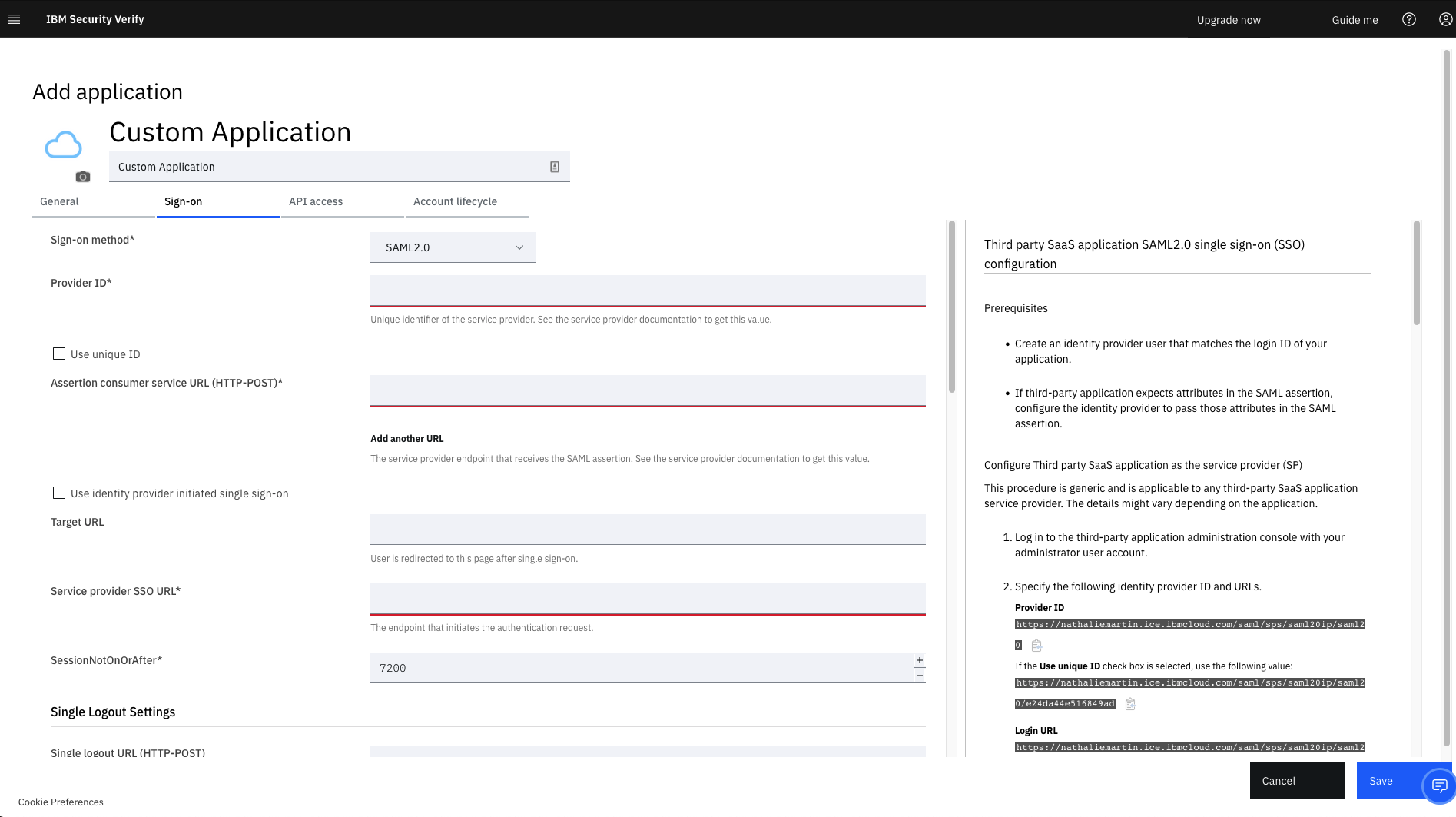
IBM Verify, formerly known as IBM Cloud Identity, is an identity-as-a-service (IDaaS) offering that aggregates dynamic user, device and environmental context to automate risk protection and continuously authenticate any user to any resource.
$1.81
per month per user
Keeper
Score8.3 out of 10
N/A
Keeper's password security and management platform boasts millions of people and thousands of businesses as users, who manage, secure and enforce strong passwords across all employee logins, applications and sites. Employees can access Keeper natively on all mobile operating systems, desktops and browsers. Keeper enables businesses to auto-generate high-strength passwords, protect sensitive files in an encrypted digital vault, securely share records with teams and integrate with SSO, LDAP and…
$2
per month per user
Pricing
IBM Verify
Keeper
Editions & Modules
No answers on this topic
Keeper Business Starter
$2.00
per month per user
Keeper Enterprise
Contact Keeper for pricing
Offerings
Pricing Offerings
IBM Verify
Keeper
Free Trial
Yes
Yes
Free/Freemium Version
No
No
Premium Consulting/Integration Services
Yes
Yes
Entry-level Setup Fee
Optional
No setup fee
Additional Details
Sample Pricing Breakdown (NOTE: for competitive pricing per contract, please consult with your IBM Security Account Rep)
Users: 5,000
SSO* -- USD 1.71 per user per month
MFA* -- USD 1.71 per user per month
Adaptive Access* -- USD 1.71 per user per month
Lifecycle and provisioning** -- USD 2.01 per user per month
Identity analytics** -- USD 2.13 per user per month
* Single sign-on (SSO), multifactor authentication (MFA) and adaptive access pricing based on total active monthly users per use case. Costs decrease if users are active less than once per month.
** Lifecycle and provisioning and identity analytics pricing based on total users per use case.
It is well-suited for managing different users and roles and assigning permissions based on their defined roles. It is well-suited when one needs to add extra layers of authentication for certain roles or users, create custom rules for some users, and so on.
A de minimis incentive was given to thank the reviewer for their time. The incentive was not used to bias or drive a particular response, nor was the incentive contingent on a positive endorsement. More Info
Would recommend both for organisations and personal users where passwords management is needed. Particularly in 2026 and the large emphasis of security in your day to day uses.
Having a secure management tool will assist with breaches and organisation of your credentials and confidential data that can be stored within the tenant.
A de minimis incentive was given to thank the reviewer for their time. The incentive was not used to bias or drive a particular response, nor was the incentive contingent on a positive endorsement. More Info
A de minimis incentive was given to thank the reviewer for their time. The incentive was not used to bias or drive a particular response, nor was the incentive contingent on a positive endorsement. More Info
A de minimis incentive was given to thank the reviewer for their time. The incentive was not used to bias or drive a particular response, nor was the incentive contingent on a positive endorsement. More Info
A de minimis incentive was given to thank the reviewer for their time. The incentive was not used to bias or drive a particular response, nor was the incentive contingent on a positive endorsement. More Info
A de minimis incentive was given to thank the reviewer for their time. The incentive was not used to bias or drive a particular response, nor was the incentive contingent on a positive endorsement. More Info
It works flawlessly, i have never faced any major issues with this. It has all the features such as Iam and security management. I think its a good investment and the benefits we reap from this software are worth the price.
A de minimis incentive was given to thank the reviewer for their time. The incentive was not used to bias or drive a particular response, nor was the incentive contingent on a positive endorsement. More Info
While setup and implementation takes work and time, the flexibility and possibilities make up for that in the long run. This is not a product you can just install and run, but if you design and implement your ruleset well, it will save you a lot of work afterwards. Just make sure that the systems you want to use it for have an existing and proven connector.
A de minimis incentive was given to thank the reviewer for their time. The incentive was not used to bias or drive a particular response, nor was the incentive contingent on a positive endorsement. More Info
It's just easy to use, plain and simple. It has the complexity and user-interface that gives you confidence in its build but the ease-of-use that keep things from getting too complicated. A huge plus when you have to onboard new members of the team or summer interns when you need them to step in and make orders on your behalf.
A de minimis incentive was given to thank the reviewer for their time. The incentive was not used to bias or drive a particular response, nor was the incentive contingent on a positive endorsement. More Info
It has never let us down since its inception and installation. User credentials and secure access have always been guaranteed. Ironclad security (through single sign-on, MFA, etc.) has ensured that our user credential details are safe as is our information/data. The correct access is given to users, based on role-based access with segregation of duty and the principle of least privilege being deployed. The IBM support has also been first class and they have proactively resolved any minor issues we have encountered.
A de minimis incentive was given to thank the reviewer for their time. The incentive was not used to bias or drive a particular response, nor was the incentive contingent on a positive endorsement. More Info
The support team has always been the primary consultation base when we are faced by performance problems. From the deployment stage the team has managed to monitor the operation lifecycle and give best insights based on their observation. It works 24/7 to enhance productive service delivery to clients. The IBM Security Verify Support team has been the main player in the successful performance of this software.
A de minimis incentive was given to thank the reviewer for their time. The incentive was not used to bias or drive a particular response, nor was the incentive contingent on a positive endorsement. More Info
We conducted a comparison study between IBM Verify and Okta as well as Duo Security before making our selection. IBM Verify emerged as the perfect fit because its superior capability to integrate with our current system environment surpassed competitor security solutions. IBM Verify demonstrated superior reliability through its enterprise-class scalability and fully transparent auditing mechanisms.
A de minimis incentive was given to thank the reviewer for their time. The incentive was not used to bias or drive a particular response, nor was the incentive contingent on a positive endorsement. More Info
I do not recall the other products I tested. I believe Keeper provided a free trial that allowed me to verify that it met my needs before I was required to purchase. I also found their support team to be responsive when I experienced some problems. The cliche, "If it ain't broke don't fix it" fits well in this case. I am able to create and use online profiles safe in the knowledge that my passwords cannot be easily hacked and my data is safe.
The licensing terms were favourable due to their flexibility based on the size and purpose of implementation. The billing frequency is done on quarterly basis. The vendor team has enacted best user policies that gives the company the full control of this platform. It is cost-effective as compared to most security verification tools in the market.
A de minimis incentive was given to thank the reviewer for their time. The incentive was not used to bias or drive a particular response, nor was the incentive contingent on a positive endorsement. More Info
In the case of adjustments, we were often able to carry them out completely on our own and only used professional services for new requirements. Particularly in the case of access management, it is very positive that we usually needed IBM for a task in less than an hour and then developed the solution further on our own.
A de minimis incentive was given to thank the reviewer for their time. The incentive was not used to bias or drive a particular response, nor was the incentive contingent on a positive endorsement. More Info
Use of the software has enabled us to track access to our premises and systems, which has, in turn, reduced unauthorised access.
The software has enabled us to centralize identify and access management.
IBM Verify use in our organisation has reduced security risks by ensuring compliance, streamlining, and automating all critical identity management processes.
A de minimis incentive was given to thank the reviewer for their time. The incentive was not used to bias or drive a particular response, nor was the incentive contingent on a positive endorsement. More Info
We all know how difficult it can be in the workplace when you forget your password, or enter the wrong password, and you get blocked out. You have to go through the hassle of having it reset, which could mean sitting on hold, waiting for IT to pick up. This isn’t a problem when you have Keeper. If you forget your password once, you don’t have to take the chance of trying it 4 more times and getting locked out. Just pick up your phone, and your password is right there. It’s really just as simple as that.