IBM Verify vs. Microsoft Entra External ID

Overview
ProductRatingMost Used ByProduct SummaryStarting Price
IBM Verify
Score 8.9 out of 10
N/A
IBM Verify, formerly known as IBM Cloud Identity, is an identity-as-a-service (IDaaS) offering that aggregates dynamic user, device and environmental context to automate risk protection and continuously authenticate any user to any resource.
$1.71
per month per user
Microsoft Entra External ID
Score 9.7 out of 10
N/A
Microsoft Entra External ID (formerly Azure Active Directory B2C, or alternately, Azure Active Directory External Identities) provides business-to-customer identity as a service. Customers can use their preferred social, enterprise, or local account identities to get single sign-on access to applications and APIs.
$0
per month per active users
Pricing
IBM VerifyMicrosoft Entra External ID
Editions & Modules
No answers on this topic
Premium P1 (for More than 50,000 MAU)
$0.00325
per month per active users
Premium P2 (for More than 50,000 MAU)
$0.01625
per month per active users
Offerings
Pricing Offerings
IBM VerifyMicrosoft Entra External ID
Free Trial
YesYes
Free/Freemium Version
NoYes
Premium Consulting/Integration Services
YesNo
Entry-level Setup FeeOptionalNo setup fee
Additional DetailsSample Pricing Breakdown (NOTE: for competitive pricing per contract, please consult with your IBM Security Account Rep) Users: 5,000 SSO* -- USD 1.71 per user per month MFA* -- USD 1.71 per user per month Adaptive Access* -- USD 1.71 per user per month Lifecycle and provisioning** -- USD 2.01 per user per month Identity analytics** -- USD 2.13 per user per month * Single sign-on (SSO), multifactor authentication (MFA) and adaptive access pricing based on total active monthly users per use case. Costs decrease if users are active less than once per month. ** Lifecycle and provisioning and identity analytics pricing based on total users per use case.A flat fee of $0.03 is billed for each SMS/Phone-based multi-factor authentication attempt.
More Pricing Information
Community Pulse
IBM VerifyMicrosoft Entra External ID
Features
IBM VerifyMicrosoft Entra External ID
Identity Management
Comparison of Identity Management features of Product A and Product B
IBM Verify
8.0
50 Ratings
3% below category average
Microsoft Entra External ID
9.3
1 Ratings
12% above category average
ID-Management Access Control8.245 Ratings10.01 Ratings
ID Management Single-Sign On (SSO)8.047 Ratings9.01 Ratings
Multi-Factor Authentication8.446 Ratings10.01 Ratings
Password Management8.844 Ratings10.01 Ratings
Account Provisioning and De-provisioning7.242 Ratings10.01 Ratings
ID Management Workflow Automation7.145 Ratings7.01 Ratings
ID Risk Management8.243 Ratings9.01 Ratings
Best Alternatives
IBM VerifyMicrosoft Entra External ID
Small Businesses
Dashlane Password Manager
Score 9.1 out of 10
Dashlane Password Manager
Score 9.1 out of 10
Medium-sized Companies
RSA Access Manager (Discontinued)
Score 10.0 out of 10
RSA Access Manager (Discontinued)
Score 10.0 out of 10
Enterprises
RSA Access Manager (Discontinued)
Score 10.0 out of 10
RSA Access Manager (Discontinued)
Score 10.0 out of 10
All AlternativesView all alternativesView all alternatives
User Ratings
IBM VerifyMicrosoft Entra External ID
Likelihood to Recommend
8.0
(49 ratings)
10.0
(7 ratings)
Likelihood to Renew
9.1
(1 ratings)
-
(0 ratings)
Usability
7.3
(16 ratings)
10.0
(1 ratings)
Availability
8.6
(21 ratings)
-
(0 ratings)
Support Rating
8.1
(16 ratings)
-
(0 ratings)
Configurability
8.3
(21 ratings)
-
(0 ratings)
Contract Terms and Pricing Model
7.3
(8 ratings)
-
(0 ratings)
Professional Services
8.3
(5 ratings)
-
(0 ratings)
User Testimonials
IBM VerifyMicrosoft Entra External ID
Likelihood to Recommend
IBM
It is brilliant for use as an identity and access management tool and ensures the safeguarding of our systems and upholds data integrity as a consequence. It was very easy to set up and apart from a straightforward installation, we have found customisation and configuration easy. It was easy to deploy in the cloud after using it previously on premises.
Read full review
Microsoft
In our organisation we use Microsoft Entra External ID primarily to enable non-attenders to remotely login to our tenant and access pre-prepared educational resources. As well as access to tutors, pupils can also communicate with centralised staff who can support them to gain an education. Utilising our external tenant configuration we can develop and deploy our own in house apps to unpin this support intervention.
Read full review
Pros
IBM
  • IBM Security Verify provides comprehensive identity and access management (IAM) capabilities.
  • IBM Security Verify provides multi-factor authentication (MFA) capabilities.
  • IBM Security Verify provides robust identity and access governance capabilities.
  • IBM Security Verify provides comprehensive auditing capabilities.
  • IBM Security Verify provides a comprehensive platform for managing and protecting privileged accounts.
Read full review
Microsoft
  • One of the things that Microsoft Entra External ID does really well is creating user logins, accounts and profile. It is very easy to create them, manage them and delete them. It is fast and reliant.
  • Limit access or authorization feature. We can allow different levels of authorization and access. So that not all the employees would have access to all the data. Only some relaible employees would have access and power to change anything.
  • Mutli factor authentication feature is also a really good feature to secure data. Even overseas vendors need MFS to login which gives double protection to our data.
Read full review
Cons
IBM
  • The mobile app can be a bit buggy at times if it gets fixed it would be great.
  • UI seems a bit old compared to modern tools out there.
  • There is a bit of a learning curve; if the developers can make it more intuitive it would be awesome.
Read full review
Microsoft
  • Troubleshooting diagnostic logs effectively requires VS Code
  • Group and role management requires additional effort
  • The programming model (XML) could use some developer experience love
Read full review
Likelihood to Renew
IBM
It works flawlessly, i have never faced any major issues with this. It has all the features such as Iam and security management. I think its a good investment and the benefits we reap from this software are worth the price.
Read full review
Microsoft
No answers on this topic
Usability
IBM
While setup and implementation takes work and time, the flexibility and possibilities make up for that in the long run. This is not a product you can just install and run, but if you design and implement your ruleset well, it will save you a lot of work afterwards. Just make sure that the systems you want to use it for have an existing and proven connector.
Read full review
Microsoft
Microsoft Entra External ID is an all round solid product, and certainly delivers the solution to our needs well. Through use we found that Pupil's become 'experts in avoidance', if they can forget their login details or indeed their device used for MFA, they will and then use that as the excuse for not accessing/completing their assignments. If more MFA options were available (such as delegated MFA) this would really help iron out our entire end user experiences
Read full review
Reliability and Availability
IBM
Throughout the system testing we conducted, we never encountered an issue that wasn't easily solvable. We did find some of the documentation confusing at times, but we overcame this quickly with some speedy support assistance. Implementation into production was a lot smoother following the testing we conducted.
Read full review
Microsoft
No answers on this topic
Support Rating
IBM
The support team has always been the primary consultation base when we are faced by performance problems. From the deployment stage the team has managed to monitor the operation lifecycle and give best insights based on their observation. It works 24/7 to enhance productive service delivery to clients. The IBM Security Verify Support team has been the main player in the successful performance of this software.
Read full review
Microsoft
No answers on this topic
Alternatives Considered
IBM
We conducted a comparison study between IBM Verify and Okta as well as Duo Security before making our selection. IBM Verify emerged as the perfect fit because its superior capability to integrate with our current system environment surpassed competitor security solutions. IBM Verify demonstrated superior reliability through its enterprise-class scalability and fully transparent auditing mechanisms.
Read full review
Microsoft
I really enjoy how simple it is to connect this Active Directory with other Microsoft Products to collaborate with colleagues and clients.
Read full review
Contract Terms and Pricing Model
IBM
The licensing terms were favourable due to their flexibility based on the size and purpose of implementation. The billing frequency is done on quarterly basis. The vendor team has enacted best user policies that gives the company the full control of this platform. It is cost-effective as compared to most security verification tools in the market.
Read full review
Microsoft
No answers on this topic
Professional Services
IBM
In the case of adjustments, we were often able to carry them out completely on our own and only used professional services for new requirements. Particularly in the case of access management, it is very positive that we usually needed IBM for a task in less than an hour and then developed the solution further on our own.
Read full review
Microsoft
No answers on this topic
Return on Investment
IBM
  • It has allowed us to securely store and access data which is hard to put a price on, but is of tremendous value.
  • It has performed well and we did not have to upgrade any of the current equipment that we had.
  • It has allowed us to branch out slightly and offer more mobile solutions both internally and externally.
Read full review
Microsoft
  • Having monthly active users billing was cost-effective.
  • Helped with the IT support that was already managing the Azure platform of the company; this helped to manage the costs better and optimize them.
Read full review
ScreenShots

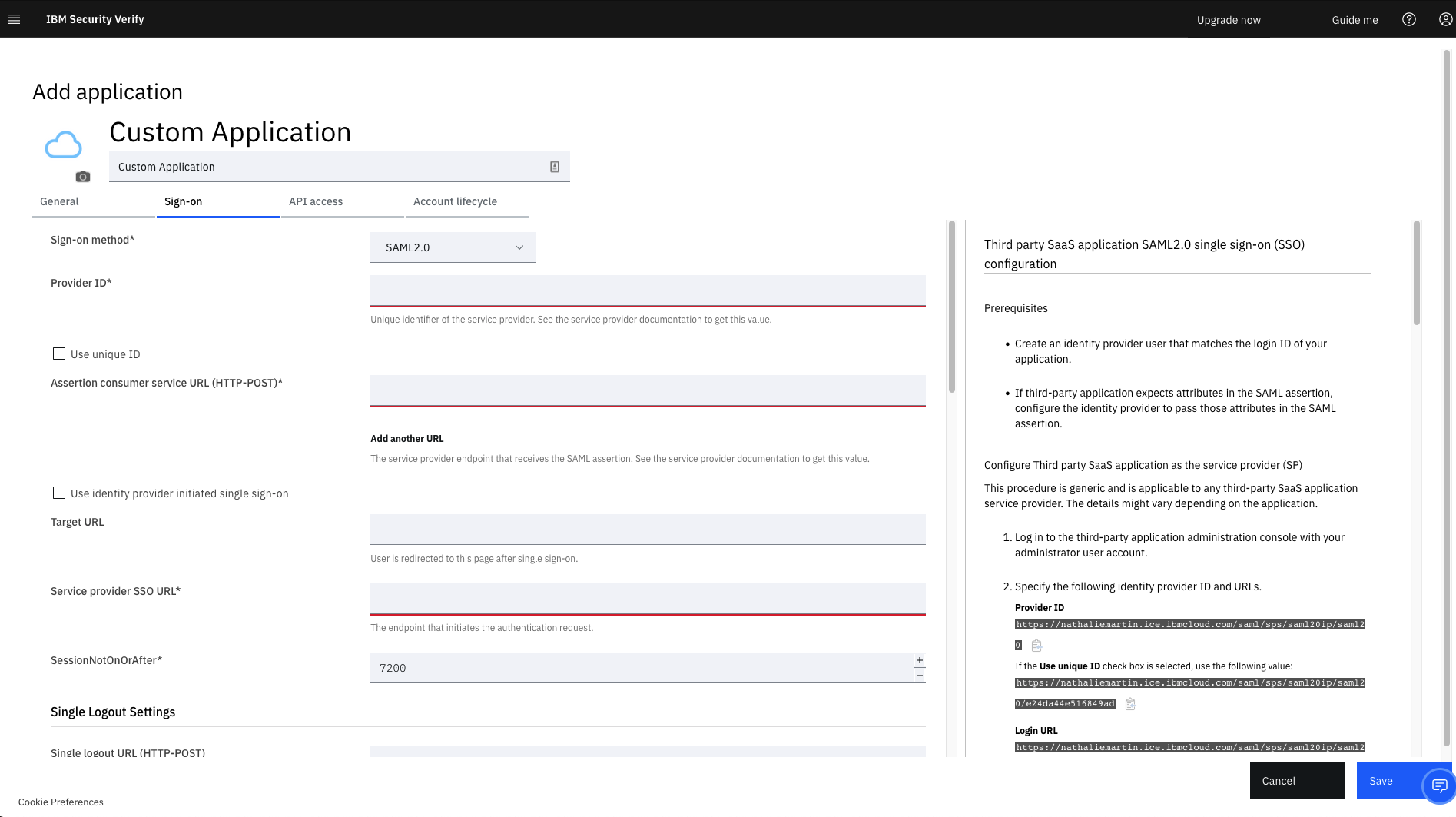
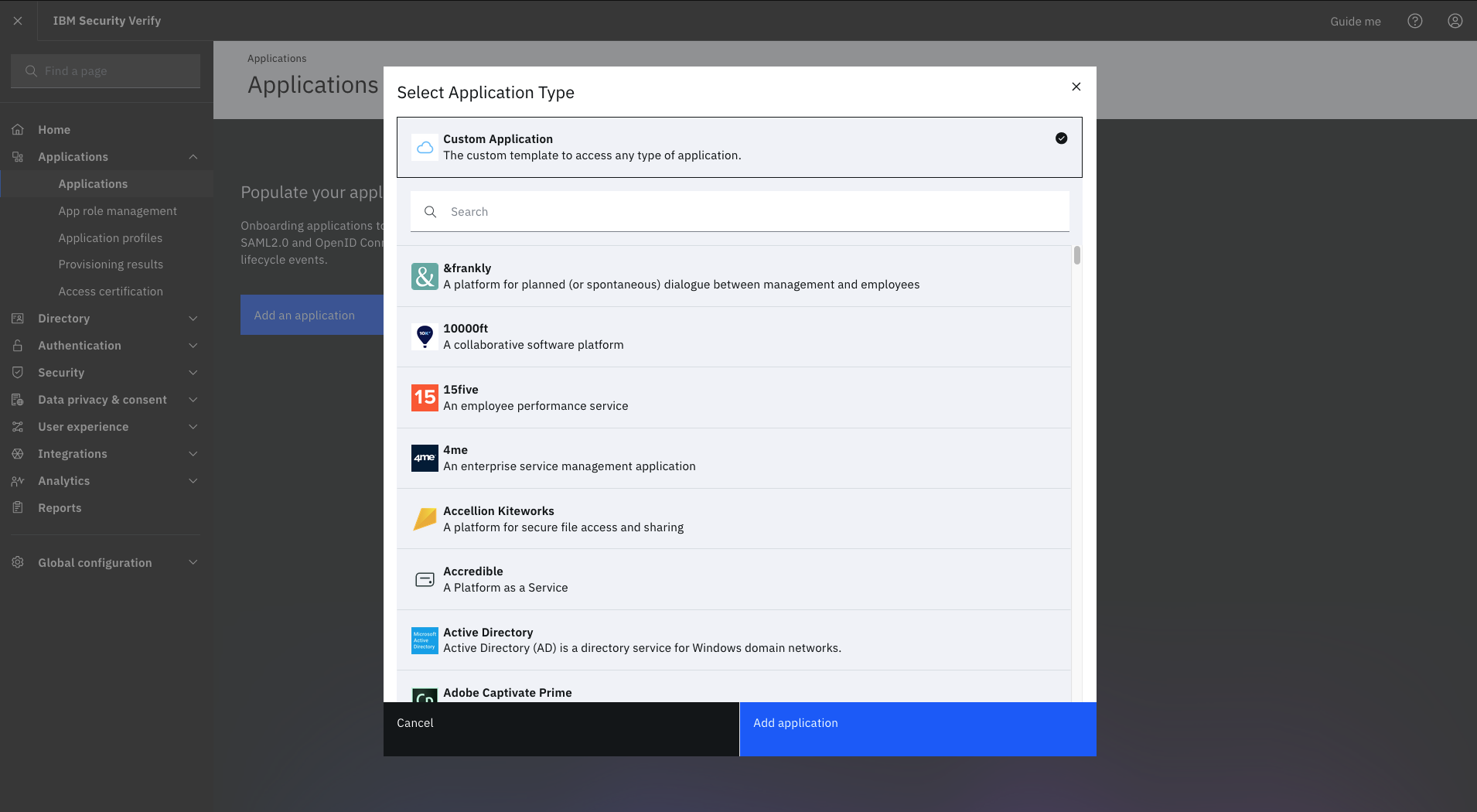
IBM Verify Screenshots

Screenshot of IBM Verify (for CIAM) - Privacy and ConsentScreenshot of IBM Verify - Custom Application TemplateScreenshot of IBM Verify - Select Application TypeScreenshot of IBM Verify - Privacy Policy