TrustRadius: an HG Insights company

Save this comparison

Save this comparison

Add Product

Recommended Comparisons

    Overview
    ProductRatingMost Used ByProduct SummaryStarting Price

    iLovePDF

    Score8.6 out of 10
    N/AiLovePDF, headquartered in Barcelona, aims to solve PDF problems, so that tasks that once took minutes now take only seconds. Beyond merging and splitting, users can compress PDFs, extract images, and convert them into OFFICE file formats. iLovePDF's Premium plan also supports electronic signature request (with audit trail), and general features can be tried with iLovePDF's free plan.

    $7

    per month

    Zoho Sign

    Score9.1 out of 10
    Small Businesses (1-50 employees)
    Zoho Sign is a digital signing service that lets you execute contracts quickly without the hassles of transporting paper documents while ensuring security and legality. It works completely on cloud and integrates readily with your everyday apps. According to the vendor, Zoho Sign is perfect for anyone who needs to sign business documents but widely used for HR, legal, finance, HR, and sales functions. Documents that can be signed include:…

    $0

    per user

    Pricing
    iLovePDFZoho Sign
    Editions & Modules
    Premium
    $48
    per year Or $7 month-to-month
    Desktop Tools and Reader - Premium
    $48
    per year or $7 month-to-month
    Desktop Reader
    Free
    Free
    $0.00
    per user
    Standard
    $10.00
    per user/ month
    Professional
    $15.00
    per user/ month
    Offerings
    Pricing Offerings
    iLovePDFZoho Sign
    Free Trial
    NoNo
    Free/Freemium Version
    YesYes
    Premium Consulting/Integration Services
    NoNo
    Entry-level Setup FeeNo setup fee$10 per user
    Additional Details——
    More Pricing Information
    Features
    iLovePDFZoho Sign
    PDF Editors
    Comparison of PDF Editors features of iLovePDF and Zoho Sign
    Feature
    iLovePDF
    10.0
    1 Ratings
    16% above category average
    Zoho Sign
    -
    Ratings
    Edit Text and Images10.01 Ratings00 Ratings
    Merge or Split PDFs10.01 Ratings00 Ratings
    Page Management10.01 Ratings00 Ratings
    Form Creation and Editing10.01 Ratings00 Ratings
    Convert to Different Formats10.01 Ratings00 Ratings
    Comment and Review Tools10.01 Ratings00 Ratings
    Best Alternatives
    iLovePDFZoho Sign
    Small Businesses
    Tungsten Power PDF
    Score9.8 out of 10
    BoldSign, by Syncfusion
    Score10 out of 10
    Medium-sized Companies
    PDF Xchange Viewer and Editor
    Score9.3 out of 10
    OneSpan Sign
    Score9.6 out of 10
    Enterprises
    Adobe Acrobat Reader
    Score8.6 out of 10
    DocuSign
    Score8.7 out of 10
    All AlternativesView all alternativesView all alternatives
    User Ratings
    iLovePDFZoho Sign
    Likelihood to Recommend
    10.0
    (1 ratings)
    9.0
    (5 ratings)
    Usability
    10.0
    (1 ratings)
    -
    (0 ratings)
    User Testimonials
    iLovePDFZoho Sign
    Likelihood to Recommend
    iLovePDF
    I have been searching for a platform that allows us to edit PDFs for free since this is not something we do daily. I am glad that iLovePDF offers tons of features for absolutely free.
    Incentivized
    Read full review
    Zoho
    great for sending out duplicate forms to clients that require a signature, this is fine when you do not have to keep changing details on the form. What is limited is if we need to change elements that need to be signed or remove elements as the original form is loaded up as a Word document or PDF. There are a variety of selection options to ensure that the data fields can be customized to font color and size number of characters etc.
    Incentivized
    Read full review
    Pros
    iLovePDF
    • Converting files in different formats.
    • Editing PDFs.
    • Merging or splitting PDFs.
    Incentivized
    Read full review
    Zoho
    • Easy use.
    • Drag and drop for text-boxes.
    • Quick upload of documents.
    Incentivized
    Read full review
    Cons
    iLovePDF
    • I do not see any problem with the app. I wouldn't change anything.
    • N/A
    Incentivized
    Read full review
    Zoho
    • Page and element spacing can sometimes be different than expected.
    • There should be more standardized fields for inserting into documents.
    Incentivized
    Read full review
    Usability
    iLovePDF
    We need to visit the website and choose the feature we want to use. It is straightforward to use.
    Incentivized
    Read full review
    Zoho
    No answers on this topic
    Alternatives Considered
    iLovePDF
    ILovePDF is the easiest to use compared to all other platforms.
    Incentivized
    Read full review
    Zoho
    DocuSign seems to be more commonly used and often times clients will ask if we can use that as opposed to Zoho Sign.
    Incentivized
    Read full review
    Return on Investment
    iLovePDF
    • iLovePDF saves us a lot of time by editing all PDFs.
    • It has all PDF-related features, so we don`t need to go look for any other platform for different use cases.
    • My most favorite feature is add text. I am able to fill PDF format forms easily.
    Incentivized
    Read full review
    Zoho
    • Zoho Sign was far more affordable for the simple uses we need. It simplified our processes at a very affordable price.
    Incentivized
    Read full review
    ScreenShots

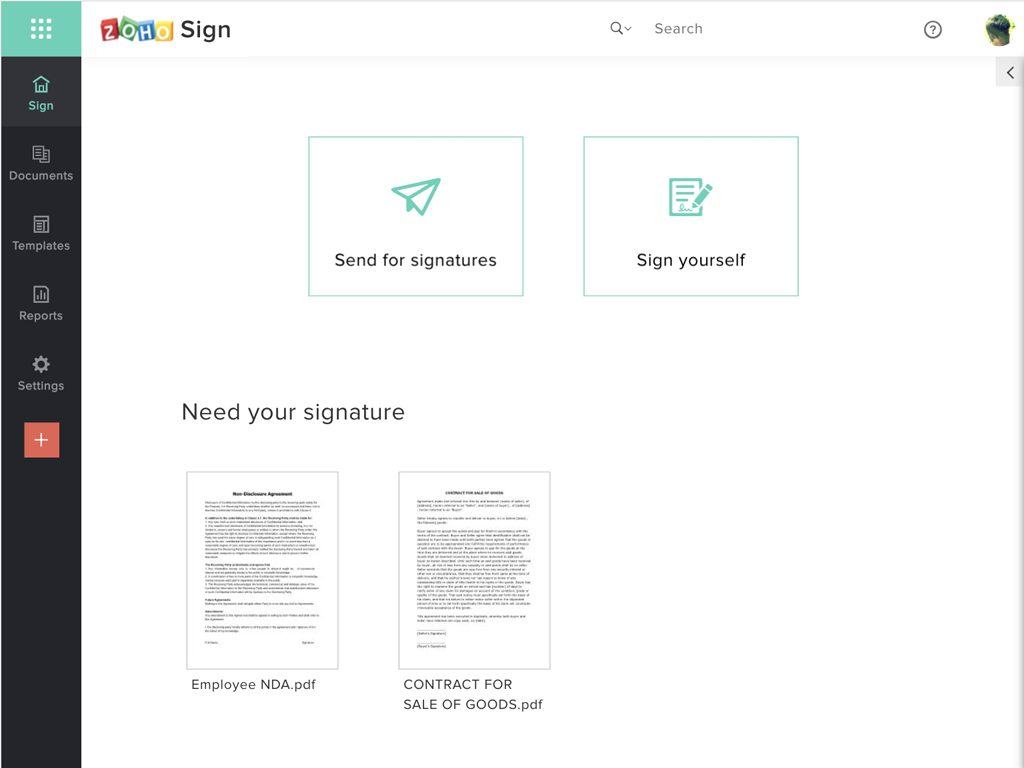
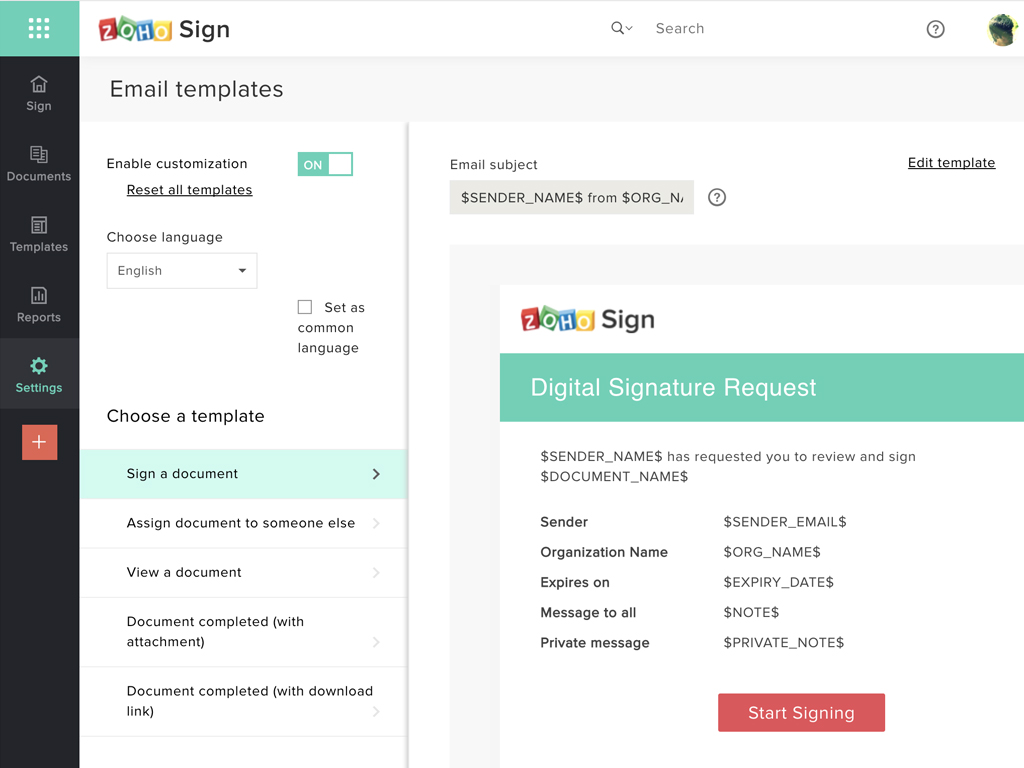
    Zoho Sign Screenshots

    Screenshot of Zoho Sign DashboardScreenshot of Sending documents for signatures using templatesScreenshot of All document sent using Zoho SignScreenshot of Rebranding email templates sent from Zoho Sign