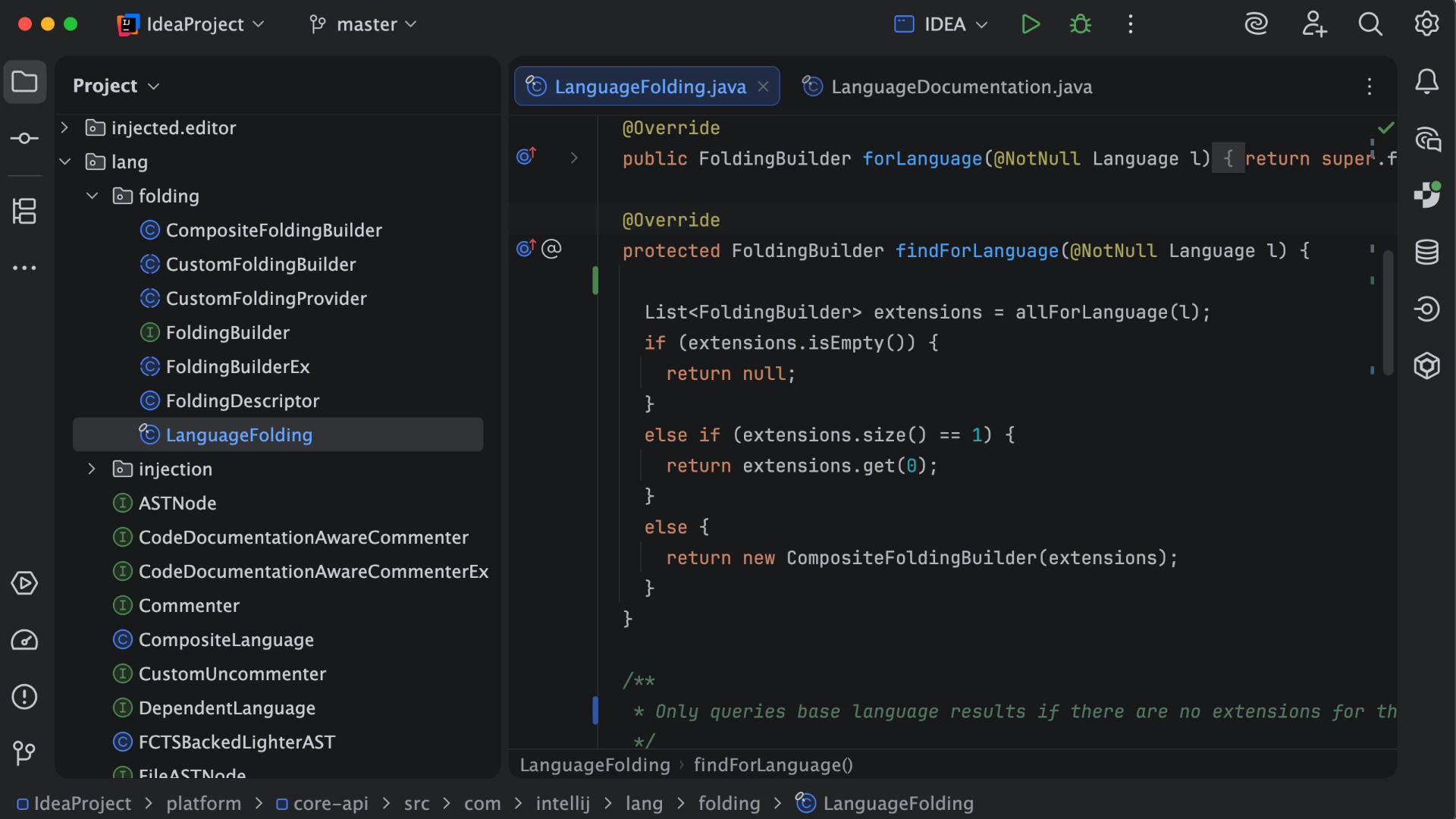
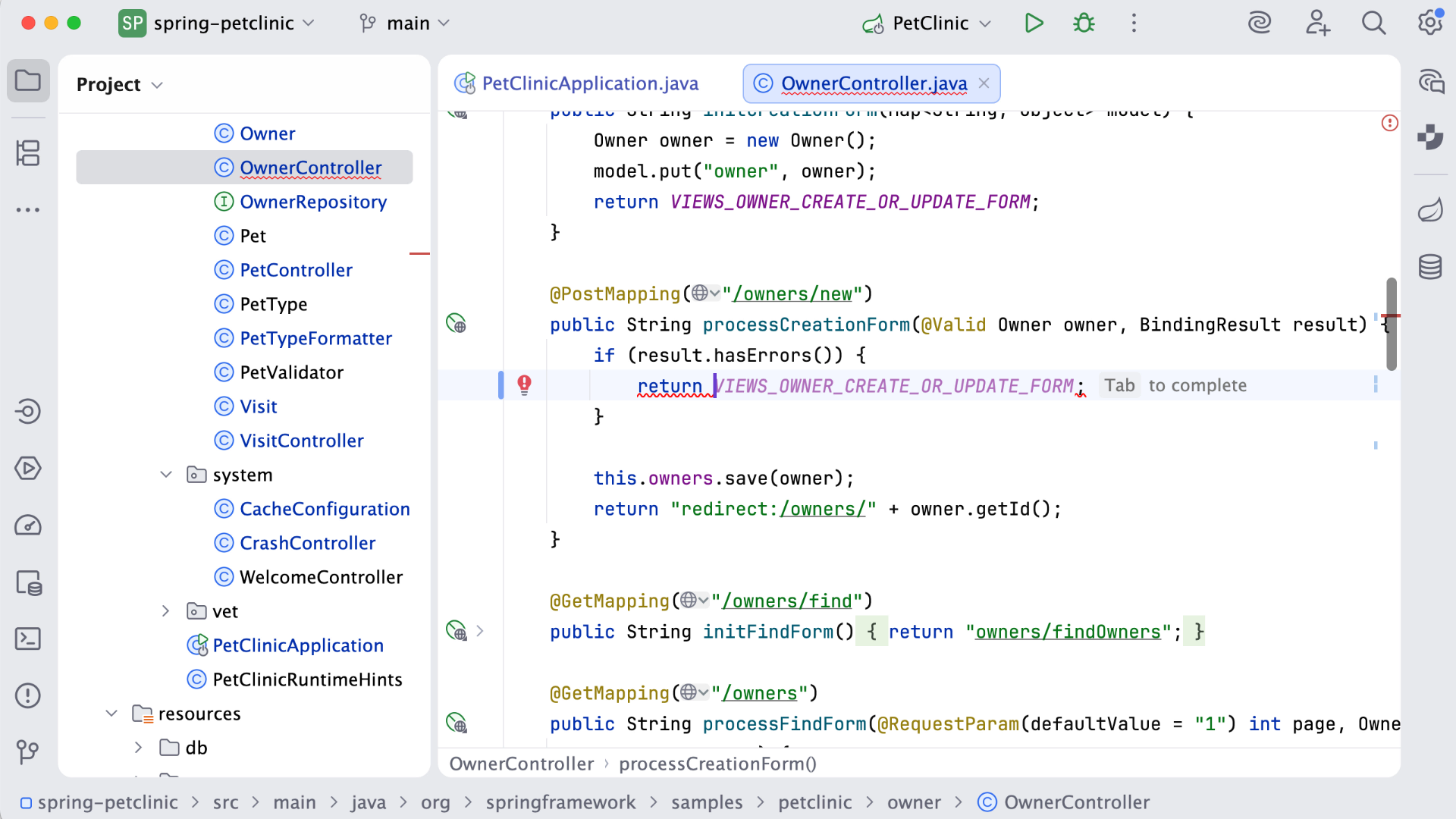
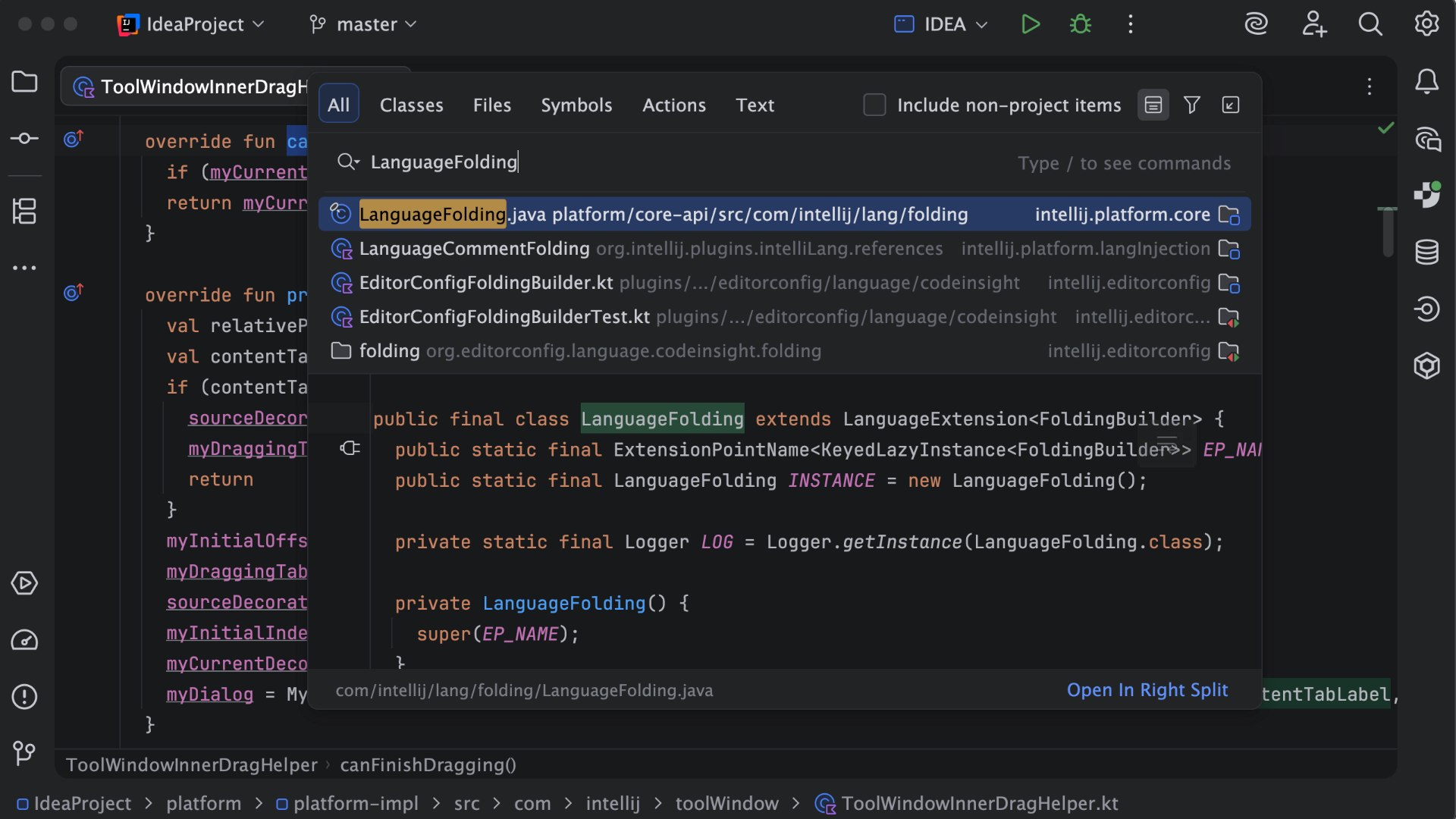
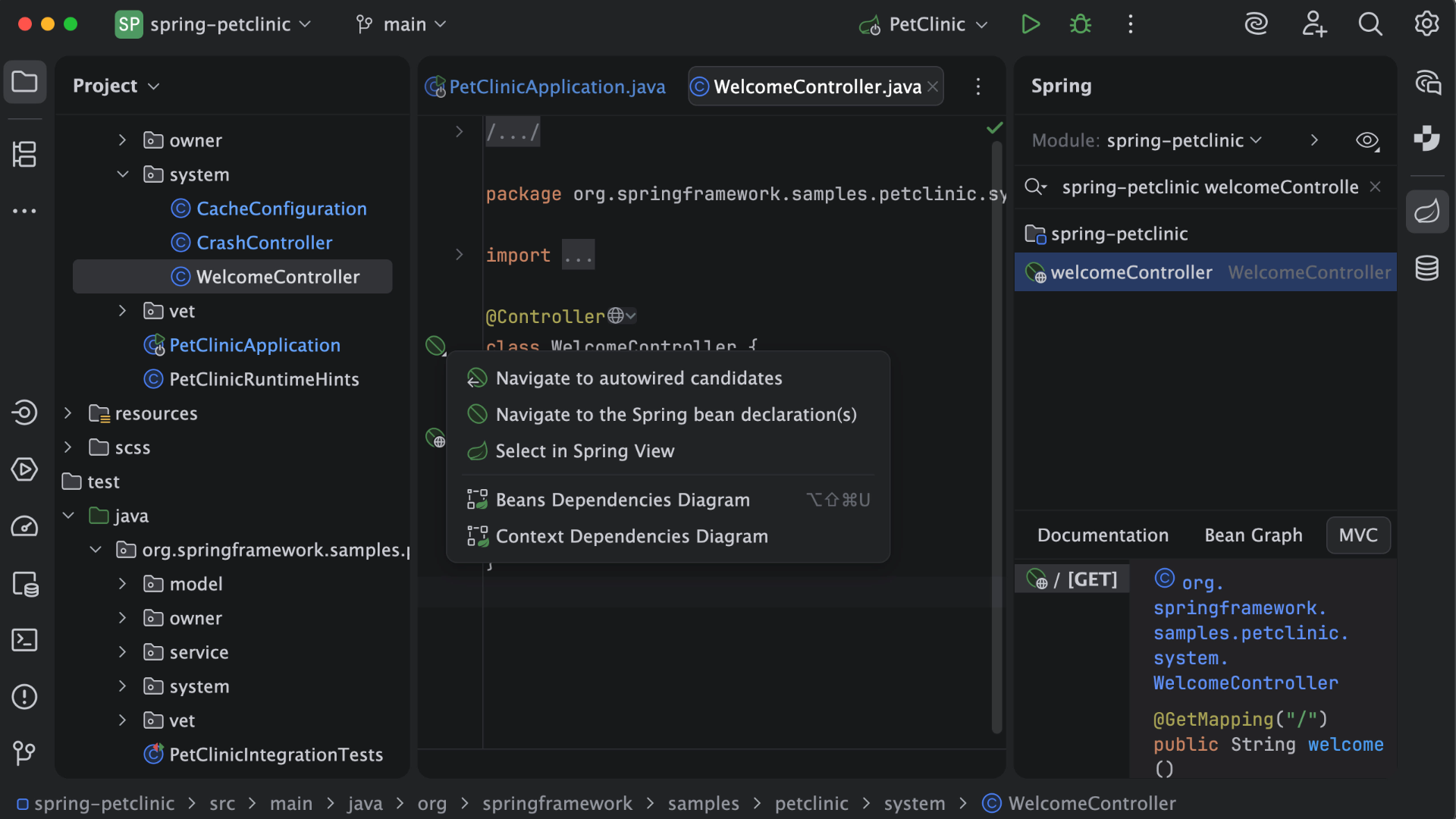
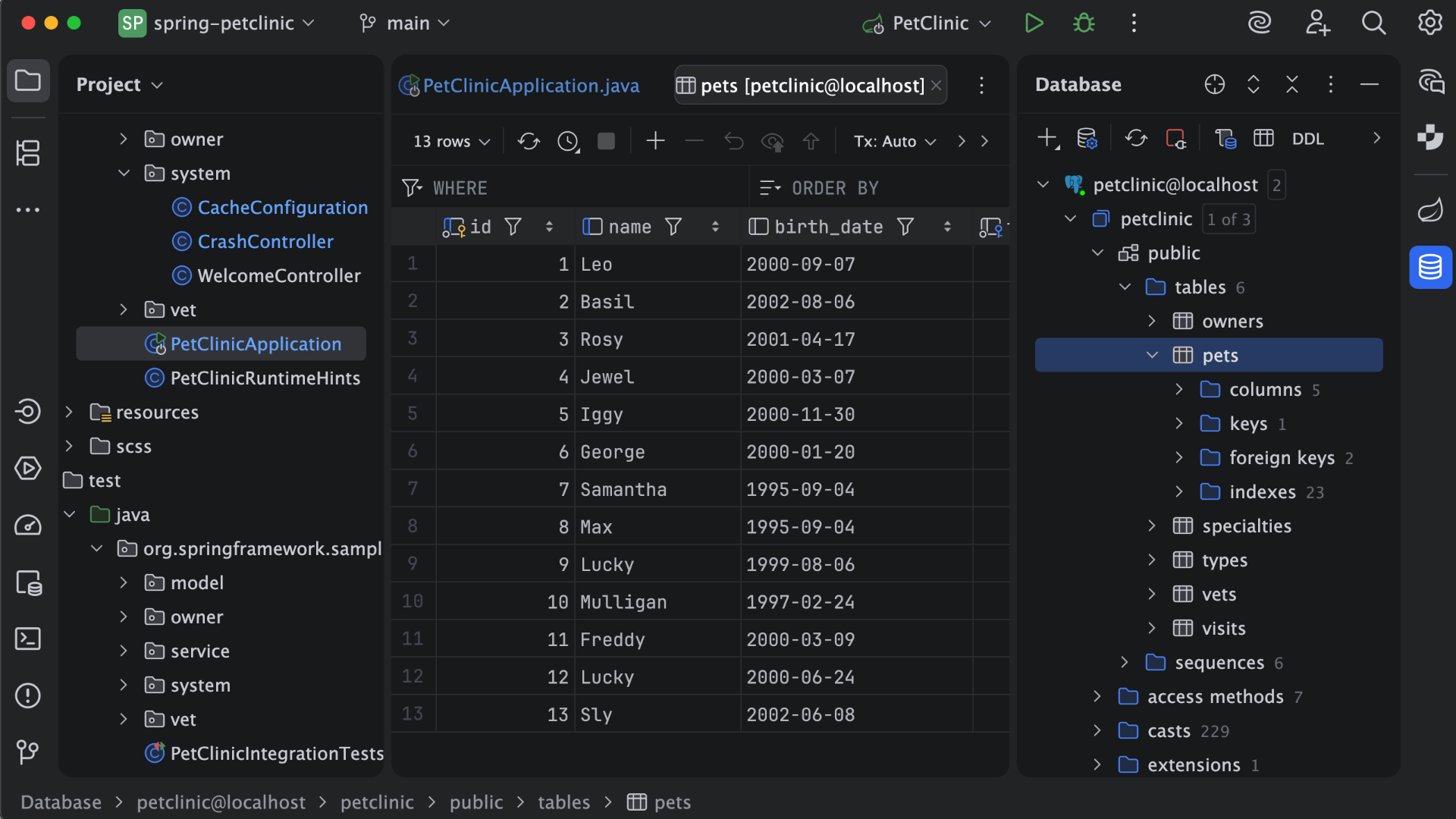
IntelliJ IDEA is an IDE that aims to give Java and Kotlin developers everything they need out of the box, including a smart code editor, built-in developer tools, framework support, database support, web development support, and much more.
$19.90
per month
WebStorm
Score9.6 out of 10
N/A
WebStorm is an integrated development environment (IDE) by JetBrains. Designed for JavaScript and TypeScript development, WebStorm also aims to make it easy to tackle the most challenging tasks. Whether resolving Git merge conflicts or renaming a symbol across multiple files, it takes just a few clicks.
$0
per year
RepreZen API Studio
Score8.2 out of 10
N/A
RepreZen™ API Studio is an enterprise-class API design platform, built from the ground up to meet the demands of large-scale integration programs. The vendor says that while other tools only address individual APIs, RepreZen optimizes at the organizational scale, aligning interfaces and streamlining integration from application-level microservices to federated enterprise service architectures. API Studio introduces RAPID-ML, the new open standard for API description. RAPID…
N/A
Pricing
IntelliJ IDEA
WebStorm
RepreZen API Studio
Editions & Modules
For Individual Use (Monthly billing)
$19.90
per month
For Organizations (Monthly billing)
$71.90
per month
For Individual Use (Yearly billing)
$199
per year
For Organizations (Yearly billing)
$719
per year
Individual Non-Commercial
$0
per year
Individual
$6.90
per month
Bussiness
$15.90
per month per user
Individual
$69
per year
Business
$159
per year per user
No answers on this topic
Offerings
Pricing Offerings
IntelliJ IDEA
WebStorm
RepreZen API Studio
Free Trial
Yes
Yes
Yes
Free/Freemium Version
Yes
Yes
No
Premium Consulting/Integration Services
No
No
Yes
Entry-level Setup Fee
No setup fee
No setup fee
No setup fee
Additional Details
All Products Pack (For Individual Use) – $299 /1st year, $ 239 /2nd year and $ 179 /3d year onwards
All Products Pack (For Organizations) – $979 / year
—
—
More Pricing Information
Community Pulse
IntelliJ IDEA
WebStorm
RepreZen API Studio
Considered Multiple Products
JetBrains
Verified User
Chose IntelliJ IDEA
IntelliJ IDEA is the most specific and oriented towards my line of work, however, after using it for years - it's also my preferred IDE that I use for personal projects as well. Jetbrains other IDE offerings are almost as good and I do use them from time to time but IntelliJ …
A de minimis incentive was given to thank the reviewer for their time. The incentive was not used to bias or drive a particular response, nor was the incentive contingent on a positive endorsement. More Info
Software Developer in Engineering at Webvalto Ltd. (Banking, 51-200 employees)
Chose IntelliJ IDEA
IntelliJ surpassed every single competitor. The only viable alternative I still use is VisualStudio Code build in a browser for demo purposes... other than that, IDEA does everything better, faster, and in a more comfy way. This is the best IDE out there. This is just as good …
A de minimis incentive was given to thank the reviewer for their time. The incentive was not used to bias or drive a particular response, nor was the incentive contingent on a positive endorsement. More Info
Verified User
Chose IntelliJ IDEA
Before IntelliJ IDEA developers were using NetBeans or Eclipse for the development. There are many reasons to change from that application to IntelliJ. Firstly, both Eclipse and NetBeans are free and they are not providing support as IntelliJ supports for its users. Eclipse and …
A de minimis incentive was given to thank the reviewer for their time. The incentive was not used to bias or drive a particular response, nor was the incentive contingent on a positive endorsement. More Info
QA Test Lead in Quality Assurance at Action-MCFR Mediagroup (Information Services, 1001-5000 employees)
Chose IntelliJ IDEA
IDEA has great roadmap, every update brings useful features. Support is great. Excellent documentation. It's full-featured as it comes out of the box and even if you can't find something you'll get it via plugins.
A de minimis incentive was given to thank the reviewer for their time. The incentive was not used to bias or drive a particular response, nor was the incentive contingent on a positive endorsement. More Info
A de minimis incentive was given to thank the reviewer for their time. The incentive was not used to bias or drive a particular response, nor was the incentive contingent on a positive endorsement. More Info
JetBrains
Verified User
Chose WebStorm
WebStorm is the best IDE for javascript over cloud9 and NetBeans which have traditionally supported a variety of languages with no specific specialty. While WebStorm has a cost associated per license, it is bar none when it comes to an integrated development environment needed …
A de minimis incentive was given to thank the reviewer for their time. The incentive was not used to bias or drive a particular response, nor was the incentive contingent on a positive endorsement. More Info
This is a superb tool if your project involves a lot of backend development, especially in Java/Spring Boot and Kotlin. The support for the front end is great as well, but some developers may prefer to use the GitHub copilot add-on. I especially love using the GitHub copilot add-on. It may be less appropriate if your project requires heavy use of HotSwaps for backend debugging, as sometimes the support for that can be limited.
A de minimis incentive was given to thank the reviewer for their time. The incentive was not used to bias or drive a particular response, nor was the incentive contingent on a positive endorsement. More Info
Groups that use a [variety] of development environments (.net, python, web), Jebrain's products and Webstorm, in particular, are a great choice for productivity. If your developers are accustom to another IDE it might be better for all to sync on the same one. I wouldn't take the cost aspect as a consideration. A productive developer is far more important.
A de minimis incentive was given to thank the reviewer for their time. The incentive was not used to bias or drive a particular response, nor was the incentive contingent on a positive endorsement. More Info
Unit testing: Fully integrated into IntelliJ IDEA. Your unit tests will run smoothly and efficiently, with excellent debugging tools for when things get tricky.
Spring integration: Our Spring project using Maven works flawlessly in IntelliJ IDEA. I know firsthand that Apache is also easily and readily supported too. The integration is seamless and very easy to set up using IntelliJ IDEA's set up wizard when importing new projects.
Customization: IntelliJ IDEA comes out of the box with a bunch of handy shortcuts, as well as text prediction, syntax error detection, and other tools to help keep your code clean. But even better is that it allows for total customization of shortcuts you can easily create to suit your needs.
A de minimis incentive was given to thank the reviewer for their time. The incentive was not used to bias or drive a particular response, nor was the incentive contingent on a positive endorsement. More Info
A de minimis incentive was given to thank the reviewer for their time. The incentive was not used to bias or drive a particular response, nor was the incentive contingent on a positive endorsement. More Info
A de minimis incentive was given to thank the reviewer for their time. The incentive was not used to bias or drive a particular response, nor was the incentive contingent on a positive endorsement. More Info
The popup file search sometimes frustrates me. It caps the number of results, and sometimes it isn't clear that it simply stopped looking. I also used to have trouble finding string occurrences that I knew were in my project, but I think they've made improvements in this area recently.
Being a AAA IDE, WebStorm can be a memory hog. If I don't kill it every few days, it can get really slow. I would love to see performance improvements.
Speaking of performance, WebStorm can take a long time to launch. I'd like to see improvements in launch times.
A de minimis incentive was given to thank the reviewer for their time. The incentive was not used to bias or drive a particular response, nor was the incentive contingent on a positive endorsement. More Info
VS Code is maturing and has a Scala plugin now. The overall experience with VS Code - for web development at least - is very snappy/fast. IntelliJ feels a bit sluggish in comparison. If that Scala plugin for VS Code is deemed mature enough - we may not bother renewing and resort to the Community Edition if we need it.
A de minimis incentive was given to thank the reviewer for their time. The incentive was not used to bias or drive a particular response, nor was the incentive contingent on a positive endorsement. More Info
A de minimis incentive was given to thank the reviewer for their time. The incentive was not used to bias or drive a particular response, nor was the incentive contingent on a positive endorsement. More Info
There is always room for improvement, but I haven't met any IDE that I liked more so far. Even if it did not fit a use case right out of the box, there is always a way to configure how it works to do just that.
A de minimis incentive was given to thank the reviewer for their time. The incentive was not used to bias or drive a particular response, nor was the incentive contingent on a positive endorsement. More Info
Great in debugging, testing, developing and maintaining softwares in a number of languages. Great support for many languages and their syntaxes. Great support of many third party extensions and plugins like GIT and html plugins. The RAM usage of WebStorm however could be really improved, it literally takes almost all of the RAM of my machine with 16GB RAM
A de minimis incentive was given to thank the reviewer for their time. The incentive was not used to bias or drive a particular response, nor was the incentive contingent on a positive endorsement. More Info
Customer support is really good in the case of IntelliJ. If you are paying for this product then, the company makes sure that you will get all the services adequately. Regular update patches are provided to improve the IDE. An online bug report makes it easier for the developers to find the solution as fast as possible. The large online community also helps to find the various solutions to the issues.
A de minimis incentive was given to thank the reviewer for their time. The incentive was not used to bias or drive a particular response, nor was the incentive contingent on a positive endorsement. More Info
I gave this rating because I have never needed their customer support, which is the highest level of support I suppose. When a product works just fine out of the box and everything you may need is well documented, it's a paradise for the customer. But I've seen some questions asked on their portal, and I've seen thorough answers given to the questions and the willingness to support the customer with follow-ups and everything else.
A de minimis incentive was given to thank the reviewer for their time. The incentive was not used to bias or drive a particular response, nor was the incentive contingent on a positive endorsement. More Info
This installs just like any other application - its pretty straight forward. Perhaps licensing could be more challenging - but if you use the cloud licensing they offer its as simple as having engineers login to the application and it just works.
A de minimis incentive was given to thank the reviewer for their time. The incentive was not used to bias or drive a particular response, nor was the incentive contingent on a positive endorsement. More Info
A de minimis incentive was given to thank the reviewer for their time. The incentive was not used to bias or drive a particular response, nor was the incentive contingent on a positive endorsement. More Info
Eclipse is just so old, like a dinosaur, compared to IntelliJ. There are still formats that Eclipse supports better, especially old and/or propriety ones. Still, most of the modern software development needs can be done on IntelliJ, & in a much better way, some of them are not even supported on Eclipse.
A de minimis incentive was given to thank the reviewer for their time. The incentive was not used to bias or drive a particular response, nor was the incentive contingent on a positive endorsement. More Info
I think WebStorm is way ahead of open-source editors. Please don't get me wrong, I love open-source. But the other free editors have a lot of configuration which blocks my whole coding experience. Take "Atom" for example. I used it for about 3 months, but in that time I had to update the plugins hundreds of time, and for every little thing (e.g. linter) I had to download a community plugin, and with each plugin atom would get a little slow. Take "Eclipse" for another example, which is very suited for Java, but not so suited for JavaScript. Sublime was good, but WebStorm comes with many exciting features that I did not find in sublime/notepad.
A de minimis incentive was given to thank the reviewer for their time. The incentive was not used to bias or drive a particular response, nor was the incentive contingent on a positive endorsement. More Info
A de minimis incentive was given to thank the reviewer for their time. The incentive was not used to bias or drive a particular response, nor was the incentive contingent on a positive endorsement. More Info
A de minimis incentive was given to thank the reviewer for their time. The incentive was not used to bias or drive a particular response, nor was the incentive contingent on a positive endorsement. More Info